
FTQ - optimized
-may increase your fps- works on the basis of more stable textures removal of uncessary and other types of optimization
Screenshots

Über diese Mod
advantage
- Better FPS
- Optimized textures
- Easy install
Questions
how to install? - copy the ZIP file to the resourcepack or datapack folder.
how does this work? - works on the basis of more stable textures removal of uncessary and other types of optimization
Other
this project was created by one person; its goal is to enable easy optimization without crashes like a mod, but better - datapack\resourcepack
do you have low fps? it will raise it
From now on it does not require installation on the server!
⚠IMPORTANT - FPS jump and incompatibility with sodium is the NORMAL I do not guarantee a stable increase in FPS⚠
how it works?
this mod\resourcepack\datapack can increase FPS with the help of:
1.
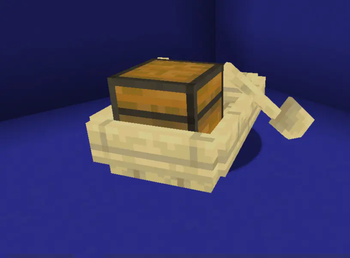
the developers were a little lazy when making block models (example: if you put VERY many cauldrons and frames, minecraft will start to lag - the cauldron hitbox is very strange and the frames are very difficult to render it removes the shadows of entities and changes their rendering from now on works so that what the player does not see is not loaded at all or becomes of poor quality
2.
fog
now there is no fog, also clouds are drawn at a greater distance; now they are drawn only in the player’s visibility
3.
particles and animations
removed some animations like sea grass, etc.
cherry particles removed.
all together it gives a small increase
Verfügbare Versionen
FTQ - optimized auf dem Server installieren
Server bestellen
Bestelle einen Minecraft Java Server mit mindestens 3 GB RAM (4 GB empfohlen).
datapack Loader setzen
Wähle im Panel unter "Egg" den datapack-Loader und die passende Minecraft-Version (1.20.1).
Mod installieren
Öffne den Mod-Browser im Dashboard und suche nach "FTQ - optimized". Klicke "Installieren" – fertig! Alternativ: Lade die .jar via SFTP in den /mods Ordner.
Kompatibilität
Mod-Loader
Minecraft-Versionen
1.20.1
Server-seitig
✓ ErforderlichEmpfohlener RAM
4 GB(min. 3 GB)Häufige Fragen
FTQ - optimized Server crasht beim Start – was tun?
Häufigste Ursache: falsche datapack-Version oder zu wenig RAM. Prüfe im Server-Log (latest.log), ob ein "OutOfMemoryError" oder "Mixin"-Fehler auftritt. Bei Mado Hosting: Stelle sicher, dass mindestens 3 GB RAM zugewiesen sind und der Loader zur Mod-Version passt (1.20.1). Über das Panel kannst du den Loader mit einem Klick wechseln.
Ist FTQ - optimized mit datapack und fabric und forge und quilt kompatibel?
FTQ - optimized unterstützt offiziell datapack, fabric, forge, quilt für Minecraft 1.20.1. Achtung: Forge- und Fabric-Mods sind NICHT untereinander kompatibel – wähle einen Loader und bleibe dabei. Im Mado Dashboard werden inkompatible Loader-Kombinationen automatisch erkannt.
Server laggt mit FTQ - optimized – wie optimiere ich die Performance?
Empfohlener RAM: 4 GB (+1 GB pro 8 Spieler). Prüfe mit /spark profiler, ob FTQ - optimized den meisten Tick-Time verbraucht. Häufige Fixes: Server-View-Distance auf 8-10 reduzieren, bei Forge "performant" oder "starlight" als Zusatz-Mod installieren. Bei Mado Hosting läuft dein Server auf NVMe-SSDs mit dedizierten CPU-Kernen für minimale Latenz.
Ähnliche Mods



Modded Server mieten
Installiere FTQ - optimized mit nur einem Klick auf deinem Server.