
Glamour Table
An in-game texture editor for tools and canvases.
Screenshots
Über diese Mod
Resource Pack Info
This datapack requires the included resource pack to function! The resource pack is included as GlamourRP.zip in the root directory of the datapack. You can also download the resource pack on its own from the page for the specific version here on Modrinth. Regardless of how you download it, make sure it's added to your Minecraft resources directory and enabled in game!
Introduction
This datapack adds a two new utility blocks to Minecraft - the Painting Table and the Glamour Table.
The painting table can be used to create 1x1 custom paintings that can be hung in item frames.
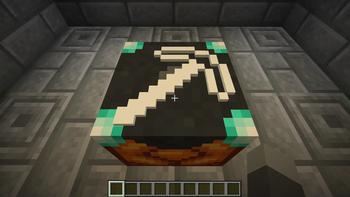
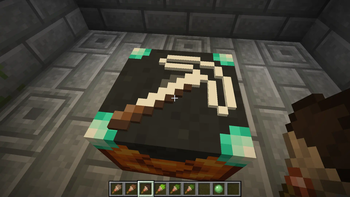
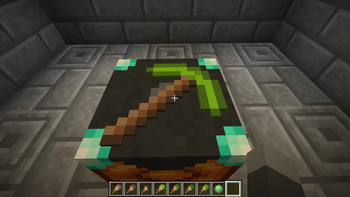
The glamour table can be used to change the appearance of tools.
Both tables use paintbrushes to edit textures entirely in game.
Recipes
The painting table can be crafted using planks, a bowl, and a brush: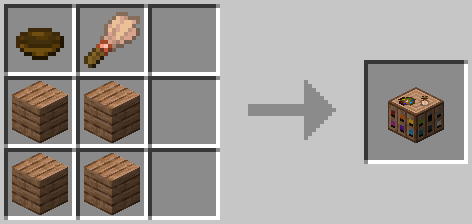
To use a painting table, you'll need to create canvases using sticks and a carpet. The color of carpet used will determine the base color of the canvas: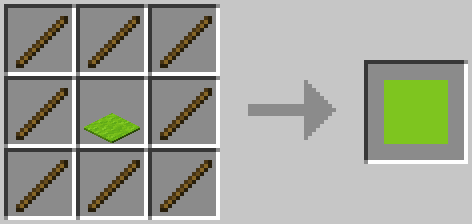
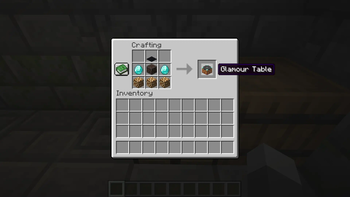
The glamour table can be crafted using glowstone, a creaking heart, diamonds, and any carpet: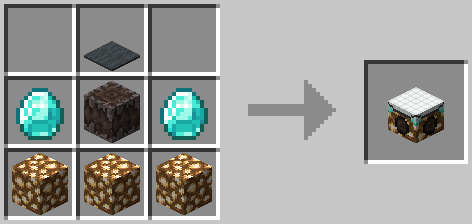
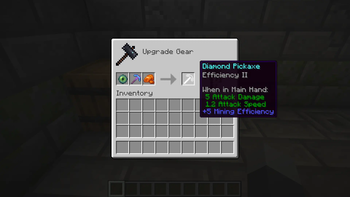
To use the glamour table, you'll need to prepare your tools in a smithing table. Add an eye of ender and a piece of glowstone, and your tool's texture will be updated to an outline.
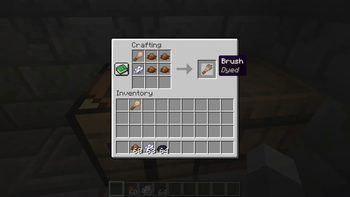
To create paint brushes, add dye to brushes in a crafting table. The final color of the paint brush is determined using the same formula as dyed armor: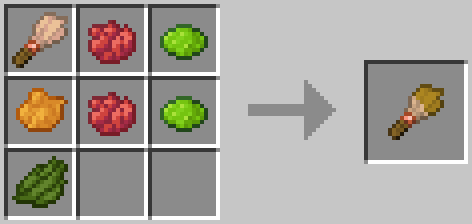
Editing Textures
Right click the glamour or paint table with the item you'd like to edit to place it. Paint tables can only edit canvases, and glamour tables can only edit items.
To edit the item's texture, you can either use dyes directly, or use a paintbrush. Just right click the pixel you want to edit with the dye or brush! You can also right click with a slime ball to remove a pixel.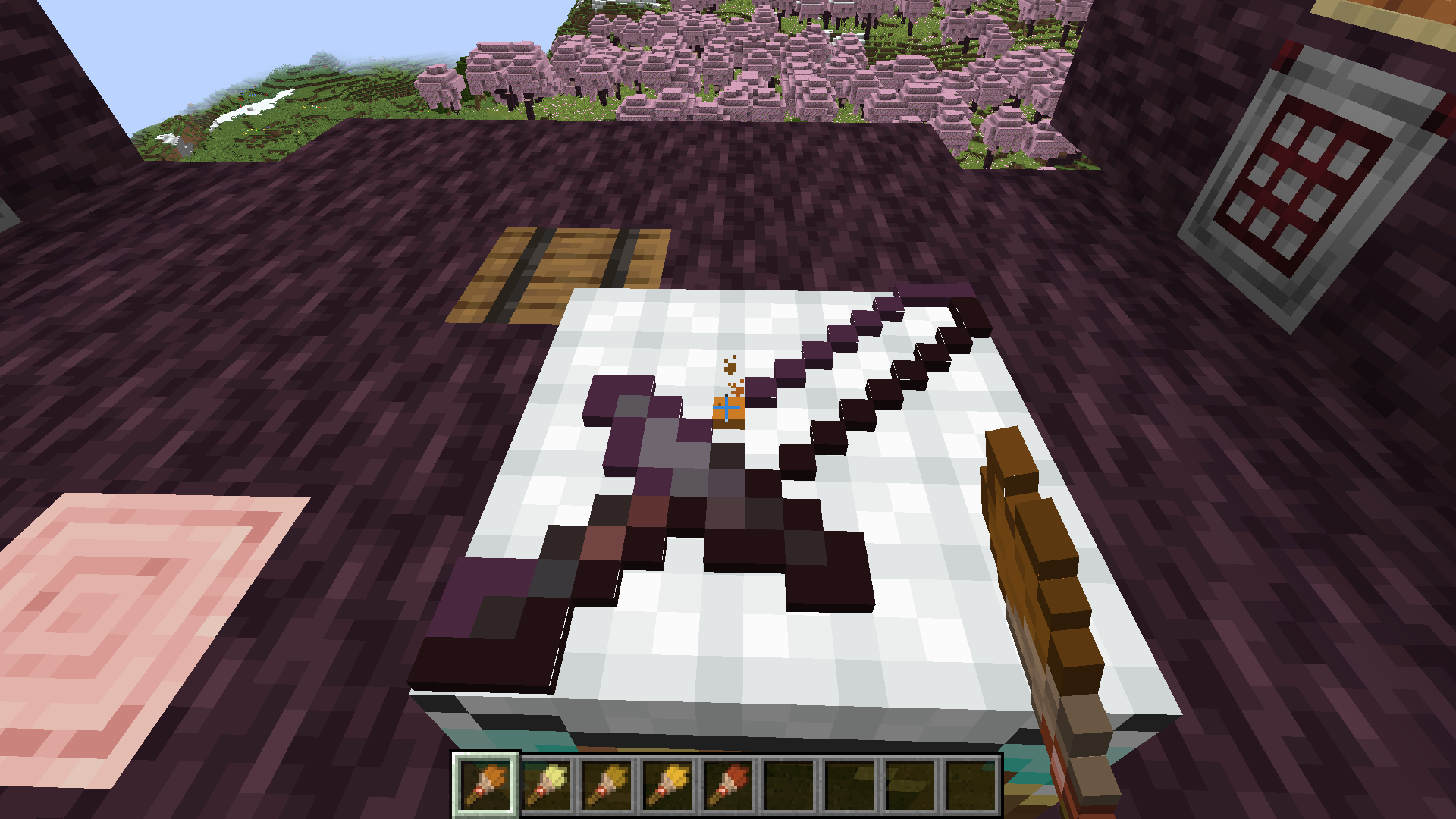
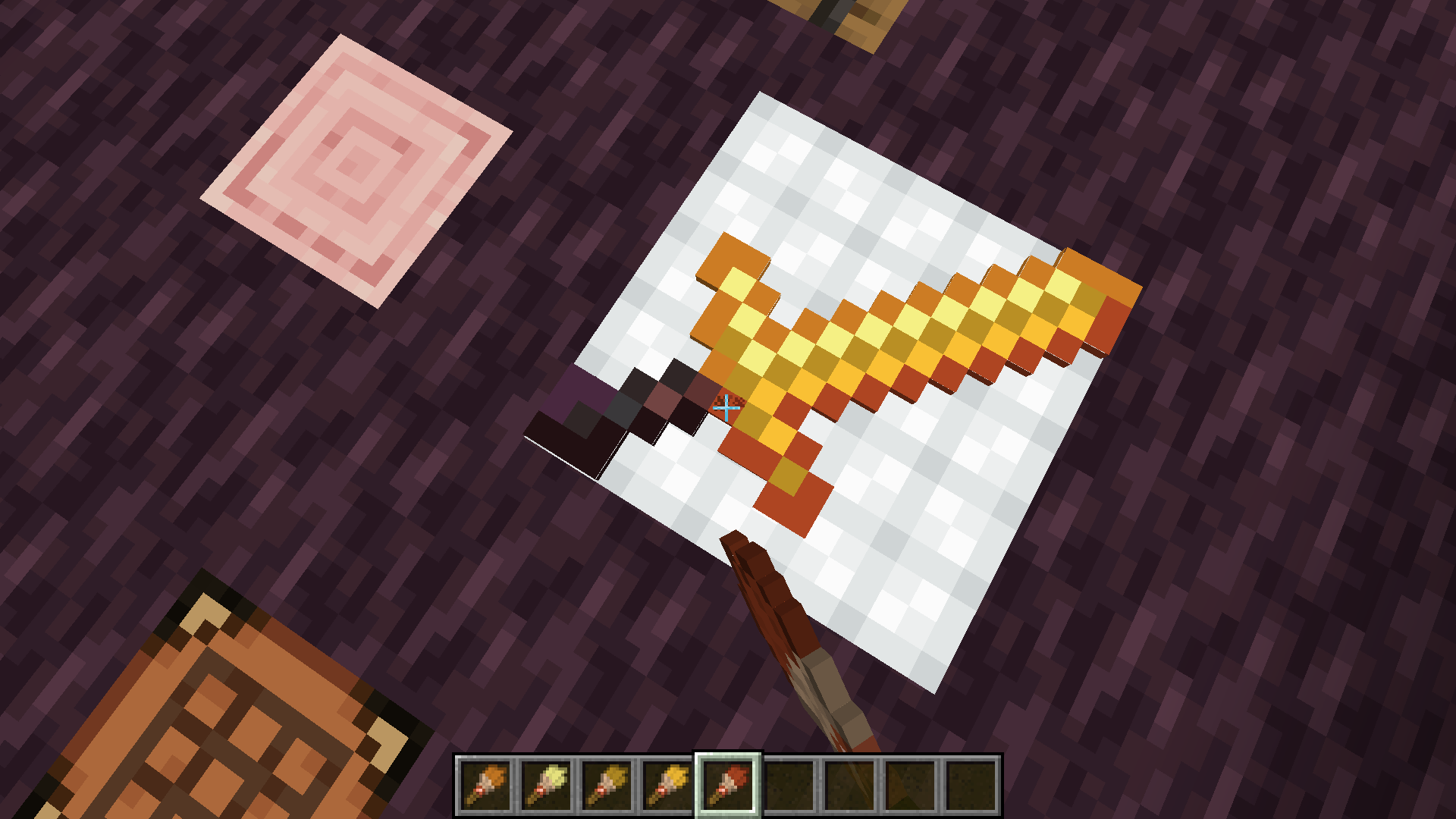
Once you're satisfied with the updated texture, just right click with an empty hand to retrieve your tool!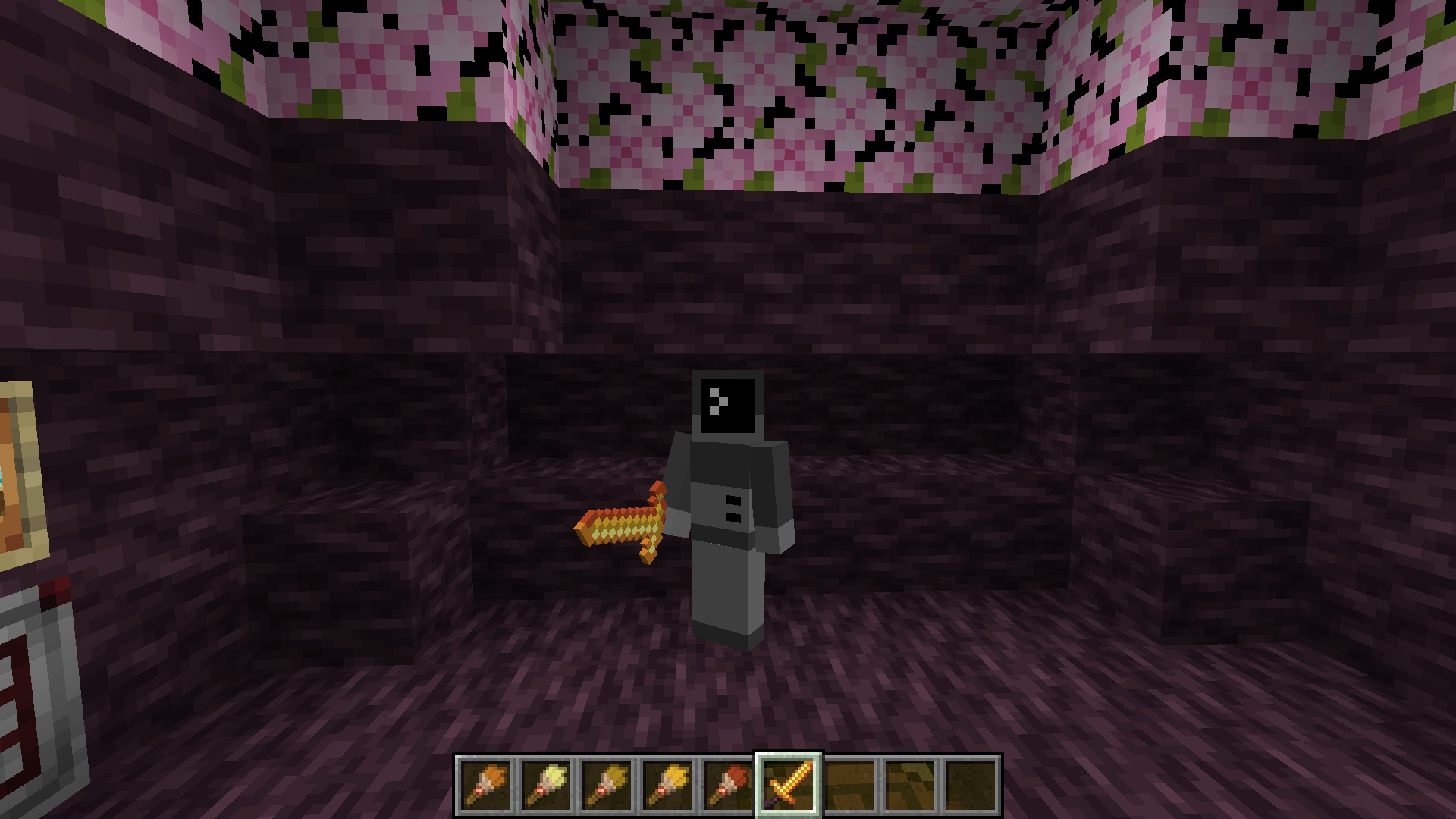
If you want to remove the texture from a tool, place it on the glamour table and right click with a wet sponge. The custom texture will be removed from your item.
Items that can have glamours applied include:
- All pickaxes, axes, shovels, hoes, and swords.
- Maces
Texture Helper Tool
With some help from Arubik, I've put together a webapp to help create items compatible with this resource pack. This tool can either generate a give command for an item with exact RGB values for each pixel, or reduce the colors in the texture to those obtainable by dyes and generate a paint-by-number template to create the texture in survival.
The tool can be accessed here: https://dqwertyc.github.io/glamour-table/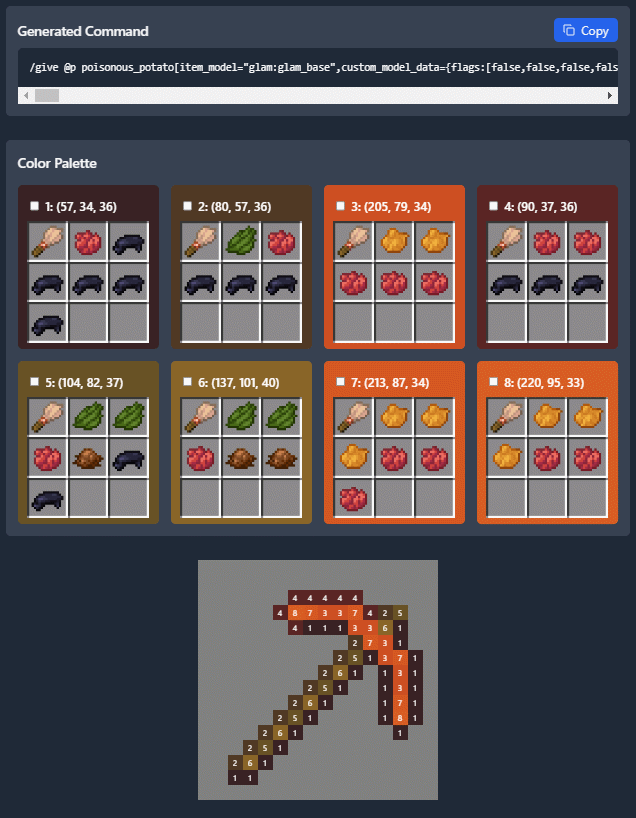
Verfügbare Versionen
Glamour Table auf dem Server installieren
Server bestellen
Bestelle einen Minecraft Java Server mit mindestens 3 GB RAM (4 GB empfohlen).
datapack Loader setzen
Wähle im Panel unter "Egg" den datapack-Loader und die passende Minecraft-Version (26.3).
Mod installieren
Öffne den Mod-Browser im Dashboard und suche nach "Glamour Table". Klicke "Installieren" – fertig! Alternativ: Lade die .jar via SFTP in den /mods Ordner.
Kompatibilität
Mod-Loader
Minecraft-Versionen
26.3, 26.2, 26.1.2 (+12 weitere)
Server-seitig
✓ ErforderlichEmpfohlener RAM
4 GB(min. 3 GB)Häufige Fragen
Glamour Table Server crasht beim Start – was tun?
Häufigste Ursache: falsche datapack-Version oder zu wenig RAM. Prüfe im Server-Log (latest.log), ob ein "OutOfMemoryError" oder "Mixin"-Fehler auftritt. Bei Mado Hosting: Stelle sicher, dass mindestens 3 GB RAM zugewiesen sind und der Loader zur Mod-Version passt (26.3). Über das Panel kannst du den Loader mit einem Klick wechseln.
Ist Glamour Table mit datapack und fabric und forge und neoforge und quilt kompatibel?
Glamour Table unterstützt offiziell datapack, fabric, forge, neoforge, quilt für Minecraft 26.3, 26.2, 26.1.2. Achtung: Forge- und Fabric-Mods sind NICHT untereinander kompatibel – wähle einen Loader und bleibe dabei. Im Mado Dashboard werden inkompatible Loader-Kombinationen automatisch erkannt.
Server laggt mit Glamour Table – wie optimiere ich die Performance?
Empfohlener RAM: 4 GB (+1 GB pro 8 Spieler). Prüfe mit /spark profiler, ob Glamour Table den meisten Tick-Time verbraucht. Häufige Fixes: Server-View-Distance auf 8-10 reduzieren, bei Forge "performant" oder "starlight" als Zusatz-Mod installieren. Bei Mado Hosting läuft dein Server auf NVMe-SSDs mit dedizierten CPU-Kernen für minimale Latenz.
Ähnliche Mods



![[TaCZ] Timeless and Classics Zero](https://cdn.modrinth.com/data/SzzJttH8/fd27766d2bb8390d284696b1dbd358f87e081439_96.webp)


Modded Server mieten
Installiere Glamour Table mit nur einem Klick auf deinem Server.