
God Damn Repackager
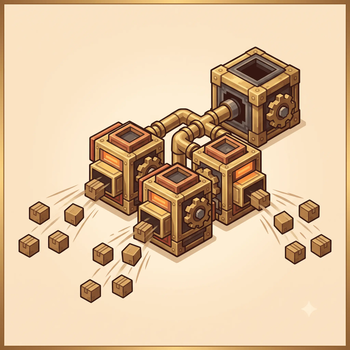
Lets multiple Repackagers sharing one input vault process a single large crafting order in parallel — up to N× faster order fulfillment with N repackagers.
Screenshots
Über diese Mod
God Damn Repackager
⚠️ ALPHA (0.3.0)
This mod is in early testing. It uses a Mixin to modify Create's repackager core logic and
has not yet undergone large-scale, long-term stability testing. Back up your world before
using it. Bug reports are welcome on the project page.ℹ️ If you used 0.2.0: 0.2.0 could cause "only some repackagers work after placing an order"
(e.g. 6 of 9) in an existing world, requiring you to re-place the repackagers. Fixed in 0.2.1 —
just upgrade, no re-placement needed. See Known Limitations.
The Problem
In vanilla Create 6.0+, when you place a large crafting order through the Stockkeeper for your
crafter array (e.g. "craft 1000 iron blocks"), the entire order is processed by a single
Repackager. Even if your input vault is surrounded by repackagers, only one of them does any
work — the rest sit idle. A repackager emits only one package per second (20-tick animation
cycle), so large orders take a very long time.
God Damn Repackager makes all repackagers attached to the same input vault share the work.
N repackagers ≈ N× throughput.
Speed Comparison
| Scenario | Vanilla | With this mod |
|---|---|---|
| 1000 crafts, 1 repackager | ~1000s | ~1000s (unchanged) |
| 1000 crafts, 3 repackagers | ~1000s (2 idle) | ~333s |
| 1000 crafts, 9 repackagers | ~1000s (8 idle) | ~111s |
Usage
No configuration required — works out of the box. Build your crafter array as usual:
Stockkeeper ──order──> Frogport ships materials ──> Input Vault (holds material packages)
                                                          ↓
                                            Multiple Repackagers (redstone block = always on)
                                                          ↓
                                            Packager (unwraps) → Mechanical Crafter → Output
As long as multiple repackagers are attached to the same input vault, this mod automatically
parallelizes them. Repackagers must be placed against a Create Vault.
How it works
The mod uses two complementary layers:
- Snapshot allocation — When a repackager assembles an order's packages, it would normally dump
the whole batch into its own send queue. The mod intercepts this and instead distributes the packages
across all repackagers on the same vault, weighted by current queue depth (shorter queue = more work). - Dynamic rebalancing (new in 0.3.0) — Every ~0.5s, if one repackager is badly backlogged while
another is idle, a slice of the backlog is moved from the busy one's queue tail to the idle one's. So
even if one repackager's downstream path clogs, its work is picked up by idle siblings and overall
throughput isn't dragged down by a single stalled machine. Rebalancing is order-preserving (only the
queue tail is touched, and only when severely imbalanced), so it never scrambles a craft.
Installation
- Minecraft 1.20.1 + Forge 47.x
- Install Create 6.0.x (required dependency; tested with 6.0.8)
- Drop the jar into
.minecraft/mods/
Upgrading from 0.2.0? Just replace the jar. 0.2.0 used to require re-placing repackagers in an
existing world; 0.2.1 fixed this — no re-placement needed after upgrade. See
Known Limitations.
Compatibility
- ✅ Tested: MC 1.20.1 + Forge 47.2.0 + Create 6.0.8
- ✅ Tested in modpack environments and on multiplayer servers alongside other mods — no conflicts
- ⚠️ Targets the Create 6.0.x logistics system only; not compatible with Create 0.5.1 and earlier
- ⚠️ Forge only (a Fabric port may come later)
Known Limitations
Re-place repackagers after installing into an existing world.(Fixed in 0.2.1) 0.2.0 could
cause "only some repackagers work after placing an order" (e.g. 6 of 9) in a world that already existed —
far more often on multiplayer servers than in fresh single-player worlds. Cause: 0.2.0 identified sibling
repackagers by the identity (==) of the Forge capability instance they cached, which is rebuilt whenever
the vault's capability is invalidated, so repackagers placed before the mod existed could hold caches
pointing at different generations and fail the check. 0.2.1 fix: siblings are now matched by Create'sInventoryIdentifiervalue equality (for vaults: aBounds(BoundingBox)record comparing only the
multiblock's corner coordinates), which is stable across capability rebuilds. Upgrading to 0.2.1 resolves
this — no re-placement needed. (Technical detail in TECHNICAL.md §3.7.)- The current implementation is "load-balanced snapshot allocation": at the moment a repackager
assembles an order's packages, it decides who gets what based on current queue depth. This is
sufficient for the vast majority of real cases; in extreme edge cases a repackager that goes
idle after allocation won't "steal" work from another's queue. - Repackagers must be attached to a Create Vault. Other containers (Crates, vanilla chests) are
theoretically supported but not fully tested.
License
MIT License — free to use, modify, and distribute. Source code and a full technical writeup
(architecture, dev pitfalls, roadmap) are on the project GitHub.
Credits
- Create and its author simibubi —
an outstanding mod that this project builds upon.
Verfügbare Versionen
God Damn Repackager auf dem Server installieren
Server bestellen
Bestelle einen Minecraft Java Server mit mindestens 3 GB RAM (4 GB empfohlen).
forge Loader setzen
Wähle im Panel unter "Egg" den forge-Loader und die passende Minecraft-Version (1.20.1).
Mod installieren
Öffne den Mod-Browser im Dashboard und suche nach "God Damn Repackager". Klicke "Installieren" – fertig! Alternativ: Lade die .jar via SFTP in den /mods Ordner.
Kompatibilität
Mod-Loader
Minecraft-Versionen
1.20.1
Server-seitig
✓ ErforderlichEmpfohlener RAM
4 GB(min. 3 GB)Häufige Fragen
God Damn Repackager Server crasht beim Start – was tun?
Häufigste Ursache: falsche forge-Version oder zu wenig RAM. Prüfe im Server-Log (latest.log), ob ein "OutOfMemoryError" oder "Mixin"-Fehler auftritt. Bei Mado Hosting: Stelle sicher, dass mindestens 3 GB RAM zugewiesen sind und der Loader zur Mod-Version passt (1.20.1). Über das Panel kannst du den Loader mit einem Klick wechseln.
Ist God Damn Repackager mit forge kompatibel?
God Damn Repackager unterstützt offiziell forge für Minecraft 1.20.1. Im Mado Dashboard werden inkompatible Loader-Kombinationen automatisch erkannt.
Server laggt mit God Damn Repackager – wie optimiere ich die Performance?
Empfohlener RAM: 4 GB (+1 GB pro 8 Spieler). Prüfe mit /spark profiler, ob God Damn Repackager den meisten Tick-Time verbraucht. Häufige Fixes: Server-View-Distance auf 8-10 reduzieren, bei Forge "performant" oder "starlight" als Zusatz-Mod installieren. Bei Mado Hosting läuft dein Server auf NVMe-SSDs mit dedizierten CPU-Kernen für minimale Latenz.
Ähnliche Mods





Modded Server mieten
Installiere God Damn Repackager mit nur einem Klick auf deinem Server.