
Gothic RPG
Adds dark fantasy creatures and content from Gothic series. Vanilla style.
Screenshots
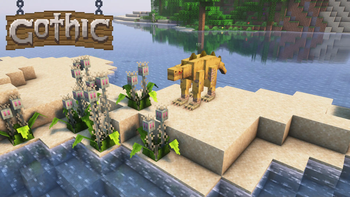
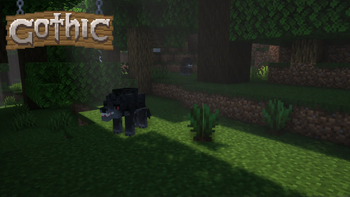
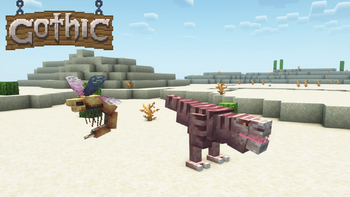
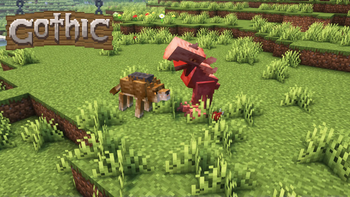
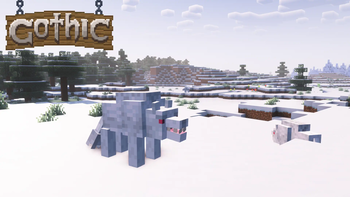
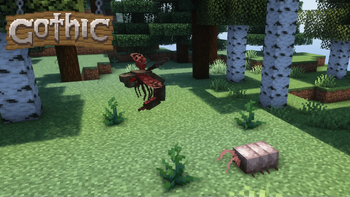
Über diese Mod

A mod that adds various content from Gothic series to Minecraft.
Mainly the mod is focused on content of Gothic I and Gothic II: Night of the Raven.
Requires GeckoLib.
My mod is also available on Curseforge
Start your journey and discover new content:
- Hunt beasts ranging from weak scavengers and molerats to lurkers and shadowbeasts. Each one is animated and has sounds!
- Meet new traders and buy Hunting Guide books, to learn how to obtain more trophies from enemies.
- Catch meatbugs and make your own bug farm!
- Gather wild herbs and crops to heal yourself or make early-game potions.
- Gear up with a handy pickaxe from Old Mineshaft and a new armor sets that are available through trading.
- And much more...
Credits:
- NoCube - mod developer, sprite artist, modeler and animator.
- BlackAures - builder and a person thanks to whom this mod has gone this far.
- MCreator, PaintNet and Blockbench were used in creation of this mod.
- Screenshots are made with Complimentary Reimagined shaders.
- Gothic series is made by Piranha Bytes.
Permissions & FAQ:
- You are allowed to use my mod in your videos and modpacks as long as credited and download link leads here.
- You are not allowed to re-upload my mod to other websites and launchers. This also means no Aternos.
- Backports or Fabric port are not planned.
- Bug reports and re-balance ideas are welcome.
Verfügbare Versionen
Gothic RPG auf dem Server installieren
Server bestellen
Bestelle einen Minecraft Java Server mit mindestens 4 GB RAM (6 GB empfohlen).
forge Loader setzen
Wähle im Panel unter "Egg" den forge-Loader und die passende Minecraft-Version (1.19.4).
Mod installieren
Öffne den Mod-Browser im Dashboard und suche nach "Gothic RPG". Klicke "Installieren" – fertig! Alternativ: Lade die .jar via SFTP in den /mods Ordner.
Kompatibilität
Mod-Loader
Minecraft-Versionen
1.19.4, 1.19.2, 1.18.2
Server-seitig
✓ ErforderlichEmpfohlener RAM
6 GB(min. 4 GB)Häufige Fragen
Gothic RPG Server crasht beim Start – was tun?
Häufigste Ursache: falsche forge-Version oder zu wenig RAM. Prüfe im Server-Log (latest.log), ob ein "OutOfMemoryError" oder "Mixin"-Fehler auftritt. Bei Mado Hosting: Stelle sicher, dass mindestens 4 GB RAM zugewiesen sind und der Loader zur Mod-Version passt (1.19.4). Über das Panel kannst du den Loader mit einem Klick wechseln.
Ist Gothic RPG mit forge kompatibel?
Gothic RPG unterstützt offiziell forge für Minecraft 1.19.4, 1.19.2, 1.18.2. Im Mado Dashboard werden inkompatible Loader-Kombinationen automatisch erkannt.
Server laggt mit Gothic RPG – wie optimiere ich die Performance?
Empfohlener RAM: 6 GB (+1 GB pro 5 Spieler). Prüfe mit /spark profiler, ob Gothic RPG den meisten Tick-Time verbraucht. Häufige Fixes: Server-View-Distance auf 8-10 reduzieren, bei Forge "performant" oder "starlight" als Zusatz-Mod installieren. Bei Mado Hosting läuft dein Server auf NVMe-SSDs mit dedizierten CPU-Kernen für minimale Latenz.
Ähnliche Mods




Modded Server mieten
Installiere Gothic RPG mit nur einem Klick auf deinem Server.