
Gravelmon
Gravelmon is a fakemon addon for the popular cobblemon mod that aims to add classic and notable fakemon to minecraft.
Screenshots
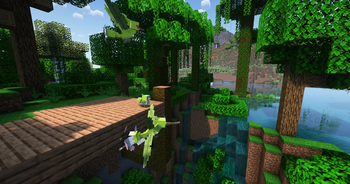
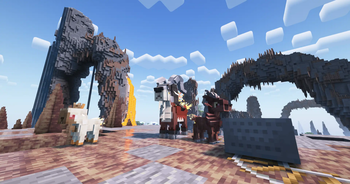
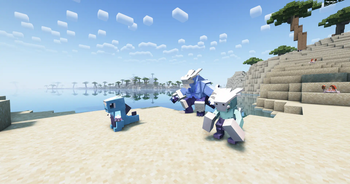
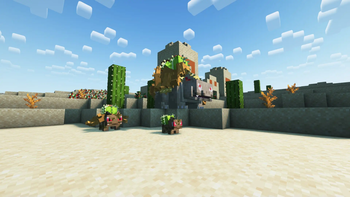
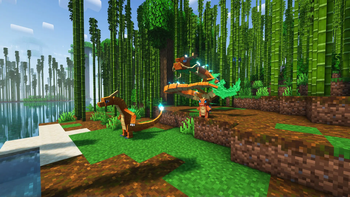
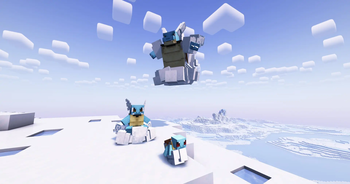
Über diese Mod
Gravelmon
Gravelmon is an addon for Cobblemon that brings classic, iconic, and beloved fakemon from your favorite fan games and ROM hacks into Minecraft.
Gravelmon adds Pokémon from fan games and ROM hacks to Cobblemon, so players can catch and train their favorites and discover new ones. Its goal is to preserve these fan projects and give them a wider audience.
Features (so far!):
- 270 fully modeled Fakemon. This number is growing by the day as well.
- Ban list support. Using our companion library mod, Gravel's Extended Battles, you can ban list any label you don't want in your game. Don't want fakemon that aren't fully modeled yet? Leave the default
not_modeledlabel in place and you'll never see one. Want everything, unfinished models included? Just remove it from the config. - Granular labels. Filter and configure content by origin game, region, or development status to shape exactly which fakemon appear.
- Config first design. Every major feature is tunable from the config, so server owners and players can tailor Gravelmon to fit their world.
- not modeled fakemon currently use temporary billboard sprites so they can be playtested early. These are filtered out by default through the ban list above, and get replaced with full models as they're finished.
- Content pulled from over 30 fan games, ROM hacks, and independent fakemon collections, with more added as development continues.
Installation
- Requires Cobblemon.
- Requires our companion library mod, Gravel's Extended Battles.
- Put Gravelmon, Gravel's Extended Battles, and Cobblemon in your mods folder.
That's it, you're ready to go. If you have trouble installing, get help in our Discord at the link below.
Note: Gravelmon is still heavily in development and is far from complete. Many fakemon are still waiting to be modeled, and features keep getting added and refined as we go.
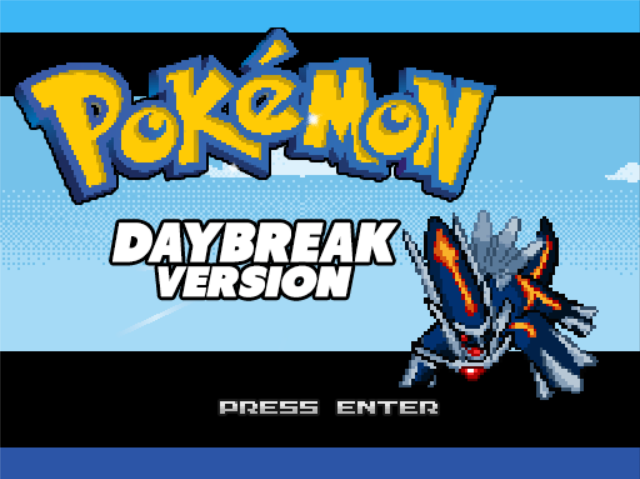
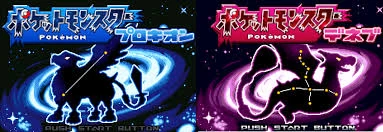
Currently features fakemon from
 |
 |
 |
 |
 |
 |
 |
 |
 |
 |
 |
 |
And dozens more. See the full list of source games on our website.
Added fakemon are included with permission of their creators.
Getting involved
If you'd like to help with modeling, texturing, or contributing data, visit our website! You'll find submission instructions there, can follow development progress, and get a look at what's coming next. If you want to join the community..
FAQ: Gravel's Extended Battles
How does the ban list work?
Gravel's Extended Battles (our companion library mod) lets you ban Pokemon by label. Every Gravelmon entry is tagged with labels for things like its game of origin, region, and development status, and you can block any of those labels in the config.
To ban Pokemon from a specific game, add that game's label to the bannedLabels array in the Gravelmon config file, separated by commas:
{
  "bannedLabels": [
    "not_modeled", "xenoverse"
  ]
}
If you want to ban a single specific Pokemon rather than a whole label group, you can simply put the pokemon name with its form in the bannedPokemon list.
bannedPokemon = ["bulbasaur delta"]
How do I remove the new types added by Gravelmon?
Remove the types from the implementedTypes array in the config file.
For server owners
Gravelmon may be used on servers, but it may never be placed behind a paywall or sold for real world money or currency purchased with real world money. If you find a server doing this, please report it to us and to Mojang.
Gravelmon is not affiliated with Pokemon, Cobblemon, or Minecraft.
Minecraft is a trademark of Mojang Synergies AB. Pokemon is a trademark of Nintendo, Creatures Inc. and GAME FREAK inc.
Verfügbare Versionen
Gravelmon auf dem Server installieren
Server bestellen
Bestelle einen Minecraft Java Server mit mindestens 3 GB RAM (4 GB empfohlen).
fabric Loader setzen
Wähle im Panel unter "Egg" den fabric-Loader und die passende Minecraft-Version (1.21.1).
Mod installieren
Öffne den Mod-Browser im Dashboard und suche nach "Gravelmon". Klicke "Installieren" – fertig! Alternativ: Lade die .jar via SFTP in den /mods Ordner.
Kompatibilität
Mod-Loader
Minecraft-Versionen
1.21.1, 1.20.4, 1.20.3 (+2 weitere)
Server-seitig
✓ ErforderlichEmpfohlener RAM
4 GB(min. 3 GB)Häufige Fragen
Gravelmon Server crasht beim Start – was tun?
Häufigste Ursache: falsche fabric-Version oder zu wenig RAM. Prüfe im Server-Log (latest.log), ob ein "OutOfMemoryError" oder "Mixin"-Fehler auftritt. Bei Mado Hosting: Stelle sicher, dass mindestens 3 GB RAM zugewiesen sind und der Loader zur Mod-Version passt (1.21.1). Über das Panel kannst du den Loader mit einem Klick wechseln.
Ist Gravelmon mit fabric und forge und neoforge kompatibel?
Gravelmon unterstützt offiziell fabric, forge, neoforge für Minecraft 1.21.1, 1.20.4, 1.20.3. Achtung: Forge- und Fabric-Mods sind NICHT untereinander kompatibel – wähle einen Loader und bleibe dabei. Im Mado Dashboard werden inkompatible Loader-Kombinationen automatisch erkannt.
Server laggt mit Gravelmon – wie optimiere ich die Performance?
Empfohlener RAM: 4 GB (+1 GB pro 8 Spieler). Prüfe mit /spark profiler, ob Gravelmon den meisten Tick-Time verbraucht. Häufige Fixes: Server-View-Distance auf 8-10 reduzieren, bei Forge "performant" oder "starlight" als Zusatz-Mod installieren. Bei Mado Hosting läuft dein Server auf NVMe-SSDs mit dedizierten CPU-Kernen für minimale Latenz.
Ähnliche Mods




Modded Server mieten
Installiere Gravelmon mit nur einem Klick auf deinem Server.