
Harvest with ease
Don't break crops, right click them!
Screenshots

Über diese Mod










📝 Description
Tired of breaking and replanting crops over and over again?
Harvest With Ease lets you right-click on fully grown crops to harvest and replant them instantly — no more tedious replanting!
It works out of the box with Vanilla crops and most modded crops, so you can relax and enjoy farming without the grind.
💡 Note: While the mod is technically server-side only, a client without the mod may experience a visual glitch (block flashing) when harvesting while holding a block. To avoid this, set
require hoetotruein the config.

✨ Features
- ✅ Right-click to harvest & replant – works with Vanilla and most modded crops!
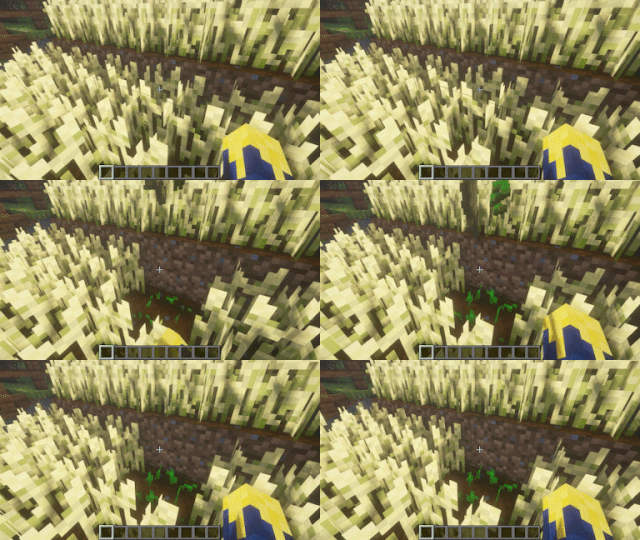
- 🍫 Supports Nether Wart and Cocoa Beans too!
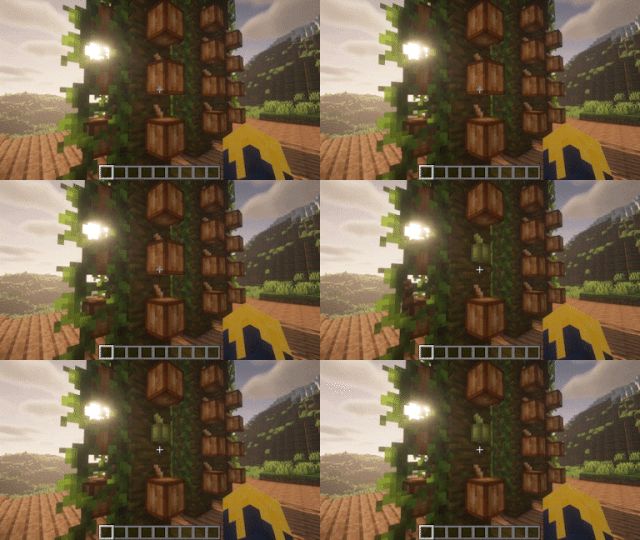
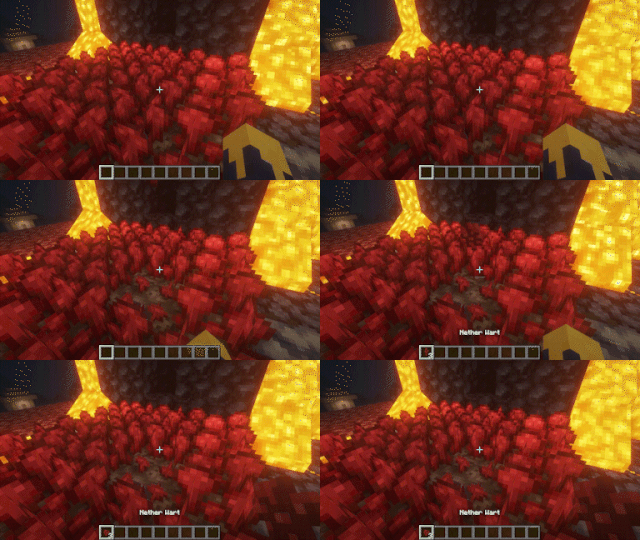
- 🌱 Automatically consumes 1 crop to simulate replanting.
- ✨ Fortune support – Use a Fortune-enchanted item for bonus drops!
- ⚙️ Highly configurable – Tailor it to your playstyle (see below!).
⚙️ Configuration
Customize your farming experience with settings for:
- Compatibility with modded crops.
- Gameplay balance, like requiring tools or limiting multi-harvest.
- Tweaks for multi-block harvest behavior.
📖 Check out the dedicated Wiki page for full details!
🔗 Dependencies
| Mod | Loader | Requirement |
|---|---|---|
| Cobweb | All | Required |
| Forge Config API Port | Fabric; Forge ≥ 1.20.2 | Required |
📜 License and right of use
Feel free to use this mod for any modpack or video, just be sure to give credit and possibly link here.
This project is published under the Crystal Nest Community License v1.
💻 For developers
By default, any crop that extends CropBlock will automatically work with this mod — no extra steps needed!
If your crops don’t extend CropBlock, you can still support them via the crops config option. Just make sure:
- The block has an Integer property named
"age" - The property represents growth stages from
0to a max value
Since v9.0.0, it's possible to blacklist crops via block tags.
📚 Full integration guides are available on the Wiki.
❤️ Support us







Verfügbare Versionen
Harvest with ease auf dem Server installieren
Server bestellen
Bestelle einen Minecraft Java Server mit mindestens 3 GB RAM (4 GB empfohlen).
fabric Loader setzen
Wähle im Panel unter "Egg" den fabric-Loader und die passende Minecraft-Version (26.1.2).
Mod installieren
Öffne den Mod-Browser im Dashboard und suche nach "Harvest with ease". Klicke "Installieren" – fertig! Alternativ: Lade die .jar via SFTP in den /mods Ordner.
Kompatibilität
Mod-Loader
Minecraft-Versionen
26.1.2, 26.1.1, 26.1 (+18 weitere)
Server-seitig
✓ ErforderlichEmpfohlener RAM
4 GB(min. 3 GB)Häufige Fragen
Harvest with ease Server crasht beim Start – was tun?
Häufigste Ursache: falsche fabric-Version oder zu wenig RAM. Prüfe im Server-Log (latest.log), ob ein "OutOfMemoryError" oder "Mixin"-Fehler auftritt. Bei Mado Hosting: Stelle sicher, dass mindestens 3 GB RAM zugewiesen sind und der Loader zur Mod-Version passt (26.1.2). Über das Panel kannst du den Loader mit einem Klick wechseln.
Ist Harvest with ease mit fabric und forge und neoforge kompatibel?
Harvest with ease unterstützt offiziell fabric, forge, neoforge für Minecraft 26.1.2, 26.1.1, 26.1. Achtung: Forge- und Fabric-Mods sind NICHT untereinander kompatibel – wähle einen Loader und bleibe dabei. Im Mado Dashboard werden inkompatible Loader-Kombinationen automatisch erkannt.
Server laggt mit Harvest with ease – wie optimiere ich die Performance?
Empfohlener RAM: 4 GB (+1 GB pro 8 Spieler). Prüfe mit /spark profiler, ob Harvest with ease den meisten Tick-Time verbraucht. Häufige Fixes: Server-View-Distance auf 8-10 reduzieren, bei Forge "performant" oder "starlight" als Zusatz-Mod installieren. Bei Mado Hosting läuft dein Server auf NVMe-SSDs mit dedizierten CPU-Kernen für minimale Latenz.
Ähnliche Mods



Modded Server mieten
Installiere Harvest with ease mit nur einem Klick auf deinem Server.
Details
- Lizenz
- LicenseRef-Crystal-Nest-Community-License-v1
- Server-seitig
- Erforderlich