
Hbm's Nuclear Tech - Muddy Edition
A mod all about nuclear physics and even nuclear-er explosions, now coming to you in 1.20.1!! Courtesy of your funny lil programmer guy, Mudz ;3
Screenshots
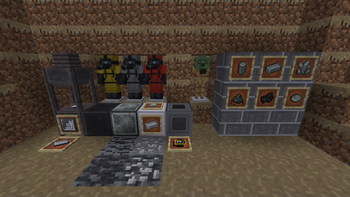
Über diese Mod
Status: Archived
Minecraft Version: 1.20.1
Forge Version: 47.4.0
Mod ID: hbm
Discord: link
WARNING
This mod is no longer being developed, my life has finally caught up and gotten in the way (quite terrible timing might I add), I don't have anyone to work on this with me, and I couldn't manage to get some very important features to run smoothly and without lag. Do NOT use it in worlds you care about! There may be bugs, crashes, and potential incompatibilities with other mods. NOT PLAYABLE in Survival Mode!
Forge version 47.4.9 and up is incompatible! You have been warned.
About
This is my beautiful rewrite of the original Hbm's Nuclear Tech Mod made by The Bobcat. It aims to bring the entirety of the old 1.7.10 masterpiece to the newest versions of minecraft! No matter how much I have to bang my head against a wall to get it done- 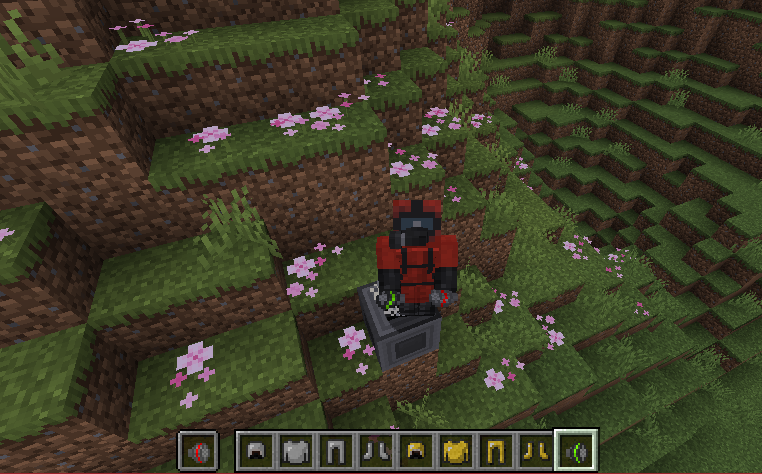
Dependencies

Suggestions
Installation
- Download the latest version from the Versions Tab.
- Download GeckoLib.
- Place both
.jarfiles into your Minecraftsmodsfolder. - Launch Minecraft with Forge 1.20.1
Issues and Compatibilities
- Alpha quality: Expect bugs, missing features, and world corruption. (I try my best to polish the crap outta things before I update, but this warning is a necessary caution, you have been warned!)
- Mod Compatibilities: This mod has not been tested with other mods. Conflicts may occur.
If you encounter bugs, issues, general problems, please report them here with details.
Contributing
Pull requests, suggestions, and bug reports are always appreciated! If you want to help, or even just keep an eye on the project, join my Discord.
Credits
- The original mod created by The Bobcat.
- Hbm's Nuclear Tech - Muddy Edition by me. (Mudz/DirtWithWaterz)
Final Thoughts
Please understand that I am by no means an expert at programming java, this is my first mod, I learn as I go, and go as I learn. Bear with me-
Verfügbare Versionen
Hbm's Nuclear Tech - Muddy Edition auf dem Server installieren
Server bestellen
Bestelle einen Minecraft Java Server mit mindestens 3 GB RAM (4 GB empfohlen).
forge Loader setzen
Wähle im Panel unter "Egg" den forge-Loader und die passende Minecraft-Version (1.20.1).
Mod installieren
Öffne den Mod-Browser im Dashboard und suche nach "Hbm's Nuclear Tech - Muddy Edition". Klicke "Installieren" – fertig! Alternativ: Lade die .jar via SFTP in den /mods Ordner.
Kompatibilität
Mod-Loader
Minecraft-Versionen
1.20.1
Server-seitig
✓ ErforderlichEmpfohlener RAM
4 GB(min. 3 GB)Häufige Fragen
Hbm's Nuclear Tech - Muddy Edition Server crasht beim Start – was tun?
Häufigste Ursache: falsche forge-Version oder zu wenig RAM. Prüfe im Server-Log (latest.log), ob ein "OutOfMemoryError" oder "Mixin"-Fehler auftritt. Bei Mado Hosting: Stelle sicher, dass mindestens 3 GB RAM zugewiesen sind und der Loader zur Mod-Version passt (1.20.1). Über das Panel kannst du den Loader mit einem Klick wechseln.
Ist Hbm's Nuclear Tech - Muddy Edition mit forge kompatibel?
Hbm's Nuclear Tech - Muddy Edition unterstützt offiziell forge für Minecraft 1.20.1. Im Mado Dashboard werden inkompatible Loader-Kombinationen automatisch erkannt.
Server laggt mit Hbm's Nuclear Tech - Muddy Edition – wie optimiere ich die Performance?
Empfohlener RAM: 4 GB (+1 GB pro 8 Spieler). Prüfe mit /spark profiler, ob Hbm's Nuclear Tech - Muddy Edition den meisten Tick-Time verbraucht. Häufige Fixes: Server-View-Distance auf 8-10 reduzieren, bei Forge "performant" oder "starlight" als Zusatz-Mod installieren. Bei Mado Hosting läuft dein Server auf NVMe-SSDs mit dedizierten CPU-Kernen für minimale Latenz.
Ähnliche Mods



![[TaCZ] Timeless and Classics Zero](https://cdn.modrinth.com/data/SzzJttH8/fd27766d2bb8390d284696b1dbd358f87e081439_96.webp)


Modded Server mieten
Installiere Hbm's Nuclear Tech - Muddy Edition mit nur einem Klick auf deinem Server.