
HephaesTools
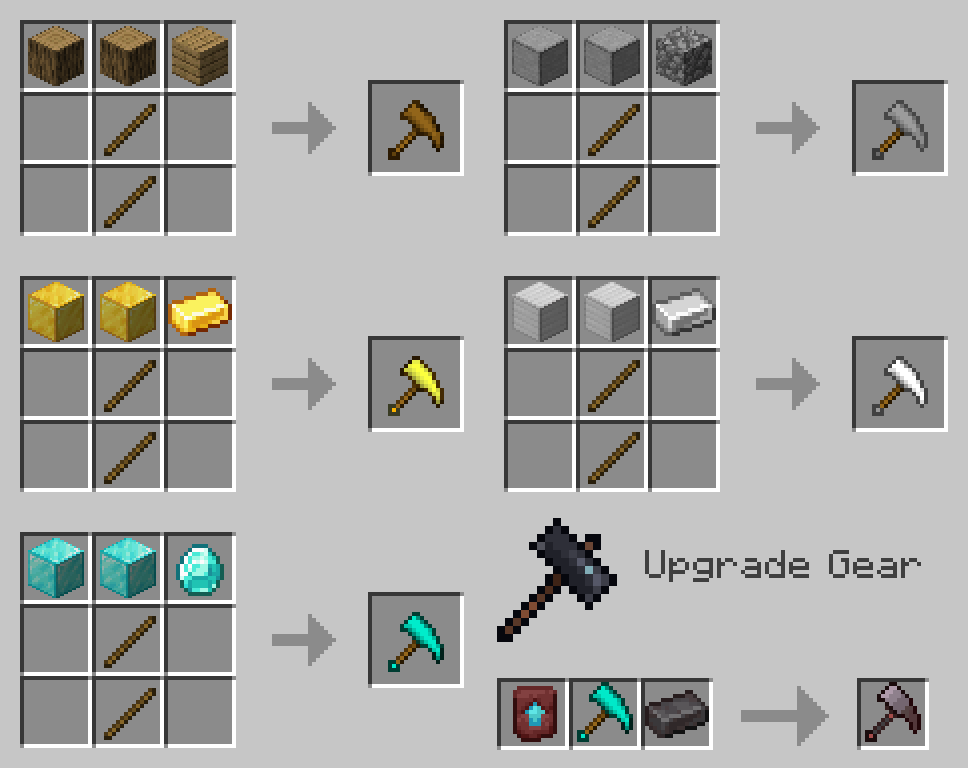
Adds advanced tools that add the ability to mine 3x3 blocks, cut whole trees and harvest with a right click.
Screenshots
Über diese Mod
This datapack adds advanced tools that add the ability to mine 3x3 blocks, cut whole trees and harvest with a right click.
Requires general GalLab resourcepack
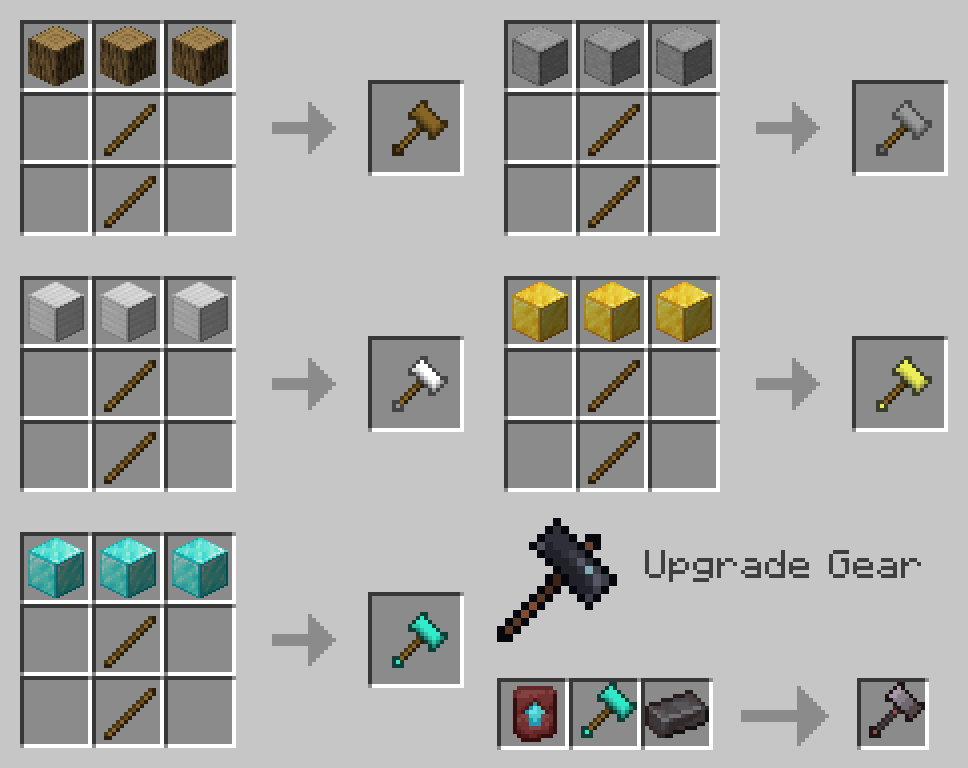
Hammer

Works like a pickaxe, but mines 3x3 blocks.
Netherite Hammer mines a 3x3x3 area.
If you take the Ender Pearl in the second hand, then the stone will not drop.
For the extraction of blocks, a system of heredity works. When mining more harder blocks, such as obsidian, less hard blocks will also be mined, but not vice versa, even if the level of Vein Miner allows you to get a more harder block.
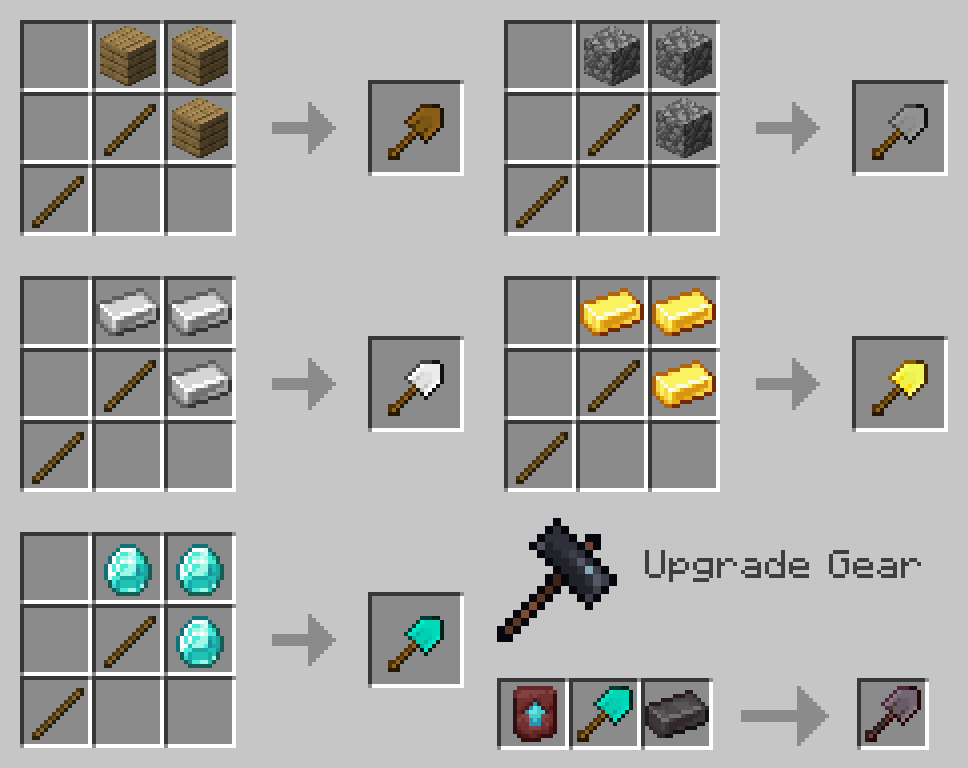
Excavator

Works like a shovel, but digs a 3x3 area.
The Diamond Excavator mines all the sand and gravel above the excavation site.
The Netherite Excavator also digs the 3x3x3 area and all the sand and gravel above.
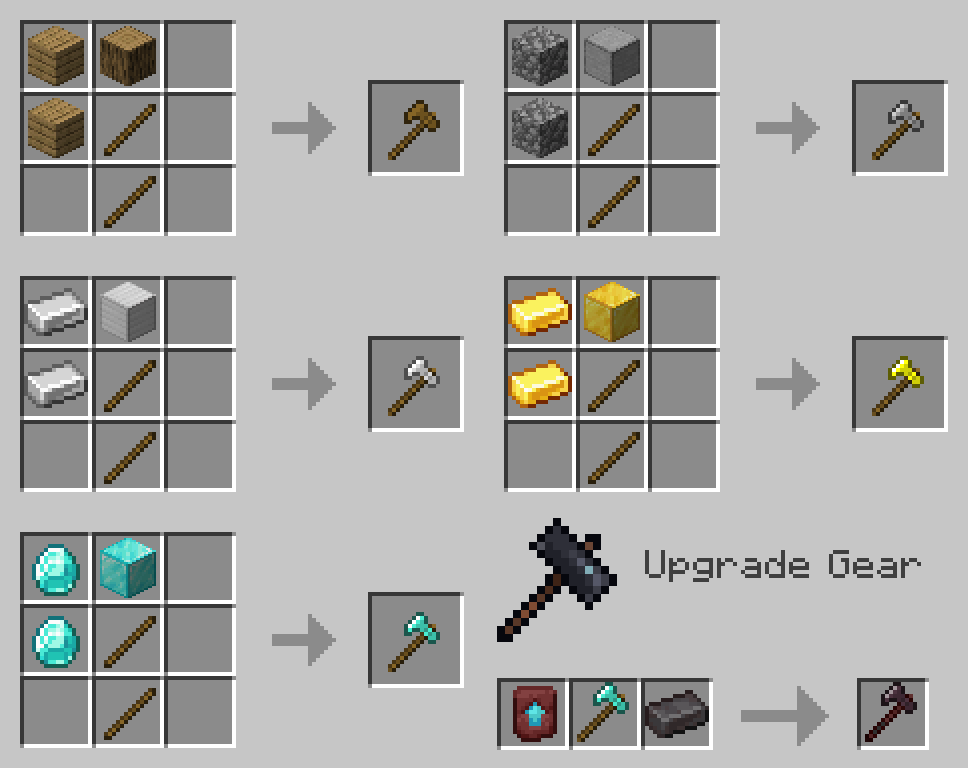
Lumberjack Axe

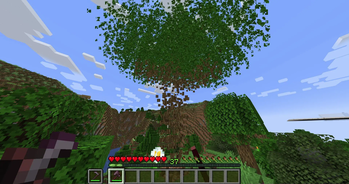
Cuts down a whole tree.
If you take any hoe or shears in the second hand, then this tool will be used to break the leaves.
Vein Miner

Mines the entire vein of ore.
Diamond and Netherite Vein Miner glows the mined ore for a while.
For mining ores, a system of heredity works. When mining a harder ore, such as Ancient Debris, a less hard ore will also be mined, but not vice versa, even if the Vein Miner level allows you to mine a harder ore.
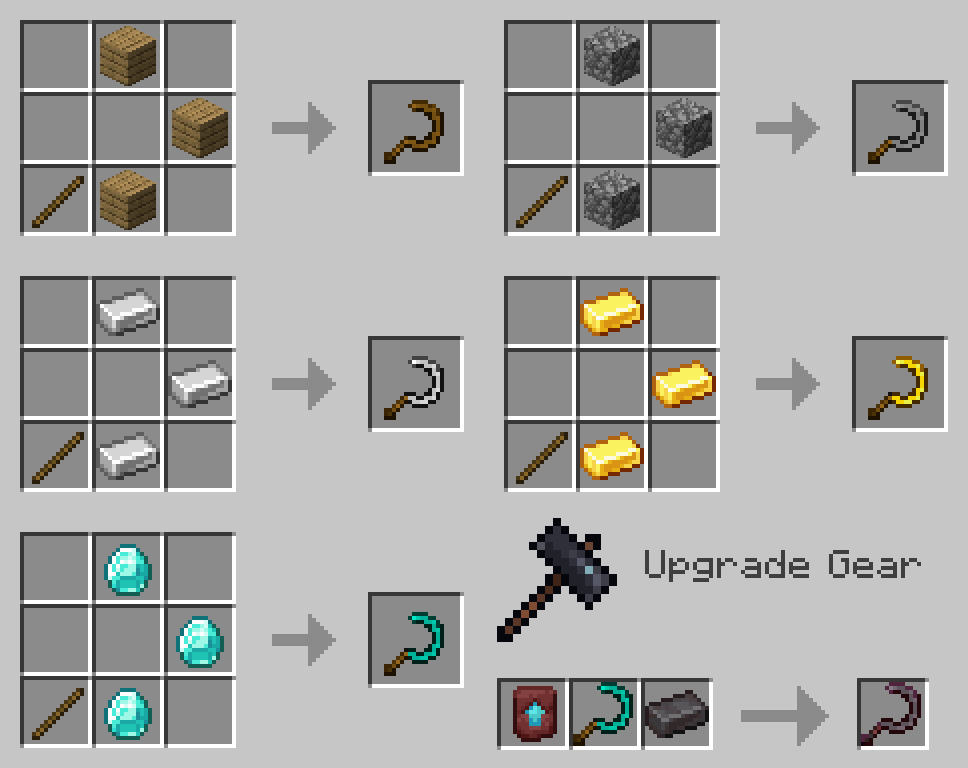
Sickle

Harvests by right click.
Diamond Sickle harvests in a 3x3 area, Netherite - 5x5.
Trivia
All tools except the Sickle will consume a small amount of food.
Hammer and Vein Miner slightly slows the player down when the tool is in hand.
Any vanilla enchantments are supported for all tools. With one exception, due to Minecraft restrictions, you can't enchant Fortune on a Sickle in the vanilla way, so to do this you need to throw a Sickle and an enchantment book with Fortune on an anvil.
Coding things - GalSergey
Worked on textures - IDarkSun
Helped with names - Matin aka MatinTheBoy
Verfügbare Versionen
HephaesTools auf dem Server installieren
Server bestellen
Bestelle einen Minecraft Java Server mit mindestens 3 GB RAM (4 GB empfohlen).
datapack Loader setzen
Wähle im Panel unter "Egg" den datapack-Loader und die passende Minecraft-Version (1.20.4).
Mod installieren
Öffne den Mod-Browser im Dashboard und suche nach "HephaesTools". Klicke "Installieren" – fertig! Alternativ: Lade die .jar via SFTP in den /mods Ordner.
Kompatibilität
Mod-Loader
Minecraft-Versionen
1.20.4, 1.20.3, 1.20.2 (+2 weitere)
Server-seitig
✓ ErforderlichEmpfohlener RAM
4 GB(min. 3 GB)Häufige Fragen
HephaesTools Server crasht beim Start – was tun?
Häufigste Ursache: falsche datapack-Version oder zu wenig RAM. Prüfe im Server-Log (latest.log), ob ein "OutOfMemoryError" oder "Mixin"-Fehler auftritt. Bei Mado Hosting: Stelle sicher, dass mindestens 3 GB RAM zugewiesen sind und der Loader zur Mod-Version passt (1.20.4). Über das Panel kannst du den Loader mit einem Klick wechseln.
Ist HephaesTools mit datapack und fabric und forge und quilt kompatibel?
HephaesTools unterstützt offiziell datapack, fabric, forge, quilt für Minecraft 1.20.4, 1.20.3, 1.20.2. Achtung: Forge- und Fabric-Mods sind NICHT untereinander kompatibel – wähle einen Loader und bleibe dabei. Im Mado Dashboard werden inkompatible Loader-Kombinationen automatisch erkannt.
Server laggt mit HephaesTools – wie optimiere ich die Performance?
Empfohlener RAM: 4 GB (+1 GB pro 8 Spieler). Prüfe mit /spark profiler, ob HephaesTools den meisten Tick-Time verbraucht. Häufige Fixes: Server-View-Distance auf 8-10 reduzieren, bei Forge "performant" oder "starlight" als Zusatz-Mod installieren. Bei Mado Hosting läuft dein Server auf NVMe-SSDs mit dedizierten CPU-Kernen für minimale Latenz.
Ähnliche Mods



![[TaCZ] Timeless and Classics Zero](https://cdn.modrinth.com/data/SzzJttH8/fd27766d2bb8390d284696b1dbd358f87e081439_96.webp)


Modded Server mieten
Installiere HephaesTools mit nur einem Klick auf deinem Server.