
Homeostatic
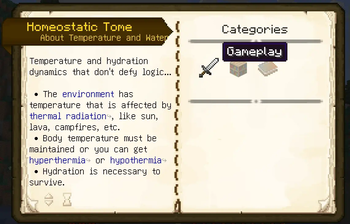
A temperature and thirst mod that doesn't defy logic. Challenging, but not in an annoying, grinding way. Very stable code, so shouldn't randomly crash game. Very vanilla friendly. Should integrate well with a heavily modded pack, or vanilla.
Screenshots
Über diese Mod
A temperature and thirst mod that doesn't defy logic. Challenging, but not in an annoying, grinding way. Very stable code, so shouldn't randomly crash game. Very vanilla friendly. Should integrate well with a heavily modded pack, or vanilla.
- Environment temperature is relative to a number of external factors based on wet-bulb globe temperature - WGBT
- Biome temperatures in Minecraft are overridden to give a more authentic feel to temperatures that players can relate to.
- Just because there is snow, doesn't mean that it is stupid cold. That doesn't work in reality with Minecraft anyhow, since the biomes are mixed where they are often close.
- Temperature smoothing is done to try and normalize temperature with nearby biomes.
- Seasons are taken into account if using Serene Seasons and Fabric Seasons.
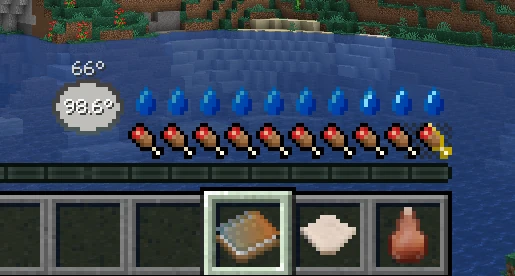
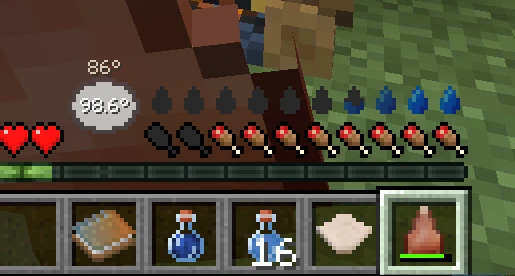
- Thirst is affected by the environment temperature, body temperature and activity.
- Water is life
- Being overheated will cause water to be used rapidly, which could lead to bad effects or death.
- Body temperature is regulated through armor modifications and heat sources.
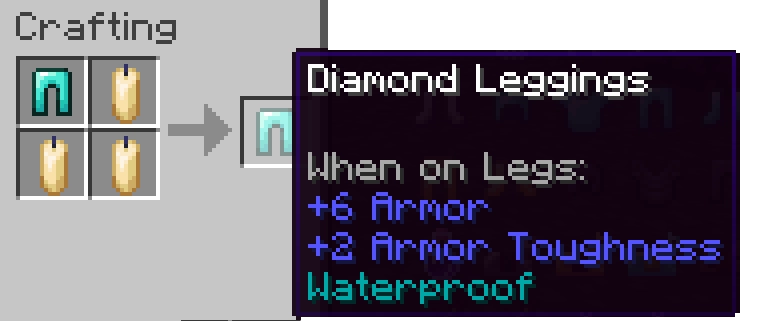
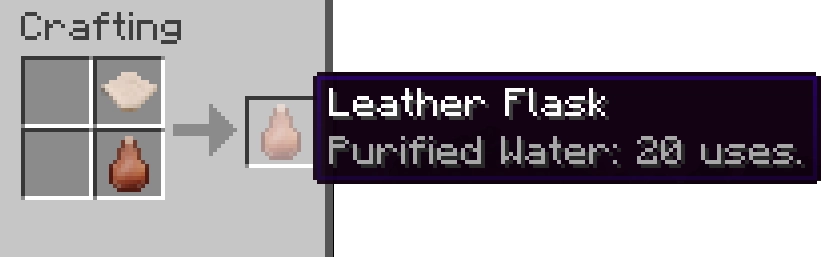
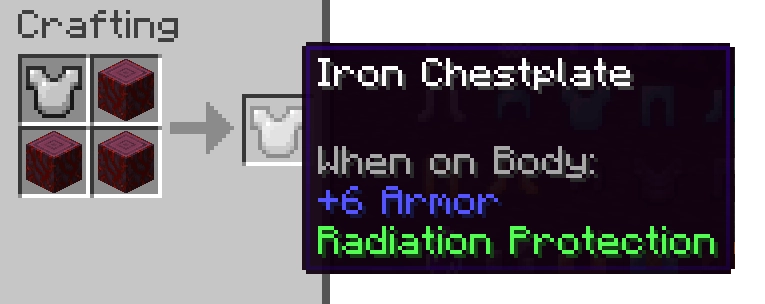
- Modifications can be "sewn" into any armor that gives various protective abilities.
- Cold isn't an energy form like in other mods (and Minecraft actually), that's just dumb.
- Lack of heat causing the body temperature to lower will eventually cause bad effects, even death.
- Being wet is really bad (unless you're overheated), it can causing rapid cooling.
- Blocks that generate heat aren't measured in temperature, but rather the thermal radiation they release, which affects how "hot" it is to be near these objects.
Verfügbare Versionen
Homeostatic auf dem Server installieren
Server bestellen
Bestelle einen Minecraft Java Server mit mindestens 3 GB RAM (4 GB empfohlen).
fabric Loader setzen
Wähle im Panel unter "Egg" den fabric-Loader und die passende Minecraft-Version (26.3).
Mod installieren
Öffne den Mod-Browser im Dashboard und suche nach "Homeostatic". Klicke "Installieren" – fertig! Alternativ: Lade die .jar via SFTP in den /mods Ordner.
Kompatibilität
Mod-Loader
Minecraft-Versionen
26.3, 26.2, 26.1.2 (+14 weitere)
Server-seitig
✓ ErforderlichEmpfohlener RAM
4 GB(min. 3 GB)Häufige Fragen
Homeostatic Server crasht beim Start – was tun?
Häufigste Ursache: falsche fabric-Version oder zu wenig RAM. Prüfe im Server-Log (latest.log), ob ein "OutOfMemoryError" oder "Mixin"-Fehler auftritt. Bei Mado Hosting: Stelle sicher, dass mindestens 3 GB RAM zugewiesen sind und der Loader zur Mod-Version passt (26.3). Über das Panel kannst du den Loader mit einem Klick wechseln.
Ist Homeostatic mit fabric und forge und neoforge kompatibel?
Homeostatic unterstützt offiziell fabric, forge, neoforge für Minecraft 26.3, 26.2, 26.1.2. Achtung: Forge- und Fabric-Mods sind NICHT untereinander kompatibel – wähle einen Loader und bleibe dabei. Im Mado Dashboard werden inkompatible Loader-Kombinationen automatisch erkannt.
Server laggt mit Homeostatic – wie optimiere ich die Performance?
Empfohlener RAM: 4 GB (+1 GB pro 8 Spieler). Prüfe mit /spark profiler, ob Homeostatic den meisten Tick-Time verbraucht. Häufige Fixes: Server-View-Distance auf 8-10 reduzieren, bei Forge "performant" oder "starlight" als Zusatz-Mod installieren. Bei Mado Hosting läuft dein Server auf NVMe-SSDs mit dedizierten CPU-Kernen für minimale Latenz.
Ähnliche Mods




Modded Server mieten
Installiere Homeostatic mit nur einem Klick auf deinem Server.