
Hyperbox
Adds a box that's bigger on the inside than it is on the outside
Screenshots
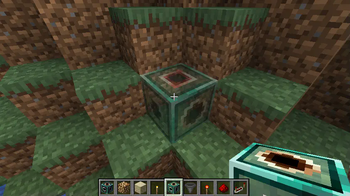
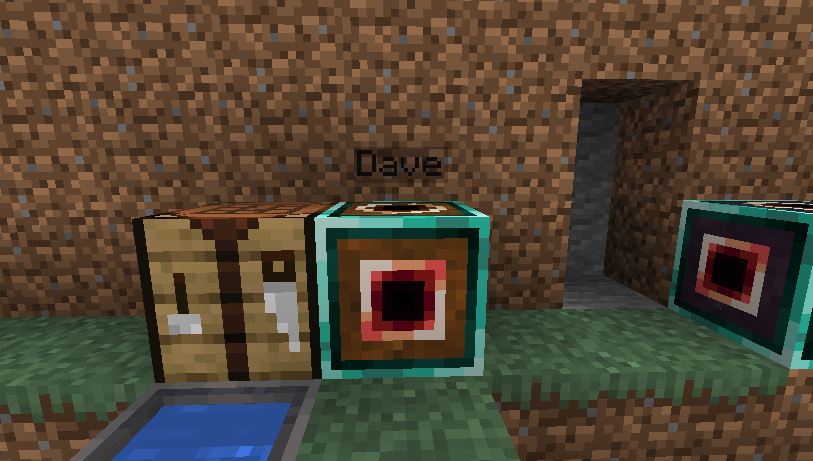
Über diese Mod
The Hyperbox block acts as a portal to another dimension. Each hyperbox has its own dimension stored within; should the block be mined and placed somewhere else, the dimension will remain linked to that block.
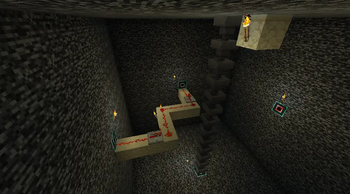
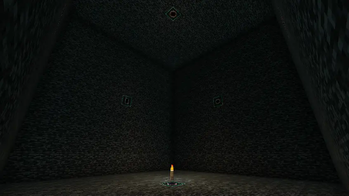
Activating the block sends the player inside this dimension; within the block's dimension are apertures on the walls, which can be activated to return to the overworld.
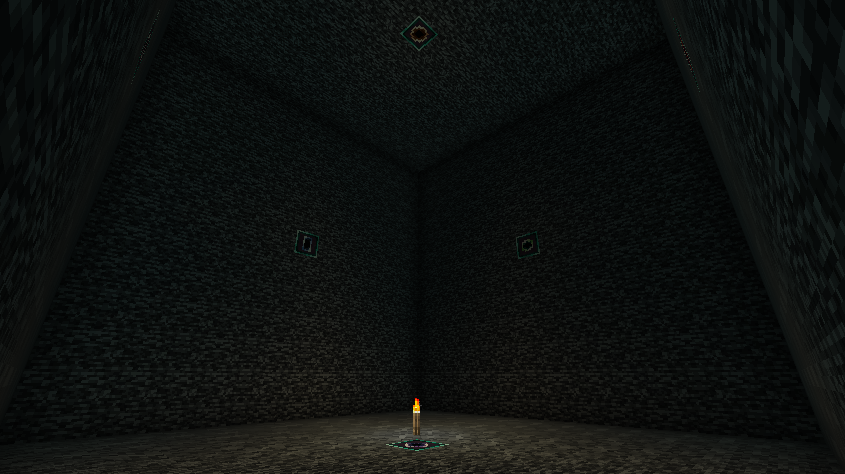
The apertures transmit redstone power and forge capabilities (such as items being inserted or extracted from hoppers) between the inside and the outside faces of the box, allowing large machines to be constructed in tiny spaces.
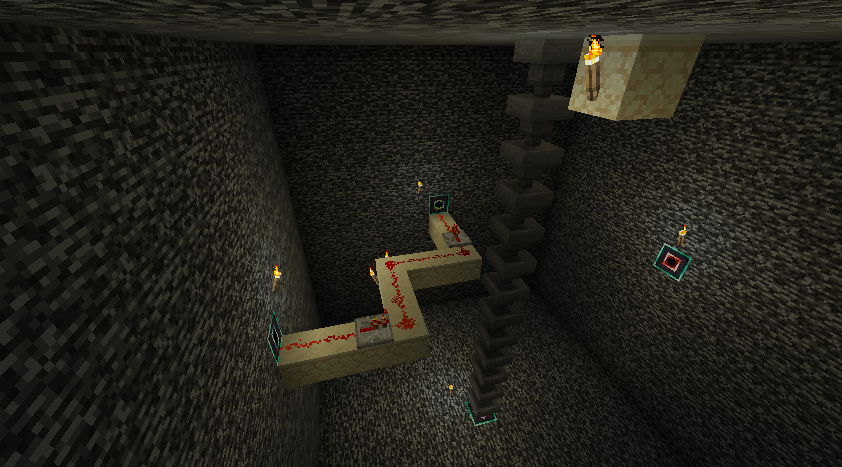
The hyperbox is intended to be compatible with anything from other mods that uses standard redstone power or forge's capability system.

Technical details:
The hyperbox world's chunk is a single chunk at chunk position 0,0. The size of the space useable by the player is 13x13x13, excluding the walls.
World borders are not currently supported, as worldborders currently occupy the same size and positions in all dimensions simultaneously. Creating a world border far from the 0,0 chunk may make hyperboxes unuseable until the world border is removed.
The single chunk within the hyperbox dimension will remain loaded while the chunk containing the hyperbox block is loaded. This can be disabled via the common config.
Hyperbox worlds will be unloaded and stop ticking if their parent block is removed; the world will be loaded again when the block is placed again.
To reduce the file size of hyperbox worlds, only the single primary chunk of hyperbox worlds is saved to disk.
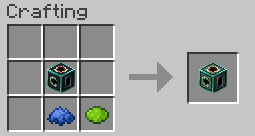
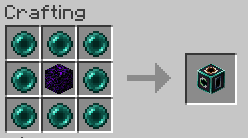
The default recipes are viewable in the "Images" link at the top of this page.
If a copy of an existing hyperbox is made (such as by using the creative mode ctrl-pickblock to copy block entity data into a blockitem), using this hyperbox blockitem will move the original hyperbox to the new location rather than place a new one; this prevents two hyperbox blocks from being linked to the same dimension.
Verfügbare Versionen
Hyperbox auf dem Server installieren
Server bestellen
Bestelle einen Minecraft Java Server mit mindestens 3 GB RAM (4 GB empfohlen).
forge Loader setzen
Wähle im Panel unter "Egg" den forge-Loader und die passende Minecraft-Version (1.20.4).
Mod installieren
Öffne den Mod-Browser im Dashboard und suche nach "Hyperbox". Klicke "Installieren" – fertig! Alternativ: Lade die .jar via SFTP in den /mods Ordner.
Kompatibilität
Mod-Loader
Minecraft-Versionen
1.20.4, 1.20.3, 1.20.2 (+1 weitere)
Server-seitig
✓ ErforderlichEmpfohlener RAM
4 GB(min. 3 GB)Häufige Fragen
Hyperbox Server crasht beim Start – was tun?
Häufigste Ursache: falsche forge-Version oder zu wenig RAM. Prüfe im Server-Log (latest.log), ob ein "OutOfMemoryError" oder "Mixin"-Fehler auftritt. Bei Mado Hosting: Stelle sicher, dass mindestens 3 GB RAM zugewiesen sind und der Loader zur Mod-Version passt (1.20.4). Über das Panel kannst du den Loader mit einem Klick wechseln.
Ist Hyperbox mit forge und neoforge kompatibel?
Hyperbox unterstützt offiziell forge, neoforge für Minecraft 1.20.4, 1.20.3, 1.20.2. Im Mado Dashboard werden inkompatible Loader-Kombinationen automatisch erkannt.
Server laggt mit Hyperbox – wie optimiere ich die Performance?
Empfohlener RAM: 4 GB (+1 GB pro 8 Spieler). Prüfe mit /spark profiler, ob Hyperbox den meisten Tick-Time verbraucht. Häufige Fixes: Server-View-Distance auf 8-10 reduzieren, bei Forge "performant" oder "starlight" als Zusatz-Mod installieren. Bei Mado Hosting läuft dein Server auf NVMe-SSDs mit dedizierten CPU-Kernen für minimale Latenz.
Ähnliche Mods





Modded Server mieten
Installiere Hyperbox mit nur einem Klick auf deinem Server.