
Illusory Walls
A Fabric mod to add illusory walls to Minecraft.
Screenshots
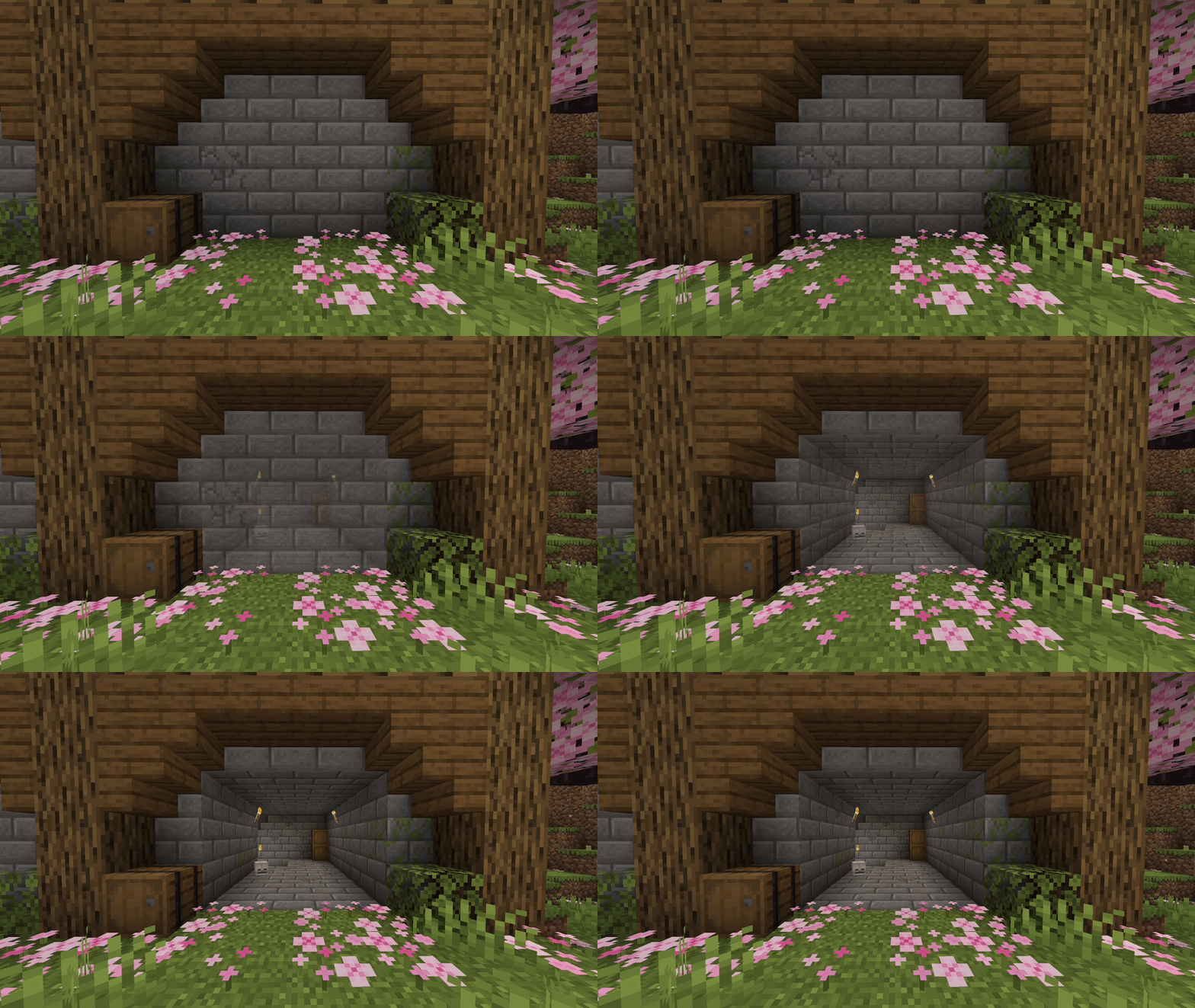
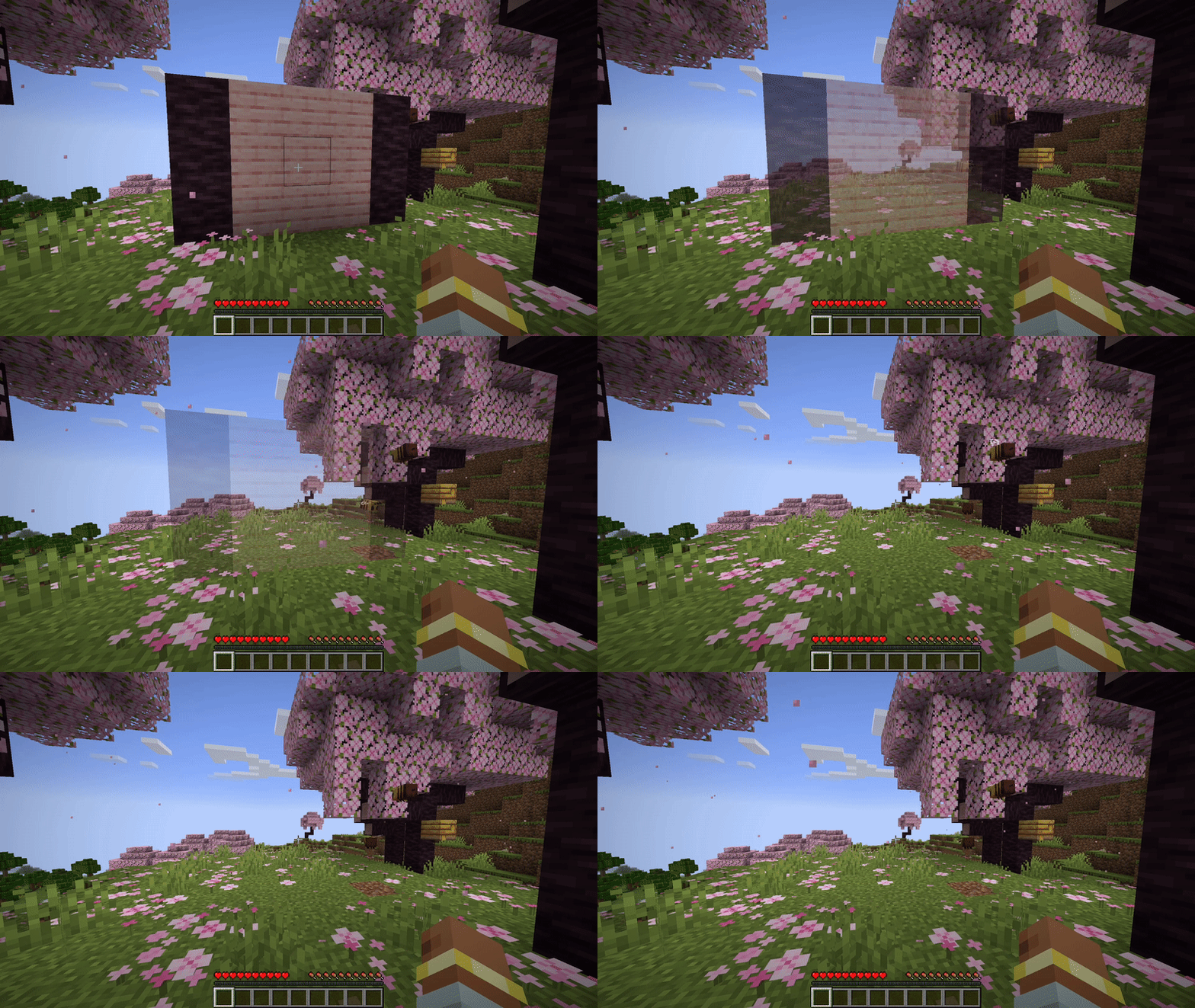
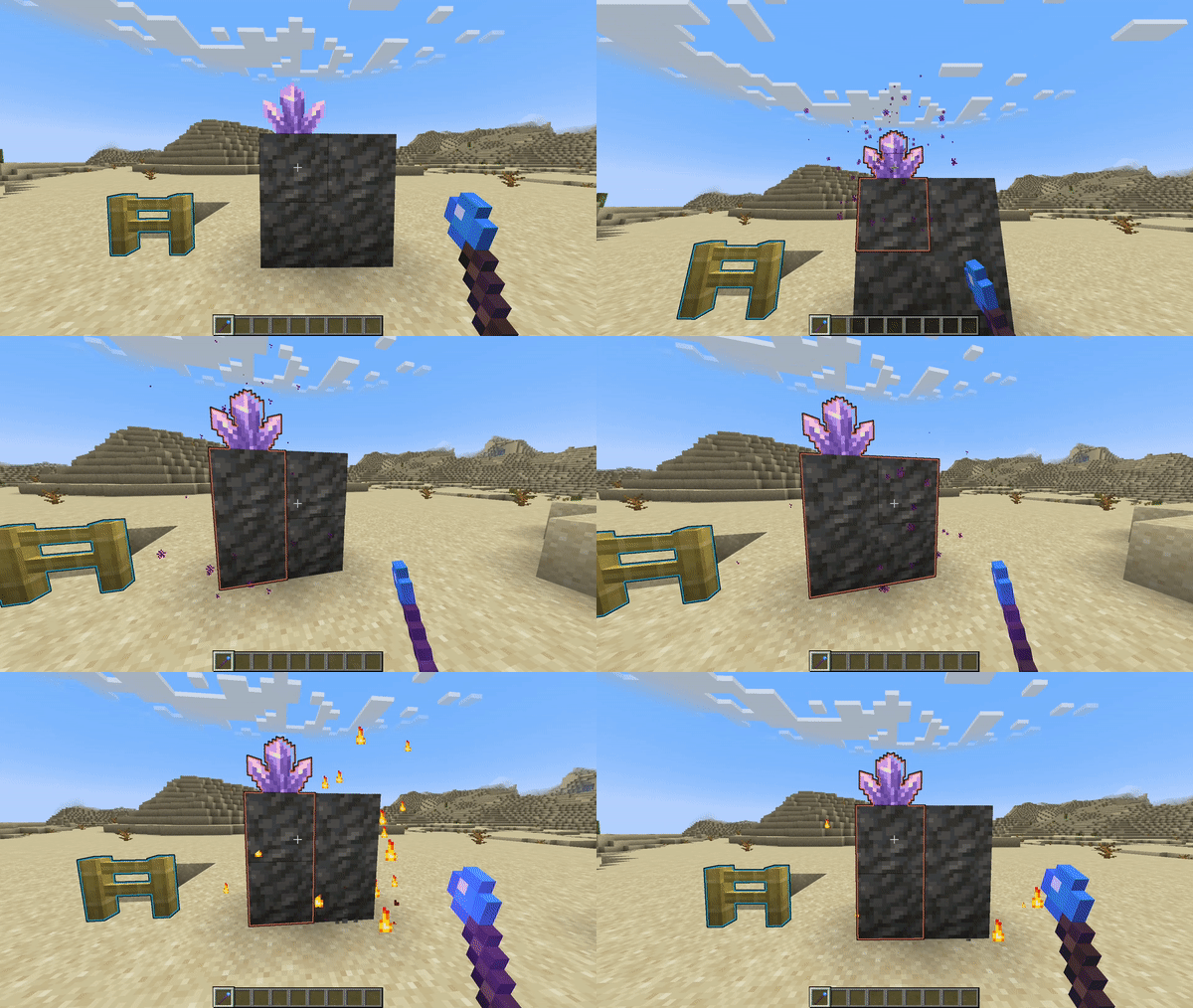
Über diese Mod
A Fabric mod for map makers that adds illusory walls to Minecraft.
▶ Preview
Once a player attacks an illusory wall, or a projectile hits one, the wall will fade.

More preview can be found here.
🪄 Edit mode
Illusory walls can be created by operators with a new "Staff of Illusion" item.
The staff can be found in the operator items tab or with this give command: /give @s illwalls:staff_of_illusion.
Once you hold the staff, all illusory walls will be displayed with an outline.
Right click to make any block illusory.
Left click a block to remove it from an illusory wall.

Reappearing Walls
You can configure walls to respawn after a certain amount of in-game time.
Using the Staff of Illusion, Shift + Right Click on an illusory wall to edit its properties.
In the configuration screen, tick the "Respawn" checkbox to enable respawning for that wall.
You can also configure an individual cooldown that should pass before the wall respawns.
If you want to choose another time unit, just click on the unit button.

If you Shift + Right Click into the air or on a non-illusory block, you can also edit your default settings for new illusory walls you create.
📁Installation
- Download the mod for your Minecraft version.
- Install Fabric API
- Put both downloaded mod files into the
modsfolder in your game directory
If you want to setup multiplayer server, install both mods on the server too.
🔗 Links
- Download on Modrinth: https://modrinth.com/mod/illusory-walls/versions
- Issue Tracker: https://github.com/LCLPYT/illusory-walls/issues
- Source on GitHub: https://github.com/LCLPYT/illusory-walls
Verfügbare Versionen
Illusory Walls auf dem Server installieren
Server bestellen
Bestelle einen Minecraft Java Server mit mindestens 3 GB RAM (4 GB empfohlen).
fabric Loader setzen
Wähle im Panel unter "Egg" den fabric-Loader und die passende Minecraft-Version (1.21.11).
Mod installieren
Öffne den Mod-Browser im Dashboard und suche nach "Illusory Walls". Klicke "Installieren" – fertig! Alternativ: Lade die .jar via SFTP in den /mods Ordner.
Kompatibilität
Mod-Loader
Minecraft-Versionen
1.21.11, 1.21.10, 1.21.9 (+14 weitere)
Server-seitig
✓ ErforderlichEmpfohlener RAM
4 GB(min. 3 GB)Häufige Fragen
Illusory Walls Server crasht beim Start – was tun?
Häufigste Ursache: falsche fabric-Version oder zu wenig RAM. Prüfe im Server-Log (latest.log), ob ein "OutOfMemoryError" oder "Mixin"-Fehler auftritt. Bei Mado Hosting: Stelle sicher, dass mindestens 3 GB RAM zugewiesen sind und der Loader zur Mod-Version passt (1.21.11). Über das Panel kannst du den Loader mit einem Klick wechseln.
Ist Illusory Walls mit fabric kompatibel?
Illusory Walls unterstützt offiziell fabric für Minecraft 1.21.11, 1.21.10, 1.21.9. Im Mado Dashboard werden inkompatible Loader-Kombinationen automatisch erkannt.
Server laggt mit Illusory Walls – wie optimiere ich die Performance?
Empfohlener RAM: 4 GB (+1 GB pro 8 Spieler). Prüfe mit /spark profiler, ob Illusory Walls den meisten Tick-Time verbraucht. Häufige Fixes: Server-View-Distance auf 8-10 reduzieren, bei Forge "performant" oder "starlight" als Zusatz-Mod installieren. Bei Mado Hosting läuft dein Server auf NVMe-SSDs mit dedizierten CPU-Kernen für minimale Latenz.
Ähnliche Mods




Modded Server mieten
Installiere Illusory Walls mit nur einem Klick auf deinem Server.