![[Let's Do] Farm & Charm](https://cdn.modrinth.com/data/HJetCzWo/7c6c372629b3efa41409621631d60df12963f005_96.webp)
[Let's Do] Farm & Charm
The farm calls: Experience the art of advanced agriculture and farmhouse cuisine! Use mincers, cooking pots, as well as new grains and fruit varieties to enhance your culinary and agricultural skills.
Screenshots
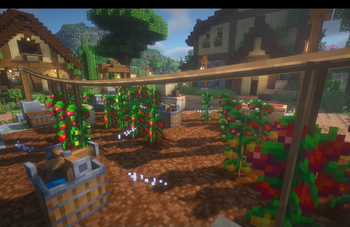
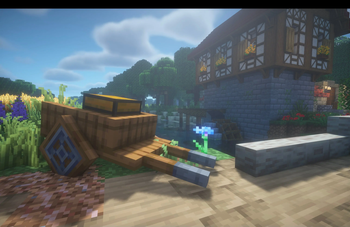
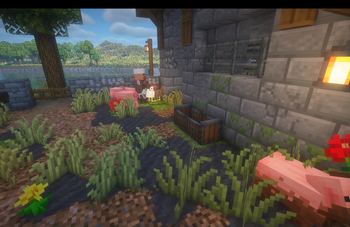
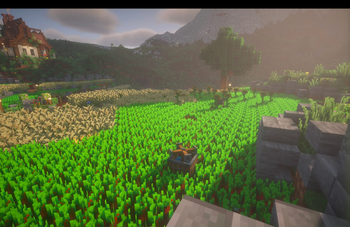
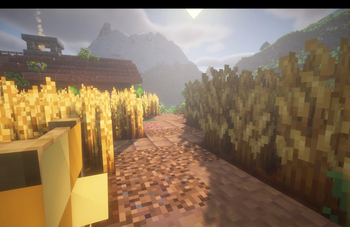
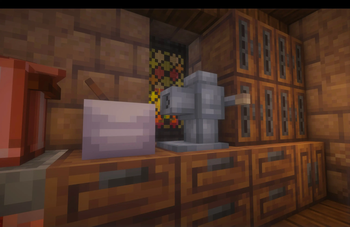
Über diese Mod

Advanced Agriculture & Farmhouse Cuisine
The core mod for a few fan favorites of the Let's Do collection
"The farm calls"
Farm & Charm expands Minecraft’s farming experience with deeper agriculture, functional farm blocks, and farmhouse-style cooking. The focus lies on systems that feel integrated, purposeful, and consistent with the Let’s Do collection.
Nurture the land whether farmhand or farmer. Show growth.
Farm & Charm is the signature mod of the Let’s Do food mods, serving as a central foundation for farming-related mechanics.
Features
Farming & Agriculture
- Improved Farmland, Fertilized Soil, and Fertilizer with multiple applications
- Functional farm blocks such as Water Sprinklers, Scarecrows, and Feeding Troughs
- New grains and fruit varieties for expanded crop progression
Transport & Utility
- Carts for easier transport of items and harvests
Processing & Cooking
- A Meat Grinder for stripping logs and processing food items
- Cooking Pots, tea, and farmhouse-style dishes
- Food for players as well as chickens, wolves, and cats
Decorative Elements
- A selection of rustic decorative blocks for farms and kitchens
Compatibility
Farm & Charm is compatible with the standard releases of Brewery, Bakery, and Candlelight.
For the most consistent experience, the dedicated compatibility versions are recommended:
- Let’s Do Brewery Compat Version
- Let’s Do Bakery Compat Version
- Let’s Do Candlelight Compat Version
Work the land.
Yield the crop.
Live life to the fullest.
Dedicated to MissLilitu
The Let’s Do Collection

Support & Community
Verfügbare Versionen
[Let's Do] Farm & Charm auf dem Server installieren
Server bestellen
Bestelle einen Minecraft Java Server mit mindestens 3 GB RAM (4 GB empfohlen).
fabric Loader setzen
Wähle im Panel unter "Egg" den fabric-Loader und die passende Minecraft-Version (1.21.1).
Mod installieren
Öffne den Mod-Browser im Dashboard und suche nach "[Let's Do] Farm & Charm". Klicke "Installieren" – fertig! Alternativ: Lade die .jar via SFTP in den /mods Ordner.
Kompatibilität
Mod-Loader
Minecraft-Versionen
1.21.1, 1.21, 1.20.1
Server-seitig
✓ ErforderlichEmpfohlener RAM
4 GB(min. 3 GB)Häufige Fragen
[Let's Do] Farm & Charm Server crasht beim Start – was tun?
Häufigste Ursache: falsche fabric-Version oder zu wenig RAM. Prüfe im Server-Log (latest.log), ob ein "OutOfMemoryError" oder "Mixin"-Fehler auftritt. Bei Mado Hosting: Stelle sicher, dass mindestens 3 GB RAM zugewiesen sind und der Loader zur Mod-Version passt (1.21.1). Über das Panel kannst du den Loader mit einem Klick wechseln.
Ist [Let's Do] Farm & Charm mit fabric und forge und neoforge und quilt kompatibel?
[Let's Do] Farm & Charm unterstützt offiziell fabric, forge, neoforge, quilt für Minecraft 1.21.1, 1.21, 1.20.1. Achtung: Forge- und Fabric-Mods sind NICHT untereinander kompatibel – wähle einen Loader und bleibe dabei. Im Mado Dashboard werden inkompatible Loader-Kombinationen automatisch erkannt.
Server laggt mit [Let's Do] Farm & Charm – wie optimiere ich die Performance?
Empfohlener RAM: 4 GB (+1 GB pro 8 Spieler). Prüfe mit /spark profiler, ob [Let's Do] Farm & Charm den meisten Tick-Time verbraucht. Häufige Fixes: Server-View-Distance auf 8-10 reduzieren, bei Forge "performant" oder "starlight" als Zusatz-Mod installieren. Bei Mado Hosting läuft dein Server auf NVMe-SSDs mit dedizierten CPU-Kernen für minimale Latenz.
Ähnliche Mods



Modded Server mieten
Installiere [Let's Do] Farm & Charm mit nur einem Klick auf deinem Server.