
LevelHearts
Completely overhaul the Minecraft health system and make it your own!
Screenshots
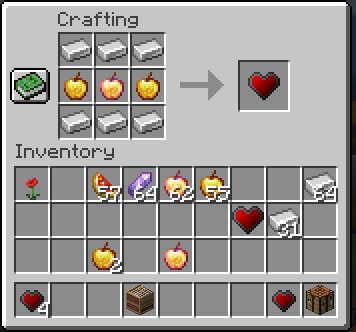

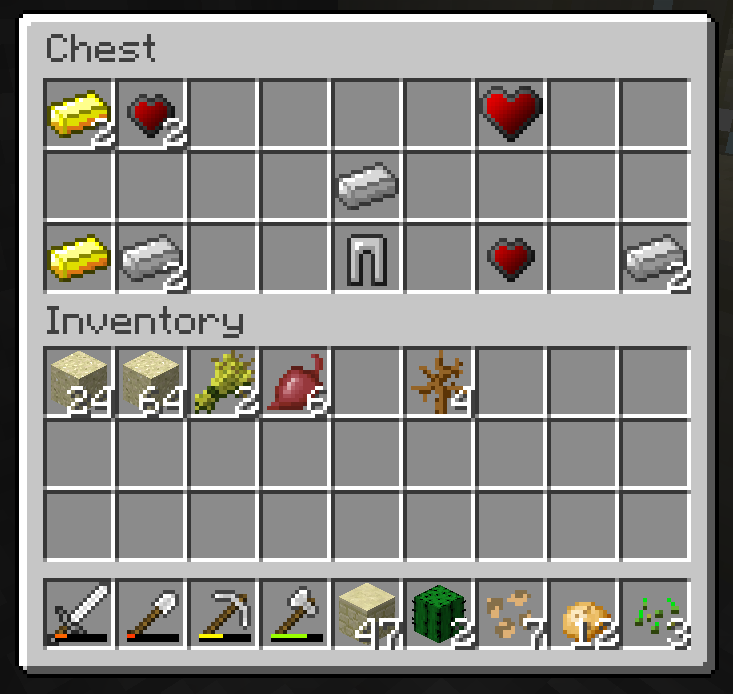
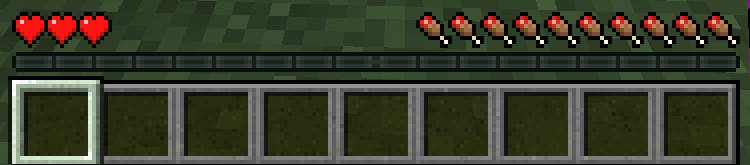
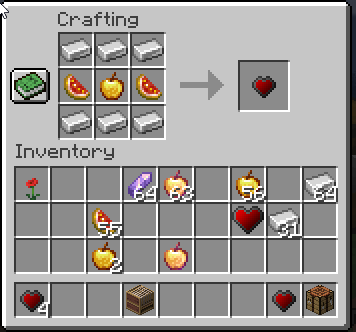
Über diese Mod
LevelHearts 


The Best Alternative to More Health Enchanted
LevelHearts reworks Minecraft’s health progression by giving you new ways to earn more hearts as you play. Inspired by More Health Enchanted, it lets you increase your maximum health through experience, heart pieces, and heart containers found throughout the world. With flexible configuration options, you can fine-tune the system to match your playstyle.
Images
Incompatible Mods
- Configured** (Configured v1.3.0+ & LH v2.4.0+ are compatible)
- Scaling Hearts
- First Aid*
- Level Up HP
- Spice of Life*
- Hardcore Revival
* Strange behavior, but will most likely run and be playable depending on the configuration.
** Runs with the mod installed, but do not configure this mod with that mod. Things will break.
Common Issues
Q: Is this compatible with [insert HUD-modifying mod here]?
A: Yes. In the configuration, disable the "LevelHearts HUD" option to revert to vanilla behavior. It is up to the HUD mods to be able to handle a large/modified amount of health.
Q: Will you please make a Fabric version?
A: No, I am not planning on making a Fabric version of this mod.
Q: How do I edit the starting health?
A: Please see the configuration options below. There are various health settings in regards to "starting" health. You're likely looking for the "Default Health" option.
Q: How do I edit the rarity of loot?
A: Unfortunately, I've never done this myself so I cannot be too much help. However, the loot tables are provided in the JAR and should be modifiable just like any other Minecraft loot table by using resource packs or data packs. The mod dynamically loads the JSON files upon world load, so it is not hard coded.
Q: Will you please make a version before 1.12 or for 1.13?
A: No.
Configuration Options
General
- Debug - When enabled, an extra level of debugging output will be provided to the logs.
- Hardcore - When enabled, the player's health will get reset back to default on death. Overrides punish amount.
- Items - When disabled, LevelHearts' items' functionality will be disabled.
- Loot - When disabled, LevelHearts will not spawn heart pieces and heart containers in chests around the world.
- Ohko - When enabled, upon any damage to the player, the player will immediately die. "One-Hit Knockout"
Health
- Default Health - The amount of health a user will have in a new game or after death.
- Minimum Health - The minimum amount of health LevelHearts will allow a user to be punished to.
- Maximum Health - The maximum amount of health LevelHearts will allow a user to have. -1 to disable.
- Level Ramp - The levels at which a user will gain a heart. Cannot be zero or less than zero and cannot be more than 255.
- Play Sound on Heart Gain - Whether or not to play the level up XP sound each time the player receives a new heart (from the ramp or containers).
- Punish Health - How many hearts (not health) to take away from the user each time they die. -1 to disable.
- Heal Amount - How many hearts (not health) to heal a player to each time they use a heart container. -1 for full health.
- Heal on Level Up - When disabled, the player will not be healed when they reach the next level on the level ramp.
- Lose XP on Level Up - When enabled, the player will lose some experience when they reach the next level on the level ramp.
- Lose XP Amount - The amount of experience levels to be removed from the player each time reach the next level on the level ramp. -1 to remove all levels
- XP Absorption - When enabled, any hearts gained via exp will be Minecraft's absorption hearts instead of extra hearts.
- Item Absorption - When enabled, any hearts gained via items (heart containers) will be Minecraft's absorption hearts instead of extra hearts.
Gui
- LevelHearts HUD - When disabled, LevelHearts will not modify the hud at all. Only use if you're having conflicts with other mods.
- LevelHearts Minimal HUD - When enabled, the health will display in only one row with a number to the left indicating the row you're on.
- LevelHearts Hidden HUD - When enabled, health will not be displayed at all. Works well in combination with one-hit knockout.
Experience
- XP Multiplier - How much to multiply the value of experience by.
- Always Lose XP on Death - When enabled, the mod will force players to lose their experience even if the KeepInventory gamerule is enabled.
- Always Lose Inventory on Death - When enabled, the mod will force players to lose their items even if the KeepInventory gamerule is enabled.
Credits
Check out the original More Health Enchanted by NoHero
Check out the Minecraft Forum post
Check out the CurseForge page
Modpacks
You can use this in your modpacks for free as long as there is no paywall preventing LevelHearts features for free. No credit is required, but it is strongly preferred (and maybe hit me up with a message so I can check it out?)
Verfügbare Versionen
LevelHearts auf dem Server installieren
Server bestellen
Bestelle einen Minecraft Java Server mit mindestens 3 GB RAM (4 GB empfohlen).
forge Loader setzen
Wähle im Panel unter "Egg" den forge-Loader und die passende Minecraft-Version (1.21.1).
Mod installieren
Öffne den Mod-Browser im Dashboard und suche nach "LevelHearts". Klicke "Installieren" – fertig! Alternativ: Lade die .jar via SFTP in den /mods Ordner.
Kompatibilität
Mod-Loader
Minecraft-Versionen
1.21.1, 1.20.1, 1.19.4 (+7 weitere)
Server-seitig
✓ ErforderlichEmpfohlener RAM
4 GB(min. 3 GB)Häufige Fragen
LevelHearts Server crasht beim Start – was tun?
Häufigste Ursache: falsche forge-Version oder zu wenig RAM. Prüfe im Server-Log (latest.log), ob ein "OutOfMemoryError" oder "Mixin"-Fehler auftritt. Bei Mado Hosting: Stelle sicher, dass mindestens 3 GB RAM zugewiesen sind und der Loader zur Mod-Version passt (1.21.1). Über das Panel kannst du den Loader mit einem Klick wechseln.
Ist LevelHearts mit forge und neoforge kompatibel?
LevelHearts unterstützt offiziell forge, neoforge für Minecraft 1.21.1, 1.20.1, 1.19.4. Im Mado Dashboard werden inkompatible Loader-Kombinationen automatisch erkannt.
Server laggt mit LevelHearts – wie optimiere ich die Performance?
Empfohlener RAM: 4 GB (+1 GB pro 8 Spieler). Prüfe mit /spark profiler, ob LevelHearts den meisten Tick-Time verbraucht. Häufige Fixes: Server-View-Distance auf 8-10 reduzieren, bei Forge "performant" oder "starlight" als Zusatz-Mod installieren. Bei Mado Hosting läuft dein Server auf NVMe-SSDs mit dedizierten CPU-Kernen für minimale Latenz.
Ähnliche Mods




Modded Server mieten
Installiere LevelHearts mit nur einem Klick auf deinem Server.