Loot Bag Mod (Fabric)
I need more random loot!
Über diese Mod
Fabric version of original mod.
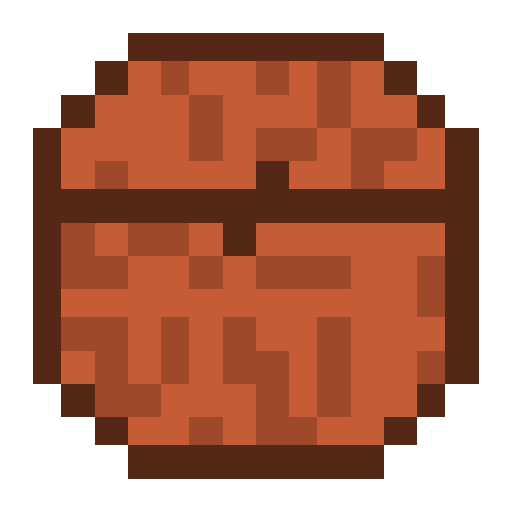
This mod adds 1 item a bag that when held aloft and right-clicked will give you 10 random items from a list (which is shuffled every time a loot bag is used) of every item in the game (including mods) and is then destroyed).
Almost all mods should work with the Loot Bag Mod, though some items such as those with nbt/metadata/variants wont work as the mod has no way of knowing all the possible variants or combinations of metadata and nbt.
The Loot Bag isn't craftable and can only be found in treasure chests.
Configuration options:
| Option | Description | Default value |
|---|---|---|
| StackSize | Maximum possible stack size for dropped items | 15 |
| Drops | How many items drop when a loot bag is used | 10 |
| EnableWhitelist | Use the whitelist | false |
| BlackList | Items that should never be dropped from loot bag | List of items |
| WhiteList | When whitelist enabled then only items from this list can be dropped | List of items |
| Namespaces | Mod IDs (namespaces) to include/exclude from drop list, depends on EnableWhitelist flag | lootbagmod |
| EnableContainsList | Enable Contains List | false |
| ContainsList | List of words. Uses to include/exclude items from/to drop list if their identifier contains word | apples, creative |
| ChestDrops | Enable Loot Bags spawns in treasure chests | true |
| ChestsLists | List of chests which can contain loot bag | ... |
| MobDrops | Enable Loot Bags drops from killed mobs | true |
| DropChance | Enable Loot Bags spawns in treasure chests | true |
| AllHostileMobs | Make Loot Bags droppable from all hostile Mobs | false |
| AllNonHostileMobs | Make Loot Bags droppable from all passive and neutral mobs | false |
| MobList | List of mobs who drops Loot Bag | ... |
Verfügbare Versionen
Loot Bag Mod (Fabric) auf dem Server installieren
Server bestellen
Bestelle einen Minecraft Java Server mit mindestens 3 GB RAM (4 GB empfohlen).
fabric Loader setzen
Wähle im Panel unter "Egg" den fabric-Loader und die passende Minecraft-Version (1.20.4).
Mod installieren
Öffne den Mod-Browser im Dashboard und suche nach "Loot Bag Mod (Fabric)". Klicke "Installieren" – fertig! Alternativ: Lade die .jar via SFTP in den /mods Ordner.
Kompatibilität
Mod-Loader
Minecraft-Versionen
1.20.4, 1.20.3, 1.20.2 (+6 weitere)
Server-seitig
✓ ErforderlichEmpfohlener RAM
4 GB(min. 3 GB)Häufige Fragen
Loot Bag Mod (Fabric) Server crasht beim Start – was tun?
Häufigste Ursache: falsche fabric-Version oder zu wenig RAM. Prüfe im Server-Log (latest.log), ob ein "OutOfMemoryError" oder "Mixin"-Fehler auftritt. Bei Mado Hosting: Stelle sicher, dass mindestens 3 GB RAM zugewiesen sind und der Loader zur Mod-Version passt (1.20.4). Über das Panel kannst du den Loader mit einem Klick wechseln.
Ist Loot Bag Mod (Fabric) mit fabric und quilt kompatibel?
Loot Bag Mod (Fabric) unterstützt offiziell fabric, quilt für Minecraft 1.20.4, 1.20.3, 1.20.2. Im Mado Dashboard werden inkompatible Loader-Kombinationen automatisch erkannt.
Server laggt mit Loot Bag Mod (Fabric) – wie optimiere ich die Performance?
Empfohlener RAM: 4 GB (+1 GB pro 8 Spieler). Prüfe mit /spark profiler, ob Loot Bag Mod (Fabric) den meisten Tick-Time verbraucht. Häufige Fixes: Server-View-Distance auf 8-10 reduzieren, bei Forge "performant" oder "starlight" als Zusatz-Mod installieren. Bei Mado Hosting läuft dein Server auf NVMe-SSDs mit dedizierten CPU-Kernen für minimale Latenz.
Ähnliche Mods




Modded Server mieten
Installiere Loot Bag Mod (Fabric) mit nur einem Klick auf deinem Server.
Details
- Lizenz
- GNU Lesser General Public License v3.0 only
- Server-seitig
- Erforderlich