
Magic Storage
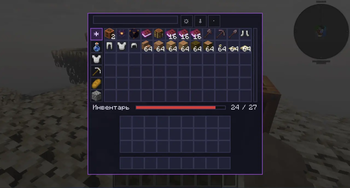
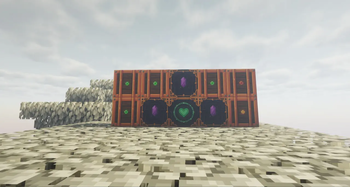
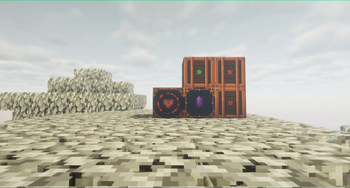
Link any number of Storage Cells into one searchable, sortable inventory, ruled by a single enchanted Heart altar. Expand it, quick-dump into it, protect slots, and uncover the lore of the archmage Reigall.
Screenshots

Über diese Mod
Magic Storage
One heartbeat. Endless storage.
Tired of walls of chests? Magic Storage links any number of Storage Cells
into a single searchable inventory, governed by one enchanted Heart altar.
Features
- 🫀 Heart altar — awaken it with a Magic Heart; it binds nearby Storage
Cells into one big inventory. - 🔍 Powerful GUI — search, sort (name / count / mod), category filters,
autocomplete, scrolling grid. - 💎 Crystal Expanders — snap them to the altar's faces to grow the network.
- ⚡ Quick Dump — one hotkey dumps your inventory into storage. Protect the
slots you want to keep. - 🎨 Live fill indicators — cells and the altar glow green → yellow → red.
- 🎵 Reigall's Tuning Fork — re-tune the
- 📖 Lore-driven — the story of archmage Reigall and princess Liza, told
through the Liber Reigallus books. Recipes included. - 🧙 Villager trades — the Magic Heart aians.
Getting started
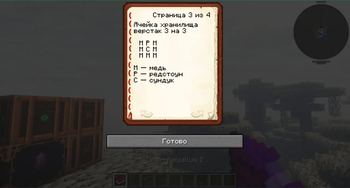
Craft a Storage Cell and a Heart Storage altar (recipes are in the
crafting recipe book and the starter book you get on first join). Buy a
Magic Heart from any librarian, insert it, place cells around it — done.
Requires
- Minecraft 1.21.11, Forge 61+
Verfügbare Versionen
Magic Storage auf dem Server installieren
Server bestellen
Bestelle einen Minecraft Java Server mit mindestens 3 GB RAM (4 GB empfohlen).
forge Loader setzen
Wähle im Panel unter "Egg" den forge-Loader und die passende Minecraft-Version (1.21.11).
Mod installieren
Öffne den Mod-Browser im Dashboard und suche nach "Magic Storage". Klicke "Installieren" – fertig! Alternativ: Lade die .jar via SFTP in den /mods Ordner.
Kompatibilität
Mod-Loader
Minecraft-Versionen
1.21.11
Server-seitig
✓ ErforderlichEmpfohlener RAM
4 GB(min. 3 GB)Häufige Fragen
Magic Storage Server crasht beim Start – was tun?
Häufigste Ursache: falsche forge-Version oder zu wenig RAM. Prüfe im Server-Log (latest.log), ob ein "OutOfMemoryError" oder "Mixin"-Fehler auftritt. Bei Mado Hosting: Stelle sicher, dass mindestens 3 GB RAM zugewiesen sind und der Loader zur Mod-Version passt (1.21.11). Über das Panel kannst du den Loader mit einem Klick wechseln.
Ist Magic Storage mit forge kompatibel?
Magic Storage unterstützt offiziell forge für Minecraft 1.21.11. Im Mado Dashboard werden inkompatible Loader-Kombinationen automatisch erkannt.
Server laggt mit Magic Storage – wie optimiere ich die Performance?
Empfohlener RAM: 4 GB (+1 GB pro 8 Spieler). Prüfe mit /spark profiler, ob Magic Storage den meisten Tick-Time verbraucht. Häufige Fixes: Server-View-Distance auf 8-10 reduzieren, bei Forge "performant" oder "starlight" als Zusatz-Mod installieren. Bei Mado Hosting läuft dein Server auf NVMe-SSDs mit dedizierten CPU-Kernen für minimale Latenz.
Ähnliche Mods






Modded Server mieten
Installiere Magic Storage mit nur einem Klick auf deinem Server.