
MarbleGate's Exotic Enchantment: Flowing Agony: Reborn
Add a lots of enchantments.
Screenshots
Über diese Mod
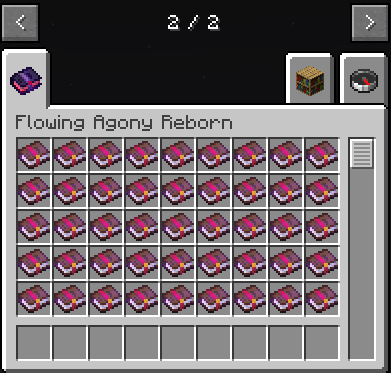
Welcome to Flowing Agony: Reborn, a mod bringing MarbleGate's Exotic Enchantment: Flowing Agony to newer version.
📓 Enchantments of darkside
From the simplest highlighting of hostile targets, to having others take deadly damage for you. You can even hurt your enemies by hurting yourself. Dozens of enchanments born of pain and darkness will be presented to you.
A disease that spreads, a arrow that even the enderman can't dodge, a song of madness that causes gravity chaos and a path to be rich at the expense of the innocent. Always remain a hero in the village, in moments of crisis rushing to escape from danger, receiving twisted emotions to gain superhuman strength.
📓 Encounter a bug?
This project has obtained authorization from the original author. if you want to submit any issues,please submit to Here
DO NOT submit to orignal author.
📓 How to play?
By using Enchantment Description Mod, you can see brief introduction of certain enchantment.
Verfügbare Versionen
MarbleGate's Exotic Enchantment: Flowing Agony: Reborn auf dem Server installieren
Server bestellen
Bestelle einen Minecraft Java Server mit mindestens 3 GB RAM (4 GB empfohlen).
forge Loader setzen
Wähle im Panel unter "Egg" den forge-Loader und die passende Minecraft-Version (1.20.1).
Mod installieren
Öffne den Mod-Browser im Dashboard und suche nach "MarbleGate's Exotic Enchantment: Flowing Agony: Reborn". Klicke "Installieren" – fertig! Alternativ: Lade die .jar via SFTP in den /mods Ordner.
Kompatibilität
Mod-Loader
Minecraft-Versionen
1.20.1, 1.19.2
Server-seitig
✓ ErforderlichEmpfohlener RAM
4 GB(min. 3 GB)Häufige Fragen
MarbleGate's Exotic Enchantment: Flowing Agony: Reborn Server crasht beim Start – was tun?
Häufigste Ursache: falsche forge-Version oder zu wenig RAM. Prüfe im Server-Log (latest.log), ob ein "OutOfMemoryError" oder "Mixin"-Fehler auftritt. Bei Mado Hosting: Stelle sicher, dass mindestens 3 GB RAM zugewiesen sind und der Loader zur Mod-Version passt (1.20.1). Über das Panel kannst du den Loader mit einem Klick wechseln.
Ist MarbleGate's Exotic Enchantment: Flowing Agony: Reborn mit forge kompatibel?
MarbleGate's Exotic Enchantment: Flowing Agony: Reborn unterstützt offiziell forge für Minecraft 1.20.1, 1.19.2. Im Mado Dashboard werden inkompatible Loader-Kombinationen automatisch erkannt.
Server laggt mit MarbleGate's Exotic Enchantment: Flowing Agony: Reborn – wie optimiere ich die Performance?
Empfohlener RAM: 4 GB (+1 GB pro 8 Spieler). Prüfe mit /spark profiler, ob MarbleGate's Exotic Enchantment: Flowing Agony: Reborn den meisten Tick-Time verbraucht. Häufige Fixes: Server-View-Distance auf 8-10 reduzieren, bei Forge "performant" oder "starlight" als Zusatz-Mod installieren. Bei Mado Hosting läuft dein Server auf NVMe-SSDs mit dedizierten CPU-Kernen für minimale Latenz.
Ähnliche Mods





Modded Server mieten
Installiere MarbleGate's Exotic Enchantment: Flowing Agony: Reborn mit nur einem Klick auf deinem Server.