MC Calamity
A datapack that attempts to recreate the Terraria: Calamity Mod
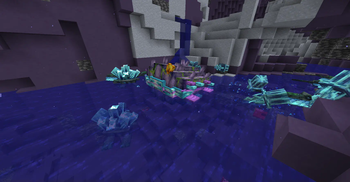
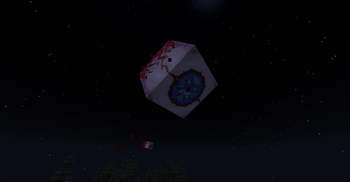
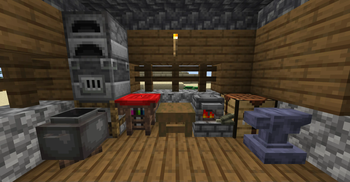
Screenshots
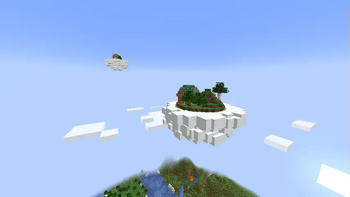
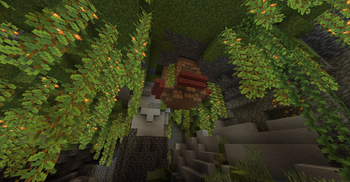
Über diese Mod
This ambitious datapack attempts to recreate the entire Terraria: Calamity Mod in Minecraft.
Currently adds:
- 4 New Bosses
- 600+ Items
- 40+ New Mobs
- 5 New Structures
- 8 New Armor Sets
- New Weapon Classes! (Magic, Ranger, Rogue, Summoner)
- 70 New Weapons
- Custom Accessory System!
- New Potion Effects
- New Music Discs
- New Paintings
- Reworked Fishing System
Installation FAQ
Installation
Q: How do I install the datapack?
Method 1: On world creation go to the third tab "more" and than click "data packs" then "open folder". put datapack in there.
Method 2: If your world is already created, go to the .minecraft/save/YOUR WORLD/datapacks and put folder in here
Installing the mod.jar (mod packaged version of the datapack): put in mods folder in forge/fabric/quilt. Then when you open minecraft, go to "Resource Packs" and move the "mod_resources" pack above the "default" pack otherwise Minecraft won't render the new textures.
You can check if the datapack was installed correctly by checking if you have new advancements relating to the datapack.
Q: All the items and mobs are potions/prismarine_crystals/warped_fungus_on_a_stick/clocks. How do i fix?
If Datapack: install the required Resource Pack (RP)
If Mod: go to "Resource Packs" and move the "mod_resources" pack above the "default" pack otherwise Minecraft won't render the new textures.
Q: Why are the Music and Biome Resources separate pages?
Its both for modpack developers and for ease of searching. It was argueably more confusing when it was in the main downloads.
Q: Is the datapack compatable with Optifine or Sodium?
No. The datapack occassionally uses a shader called OBJMC to render models which gets broken by Optifine & Sodium because of how they change rendering.
Q: Does this work on X version?
1.21.6 -- No, ... we are probably working on it
1.21.5 -- No, ... may be skipped for 1.21.6
1.21.4 -- Yes, for version 0.2.3
1.21.2 -- 1.21.3 - Yes, for version 0.2.2 - 0.2.3
1.21 -- 1.21.1 - Yes, for versions 0.2.0 & 0.2.1
1.20.5 -- 1.20.6 - No (Skipped)
1.20.2 -- 1.20.4 - For version 0.1.0 (DEMO)
1.20.1 and below - No, Nope. Can't back port either. the datapack heavily uses the "macro" feature of functions which was introduced in 1.20.2.
Q: Why is this a datapack and not a mod?
Roger_Swifer_Cleaner: [image: shrek, covered in mud, says "Good question."]
NotGleam: "we like working around limitations"
Gameplay FAQ
Gameplay
Q: I don't want to play, I just want to mess around in creative. Any tools?
Yes! If you load up a world in creative (or do /reload when in creative) you'll see in chat "Veiw development debug menu? [click]". Press [click] and the datapack will give you some debug options including commands, some testing items, and a fully fuctional creative menu!
As of the new update, the chat menu appears every time you enter creative because people don't read this.
Q: How do I make a workbench?
Throw a stripped log onto a crafting table
Q: How do I use the custom crafting stations?
Use the right arrow to scroll right, left arrow to scroll left.
Shift Use to craft.
Shift Punch to break.
Scroll the crafting menu by looking left and right.
DEMO Version: Right click to scroll recipes, Shift Right click to craft
Q: How do I find put accessories on items?
First you need a tinkerer's workshop obtainable from a tinkerer villager. (can be found in villages or created through a profession_certificate obtained from wandering traders)
To use it, Right click with your desired armor, then Right click with your desired accessory.
Q: Items from the previous version arn't working!
Due to the jump from 1.20.2 to 1.21, most of the items had their code broken, so we dropped support for items from the DEMO all together.
Items may break between future updates due to similar reasons.
Extra Addons
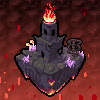
| Custom Music | Custom Biomes |
|---|---|
 |
 |
Verfügbare Versionen
MC Calamity auf dem Server installieren
Server bestellen
Bestelle einen Minecraft Java Server mit mindestens 3 GB RAM (4 GB empfohlen).
datapack Loader setzen
Wähle im Panel unter "Egg" den datapack-Loader und die passende Minecraft-Version (1.21.4).
Mod installieren
Öffne den Mod-Browser im Dashboard und suche nach "MC Calamity". Klicke "Installieren" – fertig! Alternativ: Lade die .jar via SFTP in den /mods Ordner.
Kompatibilität
Mod-Loader
Minecraft-Versionen
1.21.4, 1.21.3, 1.21.2 (+5 weitere)
Server-seitig
✓ ErforderlichEmpfohlener RAM
4 GB(min. 3 GB)Häufige Fragen
MC Calamity Server crasht beim Start – was tun?
Häufigste Ursache: falsche datapack-Version oder zu wenig RAM. Prüfe im Server-Log (latest.log), ob ein "OutOfMemoryError" oder "Mixin"-Fehler auftritt. Bei Mado Hosting: Stelle sicher, dass mindestens 3 GB RAM zugewiesen sind und der Loader zur Mod-Version passt (1.21.4). Über das Panel kannst du den Loader mit einem Klick wechseln.
Ist MC Calamity mit datapack und fabric und forge und neoforge und quilt kompatibel?
MC Calamity unterstützt offiziell datapack, fabric, forge, neoforge, quilt für Minecraft 1.21.4, 1.21.3, 1.21.2. Achtung: Forge- und Fabric-Mods sind NICHT untereinander kompatibel – wähle einen Loader und bleibe dabei. Im Mado Dashboard werden inkompatible Loader-Kombinationen automatisch erkannt.
Server laggt mit MC Calamity – wie optimiere ich die Performance?
Empfohlener RAM: 4 GB (+1 GB pro 8 Spieler). Prüfe mit /spark profiler, ob MC Calamity den meisten Tick-Time verbraucht. Häufige Fixes: Server-View-Distance auf 8-10 reduzieren, bei Forge "performant" oder "starlight" als Zusatz-Mod installieren. Bei Mado Hosting läuft dein Server auf NVMe-SSDs mit dedizierten CPU-Kernen für minimale Latenz.
Ähnliche Mods




Modded Server mieten
Installiere MC Calamity mit nur einem Klick auf deinem Server.
Details
- Lizenz
- Creative Commons Attribution 4.0 International
- Server-seitig
- Erforderlich