
MEDIEVAL CRAFT (weapons)
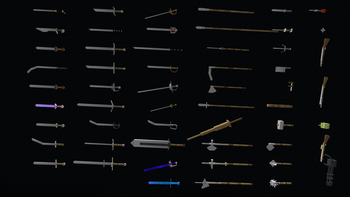
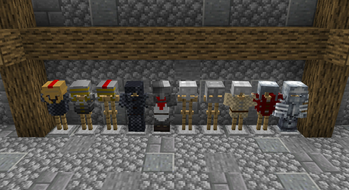
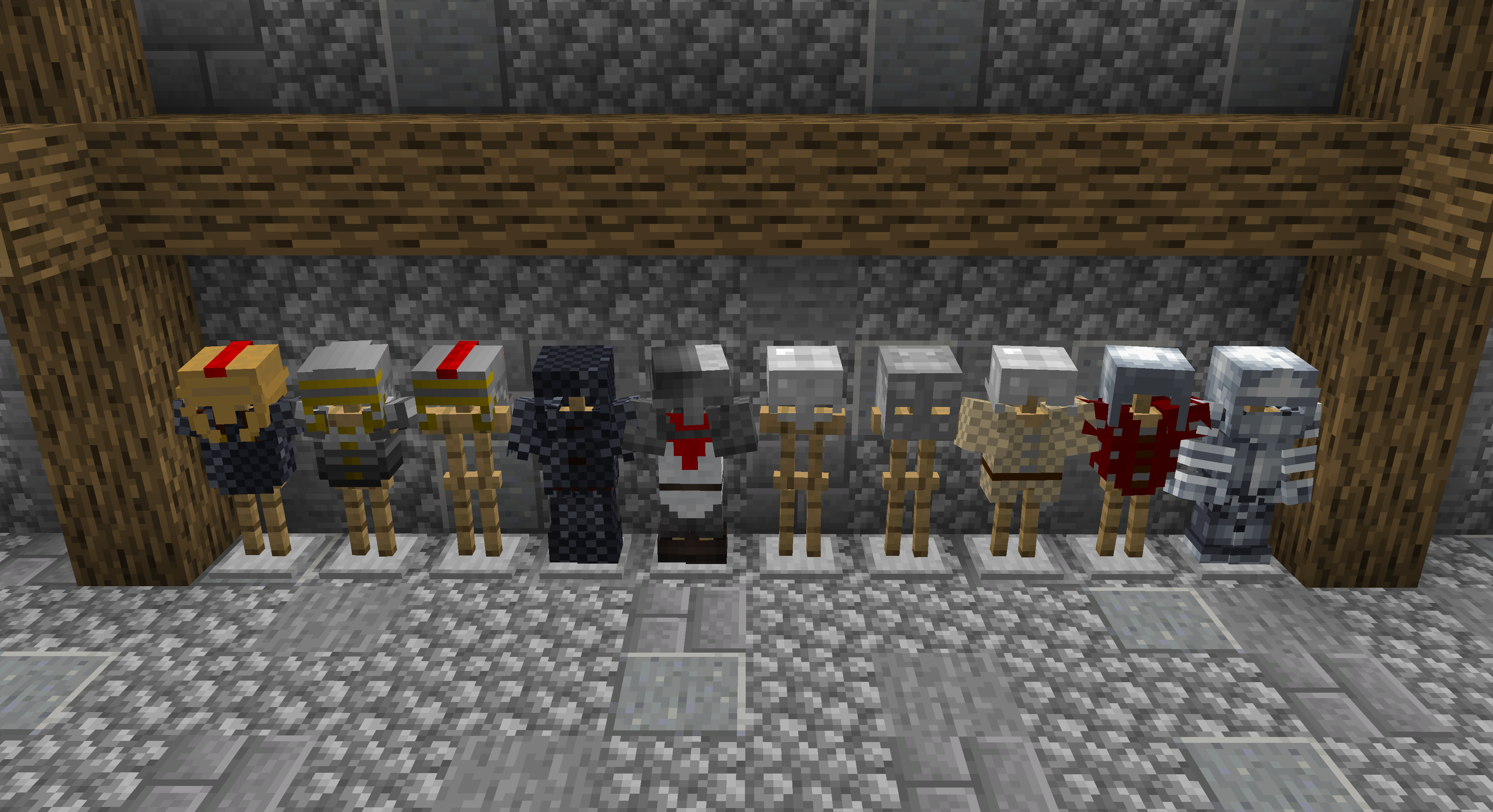
Medieval Craft adds 3D weapons, armor, mobs and structures.
Screenshots


Über diese Mod

This Mod contains only the weapons and armor from medieval craft click here to download the Medieval Craft (structures) .
Is highly recomended to use version 1.16.5 for this mod, since its the one with most features and less bugs.
The 1.16.5 version of this mod is compatible with Epic Fight Mod
1.19.2 is not yet compatible.
Adds a realistic way to forge 3D medieval weapons.
This mod adds 56 3D medieval weapons


25% discount on the first month if you use the code: Medievalcraft
How to create your sword:
Put iron ores in the first slow in a project bench, select a sword. Grab your iron bar and place in a blast furnace. The bar will be red hot, put your bar on top of a anvil and right click repeatedly with a Hammer. When the hot blade is dropped you must right click with the blade on watter. Now you must put your Blade, Guard, and a stick in a crafting table.
Common questions:
Can you add a config for the mod? I am not a programmer and I used mcreator to make this mod and it does not allow me to create one . Can I use this mod on my modpack? yes.
Can I use this mod in a video on youtube? yes but you have to put a link to this page.
Can I use textures to create another mod or texture pack? ask me before
Verfügbare Versionen
MEDIEVAL CRAFT (weapons) auf dem Server installieren
Server bestellen
Bestelle einen Minecraft Java Server mit mindestens 3 GB RAM (4 GB empfohlen).
fabric Loader setzen
Wähle im Panel unter "Egg" den fabric-Loader und die passende Minecraft-Version (1.21.1).
Mod installieren
Öffne den Mod-Browser im Dashboard und suche nach "MEDIEVAL CRAFT (weapons)". Klicke "Installieren" – fertig! Alternativ: Lade die .jar via SFTP in den /mods Ordner.
Kompatibilität
Mod-Loader
Minecraft-Versionen
1.21.1, 1.20.1, 1.19.2 (+1 weitere)
Server-seitig
✓ ErforderlichEmpfohlener RAM
4 GB(min. 3 GB)Häufige Fragen
MEDIEVAL CRAFT (weapons) Server crasht beim Start – was tun?
Häufigste Ursache: falsche fabric-Version oder zu wenig RAM. Prüfe im Server-Log (latest.log), ob ein "OutOfMemoryError" oder "Mixin"-Fehler auftritt. Bei Mado Hosting: Stelle sicher, dass mindestens 3 GB RAM zugewiesen sind und der Loader zur Mod-Version passt (1.21.1). Über das Panel kannst du den Loader mit einem Klick wechseln.
Ist MEDIEVAL CRAFT (weapons) mit fabric und forge und neoforge kompatibel?
MEDIEVAL CRAFT (weapons) unterstützt offiziell fabric, forge, neoforge für Minecraft 1.21.1, 1.20.1, 1.19.2. Achtung: Forge- und Fabric-Mods sind NICHT untereinander kompatibel – wähle einen Loader und bleibe dabei. Im Mado Dashboard werden inkompatible Loader-Kombinationen automatisch erkannt.
Server laggt mit MEDIEVAL CRAFT (weapons) – wie optimiere ich die Performance?
Empfohlener RAM: 4 GB (+1 GB pro 8 Spieler). Prüfe mit /spark profiler, ob MEDIEVAL CRAFT (weapons) den meisten Tick-Time verbraucht. Häufige Fixes: Server-View-Distance auf 8-10 reduzieren, bei Forge "performant" oder "starlight" als Zusatz-Mod installieren. Bei Mado Hosting läuft dein Server auf NVMe-SSDs mit dedizierten CPU-Kernen für minimale Latenz.
Ähnliche Mods




Modded Server mieten
Installiere MEDIEVAL CRAFT (weapons) mit nur einem Klick auf deinem Server.