
Mob Battle Music
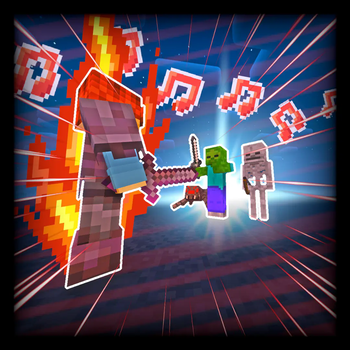
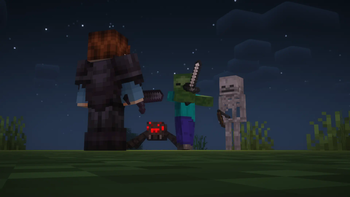
Mod that adds background music when fighting hostile mobs and players
Screenshots
Über diese Mod





Mob Battle Music adds three new music tracks that play as you sneak about mobs, fight them, and battle players. The mod is completely client side and is not required on the server.

- Three new music tracks:
- Non-Aggressive, which plays when no nearby hostile mobs are aggressive/attacking. A "tense" track that acts as the "calm before the storm."
- Aggressive, which plays when a mob becomes aggressive/starts attacking.
- Player, which begins when you start attacking another player or they start attacking you. Adds some tension for PvP duels.
- Highly customizable with a built-in config menu.
- Modify, replace, or add music tracks using resource packs.
- Completely client side.

This mod was commissioned by TSEG
Currently only for Forge. Considering the simplicity of this mod, a Fabric port may happen. Support for both NeoForge and Forge past 1.20.1 is also very likely. Please do not ask for backports.
If you encounter any issues, bugs, or have any suggestions, feel free to let me know using the mod's issue tracker.
All music added by this mod is Royalty Free. Please note that the non-aggressive track used in the mod may be Content ID claimed if detected on YouTube, but you are allowed to use it. Please check out this link for more info on how to clear it.
Feel free to include this mod in any modpack you'd like, however make sure to have a link back to this page.
Verfügbare Versionen
Mob Battle Music auf deinem Client installieren
Mod-Loader lokal installieren
Installiere forge für deine lokale Minecraft-Version.
Passende Datei herunterladen
Wähle die Mob Battle Music-Datei für forge und Minecraft 1.20.1.
Mod installieren
Lege die .jar-Datei in deinem lokalen .minecraft/mods-Ordner ab und starte Minecraft neu. Eine Installation auf dem Server ist nicht nötig.
Kompatibilität
Mod-Loader
Minecraft-Versionen
1.20.1, 1.19.4, 1.19.2
Server-seitig
✗ Nicht unterstütztEmpfohlener RAM
4 GB(min. 3 GB)Häufige Fragen
Muss Mob Battle Music auf dem Minecraft Server installiert werden?
Nein. Modrinth kennzeichnet Mob Battle Music serverseitig als nicht unterstützt. Installiere die Mod nur im lokalen Minecraft-Mods-Ordner. Dein Server kann unverändert bleiben, sofern die Mod-Seite keine zusätzliche Abhängigkeit nennt.
Welche Version und welchen Loader braucht Mob Battle Music?
Nutze eine Datei für forge und exakt deine Minecraft-Version. Unterstützte Versionen sind unter anderem 1.20.1, 1.19.4, 1.19.2. Loader-Dateien sind nicht untereinander austauschbar.
Mob Battle Music funktioniert nicht – was kann ich prüfen?
Prüfe zuerst Minecraft-Version, Loader-Version und erforderliche Abhängigkeiten. Lege die .jar-Datei im lokalen .minecraft/mods-Ordner ab und entferne ältere Duplikate. Da die Mod clientseitig ist, löst mehr Server-RAM dieses Problem nicht.
Ähnliche Mods




Minecraft Server für deine Gruppe
Mob Battle Music bleibt auf deinem Client. Hoste dazu eine kompatible Welt für deine Mitspieler.