
Mystcraft Data Pack: Open New Dimensions!
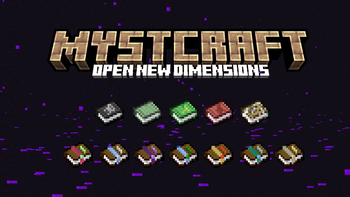
Are you interested in exploring 7 new Minecraft dimensions, in the spirit of popular game series MYST? The Mystcraft Data Pack adds books that allow you to teleport to these worlds and your own waypoints! Just don't forget a way back...
Screenshots




Über diese Mod



Mystcraft: Open New Dimensions
Are you interested in exploring 7 new Minecraft dimensions, in the spirit of popular game series MYST?
The Mystcraft Data Pack adds books that allow you to teleport to these worlds and your own waypoints! Just don't forget a way back...
About
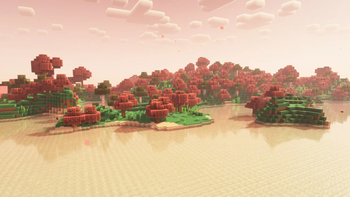
These 7 dimensions come with their own special biomes and resources. Current dimensions are:
- Sanctuary
- Wasteland
- Sanctuary
- Blizzard
- Pocket Dimension
- Skylands
- Warrens
You can also create your own books that can teleport you to saved waypoints, last death point, and even other players. Mystcraft is even more fun with your friends and optimized to run on servers.
The gameplay guide can be accessed in-game:/trigger mystguide
Installation
To install, move the mystcraft_datapack.zip file into .minecraft/saves/YOURSAVE/datapacks
Then add the mystcraft_resources.zip into .minecraft/resourcepacks and activate it in the GUI
Future Plans
I am continuing to add features to Mystcraft. Current plans include:
- Better structures
- More custom features for biomes
- Custom models for opened books
Contributing
I develop Mystcraft as a hobby. If you're a developer, feel free to contribute on GitHub (Report bugs there as well) If you want to support, donate on KoFi!
Verfügbare Versionen
Mystcraft Data Pack: Open New Dimensions! auf dem Server installieren
Server bestellen
Bestelle einen Minecraft Java Server mit mindestens 4 GB RAM (6 GB empfohlen).
datapack Loader setzen
Wähle im Panel unter "Egg" den datapack-Loader und die passende Minecraft-Version (26.3).
Mod installieren
Öffne den Mod-Browser im Dashboard und suche nach "Mystcraft Data Pack: Open New Dimensions!". Klicke "Installieren" – fertig! Alternativ: Lade die .jar via SFTP in den /mods Ordner.
Kompatibilität
Mod-Loader
Minecraft-Versionen
26.3, 26.2, 26.1.2 (+10 weitere)
Server-seitig
✓ ErforderlichEmpfohlener RAM
6 GB(min. 4 GB)Häufige Fragen
Mystcraft Data Pack: Open New Dimensions! Server crasht beim Start – was tun?
Häufigste Ursache: falsche datapack-Version oder zu wenig RAM. Prüfe im Server-Log (latest.log), ob ein "OutOfMemoryError" oder "Mixin"-Fehler auftritt. Bei Mado Hosting: Stelle sicher, dass mindestens 4 GB RAM zugewiesen sind und der Loader zur Mod-Version passt (26.3). Über das Panel kannst du den Loader mit einem Klick wechseln.
Ist Mystcraft Data Pack: Open New Dimensions! mit datapack und fabric und forge und neoforge und quilt kompatibel?
Mystcraft Data Pack: Open New Dimensions! unterstützt offiziell datapack, fabric, forge, neoforge, quilt für Minecraft 26.3, 26.2, 26.1.2. Achtung: Forge- und Fabric-Mods sind NICHT untereinander kompatibel – wähle einen Loader und bleibe dabei. Im Mado Dashboard werden inkompatible Loader-Kombinationen automatisch erkannt.
Server laggt mit Mystcraft Data Pack: Open New Dimensions! – wie optimiere ich die Performance?
Empfohlener RAM: 6 GB (+1 GB pro 5 Spieler). Prüfe mit /spark profiler, ob Mystcraft Data Pack: Open New Dimensions! den meisten Tick-Time verbraucht. Häufige Fixes: Server-View-Distance auf 8-10 reduzieren, bei Forge "performant" oder "starlight" als Zusatz-Mod installieren. Bei Mado Hosting läuft dein Server auf NVMe-SSDs mit dedizierten CPU-Kernen für minimale Latenz.
Ähnliche Mods




Modded Server mieten
Installiere Mystcraft Data Pack: Open New Dimensions! mit nur einem Klick auf deinem Server.