Nether Weather
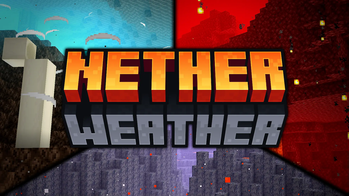
"Nether Weather" is an addition to Minecraft that aims to make the Nether feel more like a real place by introducing 3 new weather types to it. You will now encounter lavafalls, storms and heatblasts (which replace storms in the Nether Wastes).
Screenshots
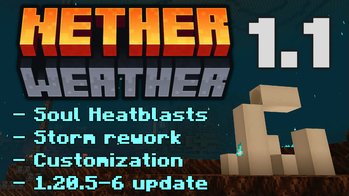
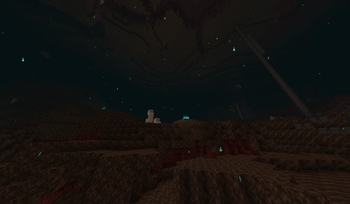
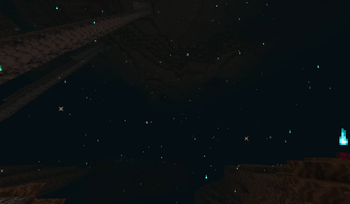
Über diese Mod
Contributors: 2D logo by Squizzle Dizzle | 3D logo by FloideN
Initially part of the Overskip data pack, Nether Weather is an addition to Minecraft that aims to make the Nether feel more like a real place by introducing 3 new weather types to it. You will now encounter lavafalls, storms and heatblasts (which replace storms in the Nether Wastes) that correspond to Overworld weather events.
The lavafalls can set entities on fire, the storms can hurt them with their strong winds and heatblasts make almost any block as hot as a Magma Block. These weather events not only greatly impact the gameplay and make the Nether more exciting and deadly, but also provide more atmosphere to the dimension with sounds and particles.
Watch the video below to get the full details on how the weather works and the lore intentions behind it.
Attention! Some of the information in the video is outdated. Check the v1.1 video/changelog out for details.
Verfügbare Versionen
Nether Weather auf dem Server installieren
Server bestellen
Bestelle einen Minecraft Java Server mit mindestens 3 GB RAM (4 GB empfohlen).
datapack Loader setzen
Wähle im Panel unter "Egg" den datapack-Loader und die passende Minecraft-Version (1.21.11).
Mod installieren
Öffne den Mod-Browser im Dashboard und suche nach "Nether Weather". Klicke "Installieren" – fertig! Alternativ: Lade die .jar via SFTP in den /mods Ordner.
Kompatibilität
Mod-Loader
Minecraft-Versionen
1.21.11, 1.21.10, 1.21.9 (+14 weitere)
Server-seitig
✓ ErforderlichEmpfohlener RAM
4 GB(min. 3 GB)Häufige Fragen
Nether Weather Server crasht beim Start – was tun?
Häufigste Ursache: falsche datapack-Version oder zu wenig RAM. Prüfe im Server-Log (latest.log), ob ein "OutOfMemoryError" oder "Mixin"-Fehler auftritt. Bei Mado Hosting: Stelle sicher, dass mindestens 3 GB RAM zugewiesen sind und der Loader zur Mod-Version passt (1.21.11). Über das Panel kannst du den Loader mit einem Klick wechseln.
Ist Nether Weather mit datapack und fabric und forge und neoforge und quilt kompatibel?
Nether Weather unterstützt offiziell datapack, fabric, forge, neoforge, quilt für Minecraft 1.21.11, 1.21.10, 1.21.9. Achtung: Forge- und Fabric-Mods sind NICHT untereinander kompatibel – wähle einen Loader und bleibe dabei. Im Mado Dashboard werden inkompatible Loader-Kombinationen automatisch erkannt.
Server laggt mit Nether Weather – wie optimiere ich die Performance?
Empfohlener RAM: 4 GB (+1 GB pro 8 Spieler). Prüfe mit /spark profiler, ob Nether Weather den meisten Tick-Time verbraucht. Häufige Fixes: Server-View-Distance auf 8-10 reduzieren, bei Forge "performant" oder "starlight" als Zusatz-Mod installieren. Bei Mado Hosting läuft dein Server auf NVMe-SSDs mit dedizierten CPU-Kernen für minimale Latenz.
Ähnliche Mods




Modded Server mieten
Installiere Nether Weather mit nur einem Klick auf deinem Server.
Details
- Lizenz
- Creative Commons Attribution Non Commercial Share Alike 4.0 International
- Server-seitig
- Erforderlich