
Nostalgic Tweaks
Brings back Minecraft alpha, beta, post-release lost gameplay elements. Made for nostalgic enthusiasts or for those who want to give the game a new aesthetic by tweaking the mod to their preference.
Screenshots
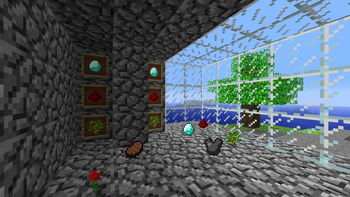
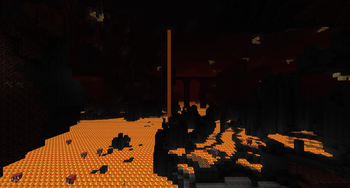
Über diese Mod


State of Development
This mod is still being worked on. Updates are slow to come out since myself and the other volunteer maintainers are super busy with personal matters. If you are a developer and are interested in helping us out with updates then please join the Discord and let us know! The v2.0 update will be released for Minecraft 1.20.1 and 1.21.1. A rewrite of the mod (v3.0) will be made for whatever Minecraft version that modders consider to be the next LTS. I cannot provide any potential release dates at this time. Thank you for the patience!
Description
Inspired by Exalm's Old Days mod, Nostalgic Tweaks brings back a plethora of classic, alpha, beta, and post-release lost or changed gameplay elements. This mod is intended for nostalgic enthusiasts who want to relive the glory days of Minecraft Java edition by tweaking the mod to their nostalgic preference, or for those who want to give the game a new aesthetic and gameplay style.
Some of the major nostalgic tweaks included are old classic and pre-beta 1.8 light engines, old fog rendering, old sky and void colors, 2D floating items with disabled diffused lighting, old mob spawning, old combat mechanics, old game screens, old C418 music, and so much more! There are currently over 400+ nostalgic tweaks as of 2.0.0-Beta 9 with more on the way!
For the best nostalgic experience, I recommend using the Golden Days resource pack by PoeticRainbow, or the Programmer Art Continuation Project resource pack by mzov. Golden Days comes with an abundance of nostalgic packs, such as an alpha and picture perfect pack which coincides wonderfully with Nostalgic Tweaks. Additionally, use the Moderner Beta mod by BlueStaggo for nostalgic terrain generation.
Configuration
To open the mod's config menu, press O for "Old" while in-game or at the game's title screen. This hotkey can be changed in the vanilla controls menu or in the mod's config menu. If you have Mod Menu installed for Fabric, or you are using Forge or NeoForge, then you can also access the configuration screen through the Mods button.
Each tweak will have tags above their names in the config menu. Each tag identifies different aspects of each tweak. You can hover your mouse over each tag to see more information as a tooltip. You can favorite the tweak, see its status, modify the client/server value, save, undo, reset, and modernize a tweak within its configuration box.
Tweak Information
Search
The config menu comes with searching capabilities. Search queries that are typed into the input box will bring up fuzzy results. This means the mod will attempt to show results that it believes you were trying to search for. You can narrow search results by using Search Tags. To see all the search tags that are available, open the config menu and click the Manage button in the bottom-left corner of the screen. Then go to the Help category and scroll down. Additionally, the bread crumbs that appear at the top of a tweak's configuration box can be clicked to quickly jump to that crumb's section within the config menu.
Filter
The config menu also comes with a search filter. When opened, you can choose which tweak categories to look in. This compounds with the search tags mentioned earlier. Additionally, if the favorite tweaks list is opened, any search queries typed into the input box will only bring up tweaks that are favorited.
Config Management
The config menu also comes with a config management overlay. To open the overlay, click the Manage button in the bottom-left corner of the screen. In this overlay you can create and manage config backup files, create and manage config presets, import and export (client and server) config files, perform server operations on servers with Nostalgic Tweaks installed, and quickly toggle a lot of tweaks all at once. Each section of the overlay comes with a uniquely crafted user interface to assit with tweak and config management.
Keyboard Shortcuts
The config menu also comes with keyboard shortcuts. Ctrl + F focuses the search box, Ctrl + S saves the config menu, Esc exits the config menu, and Ctrl + Left Arrow, Alt + Left Arrow, Ctrl + Right Arrow, or Alt + Right Arrow will change the category group you are in without the need to click on a category button. You can also use the Tab key and Directional Arrow keys to cycle through and navigate the various widgets in the menu. Press the Spacebar key or Enter key to perform an action on the highlighted element.
Compatibility
This is a list of commonly reported problems and their potential solutions:
- If you are using the Better Clouds mod, then you may experience issues. If so, in Better Cloud's options, change Fog Distance Factor to 2.00x.
- If you are experiencing issues with chunks not updating light changes (usually caused by mod conflicts), then disable the
Round Robin Chunk Relightingtweak. This can be found underEye Candy > Lighting Candy > World Lighting > Light Engine. - Optifine is known to cause problems. It is a closed source mod, so it is very difficult to support. Tweaks that are known to be impacted by Optifine are tagged in the config menu.
- Sodium & Embeddium are officially supported.
If you experience a crash or come across a compatibility issue, please let me know! It is best to report compatibility issues on our GitHub issue page for better tracking.
Nostalgica Reverie Discord
The Nostalgica Reverie discord is the best place for nostalgia-based projects like Re-Console, Nostalgic Tweaks, Moderner Beta, and more! Here you can discuss anything related to our organizations projects, interact with the community or talk about programming!
Frequently Asked Questions
What resource pack is used in the demo video and screenshots?
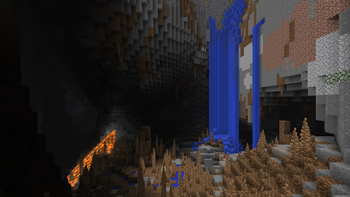
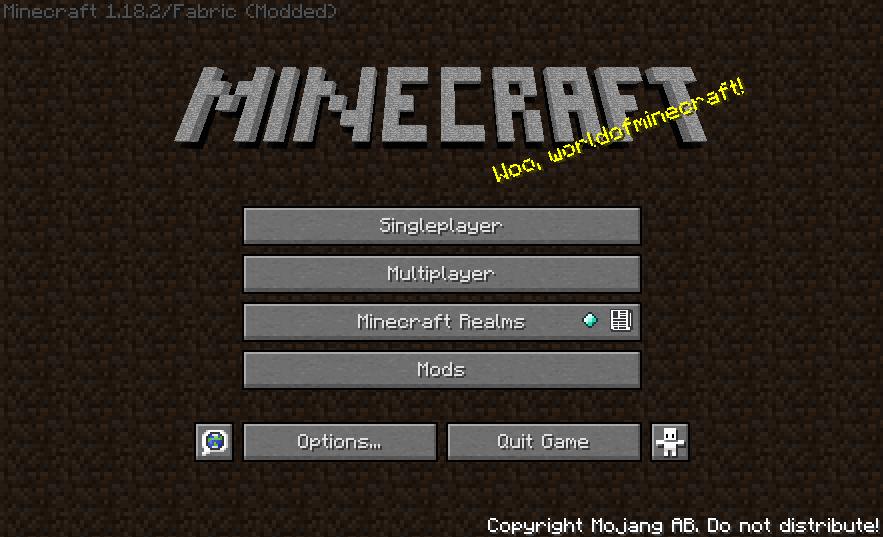
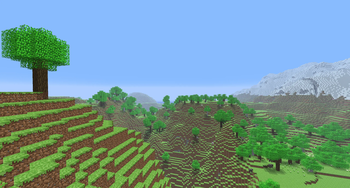
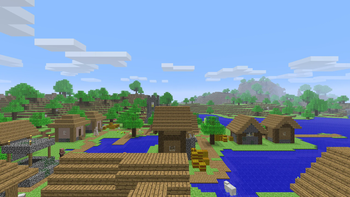
It is the Golden Days resource pack by PoeticRainbow. There is also a button in the mod's settings homepage that links the resource pack as well.
Can I include this mod in my pack?
Yes, just try to distribute on the platforms this mod is officially available. (Modrinth and Curseforge)
Is this mod server safe?
Yes! The mod is designed to disable tweaks that are not allowed on non-modded servers.
Will there be any backport to version 1.x.x?
Not for Nostalgic Tweaks. Use my previous mod OSECA, for versions 1.12, 1.16, and 1.17.
I ran into an issue running this mod.
Please make a report at our Github
Verfügbare Versionen
Nostalgic Tweaks auf dem Server installieren
Server bestellen
Bestelle einen Minecraft Java Server mit mindestens 3 GB RAM (4 GB empfohlen).
fabric Loader setzen
Wähle im Panel unter "Egg" den fabric-Loader und die passende Minecraft-Version (1.21.1).
Mod installieren
Öffne den Mod-Browser im Dashboard und suche nach "Nostalgic Tweaks". Klicke "Installieren" – fertig! Alternativ: Lade die .jar via SFTP in den /mods Ordner.
Kompatibilität
Mod-Loader
Minecraft-Versionen
1.21.1, 1.21, 1.20.6 (+12 weitere)
Server-seitig
~ OptionalEmpfohlener RAM
4 GB(min. 3 GB)Häufige Fragen
Nostalgic Tweaks Server crasht beim Start – was tun?
Häufigste Ursache: falsche fabric-Version oder zu wenig RAM. Prüfe im Server-Log (latest.log), ob ein "OutOfMemoryError" oder "Mixin"-Fehler auftritt. Bei Mado Hosting: Stelle sicher, dass mindestens 3 GB RAM zugewiesen sind und der Loader zur Mod-Version passt (1.21.1). Über das Panel kannst du den Loader mit einem Klick wechseln.
Ist Nostalgic Tweaks mit fabric und forge und neoforge kompatibel?
Nostalgic Tweaks unterstützt offiziell fabric, forge, neoforge für Minecraft 1.21.1, 1.21, 1.20.6. Achtung: Forge- und Fabric-Mods sind NICHT untereinander kompatibel – wähle einen Loader und bleibe dabei. Im Mado Dashboard werden inkompatible Loader-Kombinationen automatisch erkannt.
Server laggt mit Nostalgic Tweaks – wie optimiere ich die Performance?
Empfohlener RAM: 4 GB (+1 GB pro 8 Spieler). Prüfe mit /spark profiler, ob Nostalgic Tweaks den meisten Tick-Time verbraucht. Häufige Fixes: Server-View-Distance auf 8-10 reduzieren, bei Forge "performant" oder "starlight" als Zusatz-Mod installieren. Bei Mado Hosting läuft dein Server auf NVMe-SSDs mit dedizierten CPU-Kernen für minimale Latenz.
Ähnliche Mods




Modded Server mieten
Installiere Nostalgic Tweaks mit nur einem Klick auf deinem Server.