
Create: Occult Engineering
An integration mod between Create and Occultism.
Screenshots
Über diese Mod




An integration between the Create mod and Occultism.
This README is also available in the following languages:
Links
About
Create: Occult Engineering is a mod that integrates the Create mod with Occultism, allowing you to automate the
occult rituals and otherworldly activities.
Calling all Translators!
Unfortunately, I am not blessed with the skills to translate this mod into all languages, so I need your help!
All the text in this mod is pre-translated via AI, but if you find something that reads a bit wrong, please feel free to contribute on the Crowdin!
Getting Started
Get started by crafting an Encyclopedia of Souls from a Dictionary of Spirits and a Cogwheel.
The rest can be discovered from within the book or by reading recipes in JEI.
As well as this, all 'Occult Machinery' is documented via Create's Ponder.
A lack of documentation is considered a bug, so please report anything you don't understand via Discord or GitHub.
Main Features
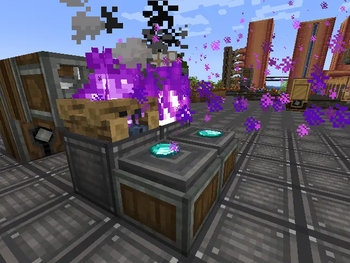
Spiritfire Automation
Place a Spiritfire or Spirit Campfire in front of an Encased Fan to automate the process!
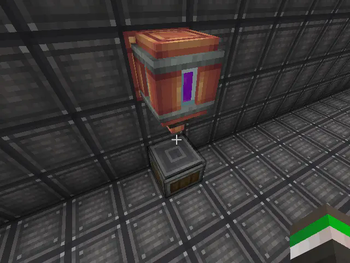
Ritual Automation
Automate any ritual (which doesn't require a sacrifice or external item use) using the Mechanical Chamber.
The Mechanical Arm is the best way to insert books into the Mechanical Chamber, and it uses the items in Sacrificial
Bowls
around it as usual.
Crushing Automation
Automate crushing into dust using the Mechanical Pulverizer. This can be used in place of Occultism's crushing entities,
to automate all the dusts.
Phlogiports
Phlogiports can be used to wirelessly transfer packages around based on their address. For more info, use the ponder system in game.
Otherworld Detector
The otherworld detector outputs a Redstone signal if the nearest player to them has the otherworld vision
(either the goggles or the third eye potion effect).
Take a comparator output from it to get the distance to the nearest player with the otherworld vision!
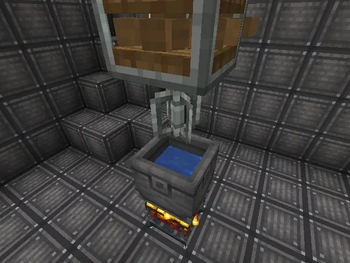
Spirit Solution
Crafted by either mixing Demon's Dream Fruit with water while heated, or crushing Demon's Dream Seeds,
Spirit Solution is used to bind books instead of crafting with a Dictionary of Spirits. In the future, it will
be used for other useful things.
Supported Versions
This mod follows Create's supported versions, meaning it is currently compatible with Minecraft 1.20.1 and 1.21.1.
The Create version must be >= 6.0.8.
Feature Parity
I try to keep both 1.20.1 and 1.21.1 with feature parity, but if I forget something, please report it via Discord or GitHub.
Partially Developed Features
These features are considered partially developed, because there is some functionality but they aren't feature complete,
and don't necessarily have any logical progression.
New Rituals
Copper, Zinc and Brass chalk can be crafted and drawn on the ground like Occultism's regular chalk,
and is used for new rituals.
New Spirits
The Púca
The Púca is a new spirit to add to the 4 existing base spirits. In the future it will be used for Create mod helper
entities
much like the lumberjacks of the Occultism mod.
Future Plans
Check out the GitHub issues page for planned features.
Have any suggestions? Join the Discord or open an issue!
I'm normally pretty responsive, and I'll try to get back to you as soon as possible.
Note on AI usage
The only part of this mod that I have used AI for is text translation which is available to edit on Crowdin.
All code, assets and English text (including mistakes) are the work of me and other contributors or adapted from other MIT licensed projects such as Create and Occultism.
TLDR: This project is the result of human work.
Verfügbare Versionen
Create: Occult Engineering auf dem Server installieren
Server bestellen
Bestelle einen Minecraft Java Server mit mindestens 4 GB RAM (6 GB empfohlen).
forge Loader setzen
Wähle im Panel unter "Egg" den forge-Loader und die passende Minecraft-Version (1.21.1).
Mod installieren
Öffne den Mod-Browser im Dashboard und suche nach "Create: Occult Engineering". Klicke "Installieren" – fertig! Alternativ: Lade die .jar via SFTP in den /mods Ordner.
Kompatibilität
Mod-Loader
Minecraft-Versionen
1.21.1, 1.20.1
Server-seitig
✓ ErforderlichEmpfohlener RAM
6 GB(min. 4 GB)Häufige Fragen
Create: Occult Engineering Server crasht beim Start – was tun?
Häufigste Ursache: falsche forge-Version oder zu wenig RAM. Prüfe im Server-Log (latest.log), ob ein "OutOfMemoryError" oder "Mixin"-Fehler auftritt. Bei Mado Hosting: Stelle sicher, dass mindestens 4 GB RAM zugewiesen sind und der Loader zur Mod-Version passt (1.21.1). Über das Panel kannst du den Loader mit einem Klick wechseln.
Ist Create: Occult Engineering mit forge und neoforge kompatibel?
Create: Occult Engineering unterstützt offiziell forge, neoforge für Minecraft 1.21.1, 1.20.1. Im Mado Dashboard werden inkompatible Loader-Kombinationen automatisch erkannt.
Server laggt mit Create: Occult Engineering – wie optimiere ich die Performance?
Empfohlener RAM: 6 GB (+1 GB pro 5 Spieler). Prüfe mit /spark profiler, ob Create: Occult Engineering den meisten Tick-Time verbraucht. Häufige Fixes: Server-View-Distance auf 8-10 reduzieren, bei Forge "performant" oder "starlight" als Zusatz-Mod installieren. Bei Mado Hosting läuft dein Server auf NVMe-SSDs mit dedizierten CPU-Kernen für minimale Latenz.
Ähnliche Mods





Modded Server mieten
Installiere Create: Occult Engineering mit nur einem Klick auf deinem Server.