
Plasmo Voice
A proximity voice chat mod with audio positioning and lots of features
Über diese Mod



Available for all popular platforms
Paper, Folia, Fabric, Forge, and NeoForge servers are fully compatible with both Fabric and Forge clients.
To use voice chat, players must install the client-side mod for Fabric, Forge or NeoForge.
Players without the mod can still join the server and play as usual – they just won't have access to voice chat
features.
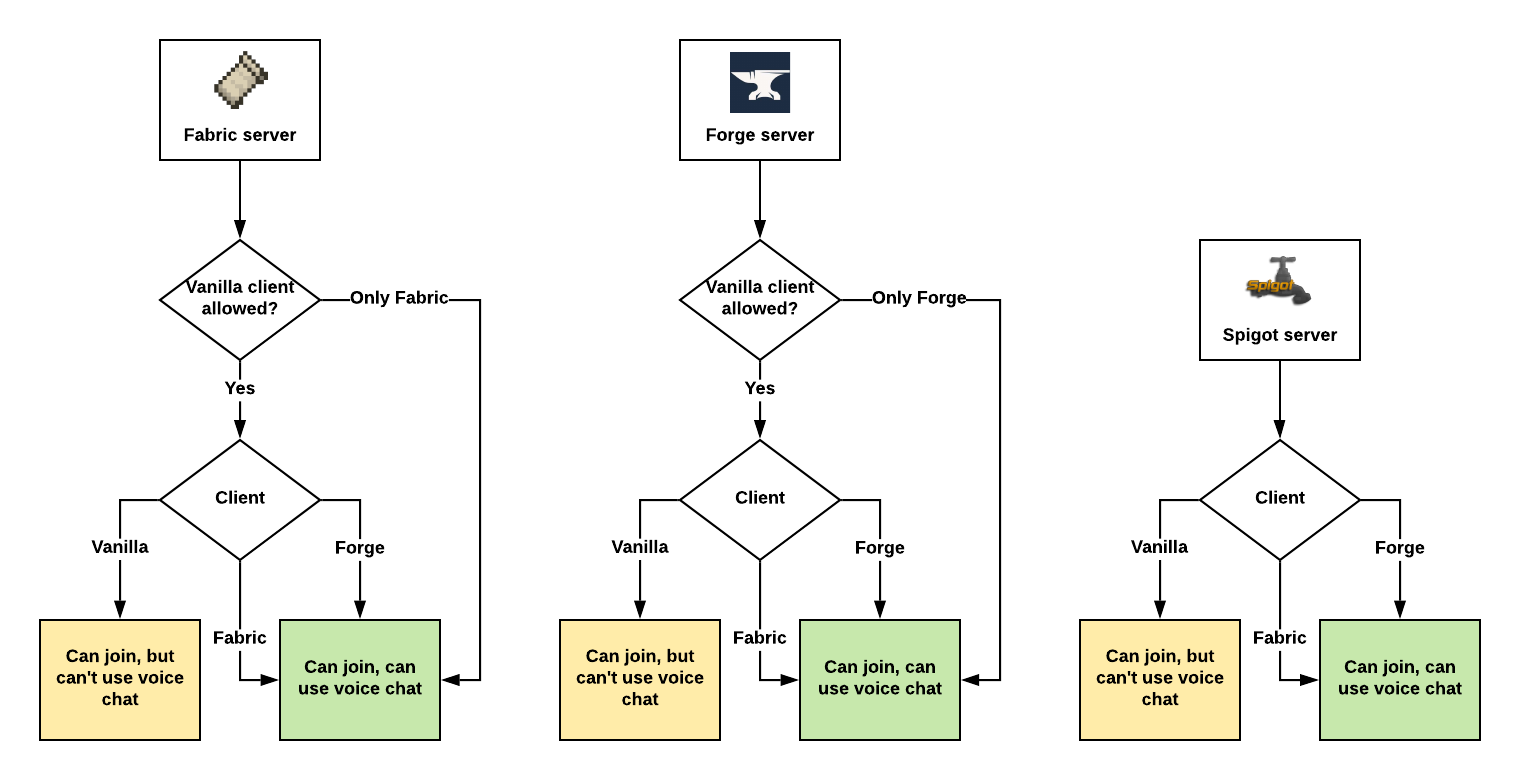
Assuming Plasmo Voice is installed on both client and the server.
Features
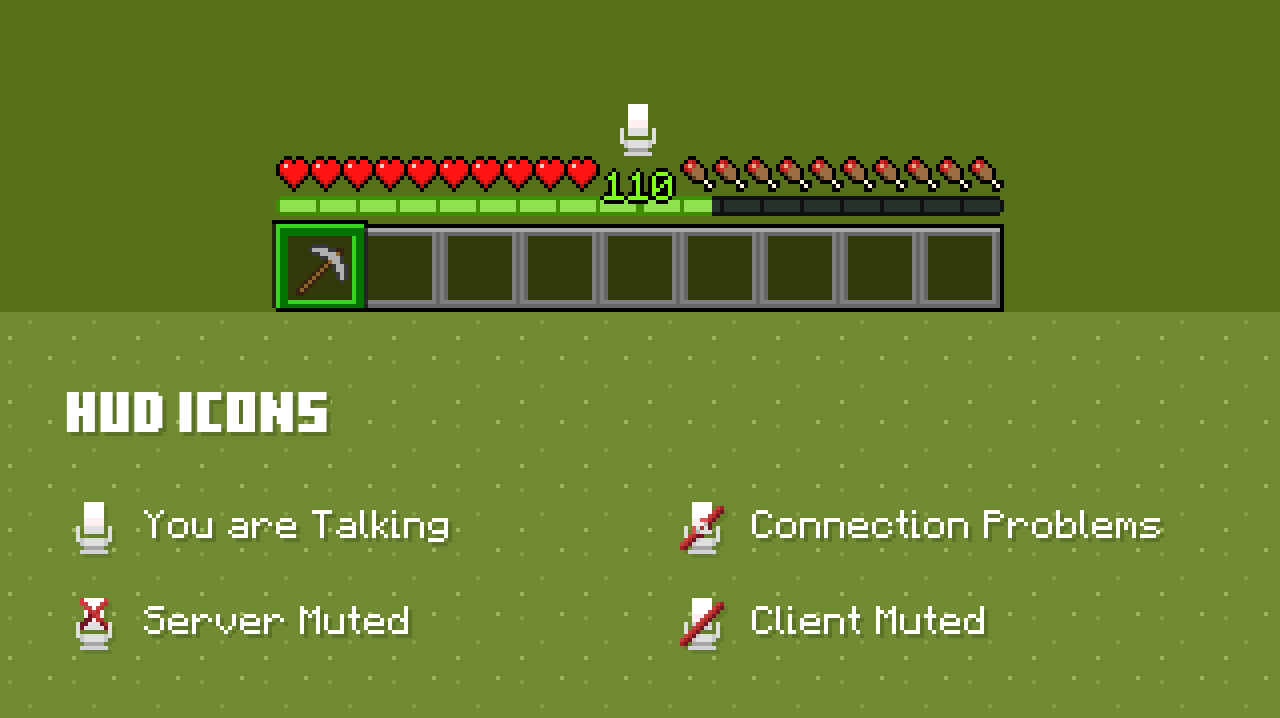
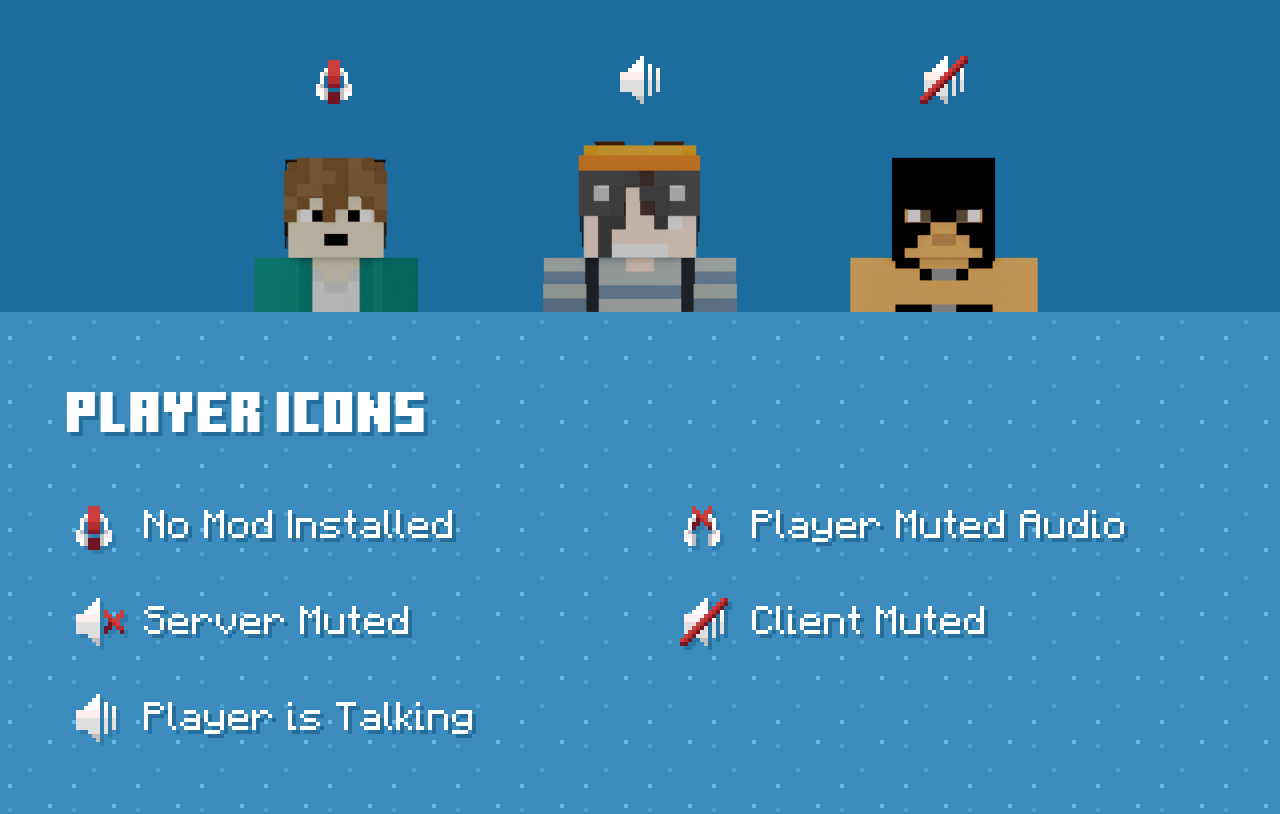
Client features
Audio Quality & Processing
- RNNoise noise reduction
- OpenAL sound engine with great 3D positioning
- Stereo audio sources
- Smooth volume transitions
Immersion & Realism
- Optional sound occlusion (muffles voices through blocks)
- Optional directional audio sources (quieter if the speaker is not facing you)
- Sound Physics Remastered compatibility with pv-addon-soundphysics
Controls & Interaction
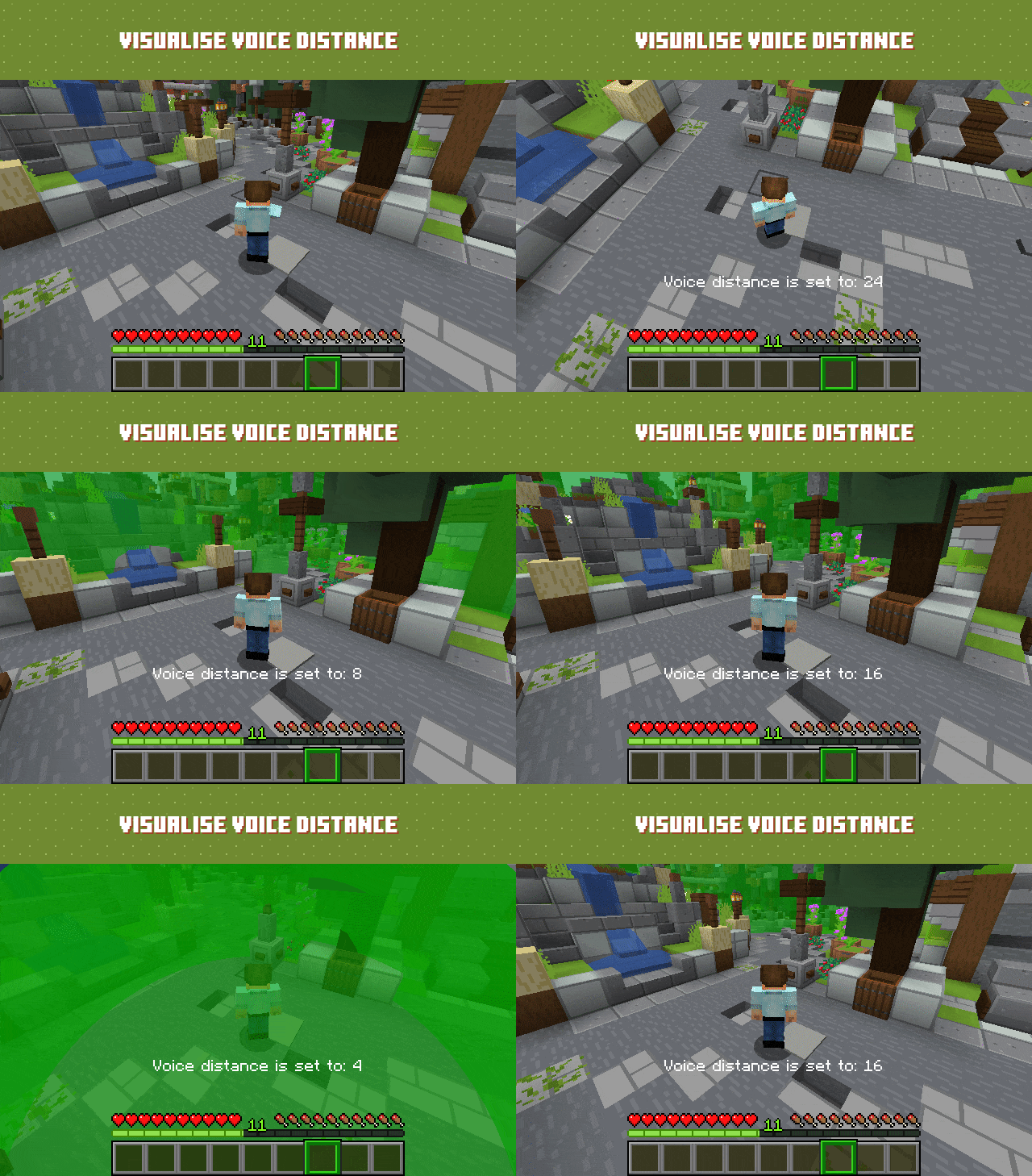
- Adjustable voice chat distance
- Choose between Push to Talk or Voice Activation
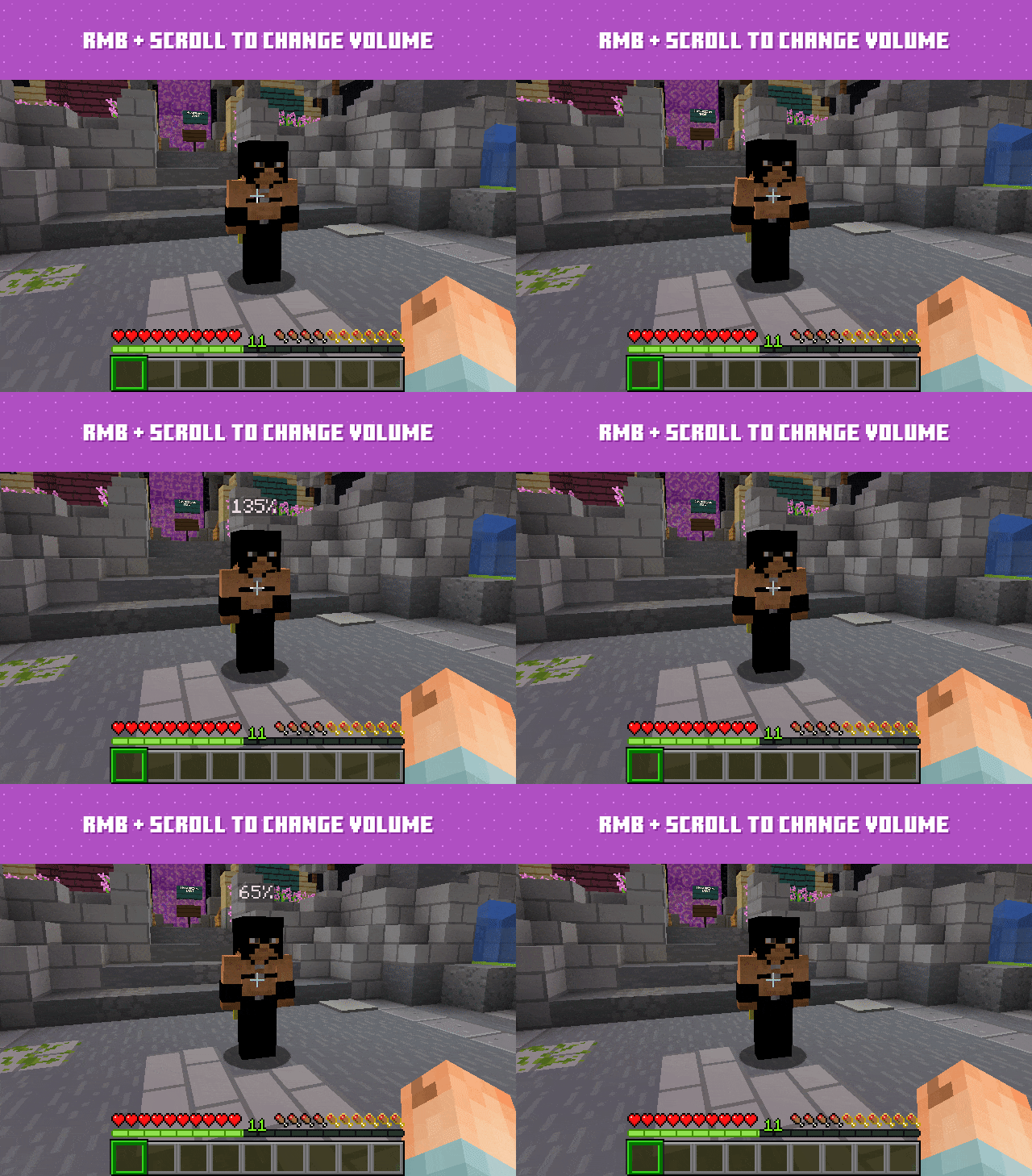
- Hold RMB while looking at a player and use the scroll wheel to adjust their volume
Devices & UI
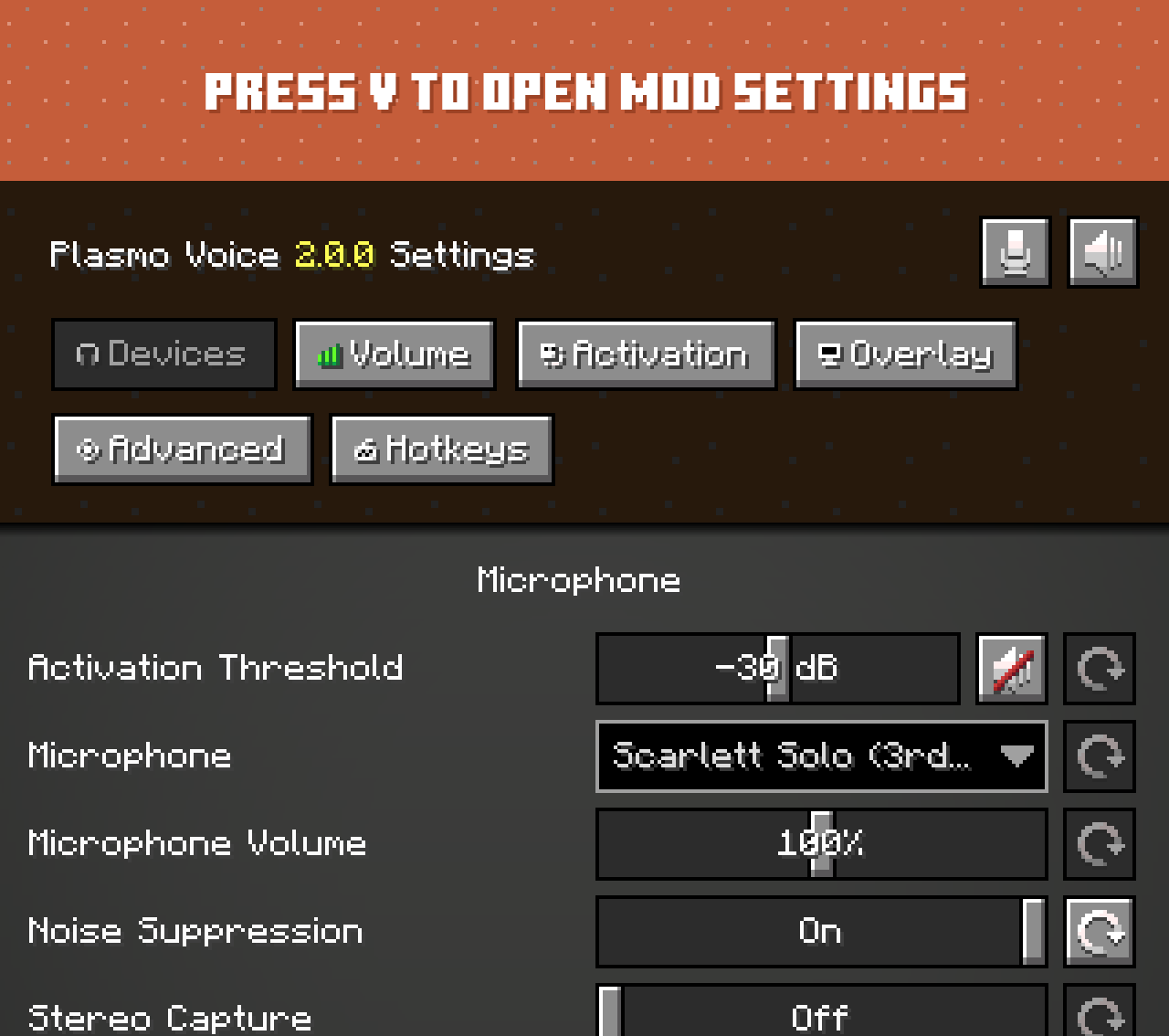
- Select input and output audio devices
- Configurable GUI icon positions
- Toggle player icon visibility
- Discord-like in-game overlay
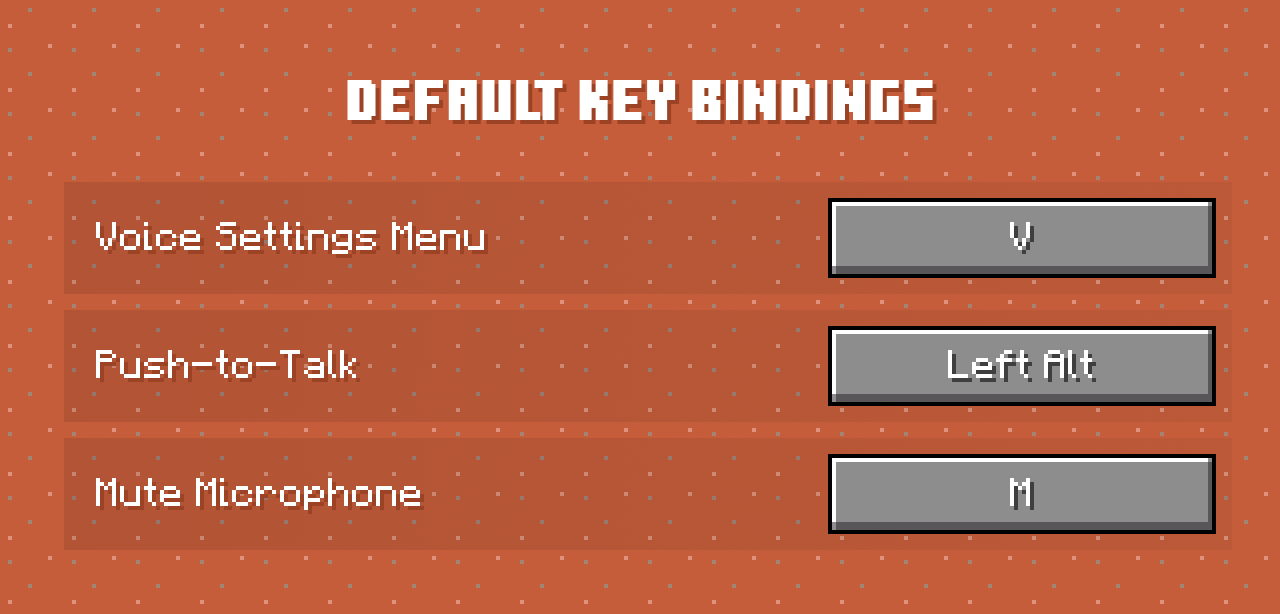
Check out voice settings by pressing V. Make sure you have the right devices selected and your microphone is
working.
Server features
Audio & Performance
- Opus codec for low bandwidth usage and high audio quality
- Configurable voice distance
Moderation & Control
- Server-side muting via chat commands
- Option to kick players without the client mod installed
- Permissions support
- Vanish support
Compatibility & Networking
- Works in singleplayer and Open to LAN
- BungeeCord and Velocity support
Integration & Extensibility
- PlaceholderAPI support
- Advanced API
Security
- Encrypted voice communication
Server-side add-ons
Universal add-ons work on Fabric, Forge, NeoForge and Paper.
Also read: Types of Add-ons.
| Icon | Add-on | Description |
|---|---|---|
 |
pv-addon-groups | Create group voice chat channels. Keep talking with players far away |
 |
pv-addon-sculk | With this add-on, warden and sculk sensors are triggered with proximity voice chat |
 |
pv-addon-broadcast | Broadcast your voice to all players in the radius, world, server, or proxy |
 |
pv-addon-spectator | With this add-on, all players can hear spectators |
 |
pv-addon-whisper | By default, the whisper distance is half the current proximity distance |
 |
pv-addon-priority | Voice activation with a greater and configurable distance |
 |
pv-addon-lavaplayer-lib | Add-on bundled with LavaPlayer fork library required for some Plasmo Voice add-ons |
 |
Voiceless Survival | Mobs react to your voice. Hostile mobs follow the sound, animals run away Third-party add-on. Issues should be reported on the Voiceless Survival GitHub. |
 |
pv-addon-discs | Play audio from YouTube and other sources in Minecraft using music discs. Supports streaming and live streams (YouTube, Twitch) |
 |
Simple Voice Radio | Adds a radio block that lets players communicate over distances Third-party add-on. Issues should be reported on the Simple Voice Radio GitHub. |
Client add-ons
| Icon | Add-on | Description |
|---|---|---|
 |
pv-addon-soundphysics | Adds compatibility with Sound Physics Remastered. Plasmo Voice is affected by sound physics |
 |
pv-addon-replaymod | Fork of Replay Voice Chat that works with Plasmo Voice and allows recording voice chat with ReplayMod |
 |
pv-addon-flashback | With this add-on Plasmo Voice will be recorded in Flashback replays |
 |
Talking Heads | Scales player heads when they’re talking Third-party add-on. Issues should be reported on the Talking Heads GitHub. |
 |
Let Them Talk (LTT) | Lowers your music and other apps while someone is talking Third-party add-on. Issues should be reported on the Let Them Talk (LTT) GitHub. |
Download
Documentation
Verfügbare Versionen
Plasmo Voice auf dem Server installieren
Server bestellen
Bestelle einen Minecraft Java Server mit mindestens 3 GB RAM (4 GB empfohlen).
bungeecord Loader setzen
Wähle im Panel unter "Egg" den bungeecord-Loader und die passende Minecraft-Version (26.3).
Mod installieren
Öffne den Mod-Browser im Dashboard und suche nach "Plasmo Voice". Klicke "Installieren" – fertig! Alternativ: Lade die .jar via SFTP in den /mods Ordner.
Kompatibilität
Mod-Loader
Minecraft-Versionen
26.3, 26.2, 26.1.2 (+33 weitere)
Server-seitig
✓ ErforderlichEmpfohlener RAM
4 GB(min. 3 GB)Häufige Fragen
Plasmo Voice Server crasht beim Start – was tun?
Häufigste Ursache: falsche bungeecord-Version oder zu wenig RAM. Prüfe im Server-Log (latest.log), ob ein "OutOfMemoryError" oder "Mixin"-Fehler auftritt. Bei Mado Hosting: Stelle sicher, dass mindestens 3 GB RAM zugewiesen sind und der Loader zur Mod-Version passt (26.3). Über das Panel kannst du den Loader mit einem Klick wechseln.
Ist Plasmo Voice mit bungeecord und fabric und folia und forge und neoforge und paper und purpur und spigot und velocity kompatibel?
Plasmo Voice unterstützt offiziell bungeecord, fabric, folia, forge, neoforge, paper, purpur, spigot, velocity für Minecraft 26.3, 26.2, 26.1.2. Achtung: Forge- und Fabric-Mods sind NICHT untereinander kompatibel – wähle einen Loader und bleibe dabei. Im Mado Dashboard werden inkompatible Loader-Kombinationen automatisch erkannt.
Server laggt mit Plasmo Voice – wie optimiere ich die Performance?
Empfohlener RAM: 4 GB (+1 GB pro 8 Spieler). Prüfe mit /spark profiler, ob Plasmo Voice den meisten Tick-Time verbraucht. Häufige Fixes: Server-View-Distance auf 8-10 reduzieren, bei Forge "performant" oder "starlight" als Zusatz-Mod installieren. Bei Mado Hosting läuft dein Server auf NVMe-SSDs mit dedizierten CPU-Kernen für minimale Latenz.
Ähnliche Mods




Modded Server mieten
Installiere Plasmo Voice mit nur einem Klick auf deinem Server.
Details
- Lizenz
- GNU Lesser General Public License v3.0 only
- Server-seitig
- Erforderlich