
PVP Arena
Arena that will help you hone your skills in pvp
Screenshots
Über diese Mod

Description
An arena that will help you hone your PvP skills with a large number of settings that will help simulate real battles. Train with friends and become better!
⚠️ WARNING: This project makes permanent, irreversible changes to your world.
Removing it will not restore anything. Back up your world or test in a new save before using.
How to use
It is advisable to create a new world first, because the arena can damage the current world. Do this at your own risk. If you are going to use the mod in an existing world, you must re-enter the world before using it.
The game is designed for 2, 3 or 4 players.
To place the arena in the world, you need to enter the command below and place the frame where you want to place the arena. After that, particles will show where the arena will be located and the settings screen. To confirm, you need to place the frame inside the frame you placed earlier.
/trigger bizcub.pvp_arena.give
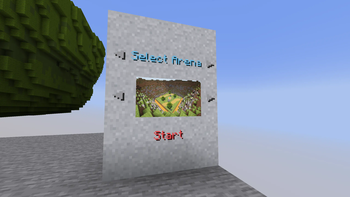
On the settings screen, you can select the arena, sets of weapons, armor, food, additional equipment, potions, toggle game modes and toggle enchantments. After choosing, click the "Start" button.
After that, the players will be taken to the capsules and have a few seconds to prepare for battle. When the timer runs out, the players will be on the battlefield and will fight until the time runs out. The player with the highest score wins. If no one deals any damage, the match ends in a draw.
At the end of each match, every player is shown a Victory, Defeat or Draw message along with post-match statistics (damage dealt and taken). Players who are within the arena territory are automatically pulled into the next game.
After the game ends, the players will be teleported to the beginning and can start the game over.
Scoring
The winner by timeout is determined by an internal score (bizcub.pvp_arena.damage), not by raw damage dealt. Every tick, whenever a player's health drops, the score is updated as follows:
- The victim's score decreases by the amount of health lost.
- The attacker's score increases by 1.5× the health the victim lost.
In other words: score = 1.5 × (damage dealt to opponents) − (damage taken). This rewards aggressive play and penalizes taking damage. When the timer runs out, the player with the highest positive score wins and the rest are eliminated. If no one has a positive score (no one dealt any damage), the match ends in a draw.
Additional rules
Those who did not survive until the end of the battle spectate the game by following a living player directly, and after the game ends, they will be teleported along with everyone else to the settings menu.
When the timer runs out, players who dealt less damage are eliminated. The Totem of Undying does not save a player from losing by damage.
The space between the arena and the decorations deals damage if a player flies out of the arena and gets into this area.
Arenas
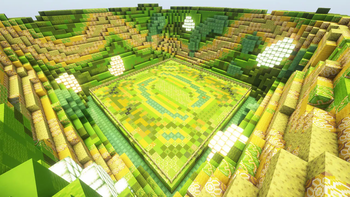
Each arena has its own unique feature.
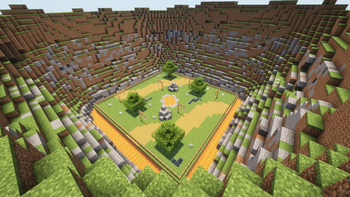
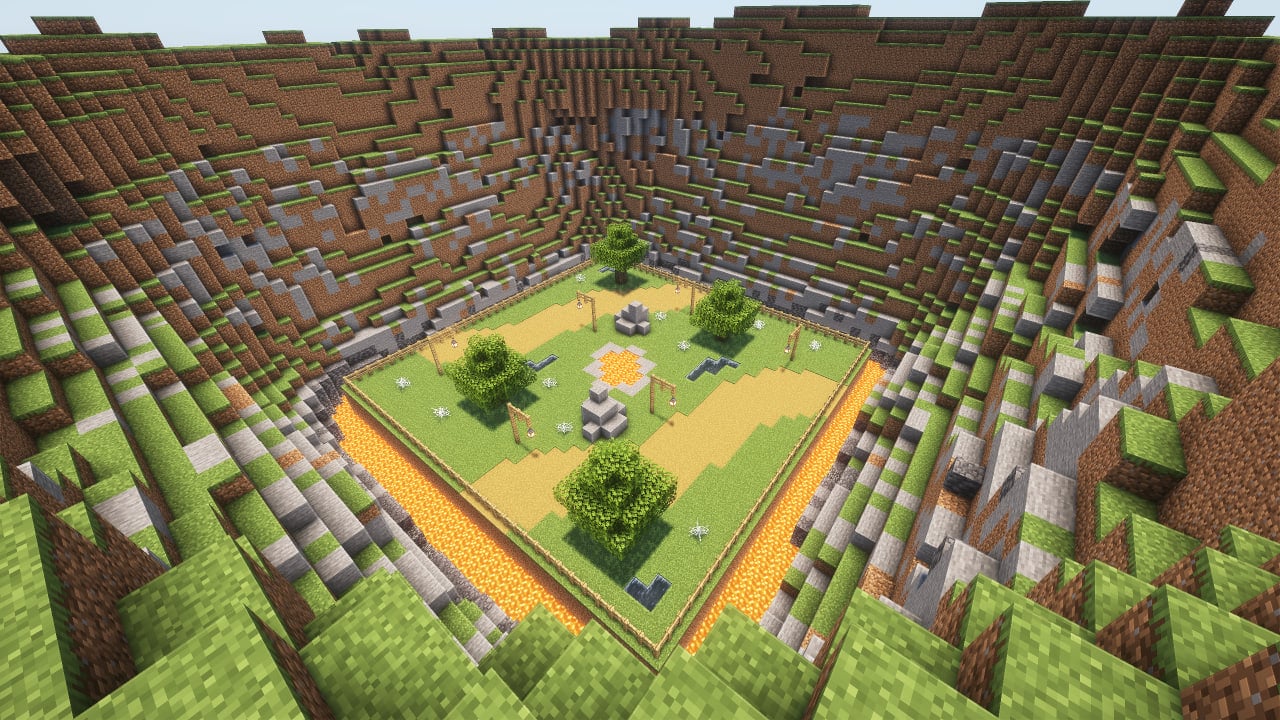
- Plains: obstacles in the arena in the form of lava, water and cobwebs.
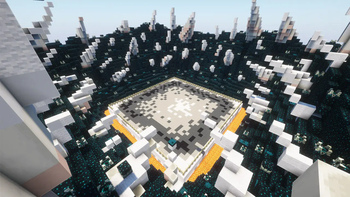
- Ice: ice and loose snow, which can easily be confused with ordinary snow.
- Fire: once a minute, fire appears from the ground for a while.
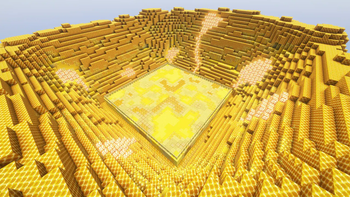
- Honey: In this arena, in addition to honey blocks that slow down the player, angry bees will appear, which will also hinder players.
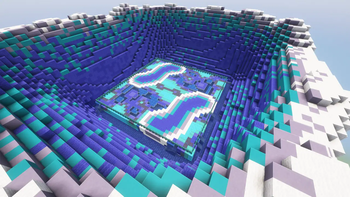
- Water: water that slows down movement.
- Poison: slime blocks that slow down players, and also help to fly higher, and poison potions that are dropped on players from above.
- Skulk: the battle in the arena will take place in complete darkness, in which you need to navigate by sound.
Modes
On the settings screen you can also toggle game modes ON/OFF. Several modes can be enabled at once:
- No Health Regeneration: disables natural health regeneration during the battle.
- Fast Attack Recharge: attacks recharge almost instantly (no cooldown).
- Random Kit and Arena: randomly picks the arena and all equipment sets when the game starts.
Enchantments
On the settings screen you can also toggle enchantments ON/OFF. Several enchantments can be enabled at once, and they are applied to the matching gear when the battle starts (e.g. Protection, Sharpness, Power, Unbreaking, Thorns and more).
Dependencies
- Fabric loader requires Fabric API
Verfügbare Versionen
PVP Arena auf dem Server installieren
Server bestellen
Bestelle einen Minecraft Java Server mit mindestens 3 GB RAM (4 GB empfohlen).
datapack Loader setzen
Wähle im Panel unter "Egg" den datapack-Loader und die passende Minecraft-Version (26.3).
Mod installieren
Öffne den Mod-Browser im Dashboard und suche nach "PVP Arena". Klicke "Installieren" – fertig! Alternativ: Lade die .jar via SFTP in den /mods Ordner.
Kompatibilität
Mod-Loader
Minecraft-Versionen
26.3, 26.2, 26.2-rc-2 (+53 weitere)
Server-seitig
✓ ErforderlichEmpfohlener RAM
4 GB(min. 3 GB)Häufige Fragen
PVP Arena Server crasht beim Start – was tun?
Häufigste Ursache: falsche datapack-Version oder zu wenig RAM. Prüfe im Server-Log (latest.log), ob ein "OutOfMemoryError" oder "Mixin"-Fehler auftritt. Bei Mado Hosting: Stelle sicher, dass mindestens 3 GB RAM zugewiesen sind und der Loader zur Mod-Version passt (26.3). Über das Panel kannst du den Loader mit einem Klick wechseln.
Ist PVP Arena mit datapack und fabric und forge und neoforge und quilt kompatibel?
PVP Arena unterstützt offiziell datapack, fabric, forge, neoforge, quilt für Minecraft 26.3, 26.2, 26.2-rc-2. Achtung: Forge- und Fabric-Mods sind NICHT untereinander kompatibel – wähle einen Loader und bleibe dabei. Im Mado Dashboard werden inkompatible Loader-Kombinationen automatisch erkannt.
Server laggt mit PVP Arena – wie optimiere ich die Performance?
Empfohlener RAM: 4 GB (+1 GB pro 8 Spieler). Prüfe mit /spark profiler, ob PVP Arena den meisten Tick-Time verbraucht. Häufige Fixes: Server-View-Distance auf 8-10 reduzieren, bei Forge "performant" oder "starlight" als Zusatz-Mod installieren. Bei Mado Hosting läuft dein Server auf NVMe-SSDs mit dedizierten CPU-Kernen für minimale Latenz.
Ähnliche Mods



![[TaCZ] Timeless and Classics Zero](https://cdn.modrinth.com/data/SzzJttH8/fd27766d2bb8390d284696b1dbd358f87e081439_96.webp)


Modded Server mieten
Installiere PVP Arena mit nur einem Klick auf deinem Server.