
QuickCmds
A radial command wheel — bind commands, chat messages and hotkeys to a quick-access ring and fire them with a single click.
Screenshots
Über diese Mod
QuickCmds


A lightweight client-side mod that adds a customizable radial command wheel to Minecraft — press a key to bring up a ring of up to 12 slots and trigger commands, chat messages, or hotkeys with a single click.
Features
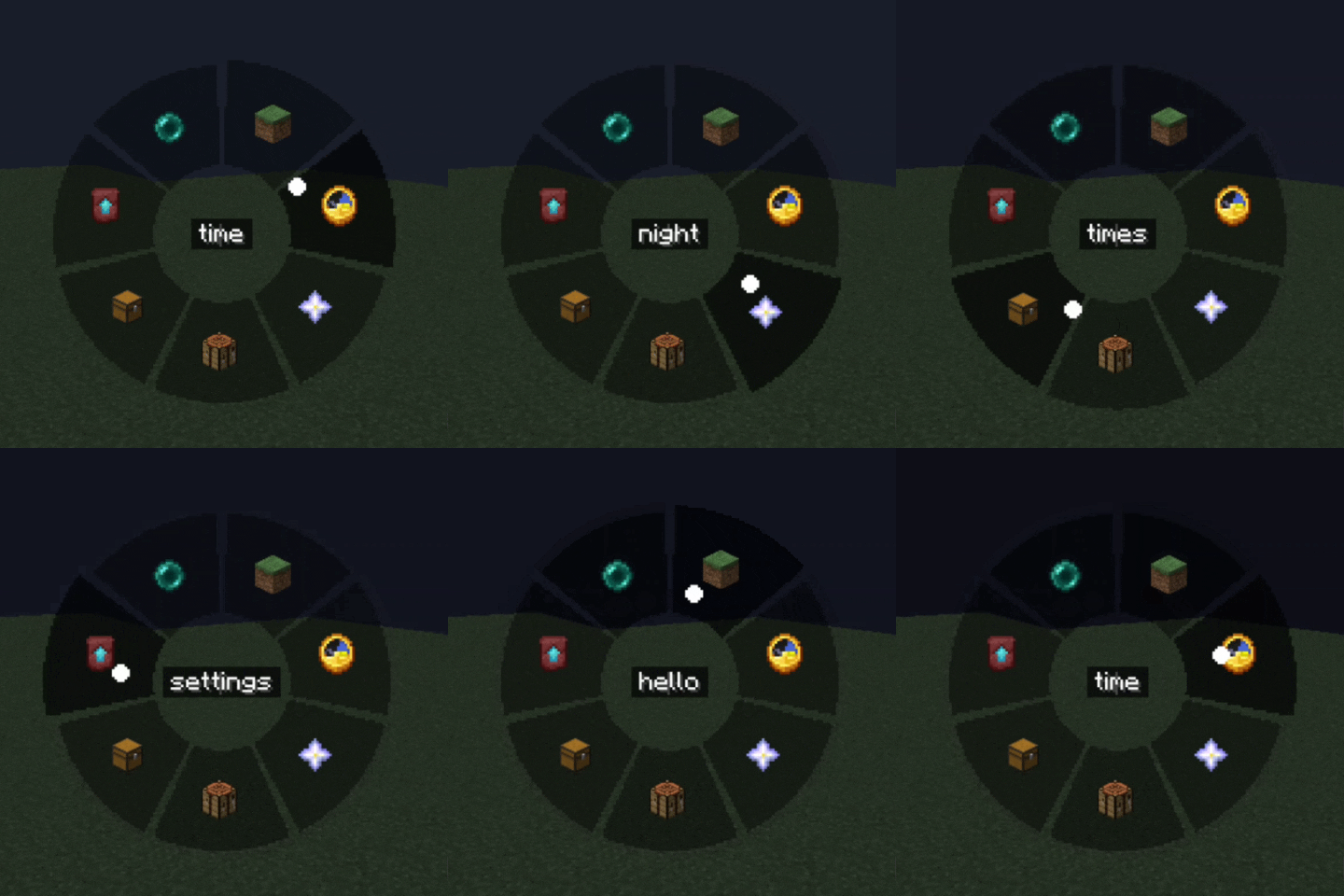
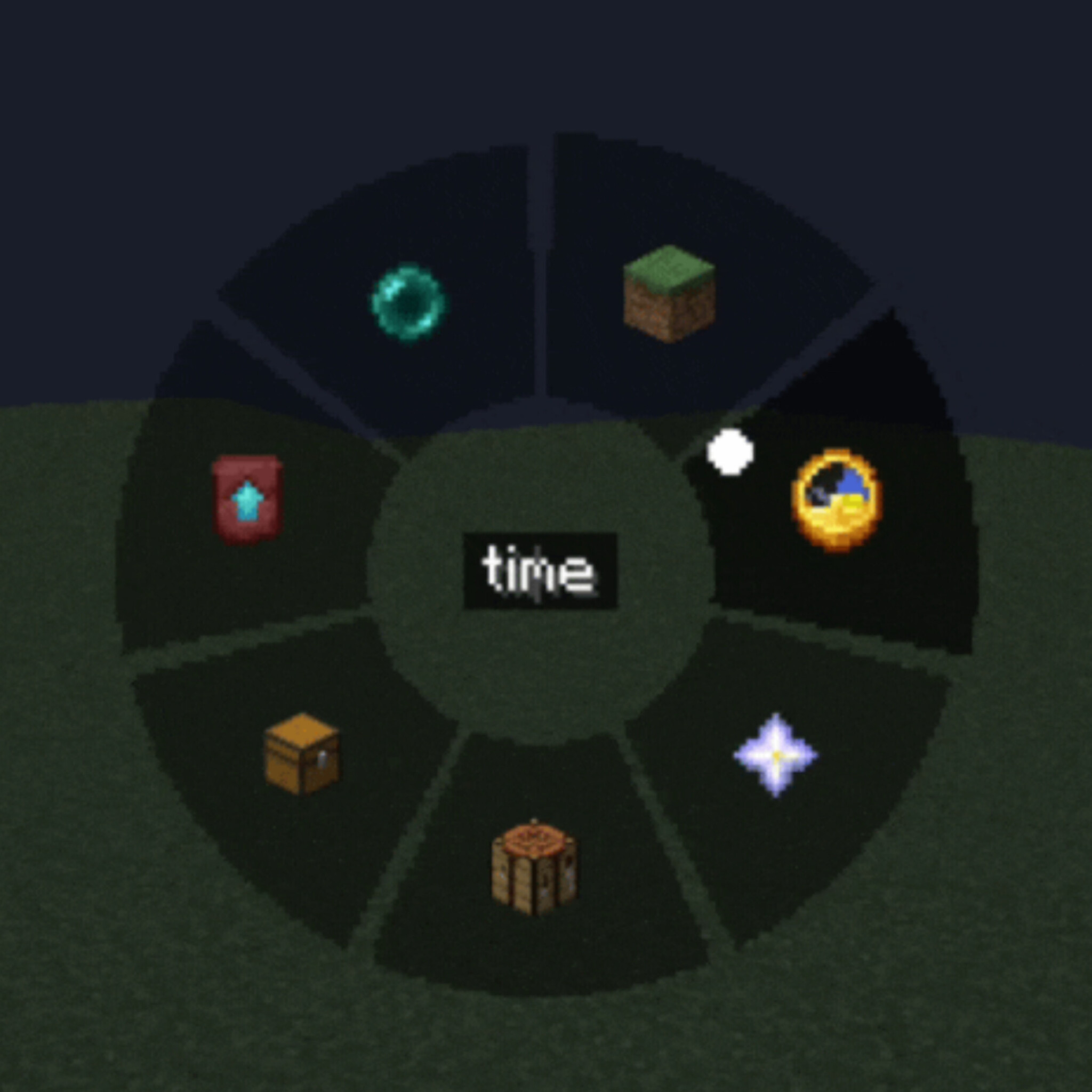
Radial Quick Panel — hold or press a key to open a circular menu, hover a segment and click to execute
Three slot types
- Command — run one or several /commands (one per line, with configurable delay between them)
- Chat message — send preset text/messages instantly
- Hotkey — trigger a custom key combination
Fully customizable appearance
- Adjustable wheel size, outer/inner radius and dead zone
- Custom segment color, text color and transparency (normal and hover states)
- Icon picker — choose from built-in icons or any Minecraft item texture
Two independent keybinds — one to open the command wheel, one for a separate quick settings panel
In-game settings GUI — no config file editing needed, everything is configurable through tabs (Commands / Settings / Appearance)
Client-side only — works on any server, no server-side installation required
Localized in 13 languages: English, Russian, Ukrainian, German, French, Spanish, Polish, Turkish, Japanese, Korean, Chinese, Portuguese (BR), Kazakh
How it works
- Press the Quick Panel key to open the radial wheel
- Hover over a slot to see its tooltip
- Left-click to run it, right-click to delete/edit
- Use the Settings key to configure slots, appearance, and keybinds without leaving the game
Perfect for survival multiplayer, creative building, server administration, or just speeding up repetitive command/chat workflows.
Compatibility
Client-side mod — safe to use on vanilla servers, no server installation needed.
Verfügbare Versionen
QuickCmds auf dem Server installieren
Server bestellen
Bestelle einen Minecraft Java Server mit mindestens 3 GB RAM (4 GB empfohlen).
fabric Loader setzen
Wähle im Panel unter "Egg" den fabric-Loader und die passende Minecraft-Version (1.21.8).
Mod installieren
Öffne den Mod-Browser im Dashboard und suche nach "QuickCmds". Klicke "Installieren" – fertig! Alternativ: Lade die .jar via SFTP in den /mods Ordner.
Kompatibilität
Mod-Loader
Minecraft-Versionen
1.21.8, 1.21.7, 1.21.6
Server-seitig
✗ Nicht unterstütztEmpfohlener RAM
4 GB(min. 3 GB)Häufige Fragen
QuickCmds Server crasht beim Start – was tun?
Häufigste Ursache: falsche fabric-Version oder zu wenig RAM. Prüfe im Server-Log (latest.log), ob ein "OutOfMemoryError" oder "Mixin"-Fehler auftritt. Bei Mado Hosting: Stelle sicher, dass mindestens 3 GB RAM zugewiesen sind und der Loader zur Mod-Version passt (1.21.8). Über das Panel kannst du den Loader mit einem Klick wechseln.
Ist QuickCmds mit fabric kompatibel?
QuickCmds unterstützt offiziell fabric für Minecraft 1.21.8, 1.21.7, 1.21.6. Im Mado Dashboard werden inkompatible Loader-Kombinationen automatisch erkannt.
Server laggt mit QuickCmds – wie optimiere ich die Performance?
Empfohlener RAM: 4 GB (+1 GB pro 8 Spieler). Prüfe mit /spark profiler, ob QuickCmds den meisten Tick-Time verbraucht. Häufige Fixes: Server-View-Distance auf 8-10 reduzieren, bei Forge "performant" oder "starlight" als Zusatz-Mod installieren. Bei Mado Hosting läuft dein Server auf NVMe-SSDs mit dedizierten CPU-Kernen für minimale Latenz.
Ähnliche Mods






Modded Server mieten
Installiere QuickCmds mit nur einem Klick auf deinem Server.