
Real Peaceful Mode
Realize monsters' expectations, and get along well with them.
Screenshots
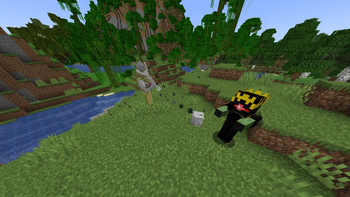
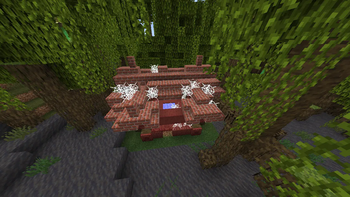
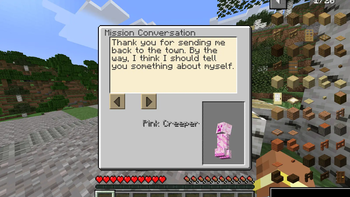
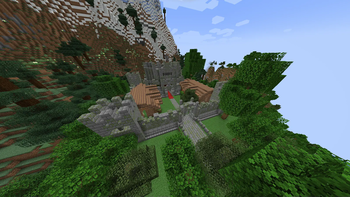
Über diese Mod
Abstract
Have you ever wondered why monsters on the continent of Minecraft always attack players indiscriminately or conditionally? It is inevitable to feel lonely and afraid while living here - the only way to survive is to keep fighting? No! Maybe fighting will make your blood spurt, maybe fighting will give you a different experience, but this is far from lively, but another kind of loneliness.
If you can achieve the wishes of the monsters, live in harmony with them, dance happily together, and run freely under the sun - this is the real peace, and this is the real lively.
This mod adds more than ten kinds of natural structures, nearly ten kinds of biological entities, dozens of blocks and items, and adds a mission system for vanilla monsters. Players can use their brainpower and technology to complete the tasks given by monsters - to defeat powerful enemies, or to search for treasures, or to produce and labor, or to find the truth of something... When the player completes all the commissions of a monster, this monster will be no longer aggressive to the player.
So, my dear adventurer, go and make this cruel and lonely world become lively!
Hints
Use Key 'M' to show the mission lists, you'll see what to do next.
Go and find some weird structures in the world, go inside and trigger the mission, or talk with NPC to trigger.
After your finishing all the missions given by a monster, they will never be aggressive to you.
Verfügbare Versionen
Real Peaceful Mode auf dem Server installieren
Server bestellen
Bestelle einen Minecraft Java Server mit mindestens 4 GB RAM (6 GB empfohlen).
forge Loader setzen
Wähle im Panel unter "Egg" den forge-Loader und die passende Minecraft-Version (1.21.1).
Mod installieren
Öffne den Mod-Browser im Dashboard und suche nach "Real Peaceful Mode". Klicke "Installieren" – fertig! Alternativ: Lade die .jar via SFTP in den /mods Ordner.
Kompatibilität
Mod-Loader
Minecraft-Versionen
1.21.1, 1.21, 1.20.1
Server-seitig
✓ ErforderlichEmpfohlener RAM
6 GB(min. 4 GB)Häufige Fragen
Real Peaceful Mode Server crasht beim Start – was tun?
Häufigste Ursache: falsche forge-Version oder zu wenig RAM. Prüfe im Server-Log (latest.log), ob ein "OutOfMemoryError" oder "Mixin"-Fehler auftritt. Bei Mado Hosting: Stelle sicher, dass mindestens 4 GB RAM zugewiesen sind und der Loader zur Mod-Version passt (1.21.1). Über das Panel kannst du den Loader mit einem Klick wechseln.
Ist Real Peaceful Mode mit forge und neoforge kompatibel?
Real Peaceful Mode unterstützt offiziell forge, neoforge für Minecraft 1.21.1, 1.21, 1.20.1. Im Mado Dashboard werden inkompatible Loader-Kombinationen automatisch erkannt.
Server laggt mit Real Peaceful Mode – wie optimiere ich die Performance?
Empfohlener RAM: 6 GB (+1 GB pro 5 Spieler). Prüfe mit /spark profiler, ob Real Peaceful Mode den meisten Tick-Time verbraucht. Häufige Fixes: Server-View-Distance auf 8-10 reduzieren, bei Forge "performant" oder "starlight" als Zusatz-Mod installieren. Bei Mado Hosting läuft dein Server auf NVMe-SSDs mit dedizierten CPU-Kernen für minimale Latenz.
Ähnliche Mods




Modded Server mieten
Installiere Real Peaceful Mode mit nur einem Klick auf deinem Server.