
Rooms
Simple and funny mini-game for Minecraft
Screenshots
Über diese Mod
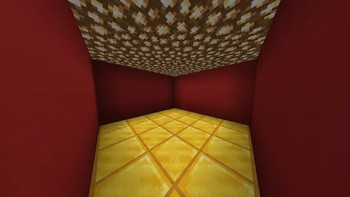
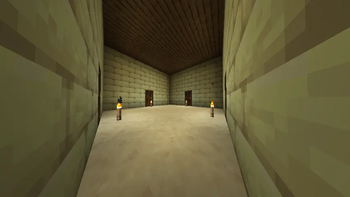
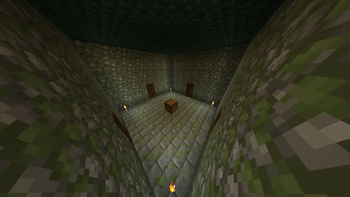
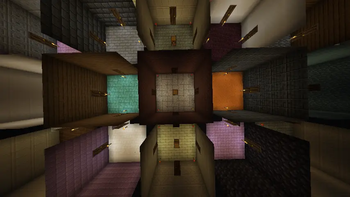
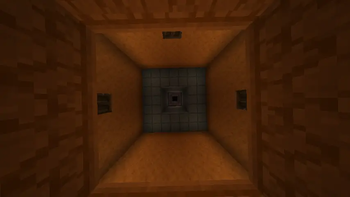
Rooms is a simple and fun mini-game. The core concept of this mode is that multiple players spawn for pvp in individual starting rooms within a large structure consisting of numerous rooms divided across 3 floors. Players spawn on the 2nd floor, right in the middle of the entire structure.
Throughout the structure, you will find rooms with chests containing random loot generated from predefined mod templates.
The base spawn chance for a loot room is 42%, but this can be adjusted via the settings menu (opened by pressing J). This menu also allows you to enable a "Blindness" difficulty modifier, which disables sprinting and reduces your visibility range.
Points are awarded for finishing in 1st, 2nd, and 3rd place. The first player to reach the target score wins the game.
PRE-GAME INSTRUCTIONS
For optimal mod performance, it is highly recommended to create a Superflat world with structures disabled.Once all players have joined the server, type the command /startgame to begin the game.The default score required to win is 10. To change this, use the command /score <goal>.Additional settings can be accessed by pressing J, as described above.
Core Gameplay Changes:
Open doors have no collision.
TNT and TNT minecart activates immediately upon being placed on the ground.
Right-clicking a chest will not open it; instead, it will break and drop all of its loot.
In worlds created for this mode, immediately respawning is automatically enabled, and natural mob spawning is disabled.
Verfügbare Versionen
Rooms auf dem Server installieren
Server bestellen
Bestelle einen Minecraft Java Server mit mindestens 3 GB RAM (4 GB empfohlen).
fabric Loader setzen
Wähle im Panel unter "Egg" den fabric-Loader und die passende Minecraft-Version (1.20.1).
Mod installieren
Öffne den Mod-Browser im Dashboard und suche nach "Rooms". Klicke "Installieren" – fertig! Alternativ: Lade die .jar via SFTP in den /mods Ordner.
Kompatibilität
Mod-Loader
Minecraft-Versionen
1.20.1
Server-seitig
~ OptionalEmpfohlener RAM
4 GB(min. 3 GB)Häufige Fragen
Rooms Server crasht beim Start – was tun?
Häufigste Ursache: falsche fabric-Version oder zu wenig RAM. Prüfe im Server-Log (latest.log), ob ein "OutOfMemoryError" oder "Mixin"-Fehler auftritt. Bei Mado Hosting: Stelle sicher, dass mindestens 3 GB RAM zugewiesen sind und der Loader zur Mod-Version passt (1.20.1). Über das Panel kannst du den Loader mit einem Klick wechseln.
Ist Rooms mit fabric kompatibel?
Rooms unterstützt offiziell fabric für Minecraft 1.20.1. Im Mado Dashboard werden inkompatible Loader-Kombinationen automatisch erkannt.
Server laggt mit Rooms – wie optimiere ich die Performance?
Empfohlener RAM: 4 GB (+1 GB pro 8 Spieler). Prüfe mit /spark profiler, ob Rooms den meisten Tick-Time verbraucht. Häufige Fixes: Server-View-Distance auf 8-10 reduzieren, bei Forge "performant" oder "starlight" als Zusatz-Mod installieren. Bei Mado Hosting läuft dein Server auf NVMe-SSDs mit dedizierten CPU-Kernen für minimale Latenz.
Ähnliche Mods



Modded Server mieten
Installiere Rooms mit nur einem Klick auf deinem Server.