
Satsu Iron man addon (Palladium)
A Iron man addon for palladium
Screenshots
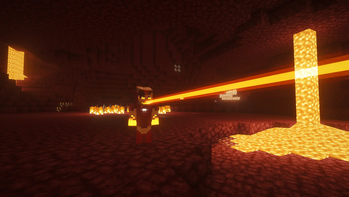
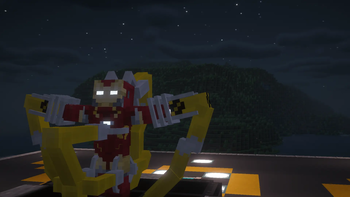
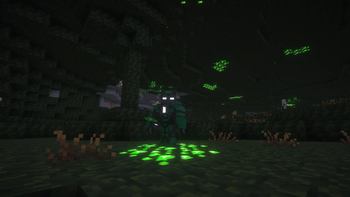
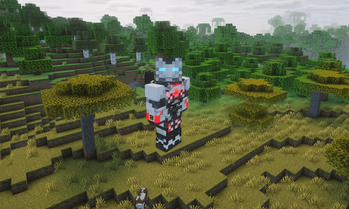

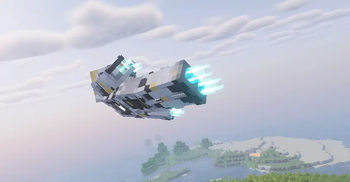
Über diese Mod
Bring the full Iron Man experience to Minecraft! Inspired by classic superhero media and LEGO Marvel Super Heroes, this addon introduces custom suit-up animations, upgradable tech, customizable A.I. systems, and iconic MCU abilities.
⚡ Key Features
- 🎬 Dynamic Suit Animations: Custom suit-up sequences for iconic Marks, alongside generic animations for other sets.
- 🔋 Reserve Energy System: Arc Reactors act as essential crafting components and serve as backup energy storage for your suits.
- 🧠 Customizable A.I. Systems: Name your A.I. to change HUD colors, track suit energy, and deploy Sentinel Mode.
- 🧬 MCU Extremis Powers: Gain active and passive superhuman abilities without wearing a suit.
- 🛠️ XP Unlocking System: Research new blueprints and recipes using the Blueprint Holder.
- 🌌 Mod Compatibility: Works out-of-the-box with Ad Astra and Cosmic Horizons.
🚀 Quick Start Guide
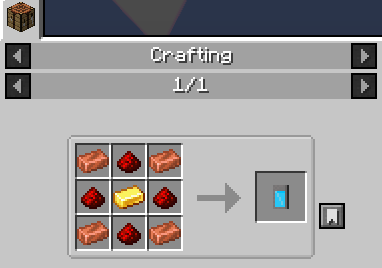
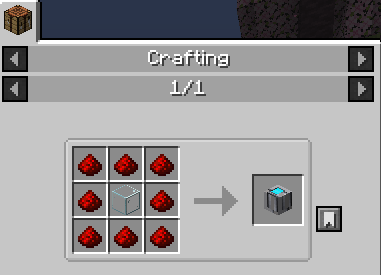
Craft the Arc Reactor: Acts as the main power core needed to craft Iron Man suits, while also functioning as a reserve energy battery.

Craft the Blueprint Holder: Open your inventory menu to view the unlocking page and spend XP to research new armor recipes.
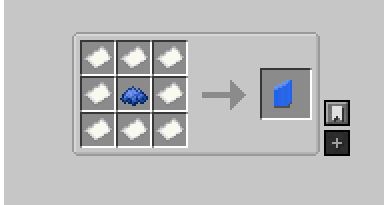
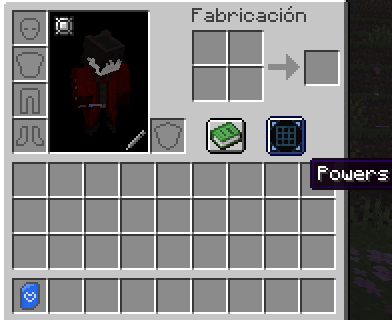
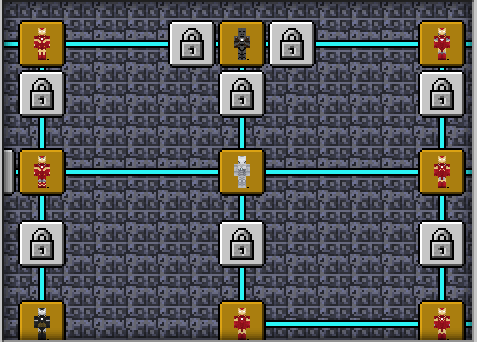
Craft Titanium Alloy: Essential base material required to craft most armor sets.


Build the Tailoring Bench: Combine 2 Wood Blocks + Shears + Fabric to assemble your suits.
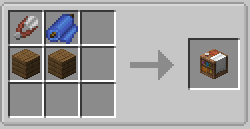
Equip Your Suit: Press
Gto open the Curios menu and place your armor into the Technology Armor Slot.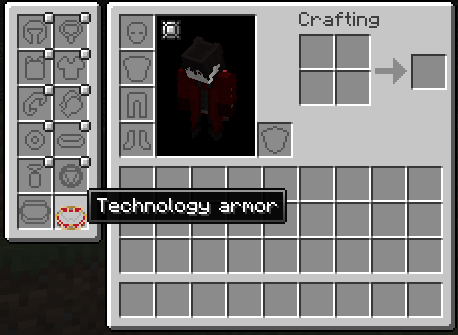
Activate Suits: Stand on dedicated activation blocks to initiate suit-up sequences:
Mark 1: Requires its own specific activation block and you need stand up on it.
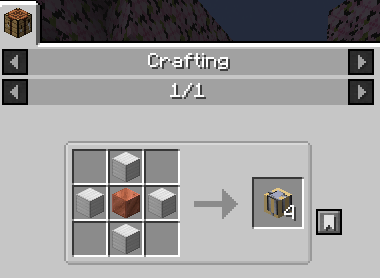
Marks 2–4: Require an upgraded activation block and you need stand up on it.
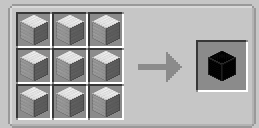
Recharge & A.I. Support: Use the recharge block (hold or stand on it) to replenish suit power. Equip an A.I. to monitor energy levels and activate Sentinel Mode.
🌐 Database & Community
- ☕ Support the Project: Enjoying the mod? Support future updates on Ko-fi!
- 📖 Full Recipe & Armor List: Check out our official Trello Board for all available armors, stats, and recipes.
- 📷 Instagram: Follow @satsu_iron_man_addon for previews, renders, and development updates!
- 💬 Discord & Previews: Join the Discord Community for exclusive teasers and support!
👏 Credits & Acknowledgments
Contributors & Trello Support:
- TDreamer, 4g28u, Ampel, Kamagi, Rengar_Z, Soceates
Code, Scripts & Assets:
- JavaScript Support: IRetr0
- Functions: underscore7840
- Height Script: springirltjoc
- Prime Model Assistance: Limbokid
- Hall of Armor Render: alamigo1 (Ampel)
- Images & Video: Mr end (Images), Soceates (Showcase)
- Sound Effects & Audio Sourcing: Dinkle (Dinkle's FiskHeroes Pack) & 4g28u
- Skin Creators & Inspirations:
- Base Suits & Edits inspired by Kill3rCreeper (Mark 46 Skin) & Doom_ (Mark 47).
- Superior Iron Man: JMCT (Model 50 Endo-Sym)
- Stealth Armor: Vic497
- Mark 1: KKLuke (Mark 1 Skin)
- Iron Destroyer: NeteriXX (Iron Destroyer Skin)
- Mark II: TechnoGhosty (Mark II Skin)
- Color Palette: Archivalmind (The Taken Skin)
Verfügbare Versionen
Satsu Iron man addon (Palladium) auf dem Server installieren
Server bestellen
Bestelle einen Minecraft Java Server mit mindestens 3 GB RAM (4 GB empfohlen).
fabric Loader setzen
Wähle im Panel unter "Egg" den fabric-Loader und die passende Minecraft-Version (1.20.1).
Mod installieren
Öffne den Mod-Browser im Dashboard und suche nach "Satsu Iron man addon (Palladium)". Klicke "Installieren" – fertig! Alternativ: Lade die .jar via SFTP in den /mods Ordner.
Kompatibilität
Mod-Loader
Minecraft-Versionen
1.20.1
Server-seitig
✓ ErforderlichEmpfohlener RAM
4 GB(min. 3 GB)Häufige Fragen
Satsu Iron man addon (Palladium) Server crasht beim Start – was tun?
Häufigste Ursache: falsche fabric-Version oder zu wenig RAM. Prüfe im Server-Log (latest.log), ob ein "OutOfMemoryError" oder "Mixin"-Fehler auftritt. Bei Mado Hosting: Stelle sicher, dass mindestens 3 GB RAM zugewiesen sind und der Loader zur Mod-Version passt (1.20.1). Über das Panel kannst du den Loader mit einem Klick wechseln.
Ist Satsu Iron man addon (Palladium) mit fabric und forge kompatibel?
Satsu Iron man addon (Palladium) unterstützt offiziell fabric, forge für Minecraft 1.20.1. Achtung: Forge- und Fabric-Mods sind NICHT untereinander kompatibel – wähle einen Loader und bleibe dabei. Im Mado Dashboard werden inkompatible Loader-Kombinationen automatisch erkannt.
Server laggt mit Satsu Iron man addon (Palladium) – wie optimiere ich die Performance?
Empfohlener RAM: 4 GB (+1 GB pro 8 Spieler). Prüfe mit /spark profiler, ob Satsu Iron man addon (Palladium) den meisten Tick-Time verbraucht. Häufige Fixes: Server-View-Distance auf 8-10 reduzieren, bei Forge "performant" oder "starlight" als Zusatz-Mod installieren. Bei Mado Hosting läuft dein Server auf NVMe-SSDs mit dedizierten CPU-Kernen für minimale Latenz.
Ähnliche Mods




Modded Server mieten
Installiere Satsu Iron man addon (Palladium) mit nur einem Klick auf deinem Server.