
Sculk Horde
The Sculk Horde unleashes an ultimate end-game challenge that will push you to your limits. Once triggered, the ancient Sculk Horde awakens from its slumber, hungering for the assimilation of all life forms in your world. Are you prepared?
Screenshots
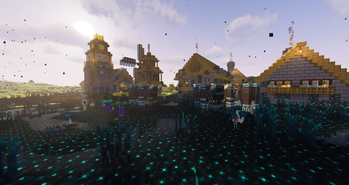
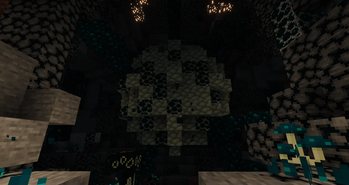
Über diese Mod

|

|
The Sculk Horde unleashes an ultimate end-game challenge that will push you to your limits. Once triggered, the ancient Sculk Horde awakens from its slumber, hungering for the assimilation of all life forms in your world. This highly intelligent and adaptive horde will stop at nothing to grow stronger and more powerful, making it your sworn duty to eradicate them before they consume everything in their path. Are you ready to take on this perilous mission and emerge victorious?
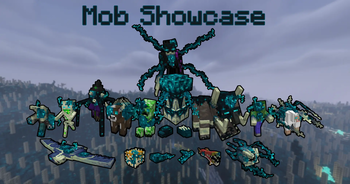
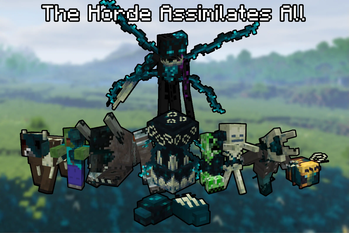
In the early stages of the Sculk Horde, the Gravemind summons Sculk-infused mobs, skillfully wielding them in defense and attack. But in the advanced phases of the Horde's evolution, the Gravemind takes matters into its own hands, crafting hybrid monstrosities of unparalleled power and cunning.
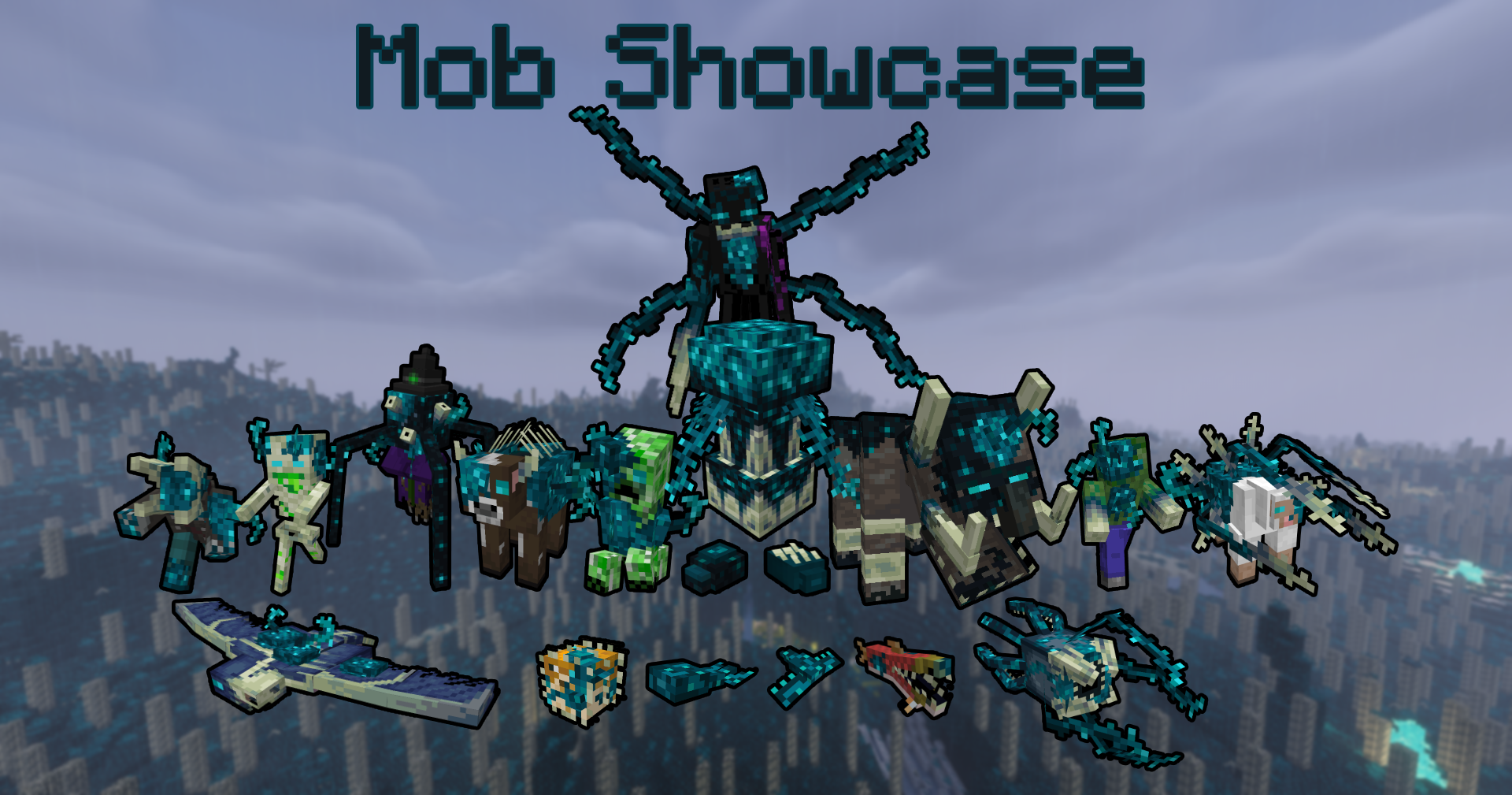
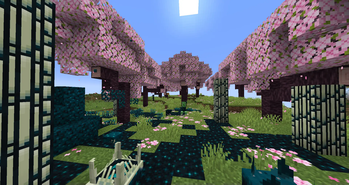
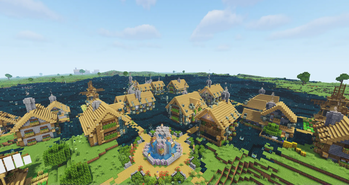
The Sculk Ecosystem is a relentless force of nature, an insatiable devourer of life itself. Yet, even in the face of such destruction, there is hope. The Sculk corruption can be fought and defeated, and the land reclaimed...

Behold the Sculk Horde, a formidable force that grows in power as it absorbs entities into its ranks. As it reaches certain thresholds of Sculk Mass, the Horde evolves, becoming more adaptive, stronger, and smarter. Each evolution brings forth a new breed of creature that the Horde can unleash upon its foes, making it a force to be reckoned with.
The Sculk Horde is but a mere extension of the Gravemind, an omnipotent entity that only emerges in the second stage of the Horde's evolution. With a strategic mind unmatched by any other, the Gravemind orchestrates the Horde's every move, tirelessly plotting to expand its reach and thwart all who would dare to challenge it. Armed with a memory system that stores every encounter with other beings, the Gravemind can effortlessly assess the level of danger posed by any potential threat and adapt the Horde's tactics accordingly. Its ability to learn and evolve makes the Horde a formidable and unpredictable force, capable of unleashing devastating attacks on its enemies at a moment's notice.

Note: These screenshots contain mobs from Guard Villagersand villages from Better Villages.

Videos
Credits
- Mikeatron – Lead programmer
- Zack – Brainstorming ideas
- MoonlitLamps– Textures
- Potato345 – Models & animations
- Yvain – Sculk Vindicator & Ravager textures
- Shenyx110– Simplified Chinese translation
- Karat Feng– French translations
Verfügbare Versionen
Sculk Horde auf dem Server installieren
Server bestellen
Bestelle einen Minecraft Java Server mit mindestens 4 GB RAM (6 GB empfohlen).
forge Loader setzen
Wähle im Panel unter "Egg" den forge-Loader und die passende Minecraft-Version (1.20.6).
Mod installieren
Öffne den Mod-Browser im Dashboard und suche nach "Sculk Horde". Klicke "Installieren" – fertig! Alternativ: Lade die .jar via SFTP in den /mods Ordner.
Kompatibilität
Mod-Loader
Minecraft-Versionen
1.20.6, 1.20.5, 1.20.4 (+8 weitere)
Server-seitig
✓ ErforderlichEmpfohlener RAM
6 GB(min. 4 GB)Häufige Fragen
Sculk Horde Server crasht beim Start – was tun?
Häufigste Ursache: falsche forge-Version oder zu wenig RAM. Prüfe im Server-Log (latest.log), ob ein "OutOfMemoryError" oder "Mixin"-Fehler auftritt. Bei Mado Hosting: Stelle sicher, dass mindestens 4 GB RAM zugewiesen sind und der Loader zur Mod-Version passt (1.20.6). Über das Panel kannst du den Loader mit einem Klick wechseln.
Ist Sculk Horde mit forge kompatibel?
Sculk Horde unterstützt offiziell forge für Minecraft 1.20.6, 1.20.5, 1.20.4. Im Mado Dashboard werden inkompatible Loader-Kombinationen automatisch erkannt.
Server laggt mit Sculk Horde – wie optimiere ich die Performance?
Empfohlener RAM: 6 GB (+1 GB pro 5 Spieler). Prüfe mit /spark profiler, ob Sculk Horde den meisten Tick-Time verbraucht. Häufige Fixes: Server-View-Distance auf 8-10 reduzieren, bei Forge "performant" oder "starlight" als Zusatz-Mod installieren. Bei Mado Hosting läuft dein Server auf NVMe-SSDs mit dedizierten CPU-Kernen für minimale Latenz.
Ähnliche Mods




Modded Server mieten
Installiere Sculk Horde mit nur einem Klick auf deinem Server.