Server Storage
This mod adds an AE2 inspired storage system that works completely server side
Screenshots
Über diese Mod
THE BEST SOLUTION TO STORAGE
Completely server side
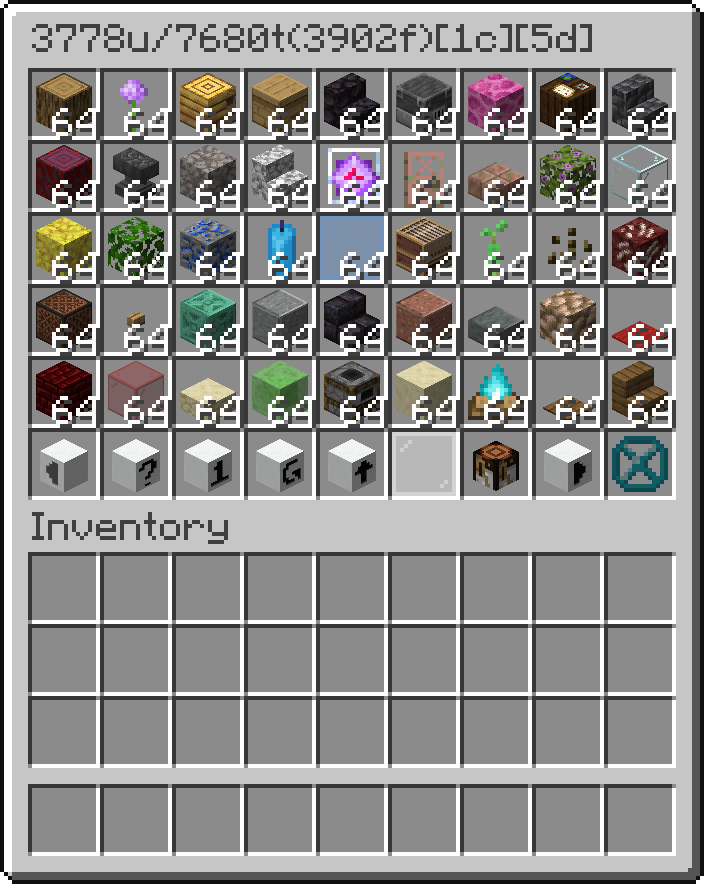
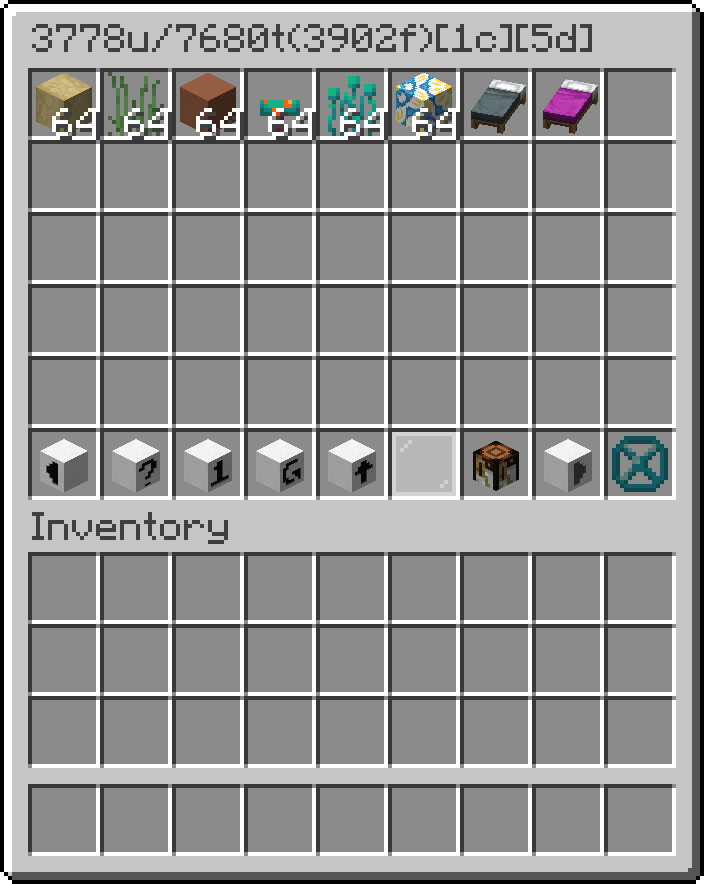
This mod adds a storage controller that scans the attached storage bus and displays the items.
To search, click on the search button and then write the query into the dialog and press escape to close it.
WARNING, every operation reindexes the bus, which is recursive, so large storage systems might lag the server.
The title shows available slots/all slots(used slots)[number of drive containers][number of drives]
If you shift right click it with a written book, it will overwrite the book with the contents of the storage sorted alphabetically.
The true item count can be seen in the lore by hovering over that ItemStack.
Blocks:
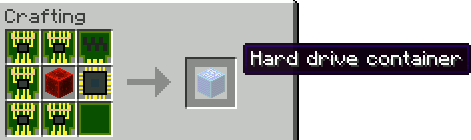
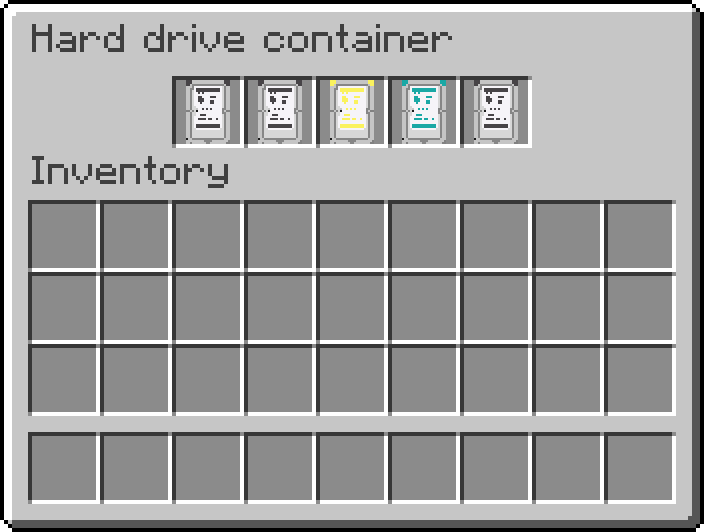
- Hard drive container - block where you put the drives
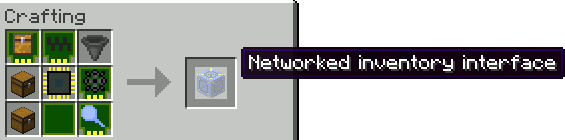
- Networked inventory interface - block that can connect inventories as inputs or outputs to the network
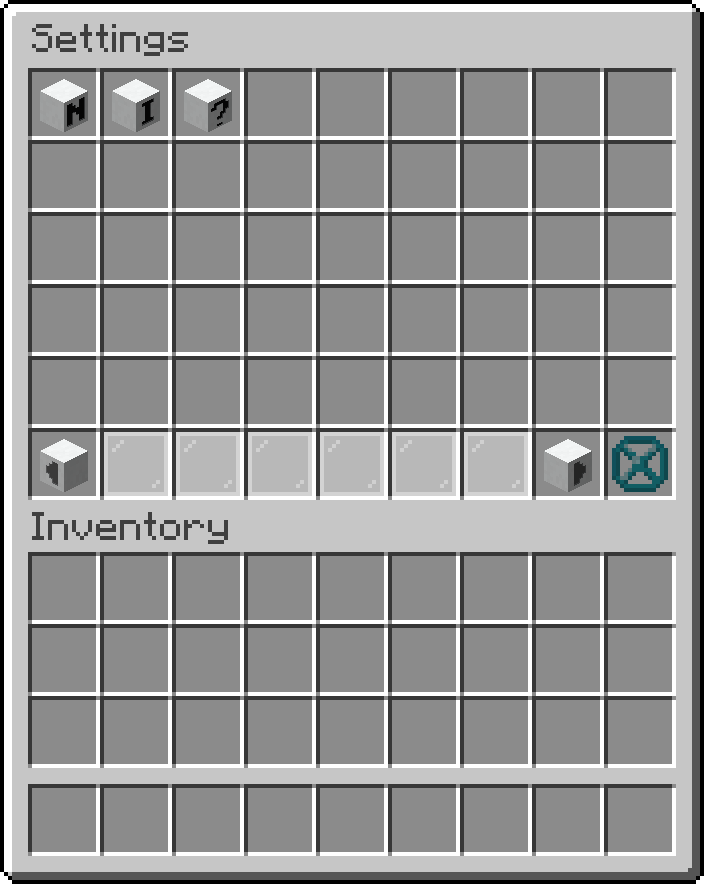
- Networked storage interface - block you interact with the most
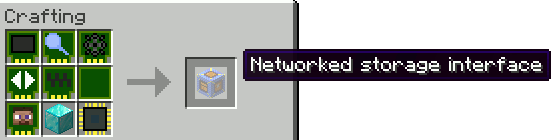
To get something out you can:
- Left click it to get a stack
- Left click it with shift to get as much as fits into your inventory
- Right click it to get half a stack
To put something in you can:
- Shift click it from your inventory
- Use a hopper to insert something
- Right click with shift an item in the storage to put all of that item inside
- Click on the up arrow to store all items in your inventory
- Storage network connector - block which connects your network together
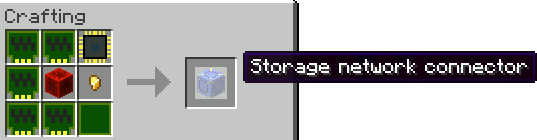
Hard drives:
Iron
- Iron hard drive
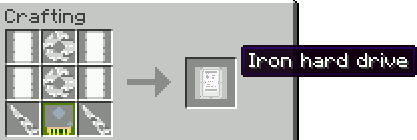
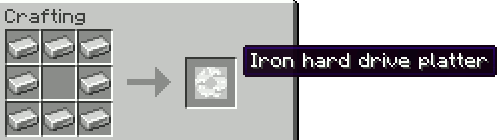
- Iron hard drive platter
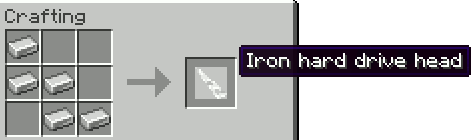
- Iron hard drive head
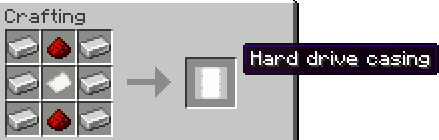
- Hard drive casing
- Drive controller
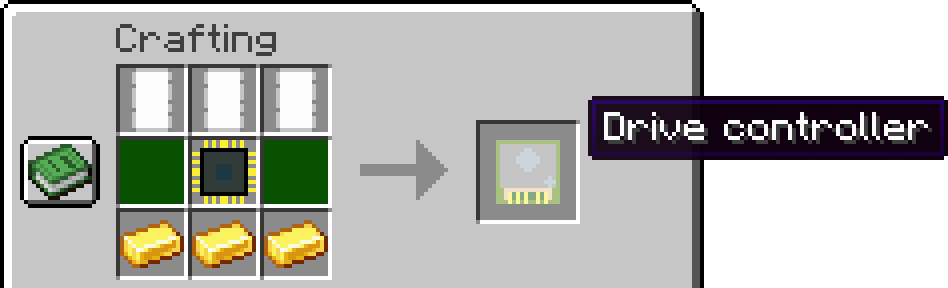
Golden
- Golden hard drive
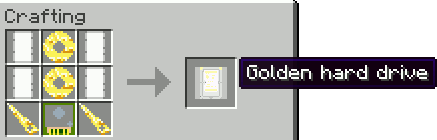
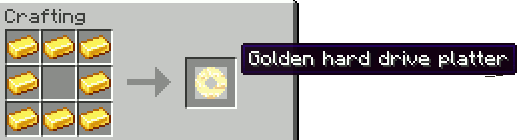
- Golden hard drive platter
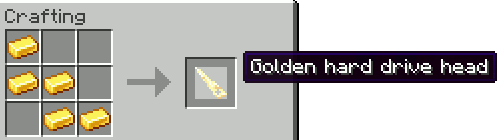
- Golden hard drive head
- Hard drive casing
- Drive controller
Diamond
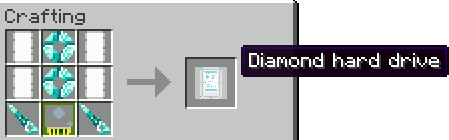
- Diamond hard drive
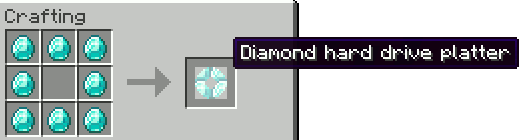
- Diamond hard drive platter
- Diamond hard drive head

- Hard drive casing
- Drive controller
Netherite
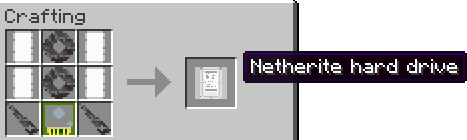
- Netherite hard drive
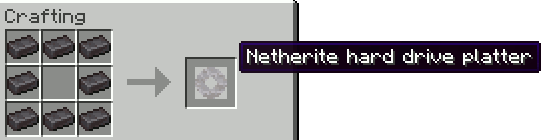
- Netherite hard drive platter
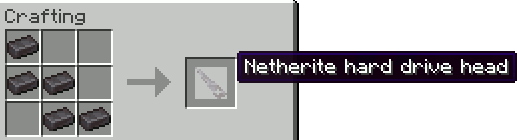
- Netherite hard drive head
- Hard drive casing
- Drive controller
Modules (ingredients in crafting)
- Module PCB
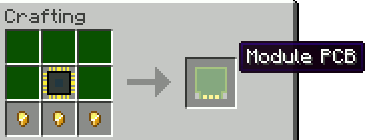
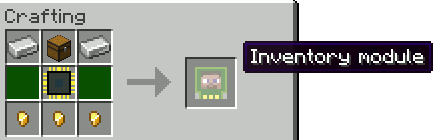
- Inventory module
- Container module
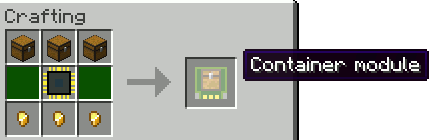
- Transport module
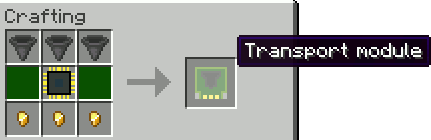
- Drive module
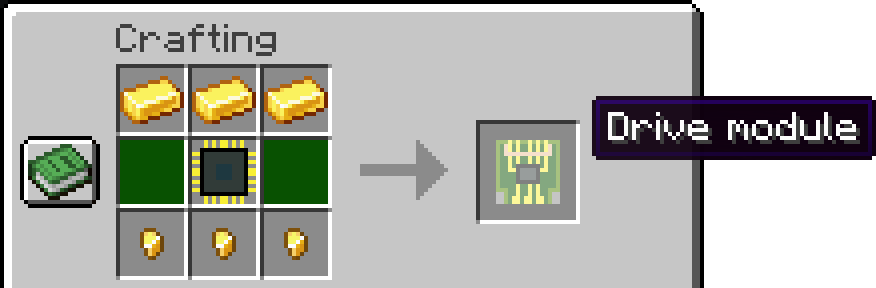
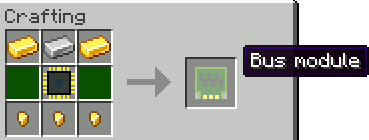
- Bus module
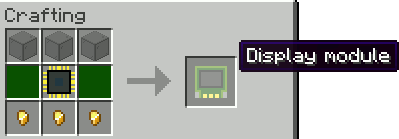
- Display module
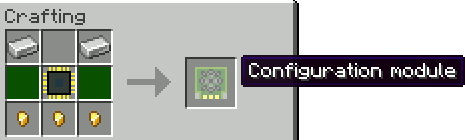
- Configuration module
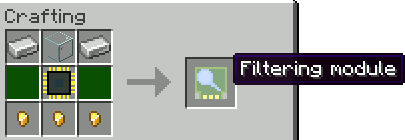
- Filtering module
- Pagination module
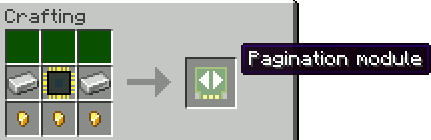
Prerequisites: (basic ingredients in crafting)
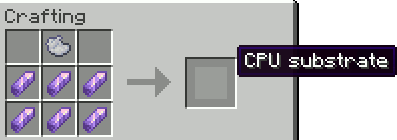
- CPU substrate
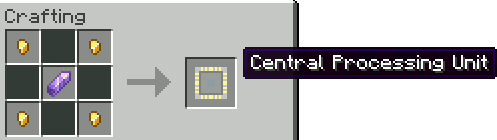
- Central processing unit (CPU)
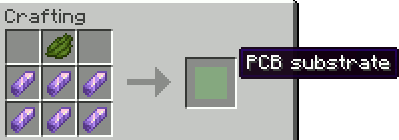
- PCB substrate
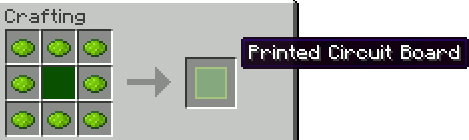
- Printed circuit board (PCB)
For admins
If you want to disable some parts of this mod due to a game breaking bug, these 3 game rules might be interesting
serverstorage_crafting_module - Disables the crafting module in the storage terminal. It only disables the button to enter it, so if someone is already inside the crafting menu, they won't get kicked out
serverstorage_terminal_module - Disables interacting with the storage terminal and displays a message
serverstorage_interface_module - Disables configuring and the functionality of the inventory interface module
Verfügbare Versionen
Server Storage auf dem Server installieren
Server bestellen
Bestelle einen Minecraft Java Server mit mindestens 3 GB RAM (4 GB empfohlen).
fabric Loader setzen
Wähle im Panel unter "Egg" den fabric-Loader und die passende Minecraft-Version (1.21.8).
Mod installieren
Öffne den Mod-Browser im Dashboard und suche nach "Server Storage". Klicke "Installieren" – fertig! Alternativ: Lade die .jar via SFTP in den /mods Ordner.
Kompatibilität
Mod-Loader
Minecraft-Versionen
1.21.8, 1.21.5, 1.21.4 (+4 weitere)
Server-seitig
✓ ErforderlichEmpfohlener RAM
4 GB(min. 3 GB)Häufige Fragen
Server Storage Server crasht beim Start – was tun?
Häufigste Ursache: falsche fabric-Version oder zu wenig RAM. Prüfe im Server-Log (latest.log), ob ein "OutOfMemoryError" oder "Mixin"-Fehler auftritt. Bei Mado Hosting: Stelle sicher, dass mindestens 3 GB RAM zugewiesen sind und der Loader zur Mod-Version passt (1.21.8). Über das Panel kannst du den Loader mit einem Klick wechseln.
Ist Server Storage mit fabric kompatibel?
Server Storage unterstützt offiziell fabric für Minecraft 1.21.8, 1.21.5, 1.21.4. Im Mado Dashboard werden inkompatible Loader-Kombinationen automatisch erkannt.
Server laggt mit Server Storage – wie optimiere ich die Performance?
Empfohlener RAM: 4 GB (+1 GB pro 8 Spieler). Prüfe mit /spark profiler, ob Server Storage den meisten Tick-Time verbraucht. Häufige Fixes: Server-View-Distance auf 8-10 reduzieren, bei Forge "performant" oder "starlight" als Zusatz-Mod installieren. Bei Mado Hosting läuft dein Server auf NVMe-SSDs mit dedizierten CPU-Kernen für minimale Latenz.
Ähnliche Mods





Modded Server mieten
Installiere Server Storage mit nur einem Klick auf deinem Server.