
Stargate Journey
Journey through the Stargate to another world. In Minecraft!
Screenshots
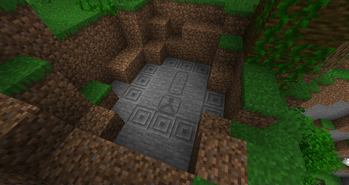
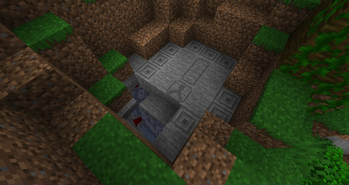
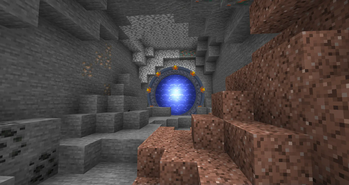
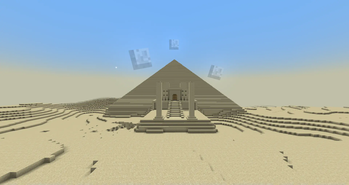
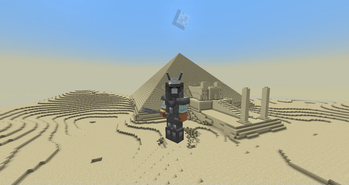
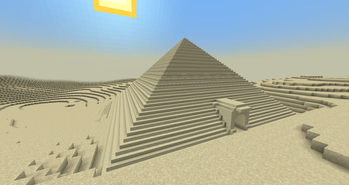
Über diese Mod
Let's add Stargates to Minecraft... in a different way. The Stargate is an ancient (pun intended) device, which can't be crafted, but rather must be found in the world. It allows for instantaneous travel between Planets (Dimensions). But what's the point of having a Stargate, if you can't craft more? Well, there isn't just the Stargate, beyond it lie multiple worlds just waiting to be discovered. And who knows, maybe you'll one day be able to make your own Stargates as well...
Please note that this project is very much work in progress: Features may be buggy, unfinished or unobtainable in Survival. Please back your worlds up properly.
For info and troubleshooting, check out the wiki
If you're looking for an RPG experience involving Stargates, consider checking out Colony:Exodus to the stars modpack.
If you prefer a more tech and quest focused experience, consider checking out Stargate: ReLeveled modpack.
If pixelated Stargates aren't your vibe, check out Just Stargate Mod, they have amazing models for everything there and also have 1.12.2 versions!
If you prefer Fabric, Stargate Journey might get a Fabric port eventually, but until then you can check out Stargate: Sojourner, they have a nice Minecraft-themed Fabric mod that's still fairly early in development!
Discord Server where you can ask for help, get more info about the mod and watch its creator go insane because he can't figure out why that one bug keeps on appearing over and over again... Seriously, why does Minecraft Worldgen make no sense!?
Verfügbare Versionen
Stargate Journey auf dem Server installieren
Server bestellen
Bestelle einen Minecraft Java Server mit mindestens 4 GB RAM (6 GB empfohlen).
forge Loader setzen
Wähle im Panel unter "Egg" den forge-Loader und die passende Minecraft-Version (1.21.1).
Mod installieren
Öffne den Mod-Browser im Dashboard und suche nach "Stargate Journey". Klicke "Installieren" – fertig! Alternativ: Lade die .jar via SFTP in den /mods Ordner.
Kompatibilität
Mod-Loader
Minecraft-Versionen
1.21.1, 1.20.1, 1.19.4 (+3 weitere)
Server-seitig
~ OptionalEmpfohlener RAM
6 GB(min. 4 GB)Häufige Fragen
Stargate Journey Server crasht beim Start – was tun?
Häufigste Ursache: falsche forge-Version oder zu wenig RAM. Prüfe im Server-Log (latest.log), ob ein "OutOfMemoryError" oder "Mixin"-Fehler auftritt. Bei Mado Hosting: Stelle sicher, dass mindestens 4 GB RAM zugewiesen sind und der Loader zur Mod-Version passt (1.21.1). Über das Panel kannst du den Loader mit einem Klick wechseln.
Ist Stargate Journey mit forge und neoforge kompatibel?
Stargate Journey unterstützt offiziell forge, neoforge für Minecraft 1.21.1, 1.20.1, 1.19.4. Im Mado Dashboard werden inkompatible Loader-Kombinationen automatisch erkannt.
Server laggt mit Stargate Journey – wie optimiere ich die Performance?
Empfohlener RAM: 6 GB (+1 GB pro 5 Spieler). Prüfe mit /spark profiler, ob Stargate Journey den meisten Tick-Time verbraucht. Häufige Fixes: Server-View-Distance auf 8-10 reduzieren, bei Forge "performant" oder "starlight" als Zusatz-Mod installieren. Bei Mado Hosting läuft dein Server auf NVMe-SSDs mit dedizierten CPU-Kernen für minimale Latenz.
Ähnliche Mods




Modded Server mieten
Installiere Stargate Journey mit nur einem Klick auf deinem Server.
Details
- Lizenz
- Creative Commons Attribution Non Commercial Share Alike 4.0 International
- Server-seitig
- Optional