
Stellarity ~ Enlightened
Stellarity, now available as a mod.
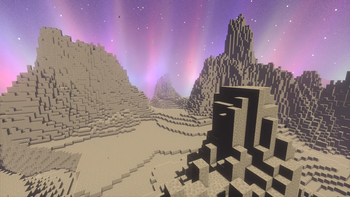
Screenshots

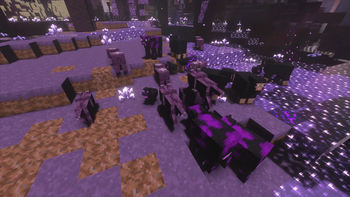
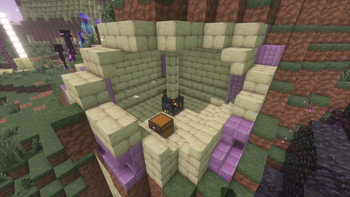
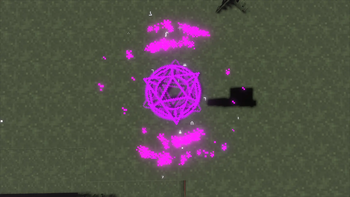
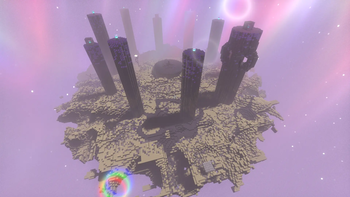
Über diese Mod
Stellarity Enlightened









⚠️ WARNING
This project is under active development. We are not
responsible for data loss, and recommend using this on worlds you
are okay with breaking changes on.Please report all bugs you find!
📌 IMPORTANT
This project is no longer multiversion due to factors such as
- Minecraft completely rewriting ItemStacks
- Yarn to deobfuscated fabric api
- Impossible to build GUIs across 1.20.1 - 26.1+
- Less incompat with structure blocks
- Certain Fabric API's nonexistant with older versions
As per a vote in our Discord server, the results prioritize latest version, as consistent with our download counts.
Stellarity Enlightened is a mod version of the total rehaul of The End including biome and structure overhauls, new
items, weapons, mechanics, mobs and more.
Explore new end cities, fight enhanced ender dragons, fish in the void, and explore new biomes and structures, now
available as a Fabric mod!
The original version you can find as Stellarity Datapack.
Due to unresolveable technical difficulties with integrating Forge with Fabric, the Forge port has been dropped. There
is talk about making this a Forge and Fabric split where we just steal each others code, but that is not a high priority
right now due to the lack of devs on the team.
Verfügbare Versionen
Stellarity ~ Enlightened auf dem Server installieren
Server bestellen
Bestelle einen Minecraft Java Server mit mindestens 4 GB RAM (6 GB empfohlen).
fabric Loader setzen
Wähle im Panel unter "Egg" den fabric-Loader und die passende Minecraft-Version (26.3).
Mod installieren
Öffne den Mod-Browser im Dashboard und suche nach "Stellarity ~ Enlightened". Klicke "Installieren" – fertig! Alternativ: Lade die .jar via SFTP in den /mods Ordner.
Kompatibilität
Mod-Loader
Minecraft-Versionen
26.3, 26.2, 26.1.2 (+9 weitere)
Server-seitig
✓ ErforderlichEmpfohlener RAM
6 GB(min. 4 GB)Häufige Fragen
Stellarity ~ Enlightened Server crasht beim Start – was tun?
Häufigste Ursache: falsche fabric-Version oder zu wenig RAM. Prüfe im Server-Log (latest.log), ob ein "OutOfMemoryError" oder "Mixin"-Fehler auftritt. Bei Mado Hosting: Stelle sicher, dass mindestens 4 GB RAM zugewiesen sind und der Loader zur Mod-Version passt (26.3). Über das Panel kannst du den Loader mit einem Klick wechseln.
Ist Stellarity ~ Enlightened mit fabric kompatibel?
Stellarity ~ Enlightened unterstützt offiziell fabric für Minecraft 26.3, 26.2, 26.1.2. Im Mado Dashboard werden inkompatible Loader-Kombinationen automatisch erkannt.
Server laggt mit Stellarity ~ Enlightened – wie optimiere ich die Performance?
Empfohlener RAM: 6 GB (+1 GB pro 5 Spieler). Prüfe mit /spark profiler, ob Stellarity ~ Enlightened den meisten Tick-Time verbraucht. Häufige Fixes: Server-View-Distance auf 8-10 reduzieren, bei Forge "performant" oder "starlight" als Zusatz-Mod installieren. Bei Mado Hosting läuft dein Server auf NVMe-SSDs mit dedizierten CPU-Kernen für minimale Latenz.
Ähnliche Mods





Modded Server mieten
Installiere Stellarity ~ Enlightened mit nur einem Klick auf deinem Server.