
Superb Warfare
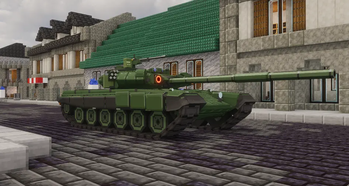
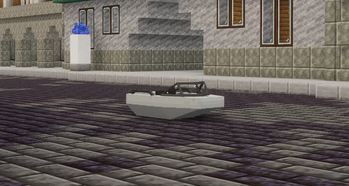
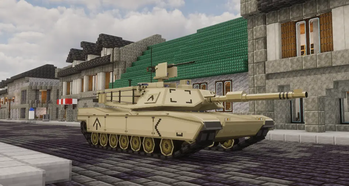
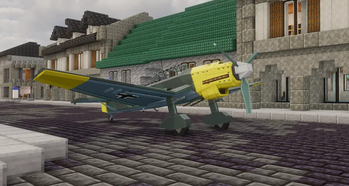
A warfare themed mod with various guns, huge cannons and powerful vehicles
Screenshots
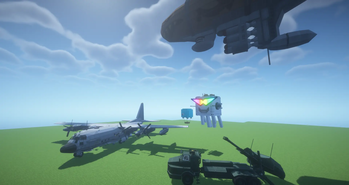
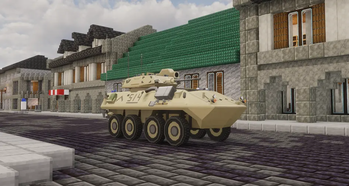
Über diese Mod
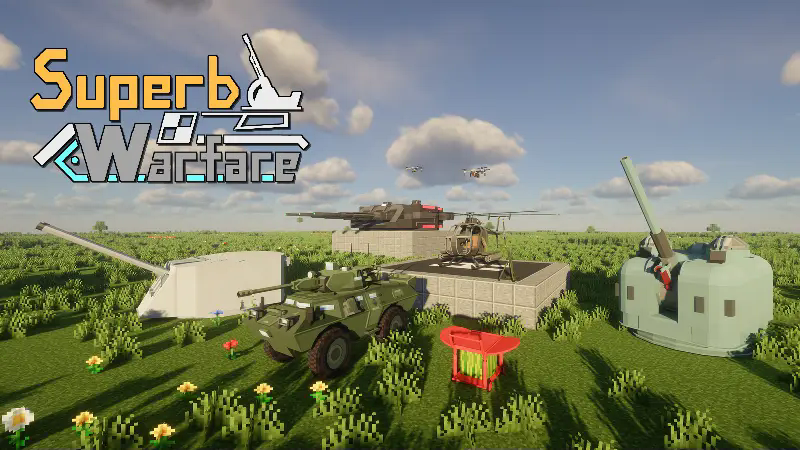
Superb FPS Experience in Minecraft
SuperbWarfare is a warfare themed mod with various guns, huge cannons and powerful vehicles.
Features
- Smooth Animations – Every gun features high-quality animations, from reloading to aiming, delivering an immersive shooting experience.
- Powerful Artillery & Explosives – Unleash destruction with a variety of heavy weaponry, from rocket launchers to the annihilator energy cannon.
- Armored Vehicles & War Machines – Dominate the battlefield with tanks, helicopters, and other fully drivable war vehicles.
- Gun Perk System – Customize your playstyle with different weapon perks, enhancing damage, fire rate and more.
WARNING
The Superb Warfare (SBW) is a Java Edition mod, and the mod's artistic assets (textures, models, animations) are proprietary to the development team, with all rights reserved. The development team has not authorized any other projects (especially the Bedrock version mod) to use the artistic assets of this mod. Any appearance of our mod's artistic assets in other projects constitutes illegal misappropriation. The development team strongly condemns any acts of infringement or theft and urges the responsible parties to immediately cease such infringing activities.
This mod HAS NO BEDROCK EDTION. DO NOT PAY FOR ANY SERVER OR PROJECTS RELATED TO THIS MOD.
We have turned on BLOCK DESTRUCTION by default from 0.7.0 version, be careful!
FAQ
How to enable/disable explosion destruction
Edit your server config at (your save)/serverconfig/superbwarfare-server.toml. Set explosion_destroy to true/false.
Or use command /sbw config explosionDestroy true/false
Server crashed after installing this mod
SBW doesn't support Arclight server.
For Mohist Server, use mohist-1.20.1-ab9cdbe3-server version or above to avoid crashing.
Wiki (WIP)
Crowdin
Installation
Requirements:
- Forge 47.2.0 or above
- Geckolib 4.4.4-1.20.1 or above
- Curios Api 5.4.2-1.20.1 or above
You can also install Cloth Config 11.1.106-1.20.1 to change configs in-game.
Discord
Join our official discord server!
License
Code: GUN GPL 3.0 https://www.gnu.org/licenses/gpl-3.0.txt
Assets: All Rights Reserved
Verfügbare Versionen
Superb Warfare auf dem Server installieren
Server bestellen
Bestelle einen Minecraft Java Server mit mindestens 3 GB RAM (4 GB empfohlen).
forge Loader setzen
Wähle im Panel unter "Egg" den forge-Loader und die passende Minecraft-Version (1.21.1).
Mod installieren
Öffne den Mod-Browser im Dashboard und suche nach "Superb Warfare". Klicke "Installieren" – fertig! Alternativ: Lade die .jar via SFTP in den /mods Ordner.
Kompatibilität
Mod-Loader
Minecraft-Versionen
1.21.1, 1.20.1
Server-seitig
✓ ErforderlichEmpfohlener RAM
4 GB(min. 3 GB)Häufige Fragen
Superb Warfare Server crasht beim Start – was tun?
Häufigste Ursache: falsche forge-Version oder zu wenig RAM. Prüfe im Server-Log (latest.log), ob ein "OutOfMemoryError" oder "Mixin"-Fehler auftritt. Bei Mado Hosting: Stelle sicher, dass mindestens 3 GB RAM zugewiesen sind und der Loader zur Mod-Version passt (1.21.1). Über das Panel kannst du den Loader mit einem Klick wechseln.
Ist Superb Warfare mit forge und neoforge kompatibel?
Superb Warfare unterstützt offiziell forge, neoforge für Minecraft 1.21.1, 1.20.1. Im Mado Dashboard werden inkompatible Loader-Kombinationen automatisch erkannt.
Server laggt mit Superb Warfare – wie optimiere ich die Performance?
Empfohlener RAM: 4 GB (+1 GB pro 8 Spieler). Prüfe mit /spark profiler, ob Superb Warfare den meisten Tick-Time verbraucht. Häufige Fixes: Server-View-Distance auf 8-10 reduzieren, bei Forge "performant" oder "starlight" als Zusatz-Mod installieren. Bei Mado Hosting läuft dein Server auf NVMe-SSDs mit dedizierten CPU-Kernen für minimale Latenz.
Ähnliche Mods




Modded Server mieten
Installiere Superb Warfare mit nur einem Klick auf deinem Server.