
JoJo Stands
SVM JoJo is a addition to vanilla Minecraft that adds stands and items from JoJos Bizarre Adventure to the game
Screenshots

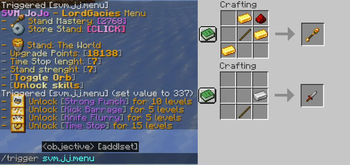

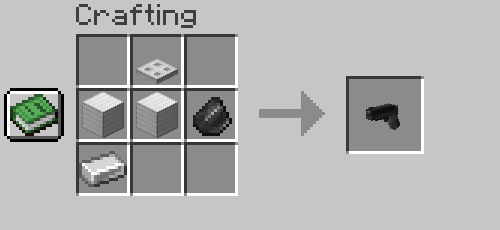
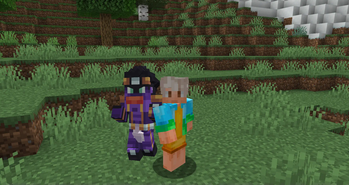
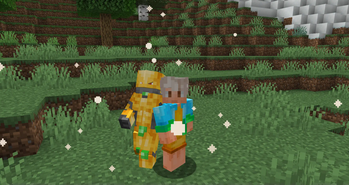
Über diese Mod
SVM JoJo is a datapack that aims to bring accurate experience of gameplay with stand abilities as well as fighting against bosses, the datapacks also adds cosmetics, progression and custom advancements!
FAQ
Q - How to get stands? - Craft and use stand arrow or use a disc of a stand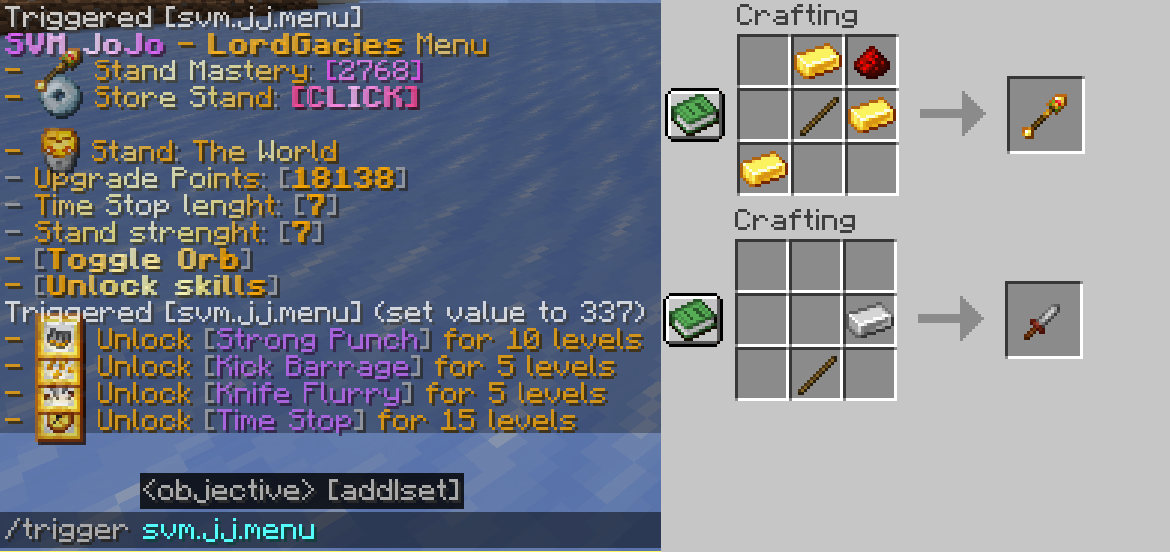
Q - How do I use abilities? - Use /trigger svm.jj.menu command and click "Unlock Moves" then unlock your moves, to check the activation, check out advancements tab of the stand
Q - How do I get Stand Points? - Complete new advancements and kill mobs
Q - How do I get rid of a stand? - Use /trigger svm.jj.menu command and click "Store Stand [CLICK]"
Q - Is this multiplayer friendly? - Yes, you can bash your friends head with Star Platinum :)
Q - What stands are there? - 6 as for now, Star Platinum, The World, King Crimson, Killer Queen and Weather Report and Whitesnake, however Killer Queen can obtain Stray Cat and Bites The Dust
Latest update video
Installation
Datapack
Download newest full version of the datapack
For new world
In "Singleplayer", click "Create New World", then go into ""More" and click "Data Packs", then click "Open Pack Folder" and datapack folder will open, then just drag/copy-paste the downloaded file to the opened folder, then click on the datapack in-game so it's in "Selected" instead of "Available".
For existing world
In "Singleplayer", select your world where you want to install the pack, click "Edit" and then "Open World Folder", then go into "datapacks" folder and drag/copy-paste the downloaded file to the opened folder.
Resourcepack
In "Options", click "Resource Packs..." and click "Open Pack Folder", now just drag-drop the datapack, go back to Minecraft and go to "Options", then "Resource Packs", click the SVM JoJo Pack and click "Done" and that should load your resources
(In short, assets are inside of the Datapack file, so just copy-paste it in the resourcepack folder)
Mod
Mod version doesn't require anything besides putting the downloaded file to .minecraft/mods folder
How to install mods & datapacks with the Modrinth App
Verfügbare Versionen
JoJo Stands auf dem Server installieren
Server bestellen
Bestelle einen Minecraft Java Server mit mindestens 3 GB RAM (4 GB empfohlen).
datapack Loader setzen
Wähle im Panel unter "Egg" den datapack-Loader und die passende Minecraft-Version (1.21.1).
Mod installieren
Öffne den Mod-Browser im Dashboard und suche nach "JoJo Stands". Klicke "Installieren" – fertig! Alternativ: Lade die .jar via SFTP in den /mods Ordner.
Kompatibilität
Mod-Loader
Minecraft-Versionen
1.21.1, 1.21, 1.20.2 (+2 weitere)
Server-seitig
✓ ErforderlichEmpfohlener RAM
4 GB(min. 3 GB)Häufige Fragen
JoJo Stands Server crasht beim Start – was tun?
Häufigste Ursache: falsche datapack-Version oder zu wenig RAM. Prüfe im Server-Log (latest.log), ob ein "OutOfMemoryError" oder "Mixin"-Fehler auftritt. Bei Mado Hosting: Stelle sicher, dass mindestens 3 GB RAM zugewiesen sind und der Loader zur Mod-Version passt (1.21.1). Über das Panel kannst du den Loader mit einem Klick wechseln.
Ist JoJo Stands mit datapack und fabric und forge und neoforge und quilt kompatibel?
JoJo Stands unterstützt offiziell datapack, fabric, forge, neoforge, quilt für Minecraft 1.21.1, 1.21, 1.20.2. Achtung: Forge- und Fabric-Mods sind NICHT untereinander kompatibel – wähle einen Loader und bleibe dabei. Im Mado Dashboard werden inkompatible Loader-Kombinationen automatisch erkannt.
Server laggt mit JoJo Stands – wie optimiere ich die Performance?
Empfohlener RAM: 4 GB (+1 GB pro 8 Spieler). Prüfe mit /spark profiler, ob JoJo Stands den meisten Tick-Time verbraucht. Häufige Fixes: Server-View-Distance auf 8-10 reduzieren, bei Forge "performant" oder "starlight" als Zusatz-Mod installieren. Bei Mado Hosting läuft dein Server auf NVMe-SSDs mit dedizierten CPU-Kernen für minimale Latenz.
Ähnliche Mods




Modded Server mieten
Installiere JoJo Stands mit nur einem Klick auf deinem Server.