
Tetra Loopback
An addon mod made for Tetra that adds some modular curios and materials.
Screenshots


Über diese Mod
This mod adds several modular curios to Tetra: "emblem" and "goggles". It also adds a new curios slot.
Some metal, gem, and socket materials have been added.
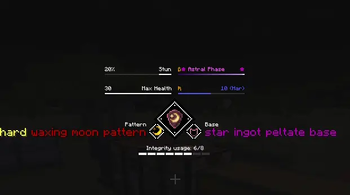
Some special itemeffect were added and special GUI bars were created for them.
A scroll associated with curios has been added to apply the corresponding improvements.
A work block called ancient forge has been added for crafting materials.
If you have any questions or suggestions, you are welcome to come to my Discord channel to discuss.
Currently, only version 1.20.1 is supported
Mod dependencies:
Tetra6.5.0+
Curios API 5.8.1+
Currently, an emblem consists of peltate, gempeltate, pattern, and gemcore. Dynamic slots are used to bind peltate to pattern and gempeltate to gemcore.
Goggles consist of buckle, edge, frame, leftlense, rightlense, singlelense, and strap. They also use dynamic slots to bind lenses to the frames they use.
If you are the author of datapack or modpack, you are free to use it as long as you follow the license (LGPLv3). You can configure some itemeffects through datapack.
Discord: https://discord.com/invite/6jXEgEPjx5
GitHub:https://github.com/Neferge466/Tetra-Loopback
It is already compatible with some of the native itemeffects of tetra.


Verfügbare Versionen
Tetra Loopback auf dem Server installieren
Server bestellen
Bestelle einen Minecraft Java Server mit mindestens 3 GB RAM (4 GB empfohlen).
forge Loader setzen
Wähle im Panel unter "Egg" den forge-Loader und die passende Minecraft-Version (1.20.1).
Mod installieren
Öffne den Mod-Browser im Dashboard und suche nach "Tetra Loopback". Klicke "Installieren" – fertig! Alternativ: Lade die .jar via SFTP in den /mods Ordner.
Kompatibilität
Mod-Loader
Minecraft-Versionen
1.20.1
Server-seitig
✓ ErforderlichEmpfohlener RAM
4 GB(min. 3 GB)Häufige Fragen
Tetra Loopback Server crasht beim Start – was tun?
Häufigste Ursache: falsche forge-Version oder zu wenig RAM. Prüfe im Server-Log (latest.log), ob ein "OutOfMemoryError" oder "Mixin"-Fehler auftritt. Bei Mado Hosting: Stelle sicher, dass mindestens 3 GB RAM zugewiesen sind und der Loader zur Mod-Version passt (1.20.1). Über das Panel kannst du den Loader mit einem Klick wechseln.
Ist Tetra Loopback mit forge kompatibel?
Tetra Loopback unterstützt offiziell forge für Minecraft 1.20.1. Im Mado Dashboard werden inkompatible Loader-Kombinationen automatisch erkannt.
Server laggt mit Tetra Loopback – wie optimiere ich die Performance?
Empfohlener RAM: 4 GB (+1 GB pro 8 Spieler). Prüfe mit /spark profiler, ob Tetra Loopback den meisten Tick-Time verbraucht. Häufige Fixes: Server-View-Distance auf 8-10 reduzieren, bei Forge "performant" oder "starlight" als Zusatz-Mod installieren. Bei Mado Hosting läuft dein Server auf NVMe-SSDs mit dedizierten CPU-Kernen für minimale Latenz.
Ähnliche Mods



![[TaCZ] Timeless and Classics Zero](https://cdn.modrinth.com/data/SzzJttH8/fd27766d2bb8390d284696b1dbd358f87e081439_96.webp)


Modded Server mieten
Installiere Tetra Loopback mit nur einem Klick auf deinem Server.
Details
- Lizenz
- GNU Lesser General Public License v3.0 only
- Server-seitig
- Erforderlich