
Thirst Exhaustion
Rework of the base game's exhaustion system to integrate it with a new thirst system.
Screenshots
Über diese Mod
Thirst Exhaustion
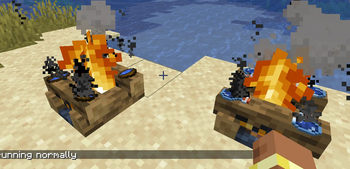
Thirst Exhaustion introduces a thirst mechanic while reworking one of Minecraft's most overlooked systems: exhaustion.
Exhaustion is now split into 4 levels, each tied to a thirst bar of 20 points, mirroring the food system. The lower your thirst drops, the faster your saturation and hunger will deplete, so staying hydrated is just as important as staying fed.
Restoring Thirst
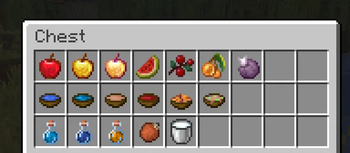
You can regain thirst points by eating or drinking :
- Fruits
- Soups and stews
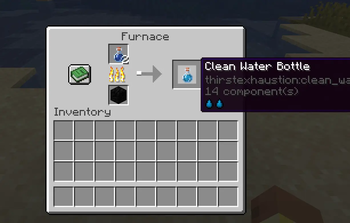
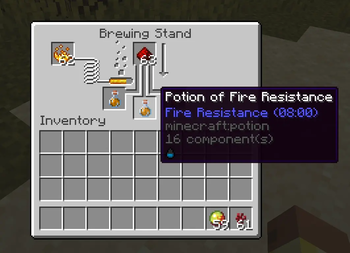
- Water Bowls and Water Bottles
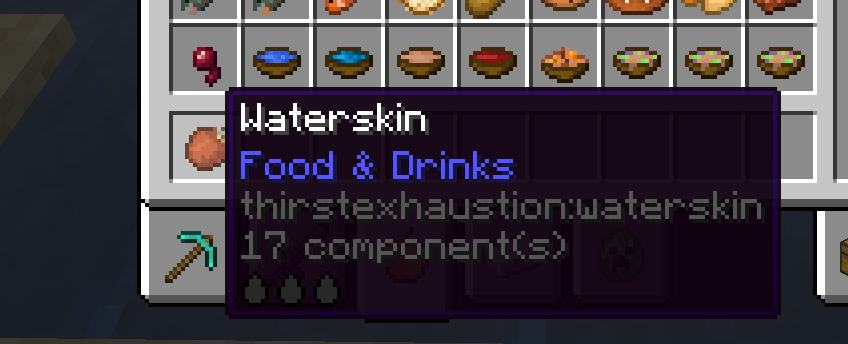
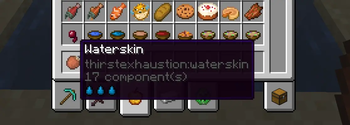
- Waterskins — refillable and reusable
You can also drink with an empty hand in certain conditions :
- During rain or thunderstorms
- While standing in or near water — but beware of still water…
Fully Configurable & Data-Driven
Every aspect of the mod can be tuned to your needs. Items are registered via datapack, making it easy to add or modify thirst values without touching the mod itself.
data/thirstexhaustion/data_maps/item/thirst_registry_data.json
{
  "values": {
    "minecraft:apple": {
      "context": "CLEAN",
      "level": 1
    }
  }
}
The context field determines the water quality of the drink :
| Context | Description | Hunger Chance (%) |
|---|---|---|
CLEAN |
Pure, safe water | 0 |
DIRTY |
Contaminated | 25 |
RIVER |
Freshwater source | 10 |
OCEAN |
Saltwater | 100 |
FLOWING_WATER |
Running water | 0 |
STILL_WATER |
Stagnant water | 50 |
Verfügbare Versionen
Thirst Exhaustion auf dem Server installieren
Server bestellen
Bestelle einen Minecraft Java Server mit mindestens 3 GB RAM (4 GB empfohlen).
neoforge Loader setzen
Wähle im Panel unter "Egg" den neoforge-Loader und die passende Minecraft-Version (26.1.2).
Mod installieren
Öffne den Mod-Browser im Dashboard und suche nach "Thirst Exhaustion". Klicke "Installieren" – fertig! Alternativ: Lade die .jar via SFTP in den /mods Ordner.
Kompatibilität
Mod-Loader
Minecraft-Versionen
26.1.2
Server-seitig
✓ ErforderlichEmpfohlener RAM
4 GB(min. 3 GB)Häufige Fragen
Thirst Exhaustion Server crasht beim Start – was tun?
Häufigste Ursache: falsche neoforge-Version oder zu wenig RAM. Prüfe im Server-Log (latest.log), ob ein "OutOfMemoryError" oder "Mixin"-Fehler auftritt. Bei Mado Hosting: Stelle sicher, dass mindestens 3 GB RAM zugewiesen sind und der Loader zur Mod-Version passt (26.1.2). Über das Panel kannst du den Loader mit einem Klick wechseln.
Ist Thirst Exhaustion mit neoforge kompatibel?
Thirst Exhaustion unterstützt offiziell neoforge für Minecraft 26.1.2. Im Mado Dashboard werden inkompatible Loader-Kombinationen automatisch erkannt.
Server laggt mit Thirst Exhaustion – wie optimiere ich die Performance?
Empfohlener RAM: 4 GB (+1 GB pro 8 Spieler). Prüfe mit /spark profiler, ob Thirst Exhaustion den meisten Tick-Time verbraucht. Häufige Fixes: Server-View-Distance auf 8-10 reduzieren, bei Forge "performant" oder "starlight" als Zusatz-Mod installieren. Bei Mado Hosting läuft dein Server auf NVMe-SSDs mit dedizierten CPU-Kernen für minimale Latenz.
Ähnliche Mods




Modded Server mieten
Installiere Thirst Exhaustion mit nur einem Klick auf deinem Server.