
TierDrop
Loot has tiers! Want more? You can make your own custom ones too.
Screenshots

Über diese Mod
TierDrop
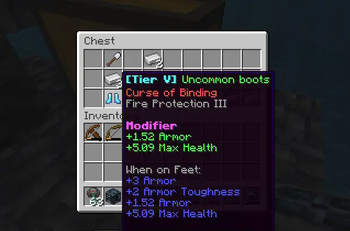
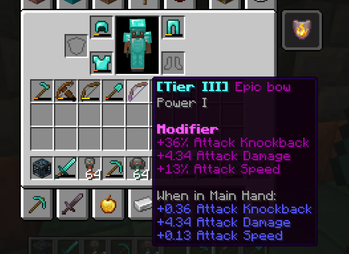
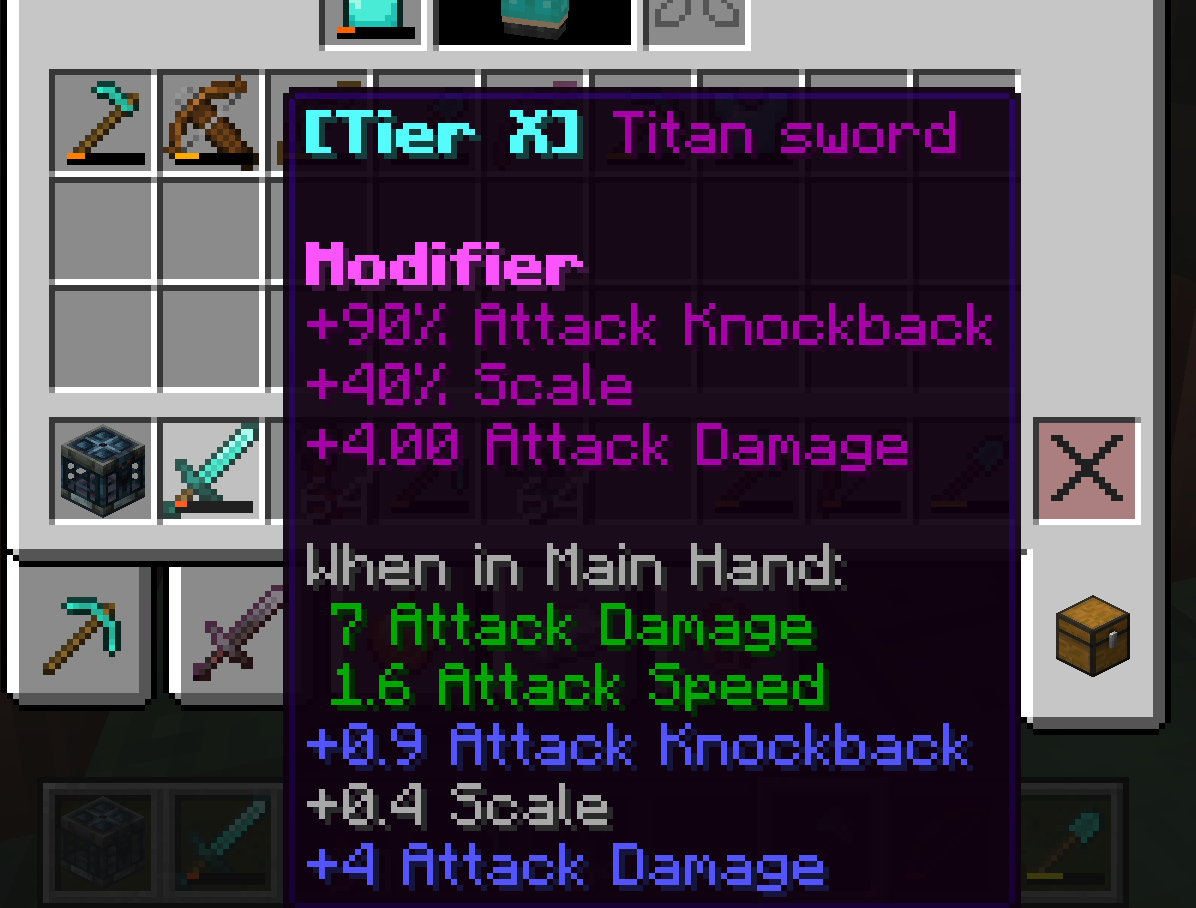
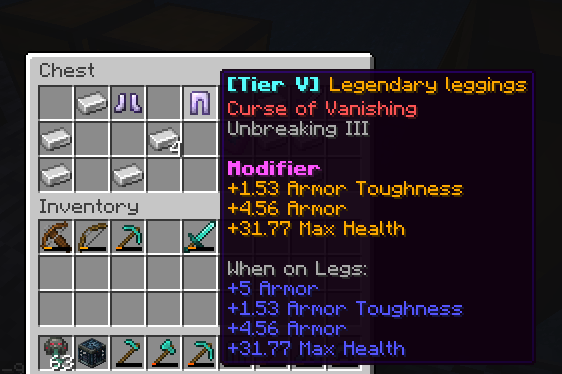
TierDrop is a server-side Minecraft mod that introduces a dynamic tier system for equipment, bringing a variety of gear with different power levels and stats. Designed with both PvP and exploration in mind, this mod enhances the gameplay experience by adding tiers to equipment and expanding rewards through various in-game features.
Features:
- Tiered Equipment: Equipment drops, chests, and vaults now come with randomly assigned tiers, offering a broad range of gear for players to collect and use.
- Trial Chamber Vaults: Players can earn higher-tier equipment and additional rewards when opening Trial Chamber Vaults, adding depth to exploration and increasing the incentive to use these chambers.
- Vault Rewards: Upon opening a vault, there is a chance for players to receive additional equipment rewards, making the experience even more rewarding and engaging.
- PvP Enhancements: The variety in equipment tiers creates a more dynamic and competitive PvP environment, encouraging players to strategize and equip themselves with the best available gear.
- Server-Side Mod: The mod is optimized to work seamlessly on the server side, without requiring client-side modifications.
- Higher-Tier Increases Chance: Players that spent a lot of time have a better chance to get higher tiers.
Configurations
- You can add tiers or update/remove existing tiers
- Don't worry I added a guide in the tierdrop_config.json
"Armor": [
      {
        "prefix": "Test",
        "color": "GRAY",
        "chance": [45, 40, 20],
        "attributes": [
          { "All": ["ARMOR", 1, 1.5] },
          { "All": ["MAX_HEALTH", 2, 4] }
        ]
      },
]
For easy testing (add this in config and make sure after testing this should be remove or empty)
"Test": [
      {
        "prefix": "Test",
        "color": "YELLOW",
        "chance": [50, 50, 100],
        "attributes": [
          { "All": ["ARMOR", 1, 1.5] },
          { "All": ["MAX_HEALTH", 2, 4] }
        ]
      }
]
Future Plans:
- Balance Improvements: The mod will continue to evolve with regular updates to fine-tune the balance of equipment tiers, ensuring fair gameplay for all.
- Additional Features: New mechanics and features will be added over time, further enhancing the gameplay and expanding the possibilities for players.
Installation:
- Place the mod file in your Minecraft server's
modsfolder. - Restart the server to apply the changes.
Compatibility:
- Fabric: Compatible with Minecraft versions [1.21.1, 1.21.4, 26.1.1].
- Multiplayer: Fully functional on multiplayer servers.
Incompatibility:
-
Feel free to provide feedback or suggestions for new features! Stay tuned for more updates to improve TierDrop and its gameplay experience.
Verfügbare Versionen
TierDrop auf dem Server installieren
Server bestellen
Bestelle einen Minecraft Java Server mit mindestens 3 GB RAM (4 GB empfohlen).
fabric Loader setzen
Wähle im Panel unter "Egg" den fabric-Loader und die passende Minecraft-Version (26.1.1).
Mod installieren
Öffne den Mod-Browser im Dashboard und suche nach "TierDrop". Klicke "Installieren" – fertig! Alternativ: Lade die .jar via SFTP in den /mods Ordner.
Kompatibilität
Mod-Loader
Minecraft-Versionen
26.1.1, 1.21.4, 1.21.1
Server-seitig
✓ ErforderlichEmpfohlener RAM
4 GB(min. 3 GB)Häufige Fragen
TierDrop Server crasht beim Start – was tun?
Häufigste Ursache: falsche fabric-Version oder zu wenig RAM. Prüfe im Server-Log (latest.log), ob ein "OutOfMemoryError" oder "Mixin"-Fehler auftritt. Bei Mado Hosting: Stelle sicher, dass mindestens 3 GB RAM zugewiesen sind und der Loader zur Mod-Version passt (26.1.1). Über das Panel kannst du den Loader mit einem Klick wechseln.
Ist TierDrop mit fabric kompatibel?
TierDrop unterstützt offiziell fabric für Minecraft 26.1.1, 1.21.4, 1.21.1. Im Mado Dashboard werden inkompatible Loader-Kombinationen automatisch erkannt.
Server laggt mit TierDrop – wie optimiere ich die Performance?
Empfohlener RAM: 4 GB (+1 GB pro 8 Spieler). Prüfe mit /spark profiler, ob TierDrop den meisten Tick-Time verbraucht. Häufige Fixes: Server-View-Distance auf 8-10 reduzieren, bei Forge "performant" oder "starlight" als Zusatz-Mod installieren. Bei Mado Hosting läuft dein Server auf NVMe-SSDs mit dedizierten CPU-Kernen für minimale Latenz.
Ähnliche Mods




Modded Server mieten
Installiere TierDrop mit nur einem Klick auf deinem Server.