
TotemSwapper
Automatically moves a Totem of Undying to your offhand with a configurable keybind. Lightweight, client-side, and easy to use.
Screenshots
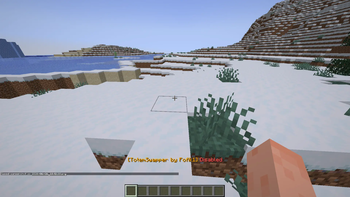
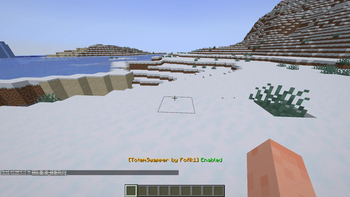
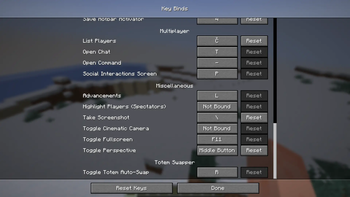
Über diese Mod
Totem Swapper
Instantly equips a Totem of Undying into your offhand with a single key press.
Features
⚡ One-key totem swapping
🎮 Client-side Fabric mod
🔍 Automatically finds the first Totem of Undying in your inventory
🖐 Swaps the totem directly into your offhand
💬 Toggle the mod on or off at any time
🪶 Lightweight with no unnecessary features
How it works
Press the assigned key (default: R) to enable or disable Totem Swapper.
When enabled, the mod automatically looks for a Totem of Undying in your inventory.
If your offhand doesn't already contain a totem, it opens your inventory for a split second, moves the first available totem into your offhand, and closes the inventory automatically.
The mod searches both your hotbar and main inventory for the first available totem.
Default Keybind
R — Toggle Totem Swapper on/off
The keybind can be changed in Minecraft's Controls menu.
Requirements
Fabric Loader
Fabric API
Minecraft (compatible version matching the release)
Notes
This is a client-side mod.
No server installation is required.
Works on servers as long as they allow normal inventory interactions.
The mod only swaps a totem if your offhand does not already contain one.
If you have any issues, report them on the discord!
Verfügbare Versionen
TotemSwapper auf dem Server installieren
Server bestellen
Bestelle einen Minecraft Java Server mit mindestens 3 GB RAM (4 GB empfohlen).
fabric Loader setzen
Wähle im Panel unter "Egg" den fabric-Loader und die passende Minecraft-Version (1.21.1).
Mod installieren
Öffne den Mod-Browser im Dashboard und suche nach "TotemSwapper". Klicke "Installieren" – fertig! Alternativ: Lade die .jar via SFTP in den /mods Ordner.
Kompatibilität
Mod-Loader
Minecraft-Versionen
1.21.1
Server-seitig
✗ Nicht unterstütztEmpfohlener RAM
4 GB(min. 3 GB)Häufige Fragen
TotemSwapper Server crasht beim Start – was tun?
Häufigste Ursache: falsche fabric-Version oder zu wenig RAM. Prüfe im Server-Log (latest.log), ob ein "OutOfMemoryError" oder "Mixin"-Fehler auftritt. Bei Mado Hosting: Stelle sicher, dass mindestens 3 GB RAM zugewiesen sind und der Loader zur Mod-Version passt (1.21.1). Über das Panel kannst du den Loader mit einem Klick wechseln.
Ist TotemSwapper mit fabric kompatibel?
TotemSwapper unterstützt offiziell fabric für Minecraft 1.21.1. Im Mado Dashboard werden inkompatible Loader-Kombinationen automatisch erkannt.
Server laggt mit TotemSwapper – wie optimiere ich die Performance?
Empfohlener RAM: 4 GB (+1 GB pro 8 Spieler). Prüfe mit /spark profiler, ob TotemSwapper den meisten Tick-Time verbraucht. Häufige Fixes: Server-View-Distance auf 8-10 reduzieren, bei Forge "performant" oder "starlight" als Zusatz-Mod installieren. Bei Mado Hosting läuft dein Server auf NVMe-SSDs mit dedizierten CPU-Kernen für minimale Latenz.
Ähnliche Mods



![[TaCZ] Timeless and Classics Zero](https://cdn.modrinth.com/data/SzzJttH8/fd27766d2bb8390d284696b1dbd358f87e081439_96.webp)


Modded Server mieten
Installiere TotemSwapper mit nur einem Klick auf deinem Server.