
Ultimate Backport Mod
Play these cool things of new Minecraft updates in old versions!
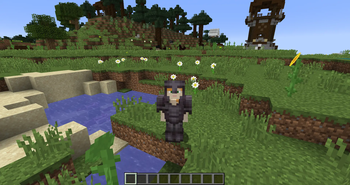
Screenshots

Über diese Mod
🌟 Ultimate Backport Mod – Bringing the Future to the Past!
Welcome to the official page of the Ultimate Backport Mod (UBM) – a project that breathes new life into old Minecraft versions by bringing modern mechanics, features, and mobs back to where it all began.
🔥 Highlights
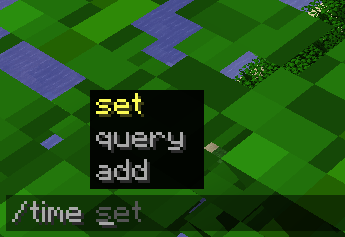
✨ Command Suggestion UI Tired of blindly typing commands in older versions? UBM brings the modern command autocomplete system into legacy Minecraft – making commands easier, faster, and more intuitive.
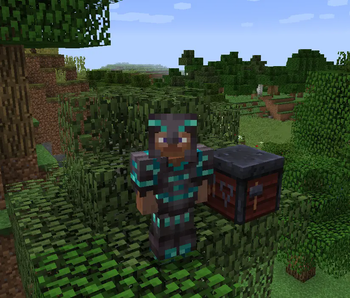
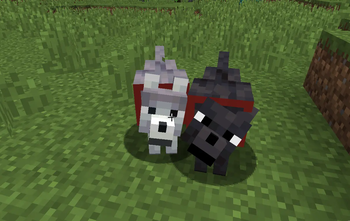
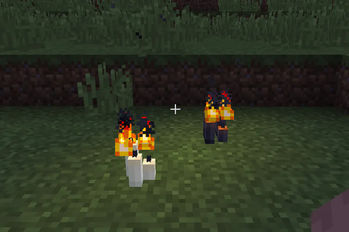
🗳️ Mob Vote Candidates – The Forgotten Return Remember the mobs from the community votes that never made it into the game? They’re finally here – reimagined and added into your worlds! (More will be added step by step!)
⚙️ Full Mob Customization. Every mob is fully configurable (Coming Soon):
- Enable/disable them
- Adjust health, damage, and more
- Tailor the gameplay exactly to your taste
⏳ Modern Mechanics in Old Versions From combat tweaks to quality-of-life improvements – UBM carefully backports features from newer updates into 1.12.2 while keeping the nostalgic charm intact.
🛠️ Supported Versions
Currently, UBM is being developed for Minecraft 1.12.2. Other versions (like 1.7.10, 1.14.4, and 1.16.5) may follow after the core development is complete.
📢 Development Status
This mod was once discontinued – but now it’s being revived, rebuilt, and expanded with fresh ideas and a long-term vision. Stay tuned, join the community, and help shape the future of UBM!
🎯 Download Goals (CurseForge + Modrinth)
- 10.000 Downloads ✅
- 20.000 Downloads ✅
- 30.000 Downloads ✅
- 40.000 Downloads ✅
- 50.000 Downloads ✅
- 100.000 Downloads ❌
- 500.000 Downloads ❌
- 1.000.000 Downloads ❌
✨ Thank you so much for supporting the Ultimate Backport Mod! Every download brings us closer to reviving Minecraft’s history with the magic of its future.
Verfügbare Versionen
Ultimate Backport Mod auf dem Server installieren
Server bestellen
Bestelle einen Minecraft Java Server mit mindestens 4 GB RAM (6 GB empfohlen).
forge Loader setzen
Wähle im Panel unter "Egg" den forge-Loader und die passende Minecraft-Version (1.12.2).
Mod installieren
Öffne den Mod-Browser im Dashboard und suche nach "Ultimate Backport Mod". Klicke "Installieren" – fertig! Alternativ: Lade die .jar via SFTP in den /mods Ordner.
Kompatibilität
Mod-Loader
Minecraft-Versionen
1.12.2
Server-seitig
✓ ErforderlichEmpfohlener RAM
6 GB(min. 4 GB)Häufige Fragen
Ultimate Backport Mod Server crasht beim Start – was tun?
Häufigste Ursache: falsche forge-Version oder zu wenig RAM. Prüfe im Server-Log (latest.log), ob ein "OutOfMemoryError" oder "Mixin"-Fehler auftritt. Bei Mado Hosting: Stelle sicher, dass mindestens 4 GB RAM zugewiesen sind und der Loader zur Mod-Version passt (1.12.2). Über das Panel kannst du den Loader mit einem Klick wechseln.
Ist Ultimate Backport Mod mit forge kompatibel?
Ultimate Backport Mod unterstützt offiziell forge für Minecraft 1.12.2. Im Mado Dashboard werden inkompatible Loader-Kombinationen automatisch erkannt.
Server laggt mit Ultimate Backport Mod – wie optimiere ich die Performance?
Empfohlener RAM: 6 GB (+1 GB pro 5 Spieler). Prüfe mit /spark profiler, ob Ultimate Backport Mod den meisten Tick-Time verbraucht. Häufige Fixes: Server-View-Distance auf 8-10 reduzieren, bei Forge "performant" oder "starlight" als Zusatz-Mod installieren. Bei Mado Hosting läuft dein Server auf NVMe-SSDs mit dedizierten CPU-Kernen für minimale Latenz.
Ähnliche Mods




Modded Server mieten
Installiere Ultimate Backport Mod mit nur einem Klick auf deinem Server.