
Undying Pets
Keep your pets out of harms way by giving them a Totem of Undying
Screenshots
Über diese Mod
Undying Pets Datapack for Minecraft Java Edition
📖 About
If you're tired of your pets jumping infront of you and you accidently smack them with your sword, or them getting in the way and dying this datapack is for you.
📝 Features
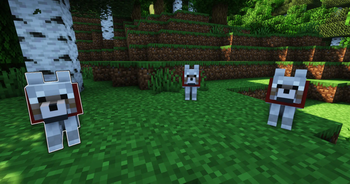
This datapack adds the ability to throw a Totem of Undying onto your pets incase they get killed in a fight or you accidently hit them.
You can also easily check which of your pets currently have a Totem.
❗Important Information
This pack makes it so pets can only pick up Totems and nothing else so you don't have to worry about them stealing your stuff.
The current list of Mobs that can be given Totems are as follows
- Wolves
- Cats
- Parrots
This list may be expanded upon in the future so keep an eye on the changelog when new updates drop!
To check which mobs already have a Totem just hold a totem in your Mainhand and the ones who have a Totem will glow!
📂 Installation
Be sure to install this Datapack to the right location or it will not work properly.
The correct file path is saves/[world]/datapacks
ℹ️ Extra Information
I now have a Ko-fi link located on the pack’s Modrinth page on the sidebar, but always remember donations are appreciated, but never required.
👾 Bugs/Issues
Please report any issues to the Discord located in the Links tab, or on the Planet Minecraft page.
Verfügbare Versionen
Undying Pets auf dem Server installieren
Server bestellen
Bestelle einen Minecraft Java Server mit mindestens 3 GB RAM (4 GB empfohlen).
bukkit Loader setzen
Wähle im Panel unter "Egg" den bukkit-Loader und die passende Minecraft-Version (26.3).
Mod installieren
Öffne den Mod-Browser im Dashboard und suche nach "Undying Pets". Klicke "Installieren" – fertig! Alternativ: Lade die .jar via SFTP in den /mods Ordner.
Kompatibilität
Mod-Loader
Minecraft-Versionen
26.3, 26.2, 26.1.2 (+40 weitere)
Server-seitig
✓ ErforderlichEmpfohlener RAM
4 GB(min. 3 GB)Häufige Fragen
Undying Pets Server crasht beim Start – was tun?
Häufigste Ursache: falsche bukkit-Version oder zu wenig RAM. Prüfe im Server-Log (latest.log), ob ein "OutOfMemoryError" oder "Mixin"-Fehler auftritt. Bei Mado Hosting: Stelle sicher, dass mindestens 3 GB RAM zugewiesen sind und der Loader zur Mod-Version passt (26.3). Über das Panel kannst du den Loader mit einem Klick wechseln.
Ist Undying Pets mit bukkit und datapack und fabric und forge und neoforge und paper und purpur und quilt und spigot kompatibel?
Undying Pets unterstützt offiziell bukkit, datapack, fabric, forge, neoforge, paper, purpur, quilt, spigot für Minecraft 26.3, 26.2, 26.1.2. Achtung: Forge- und Fabric-Mods sind NICHT untereinander kompatibel – wähle einen Loader und bleibe dabei. Im Mado Dashboard werden inkompatible Loader-Kombinationen automatisch erkannt.
Server laggt mit Undying Pets – wie optimiere ich die Performance?
Empfohlener RAM: 4 GB (+1 GB pro 8 Spieler). Prüfe mit /spark profiler, ob Undying Pets den meisten Tick-Time verbraucht. Häufige Fixes: Server-View-Distance auf 8-10 reduzieren, bei Forge "performant" oder "starlight" als Zusatz-Mod installieren. Bei Mado Hosting läuft dein Server auf NVMe-SSDs mit dedizierten CPU-Kernen für minimale Latenz.
Ähnliche Mods




Modded Server mieten
Installiere Undying Pets mit nur einem Klick auf deinem Server.