
VS Unofficial Neoforge Port
An unofficial NeoForge port of the Valkyrien Skies 2 physics engine to Minecraft 1.21.1.
Screenshots
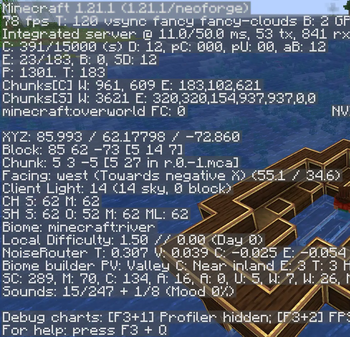
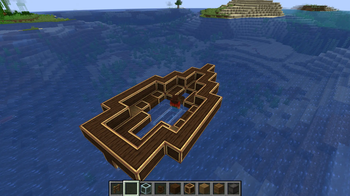
Über diese Mod
Valkyrien Skies (Unofficial NeoForge Port)
⚠️ IMPORTANT DISCLAIMER
This is an UNOFFICIAL port of Valkyrien Skies to Minecraft 1.21.1 using the NeoForge loader.
- Do NOT report any bugs or issues found in this version to the official Valkyrien Skies developers.
- For support, bug reports, or questions regarding this 1.21.1 version, please leave a comment here or contact the port author directly.
🌟 About the Port
This build brings the powerful physics engine of Valkyrien Skies 2 to NeoForge 1.21.1. It allows you to create airships, boats, and other physics-based moving structures in the latest versions of Minecraft.
🔧 Port Origin & Compatibility Notes
- Development: This version was built using an existing port branch from GitHub and has been further tweaked, fixed, and improved by me to work properly.
- Oculus / Iris Shaders: COMPLETELY incompatible. Do not attempt to use shaders with this build.
- ETF & EMF: Currently incompatible for unknown reasons. This might be fixed in future updates.
🛠️ Required Dependencies
To play this mod, you MUST install the following dependencies in your mods folder:
- Kotlin For Forge https://modrinth.com/mod/kotlin-for-forge
- Create https://modrinth.com/mod/create/versions
- Architectury API https://modrinth.com/mod/architectury-api
If the developer has any questions or complaints, please write to me on Discord - @valeriy1199
📜 Credits & License
- Original Creators: Huge thanks to Tri0de, Rubydesic, and the entire Valkyrien Skies team for creating this amazing physics engine.
- Original Source Code: Valkyrien Skies GitHub
- License: This port is distributed under the LGPL-3.0 License, strictly adhering to the original mod's licensing terms.
Verfügbare Versionen
VS Unofficial Neoforge Port auf dem Server installieren
Server bestellen
Bestelle einen Minecraft Java Server mit mindestens 3 GB RAM (4 GB empfohlen).
neoforge Loader setzen
Wähle im Panel unter "Egg" den neoforge-Loader und die passende Minecraft-Version (1.21.1).
Mod installieren
Öffne den Mod-Browser im Dashboard und suche nach "VS Unofficial Neoforge Port". Klicke "Installieren" – fertig! Alternativ: Lade die .jar via SFTP in den /mods Ordner.
Kompatibilität
Mod-Loader
Minecraft-Versionen
1.21.1
Server-seitig
✓ ErforderlichEmpfohlener RAM
4 GB(min. 3 GB)Häufige Fragen
VS Unofficial Neoforge Port Server crasht beim Start – was tun?
Häufigste Ursache: falsche neoforge-Version oder zu wenig RAM. Prüfe im Server-Log (latest.log), ob ein "OutOfMemoryError" oder "Mixin"-Fehler auftritt. Bei Mado Hosting: Stelle sicher, dass mindestens 3 GB RAM zugewiesen sind und der Loader zur Mod-Version passt (1.21.1). Über das Panel kannst du den Loader mit einem Klick wechseln.
Ist VS Unofficial Neoforge Port mit neoforge kompatibel?
VS Unofficial Neoforge Port unterstützt offiziell neoforge für Minecraft 1.21.1. Im Mado Dashboard werden inkompatible Loader-Kombinationen automatisch erkannt.
Server laggt mit VS Unofficial Neoforge Port – wie optimiere ich die Performance?
Empfohlener RAM: 4 GB (+1 GB pro 8 Spieler). Prüfe mit /spark profiler, ob VS Unofficial Neoforge Port den meisten Tick-Time verbraucht. Häufige Fixes: Server-View-Distance auf 8-10 reduzieren, bei Forge "performant" oder "starlight" als Zusatz-Mod installieren. Bei Mado Hosting läuft dein Server auf NVMe-SSDs mit dedizierten CPU-Kernen für minimale Latenz.
Ähnliche Mods





Modded Server mieten
Installiere VS Unofficial Neoforge Port mit nur einem Klick auf deinem Server.
Details
- Lizenz
- GNU Lesser General Public License v3.0 only
- Server-seitig
- Erforderlich