
Villager Trades
Datapack-driven NeoForge mod for replacing villager profession and wandering trader trades with custom JSON-defined trades.
Screenshots
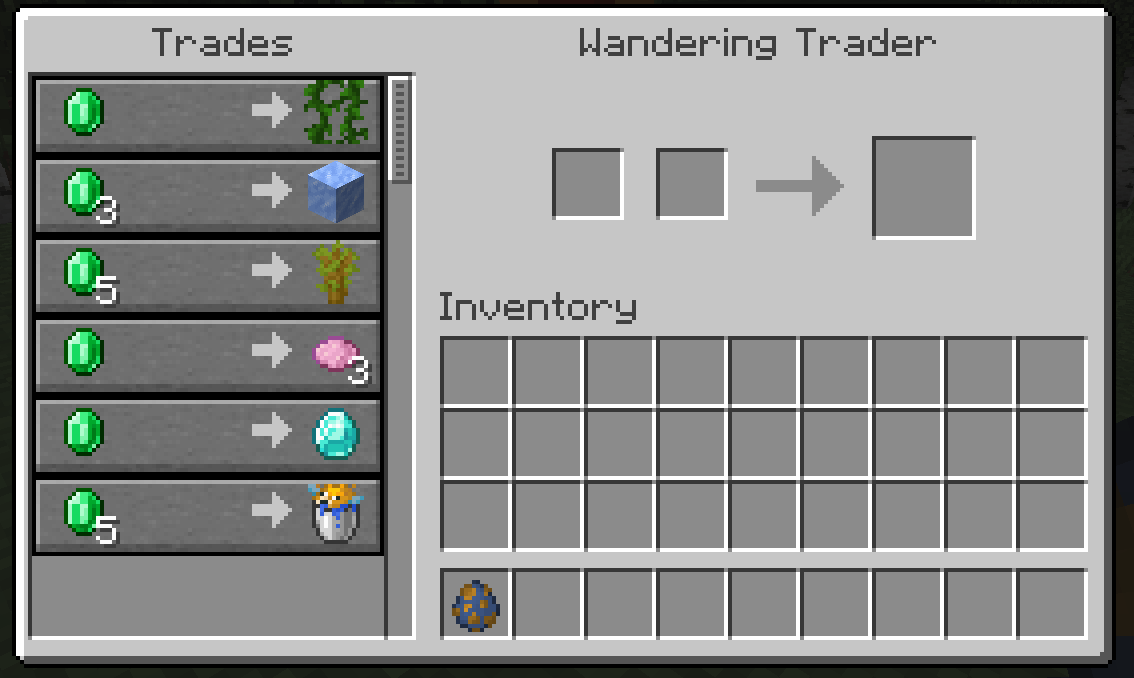
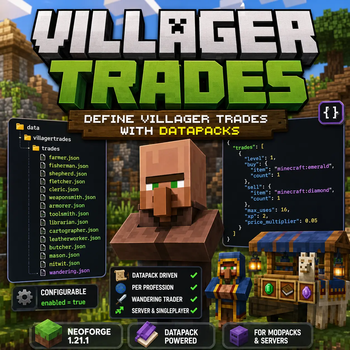
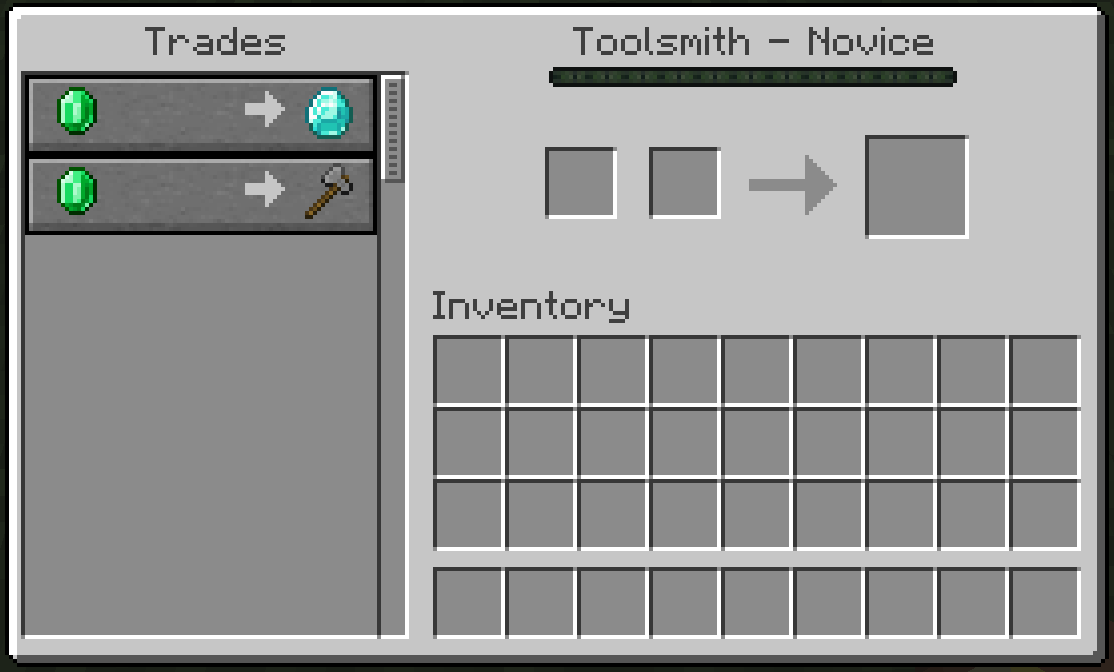
Über diese Mod
Villager Trades
Villager Trades is a lightweight NeoForge mod for Minecraft 1.21.1 that lets modpack makers and server owners define villager trades through datapacks.
Instead of hardcoding trade changes in Java or editing the mod itself, trades are controlled with JSON files. Each villager profession has its own file, and wandering trader trades are handled separately.
Features
- Add custom trades through datapacks
- Configure trades per villager profession
- Configure wandering trader trades
- Replace vanilla trades only when a matching datapack file exists
- Leave vanilla trades unchanged when no datapack file is present
- Enable or disable the mod's trade functionality through a simple config option
- Works on both dedicated servers and singleplayer worlds
How It Works
Datapack trade files are placed under:
data/villagertrades/trades/
Supported profession files:
farmer.jsonfisherman.jsonshepherd.jsonfletcher.jsoncleric.jsonweaponsmith.jsonarmorer.jsontoolsmith.jsonlibrarian.jsoncartographer.jsonleatherworker.jsonbutcher.jsonmason.jsonnitwit.jsonwandering.json
If a valid profession file exists, that profession's vanilla trades are removed and replaced with the trades from the JSON file.
If no file exists for a profession, that profession keeps its vanilla trades.
Wandering Trader
Wandering trader trades are configured with:
wandering.json
Entries can use:
"pool": "generic""pool": "rare"
If no pool is specified, the trade is added to the generic pool.
When wandering.json exists, vanilla wandering trader trades are replaced by the JSON-defined trades.
Config
The mod generates a common config file:
config/villagertrades-common.toml
The config contains:
enabled = true
When set to false, the mod does not change villager or wandering trader trades.
Example Trade
{
  "trades": [
    {
      "level": 1,
      "buy": { "item": "minecraft:emerald", "count": 1 },
      "sell": { "item": "minecraft:diamond", "count": 1 },
      "max_uses": 16,
      "xp": 2,
      "price_multiplier": 0.05
    }
  ]
}
Notes
- Villager trades use levels from
1to5 - Minecraft datapack resource paths must be lowercase
- Trade files can contain either a JSON array or an object with a
tradesarray - This mod is intended for datapack-driven customization, modpacks, and server-side trade balancing
Verfügbare Versionen
Villager Trades auf dem Server installieren
Server bestellen
Bestelle einen Minecraft Java Server mit mindestens 3 GB RAM (4 GB empfohlen).
neoforge Loader setzen
Wähle im Panel unter "Egg" den neoforge-Loader und die passende Minecraft-Version (1.21.11).
Mod installieren
Öffne den Mod-Browser im Dashboard und suche nach "Villager Trades". Klicke "Installieren" – fertig! Alternativ: Lade die .jar via SFTP in den /mods Ordner.
Kompatibilität
Mod-Loader
Minecraft-Versionen
1.21.11, 1.21.10, 1.21.9 (+8 weitere)
Server-seitig
✓ ErforderlichEmpfohlener RAM
4 GB(min. 3 GB)Häufige Fragen
Villager Trades Server crasht beim Start – was tun?
Häufigste Ursache: falsche neoforge-Version oder zu wenig RAM. Prüfe im Server-Log (latest.log), ob ein "OutOfMemoryError" oder "Mixin"-Fehler auftritt. Bei Mado Hosting: Stelle sicher, dass mindestens 3 GB RAM zugewiesen sind und der Loader zur Mod-Version passt (1.21.11). Über das Panel kannst du den Loader mit einem Klick wechseln.
Ist Villager Trades mit neoforge kompatibel?
Villager Trades unterstützt offiziell neoforge für Minecraft 1.21.11, 1.21.10, 1.21.9. Im Mado Dashboard werden inkompatible Loader-Kombinationen automatisch erkannt.
Server laggt mit Villager Trades – wie optimiere ich die Performance?
Empfohlener RAM: 4 GB (+1 GB pro 8 Spieler). Prüfe mit /spark profiler, ob Villager Trades den meisten Tick-Time verbraucht. Häufige Fixes: Server-View-Distance auf 8-10 reduzieren, bei Forge "performant" oder "starlight" als Zusatz-Mod installieren. Bei Mado Hosting läuft dein Server auf NVMe-SSDs mit dedizierten CPU-Kernen für minimale Latenz.
Modded Server mieten
Installiere Villager Trades mit nur einem Klick auf deinem Server.