
way2wayfabric
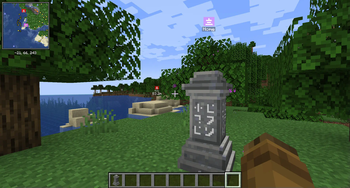
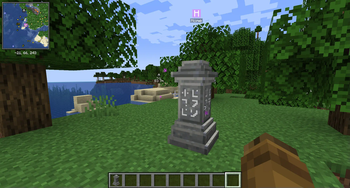
Waystone -> Xaero's Minimap Waypoint sync for fabric
Screenshots
Über diese Mod
Since Xaero's Minimap doesn't have an official API,
it's unlikely that the Waystones mod will support
automatic integration; so how do we get automatic
waypoints in Xaero's Minimap? Via a bridge mod like
this one. There are others for Forge (w2w and
waymaker), but none for Fabric, which is why I threw
this together.
Usage
No configuration needed! Once the mod is installed, it
will automatically create waypoints in your minimap
for all discovered waystones.
If you accidentally delete one or more auto-generated
waypoints, they will all reappear in the current
waypoint set when you disconnect and reconnect.
For those who use multiple waypoint sets:
- Each newly discovered waystone is added to the
currently active waypoint set. - If you use multiple waypoint sets, ensure the right
one is active before you activate a waystone. - These waypoints can be moved to other waypoint sets
after discovery, using the regular waypoint editing
gui.
Requirements
Required mods:
- Xaero's Minimap (tested with 23.3.2)
or Xaero's Minimap fair-play - Fabric Language Kotlin
Supported waystone mods:
- Waystones (tested with 11.3.1)
- Fabric Waystones (tested with 3.0.5)
Supports both waystone mods simultaneously (each mod's
waypoints will have a unique minimap symbol)
Inspired by:
- Waystones2Waypoints (curseforge) (Forge 1.16)
- Waystone Waypoint Maker (Forge 1.17+)
Verfügbare Versionen
way2wayfabric auf deinem Client installieren
Mod-Loader lokal installieren
Installiere fabric für deine lokale Minecraft-Version.
Passende Datei herunterladen
Wähle die way2wayfabric-Datei für fabric und Minecraft 1.20.4.
Mod installieren
Lege die .jar-Datei in deinem lokalen .minecraft/mods-Ordner ab und starte Minecraft neu. Eine Installation auf dem Server ist nicht nötig.
Kompatibilität
Mod-Loader
Minecraft-Versionen
1.20.4, 1.20.3, 1.20.2 (+7 weitere)
Server-seitig
✗ Nicht unterstütztEmpfohlener RAM
4 GB(min. 3 GB)Häufige Fragen
Muss way2wayfabric auf dem Minecraft Server installiert werden?
Nein. Modrinth kennzeichnet way2wayfabric serverseitig als nicht unterstützt. Installiere die Mod nur im lokalen Minecraft-Mods-Ordner. Dein Server kann unverändert bleiben, sofern die Mod-Seite keine zusätzliche Abhängigkeit nennt.
Welche Version und welchen Loader braucht way2wayfabric?
Nutze eine Datei für fabric und exakt deine Minecraft-Version. Unterstützte Versionen sind unter anderem 1.20.4, 1.20.3, 1.20.2. Loader-Dateien sind nicht untereinander austauschbar.
way2wayfabric funktioniert nicht – was kann ich prüfen?
Prüfe zuerst Minecraft-Version, Loader-Version und erforderliche Abhängigkeiten. Lege die .jar-Datei im lokalen .minecraft/mods-Ordner ab und entferne ältere Duplikate. Da die Mod clientseitig ist, löst mehr Server-RAM dieses Problem nicht.
Ähnliche Mods



Minecraft Server für deine Gruppe
way2wayfabric bleibt auf deinem Client. Hoste dazu eine kompatible Welt für deine Mitspieler.