
Waystones Plus
This project reworks Waystones UI to make it more user friendly
Screenshots
Über diese Mod
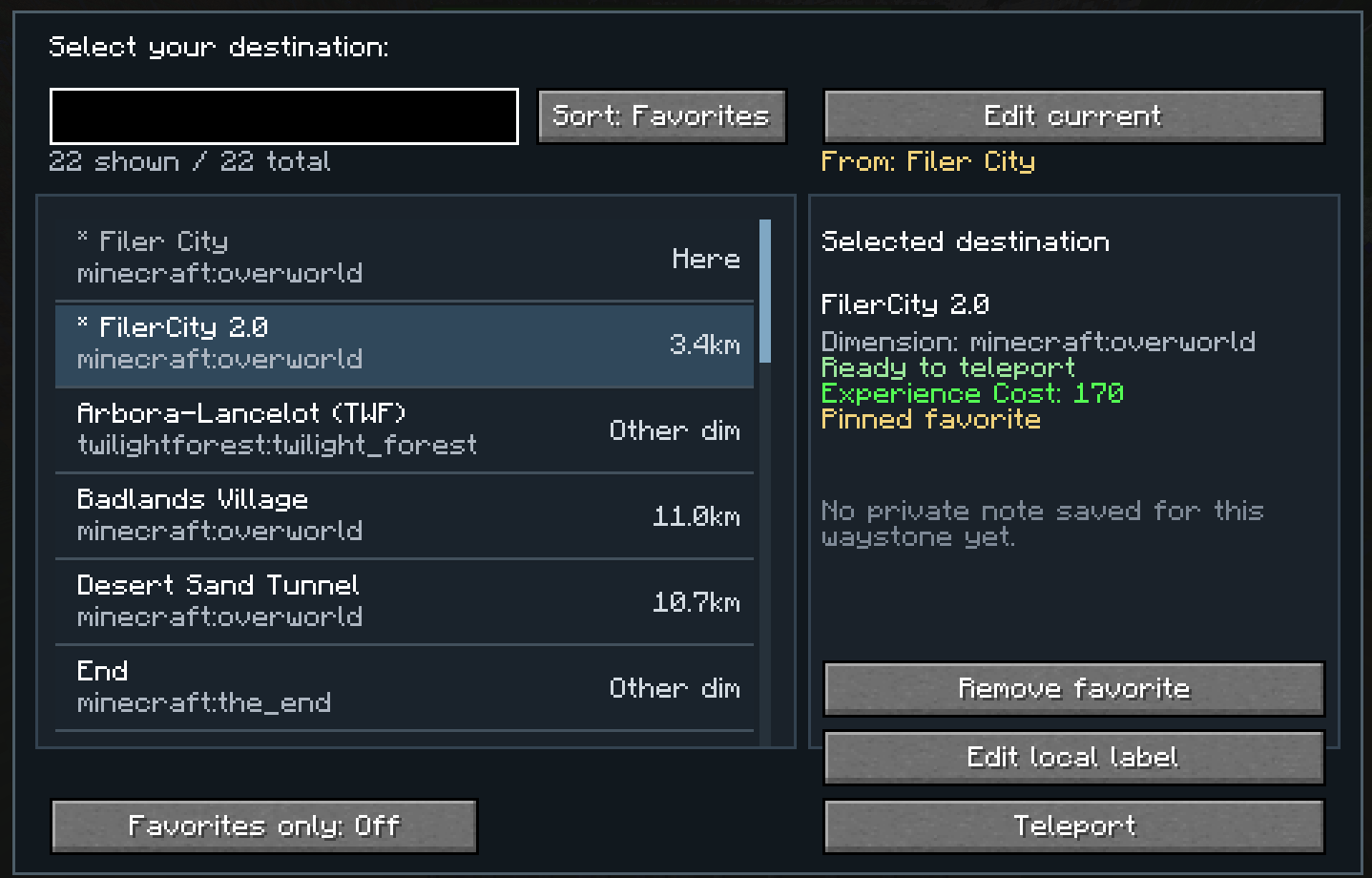
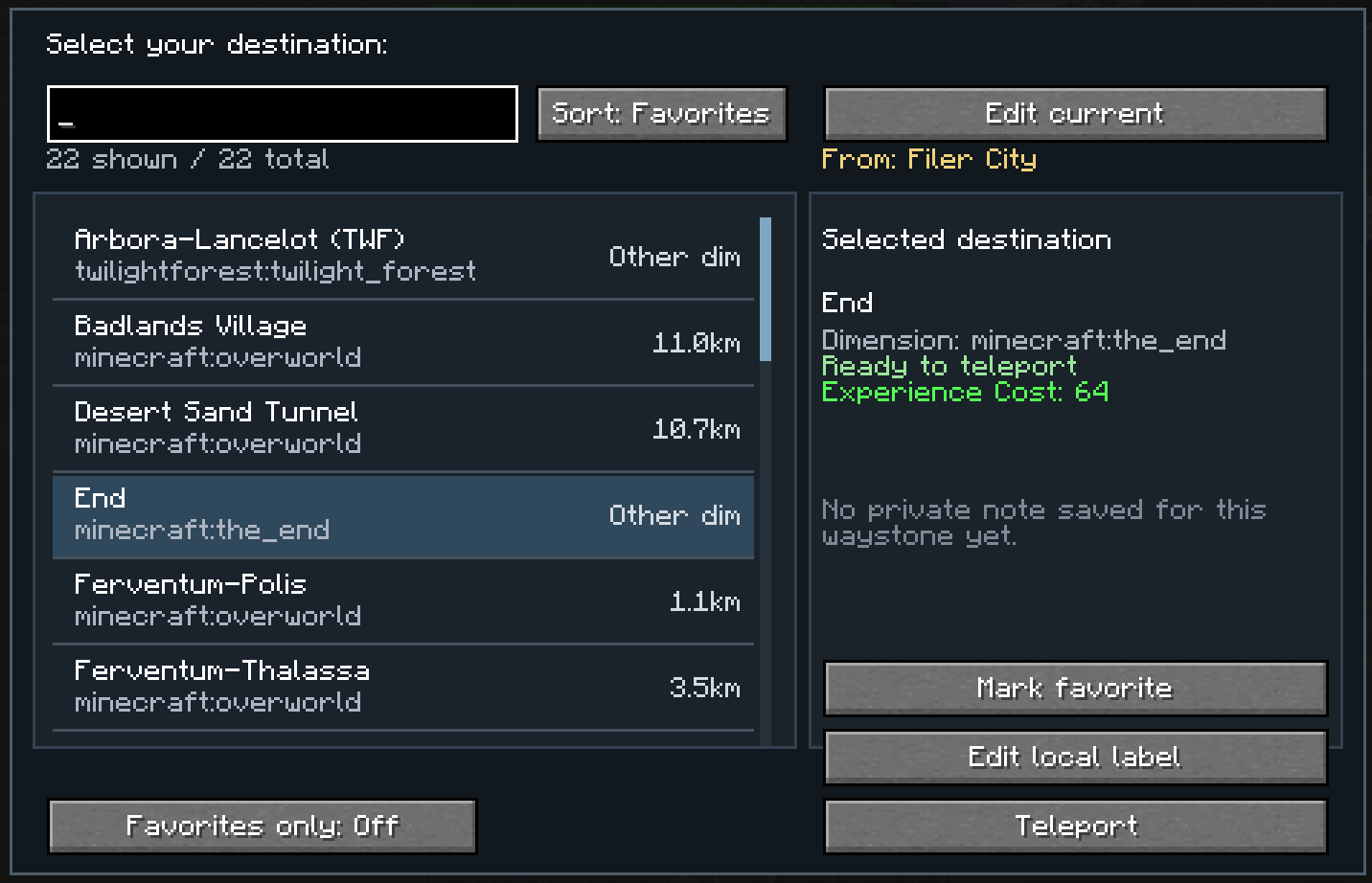
Waystones UI+ is a client-side quality-of-life addon for NeoForge 1.21.1 that improves the Waystones teleport selection screen and makes large waystone networks much easier to use.
The default Waystones interface can become inconvenient when you have many discovered waystones. This mod replaces that limited browsing experience with a more practical scroll-based UI and adds personal organization tools that are visible only to you.
Features
- Custom scroll UI for browsing waystones more comfortably
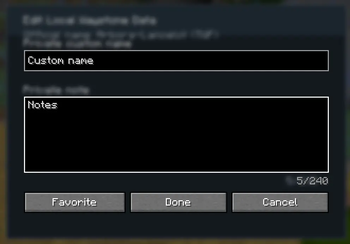
- Personal renaming of waystones for your client only
- Private notes for remembering what each waystone is actually for
- Sorting options
- by name
- by distance
- Favorites
- Custom favorites order for quick access to your most important destinations
Why use it?
If you play on multiplayer servers, you probably know the problem:
other players often name waystones in ways that make sense to them, but not necessarily to you.
With this mod, you can organize everything locally:
rename waystones for yourself, leave notes, and keep your favorite destinations exactly where you want them.
Client-side only
This mod is designed as a client-side addon.
That means:
- your personal renames are only visible to you
- your notes are only visible to you
- it does not rename waystones on the server
- it does not affect other players
- it does not change teleport mechanics
It only improves the interface and your personal waystone organization.
Planned Features
- Folders for better waystone organization
- Level cost display
Verfügbare Versionen
Waystones Plus auf deinem Client installieren
Mod-Loader lokal installieren
Installiere neoforge für deine lokale Minecraft-Version.
Passende Datei herunterladen
Wähle die Waystones Plus-Datei für neoforge und Minecraft 1.21.1.
Mod installieren
Lege die .jar-Datei in deinem lokalen .minecraft/mods-Ordner ab und starte Minecraft neu. Eine Installation auf dem Server ist nicht nötig.
Kompatibilität
Mod-Loader
Minecraft-Versionen
1.21.1
Server-seitig
✗ Nicht unterstütztEmpfohlener RAM
4 GB(min. 3 GB)Häufige Fragen
Muss Waystones Plus auf dem Minecraft Server installiert werden?
Nein. Modrinth kennzeichnet Waystones Plus serverseitig als nicht unterstützt. Installiere die Mod nur im lokalen Minecraft-Mods-Ordner. Dein Server kann unverändert bleiben, sofern die Mod-Seite keine zusätzliche Abhängigkeit nennt.
Welche Version und welchen Loader braucht Waystones Plus?
Nutze eine Datei für neoforge und exakt deine Minecraft-Version. Unterstützte Versionen sind unter anderem 1.21.1. Loader-Dateien sind nicht untereinander austauschbar.
Waystones Plus funktioniert nicht – was kann ich prüfen?
Prüfe zuerst Minecraft-Version, Loader-Version und erforderliche Abhängigkeiten. Lege die .jar-Datei im lokalen .minecraft/mods-Ordner ab und entferne ältere Duplikate. Da die Mod clientseitig ist, löst mehr Server-RAM dieses Problem nicht.
Ähnliche Mods




Minecraft Server für deine Gruppe
Waystones Plus bleibt auf deinem Client. Hoste dazu eine kompatible Welt für deine Mitspieler.