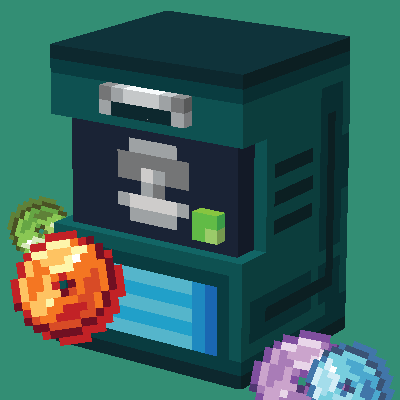
Where Are My TMs
Adds TMs and HMs to Cobblemon, temporary until the official release comes out (which may take months+)
Über diese Mod
Where Are My TMs?
Cobblemon Sidemod
NOTE: 2.0.0 is a potentially breaking change from 1.0.0 - please take a backup and understand that there is a risk of losing your items on update!
(1.0.0 is still public domain since there are projects using it as such but >=2.0.0 are under MPL 2.0)
This mod adds in TMs into the game, essentially you can transfer moves from one Pokemon to another.
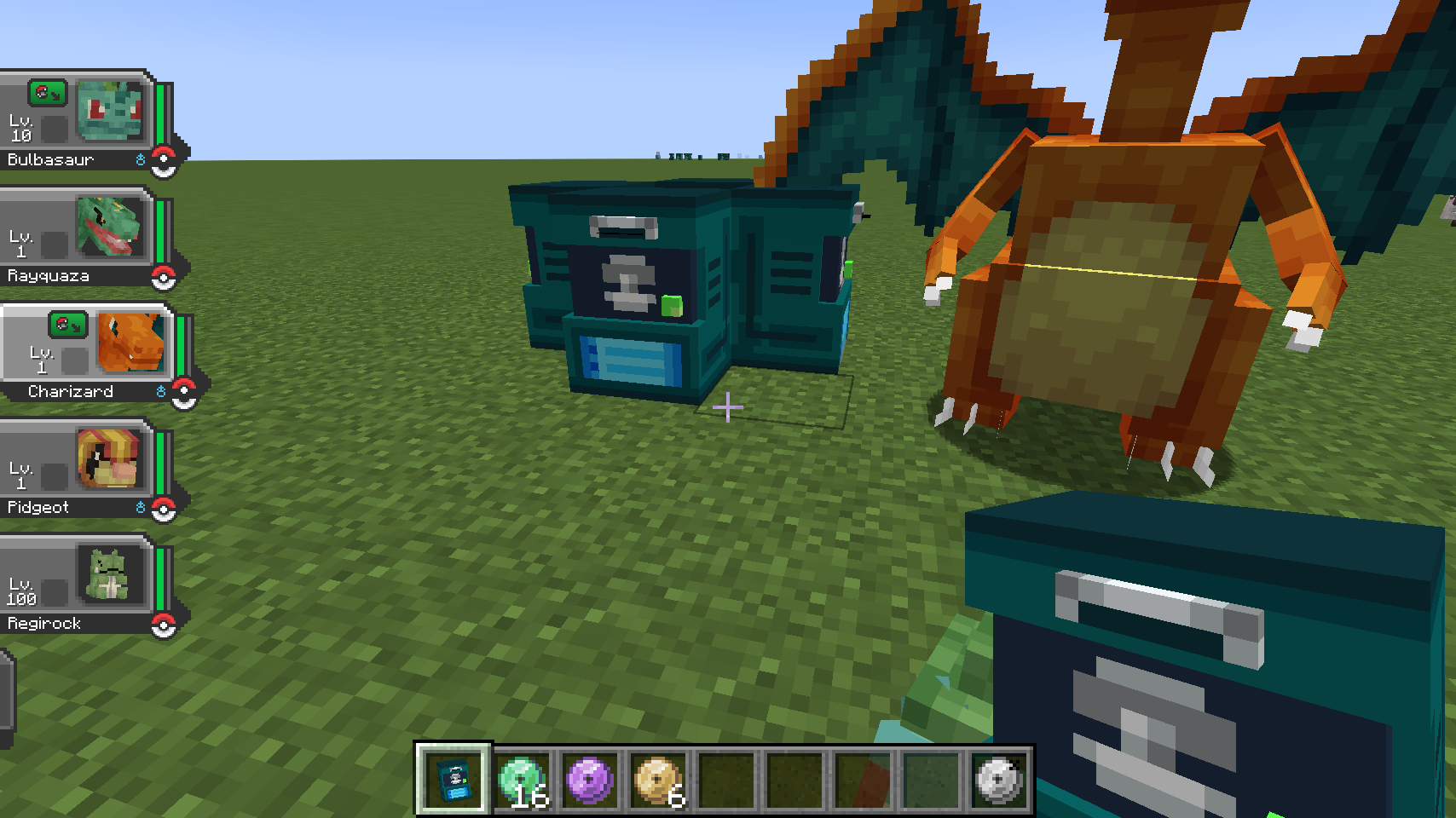
Config options allow for tutor and egg moves, but not all may have been added from Cobblemon's side - please submit a feature request to their platform if it does not work (or open an issue on this mod's github).
For Users
Install the mod alongside Architectury, Fabric API and Cobblemon on Fabric, launch the game, play.
Usage:
- Craft a TM Machine
- Craft a TM or a TR, TRs in this mod are super cheap one-time TMs to transfer moves and TMs are that but unlimited.
- Interact with the TM Machine while holding a TM or a TR/HM, it will open up a party screen. Select the move you desire and it will transfer over.
- Interact with the Pokemon you want to teach, you must be their owner to do so and the Pokemon must be able to learn the move, check https://pokemondb.net/ to see what TM moves they can learn, and if it's enabled on your server, tutor moves.
Recipes:
- TM
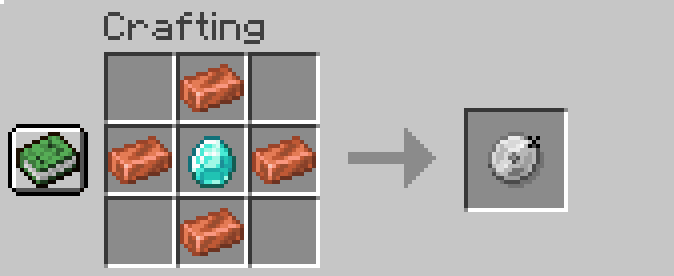
- TR Recipe

- TM Machine

For Modpack Creators / Server Managers
You can choose to allowTutorMoves or allowEggMoves in config/wherearemytms.json, it allows TMs to teach tutor-like moves since NPCs aren't in yet. Egg moves are pretty hit and miss though, not all Pokemon have them added into their data files (which you can fix yourself!)
Credits
me~
The Cobblemon Team for the actual mod
big thanks to:
- Pos1x for contributing the TM images!
- falkory for contributing various different assets (and her own brand of TM images, which will be incorporated for TRs/HMs next update
my template generator which is a little cool thing if you're trying out your own hand at sidemods
Verfügbare Versionen
Where Are My TMs auf dem Server installieren
Server bestellen
Bestelle einen Minecraft Java Server mit mindestens 3 GB RAM (4 GB empfohlen).
fabric Loader setzen
Wähle im Panel unter "Egg" den fabric-Loader und die passende Minecraft-Version (1.20.1).
Mod installieren
Öffne den Mod-Browser im Dashboard und suche nach "Where Are My TMs". Klicke "Installieren" – fertig! Alternativ: Lade die .jar via SFTP in den /mods Ordner.
Kompatibilität
Mod-Loader
Minecraft-Versionen
1.20.1, 1.19.2
Server-seitig
✓ ErforderlichEmpfohlener RAM
4 GB(min. 3 GB)Häufige Fragen
Where Are My TMs Server crasht beim Start – was tun?
Häufigste Ursache: falsche fabric-Version oder zu wenig RAM. Prüfe im Server-Log (latest.log), ob ein "OutOfMemoryError" oder "Mixin"-Fehler auftritt. Bei Mado Hosting: Stelle sicher, dass mindestens 3 GB RAM zugewiesen sind und der Loader zur Mod-Version passt (1.20.1). Über das Panel kannst du den Loader mit einem Klick wechseln.
Ist Where Are My TMs mit fabric kompatibel?
Where Are My TMs unterstützt offiziell fabric für Minecraft 1.20.1, 1.19.2. Im Mado Dashboard werden inkompatible Loader-Kombinationen automatisch erkannt.
Server laggt mit Where Are My TMs – wie optimiere ich die Performance?
Empfohlener RAM: 4 GB (+1 GB pro 8 Spieler). Prüfe mit /spark profiler, ob Where Are My TMs den meisten Tick-Time verbraucht. Häufige Fixes: Server-View-Distance auf 8-10 reduzieren, bei Forge "performant" oder "starlight" als Zusatz-Mod installieren. Bei Mado Hosting läuft dein Server auf NVMe-SSDs mit dedizierten CPU-Kernen für minimale Latenz.
Ähnliche Mods



![[TaCZ] Timeless and Classics Zero](https://cdn.modrinth.com/data/SzzJttH8/fd27766d2bb8390d284696b1dbd358f87e081439_96.webp)


Modded Server mieten
Installiere Where Are My TMs mit nur einem Klick auf deinem Server.