
World Viewer
Download the chunks a server sends you into a normal singleplayer world, with a live 2D/3D map of exactly what you have.
Screenshots
Über diese Mod
World Viewer
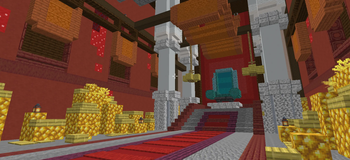
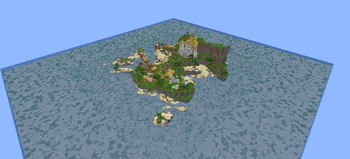
World Viewer is a client-side mod that saves the chunks a server streams to you into a normal Anvil world you can open in singleplayer, and shows you a live map of exactly which chunks you have downloaded, not just a count.
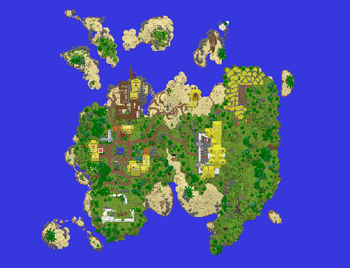
As you move around, the area you have explored fills in. Places you never visited stay as void, so the edge of your download is obvious at a glance.
Features
- Automatic download. On by default. Join a server, start moving, and every chunk the server sends is saved as you load it. A small status indicator shows at the top of the screen.
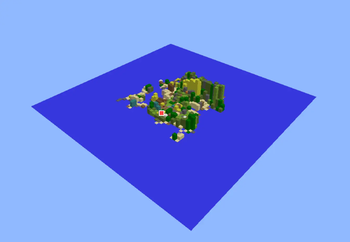
- Live download map. Press
Mto open it. A 3D voxel view of your downloaded world plus a flat 2D top-down map (toggle withV). Brightly coloured chunks are saved to disk; dimmed chunks are loaded but not yet saved. - Two cameras. Orbit (right-drag to rotate, left-drag to pan, scroll to zoom) and a free-fly "drone" (
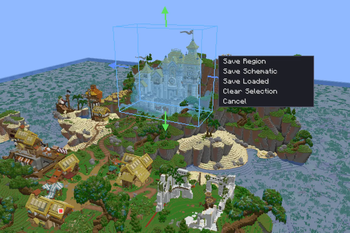
WASDto move, space/shift for up/down, drag to look, scroll to change speed). - Area selection and export. Pick a box in either view, then save it as a clipped Anvil region or a
.schemschematic. You can also save everything currently loaded around you. - Real, version-correct saves. Chunk data is written with Minecraft's own serializer, so palettes, biomes, heightmaps and lighting are byte-exact and the world opens normally in singleplayer.
- Multi-dimensional. Fly through a portal and the Nether and End are written into the same world.
- Configurable. Auto-download, 3D detail capture, anti-aliasing, detail range, field of view, look sensitivity, a rebindable open-map key, and the save folder. All saved to
config/wdl.json.
Commands
| Command / key | What it does |
|---|---|
Press M |
Open the map (rebindable in the settings panel or Controls). |
/wdl save |
Force-save every chunk currently loaded around you. |
/wdl auto on / off |
Toggle automatic downloading. |
/wdl detail on / off |
Toggle full 3D voxel capture. |
/wdl output <folder> |
Set where worlds are saved (blank = .minecraft/saves). |
/wdl settings |
Open the settings panel. |
/wdl status |
Show state, saved/loaded counts, and the output folder. |
Requirements
- Fabric Loader and Fabric API
- Use the download that matches your Minecraft version. Builds are provided per version (currently 1.21.8 and 1.21.11).
Good to know
These are inherent to any client-side downloader, not bugs:
- You can only save what the server sends you, i.e. chunks within your render distance. To download an area, go there. A higher render distance loads more at once.
- Container contents are usually empty. Servers do not send chest/barrel inventories until you open them, so most containers download empty. Signs, banners, and similar block data are saved.
- No entities yet (mobs, item frames, paintings). Blocks, block entities, biomes, and lighting are saved.
- Respect server rules. Many servers forbid world-ripping. Use this on your own servers, in singleplayer, or where you have permission.
THIS MOD IS EXPERIMENTAL REPORT BUGS TO @alpha.162 ON DISCORD
License
Source-available, all rights reserved. You may use the official builds and include them in modpacks (unmodified, with credit and a link back). Please do not re-upload the mod elsewhere or distribute modified versions without permission.
Verfügbare Versionen
World Viewer auf dem Server installieren
Server bestellen
Bestelle einen Minecraft Java Server mit mindestens 3 GB RAM (4 GB empfohlen).
fabric Loader setzen
Wähle im Panel unter "Egg" den fabric-Loader und die passende Minecraft-Version (1.21.11).
Mod installieren
Öffne den Mod-Browser im Dashboard und suche nach "World Viewer". Klicke "Installieren" – fertig! Alternativ: Lade die .jar via SFTP in den /mods Ordner.
Kompatibilität
Mod-Loader
Minecraft-Versionen
1.21.11, 1.21.8
Server-seitig
✗ Nicht unterstütztEmpfohlener RAM
4 GB(min. 3 GB)Häufige Fragen
World Viewer Server crasht beim Start – was tun?
Häufigste Ursache: falsche fabric-Version oder zu wenig RAM. Prüfe im Server-Log (latest.log), ob ein "OutOfMemoryError" oder "Mixin"-Fehler auftritt. Bei Mado Hosting: Stelle sicher, dass mindestens 3 GB RAM zugewiesen sind und der Loader zur Mod-Version passt (1.21.11). Über das Panel kannst du den Loader mit einem Klick wechseln.
Ist World Viewer mit fabric kompatibel?
World Viewer unterstützt offiziell fabric für Minecraft 1.21.11, 1.21.8. Im Mado Dashboard werden inkompatible Loader-Kombinationen automatisch erkannt.
Server laggt mit World Viewer – wie optimiere ich die Performance?
Empfohlener RAM: 4 GB (+1 GB pro 8 Spieler). Prüfe mit /spark profiler, ob World Viewer den meisten Tick-Time verbraucht. Häufige Fixes: Server-View-Distance auf 8-10 reduzieren, bei Forge "performant" oder "starlight" als Zusatz-Mod installieren. Bei Mado Hosting läuft dein Server auf NVMe-SSDs mit dedizierten CPU-Kernen für minimale Latenz.
Ähnliche Mods




Modded Server mieten
Installiere World Viewer mit nur einem Klick auf deinem Server.