
Zyx's Random Creation
Do you think there are too many materials in the vanilla Minecraft that are useless to you? Do you think the vanilla equipment limit is too low? Try Zyx's Random Creation! This mod has added some practical items to your Minecraft!
Screenshots
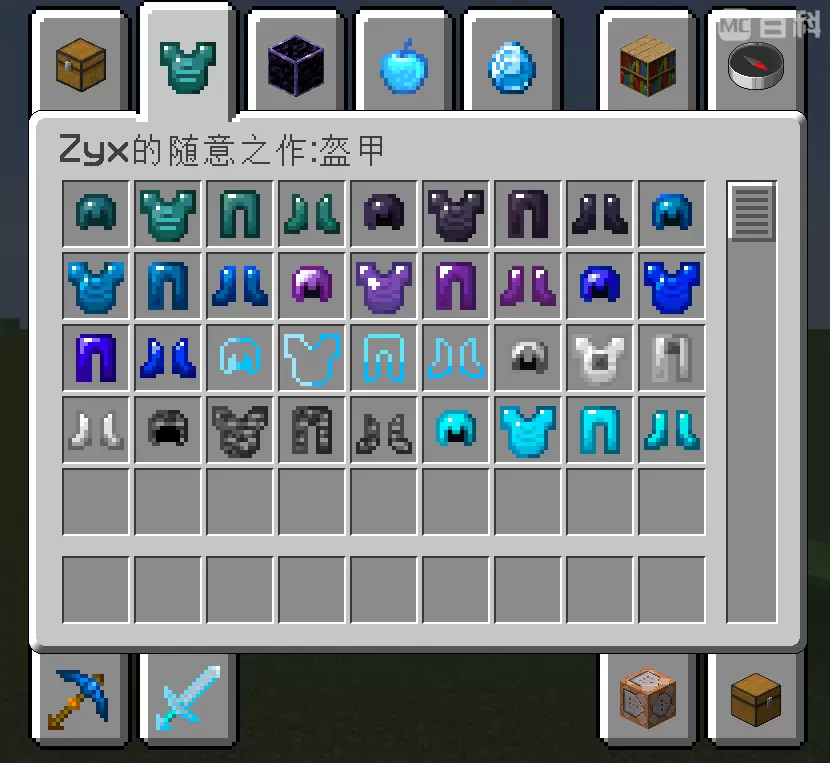
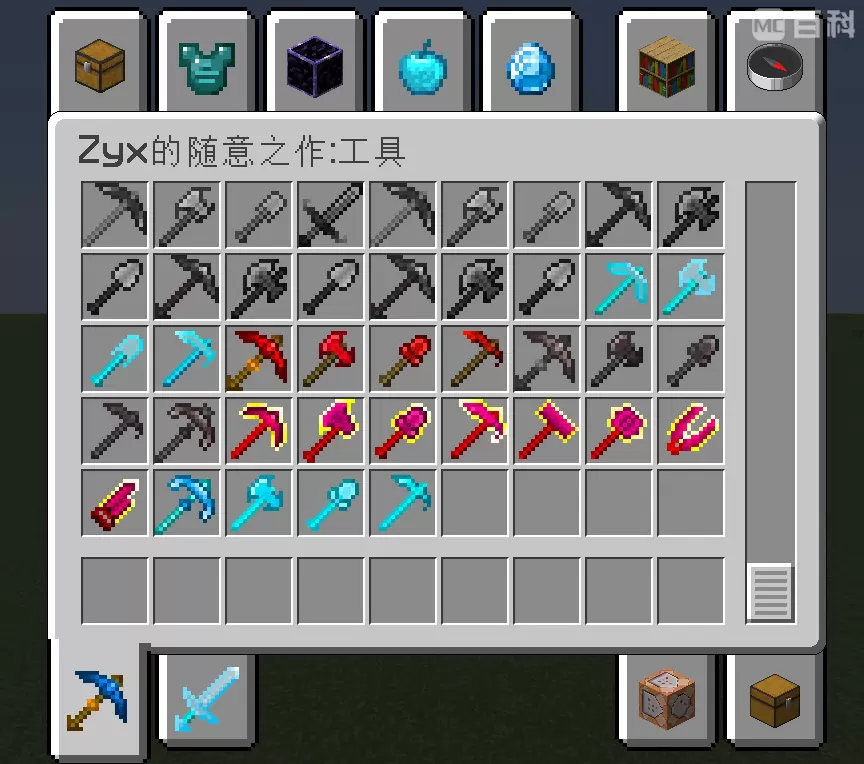
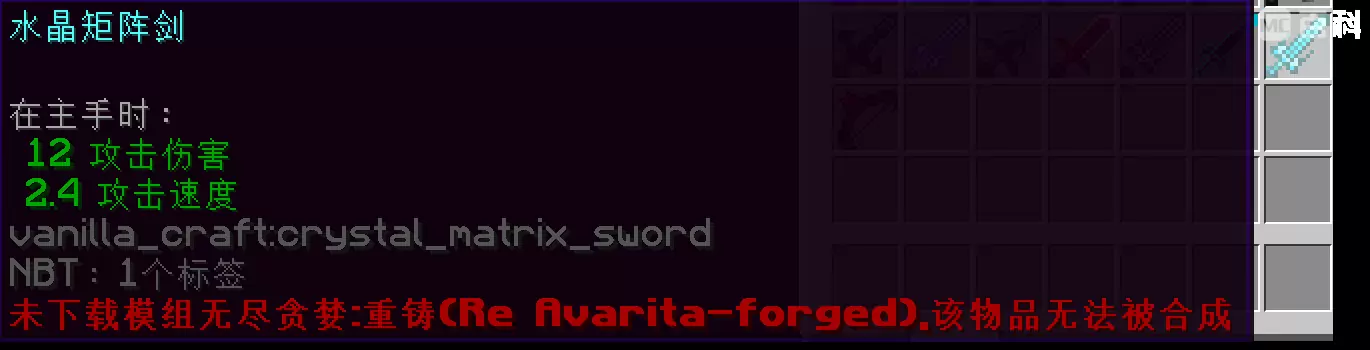
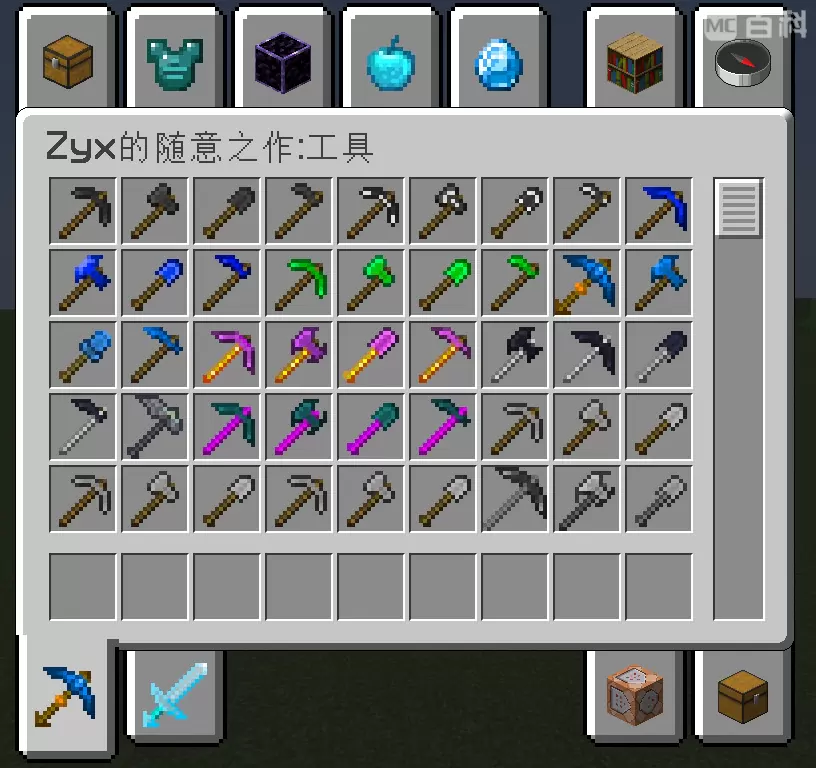
Über diese Mod
Zyx's Random Creation (hereinafter referred to as ZRC) has added some practical (not necessarily) items to your Minecraft, such as lapis lazuli tools, obsidian tools, etc.
ZRC has also added tools made from the raw materials of some mods, such as using crystal matrix ingots to make equipment with Re: Avaritia, and using magenta matters to make equipment with Project Expansion (if the corresponding mod is not installed, a red font prompt will be displayed below the item).
There are also some enchantments added to the mod, such as experience drawing enchantments that allow you to drop experience when destroying blocks; Burst enchantment can make bullets fired by bows or crossbows have explosive effects; Heavy strikes can make the target weak and slow…
You can view the introduction of enchantments by adding Enchantment Descriptions mod.
Regarding the follow-up ideas for this mod, due to limited technical capabilities, the author will collaborate with some mods to expand the materials in the mods that cannot be used to synthesize equipment and tools, or to integrate existing materials with materials within the mods. Currently, the plan is for Twilight Forest.
This mod is made using MCreator.
(Note: The English translation of this mod is not yet complete)
Verfügbare Versionen
Zyx's Random Creation auf dem Server installieren
Server bestellen
Bestelle einen Minecraft Java Server mit mindestens 3 GB RAM (4 GB empfohlen).
forge Loader setzen
Wähle im Panel unter "Egg" den forge-Loader und die passende Minecraft-Version (1.20.1).
Mod installieren
Öffne den Mod-Browser im Dashboard und suche nach "Zyx's Random Creation". Klicke "Installieren" – fertig! Alternativ: Lade die .jar via SFTP in den /mods Ordner.
Kompatibilität
Mod-Loader
Minecraft-Versionen
1.20.1
Server-seitig
✓ ErforderlichEmpfohlener RAM
4 GB(min. 3 GB)Häufige Fragen
Zyx's Random Creation Server crasht beim Start – was tun?
Häufigste Ursache: falsche forge-Version oder zu wenig RAM. Prüfe im Server-Log (latest.log), ob ein "OutOfMemoryError" oder "Mixin"-Fehler auftritt. Bei Mado Hosting: Stelle sicher, dass mindestens 3 GB RAM zugewiesen sind und der Loader zur Mod-Version passt (1.20.1). Über das Panel kannst du den Loader mit einem Klick wechseln.
Ist Zyx's Random Creation mit forge kompatibel?
Zyx's Random Creation unterstützt offiziell forge für Minecraft 1.20.1. Im Mado Dashboard werden inkompatible Loader-Kombinationen automatisch erkannt.
Server laggt mit Zyx's Random Creation – wie optimiere ich die Performance?
Empfohlener RAM: 4 GB (+1 GB pro 8 Spieler). Prüfe mit /spark profiler, ob Zyx's Random Creation den meisten Tick-Time verbraucht. Häufige Fixes: Server-View-Distance auf 8-10 reduzieren, bei Forge "performant" oder "starlight" als Zusatz-Mod installieren. Bei Mado Hosting läuft dein Server auf NVMe-SSDs mit dedizierten CPU-Kernen für minimale Latenz.
Ähnliche Mods



![[TaCZ] Timeless and Classics Zero](https://cdn.modrinth.com/data/SzzJttH8/fd27766d2bb8390d284696b1dbd358f87e081439_96.webp)


Modded Server mieten
Installiere Zyx's Random Creation mit nur einem Klick auf deinem Server.