Advanced Recipes
Utility library to help mods create recipes with extra info or special properties.
Beschreibung
Advanced Recipes
Multiplayer Compatible, Multiplayer Tested! Can also run as a client-side only mod as long as the server has SML installed.
If you enjoy my work, please consider donating to my [completely optional tip jar](https://ko-fi.com/robb4).
[AniMouse's tips](https://boosty.to/anivirus/donate)
This mod adds no content of its own, only adjusts various displays of recipes. It also enables other mods to supply additional properties for recipes
Features
Make ingredients that cost '0' of an item display as "Catalyst" items instead of "0"
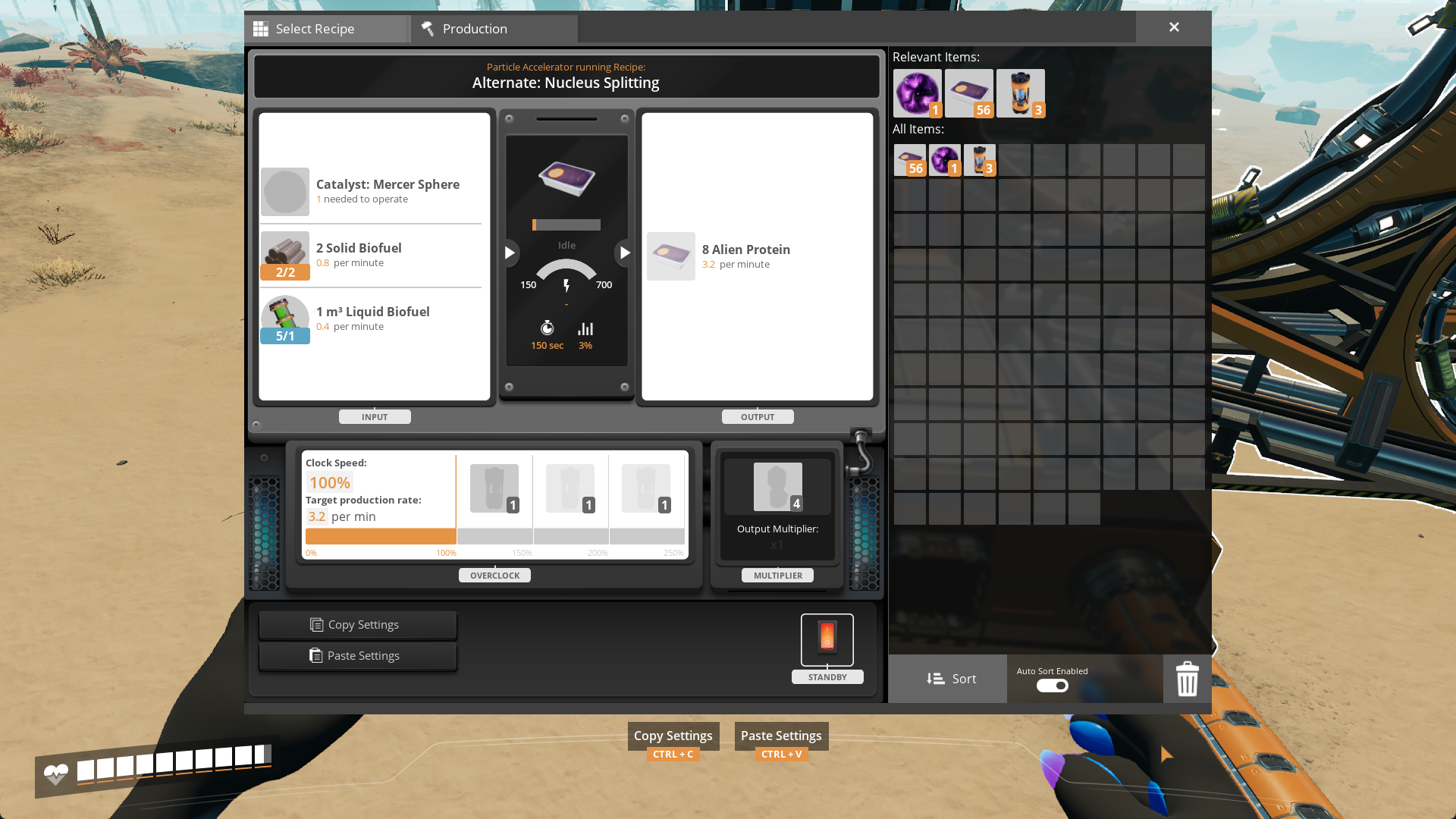
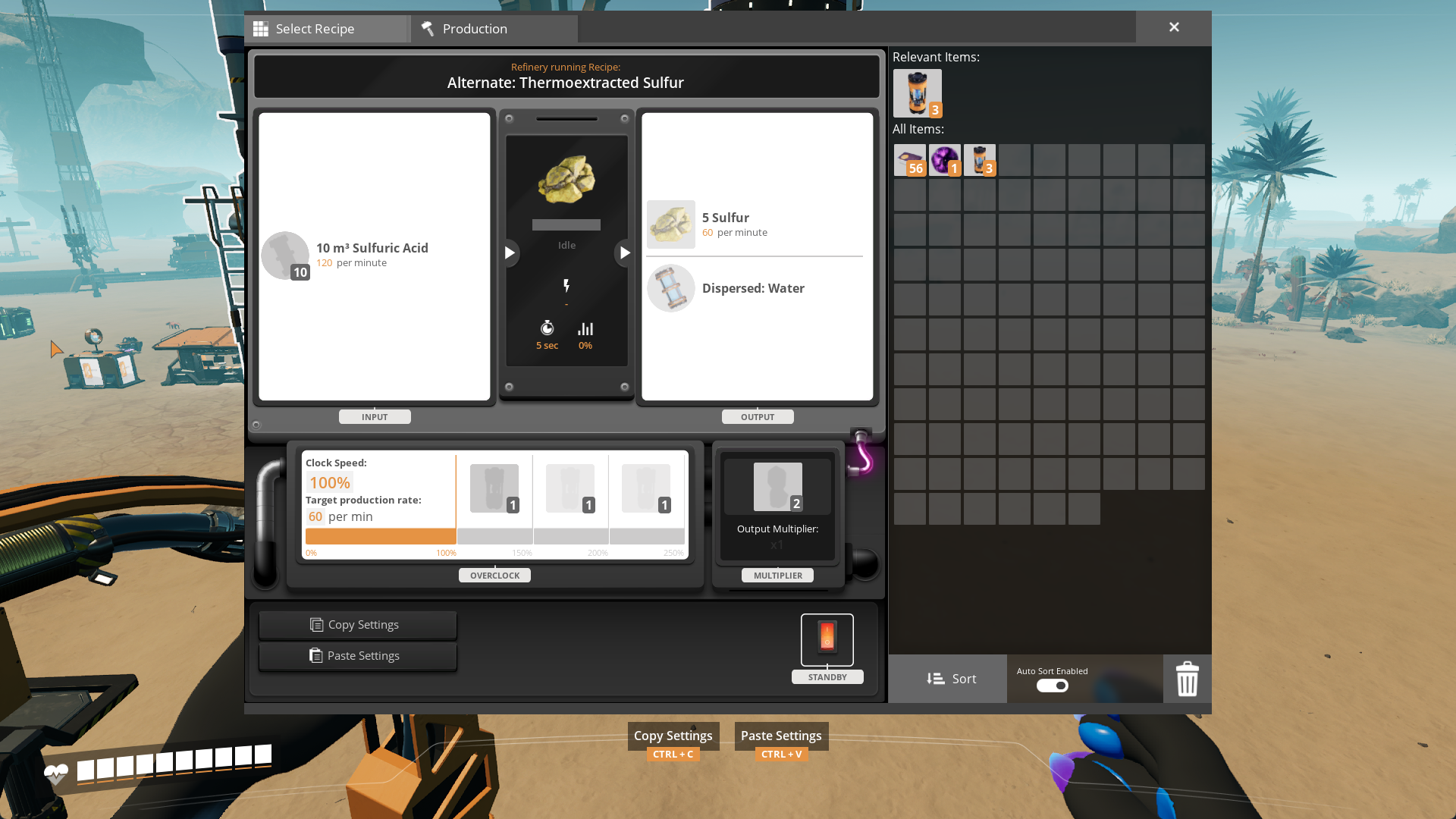
Make machine products that cost '0' of an item display as "Dispersed" items instead of "0"
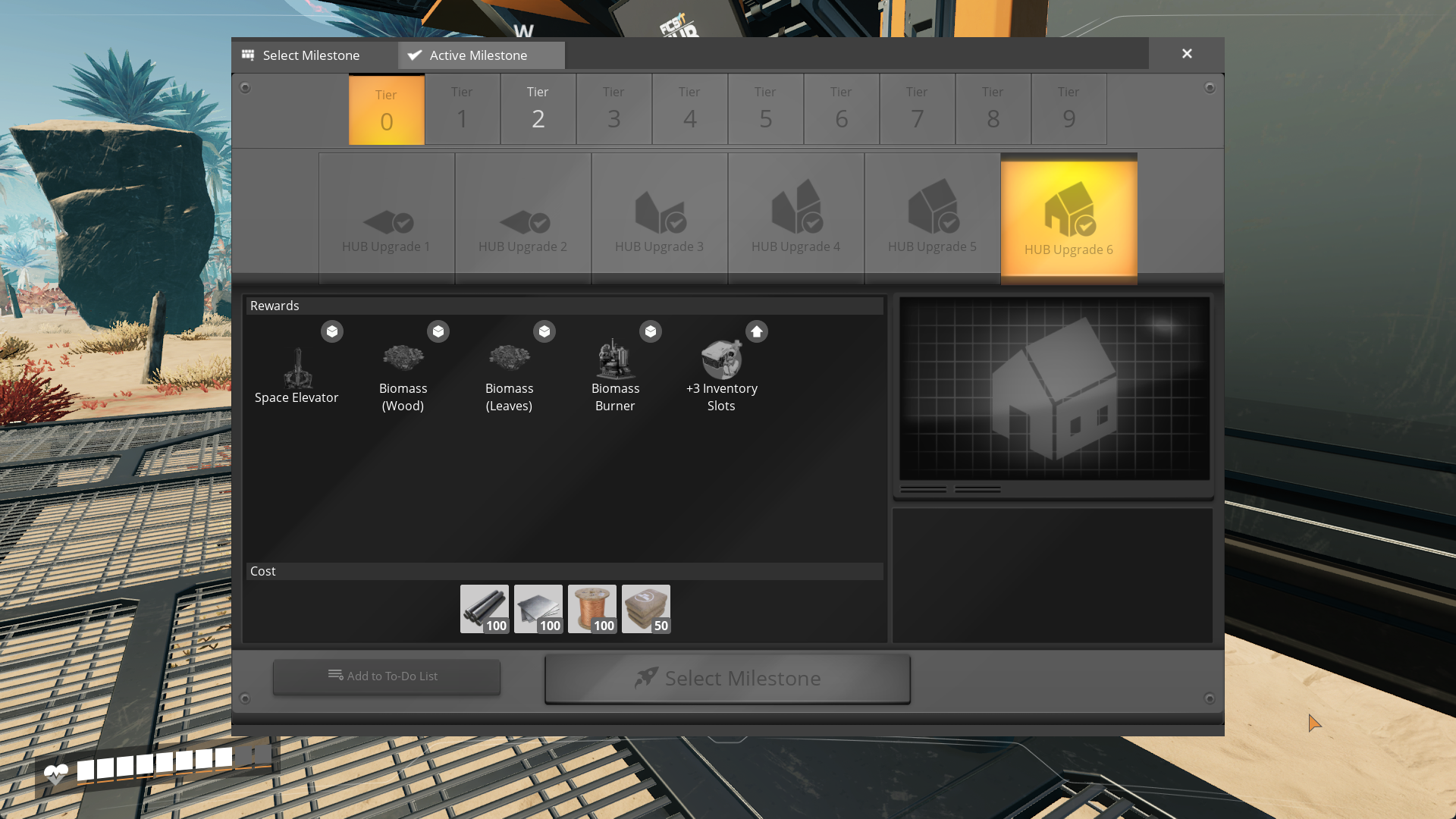
Make milestones/researches display name of the recipe instead of its first product
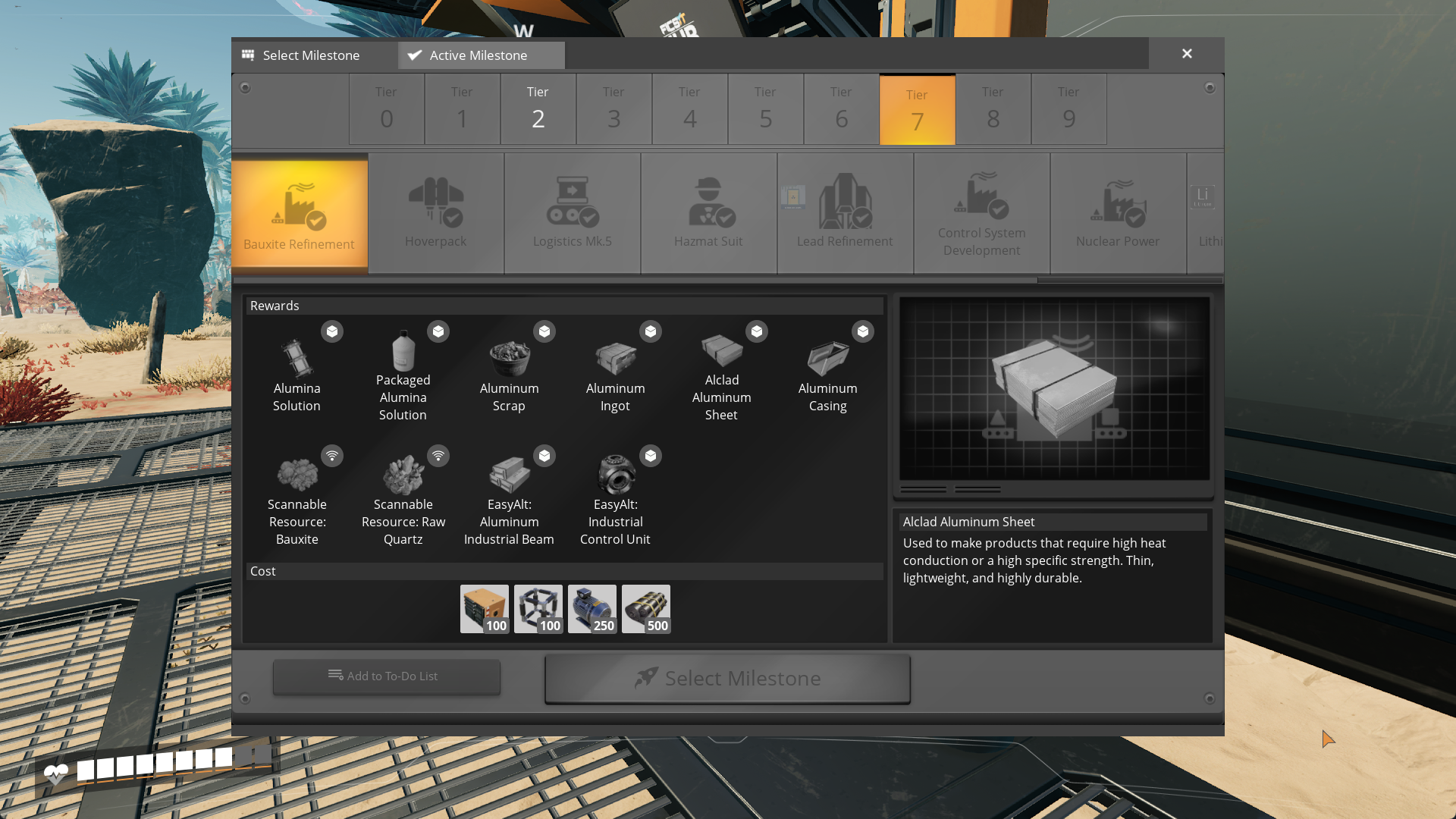
Allows modders to supply recipes with extra data (recipe descriptions, custom recipe icons) viewable to the user in the Codex, unlocks, machines and other recipe info displays
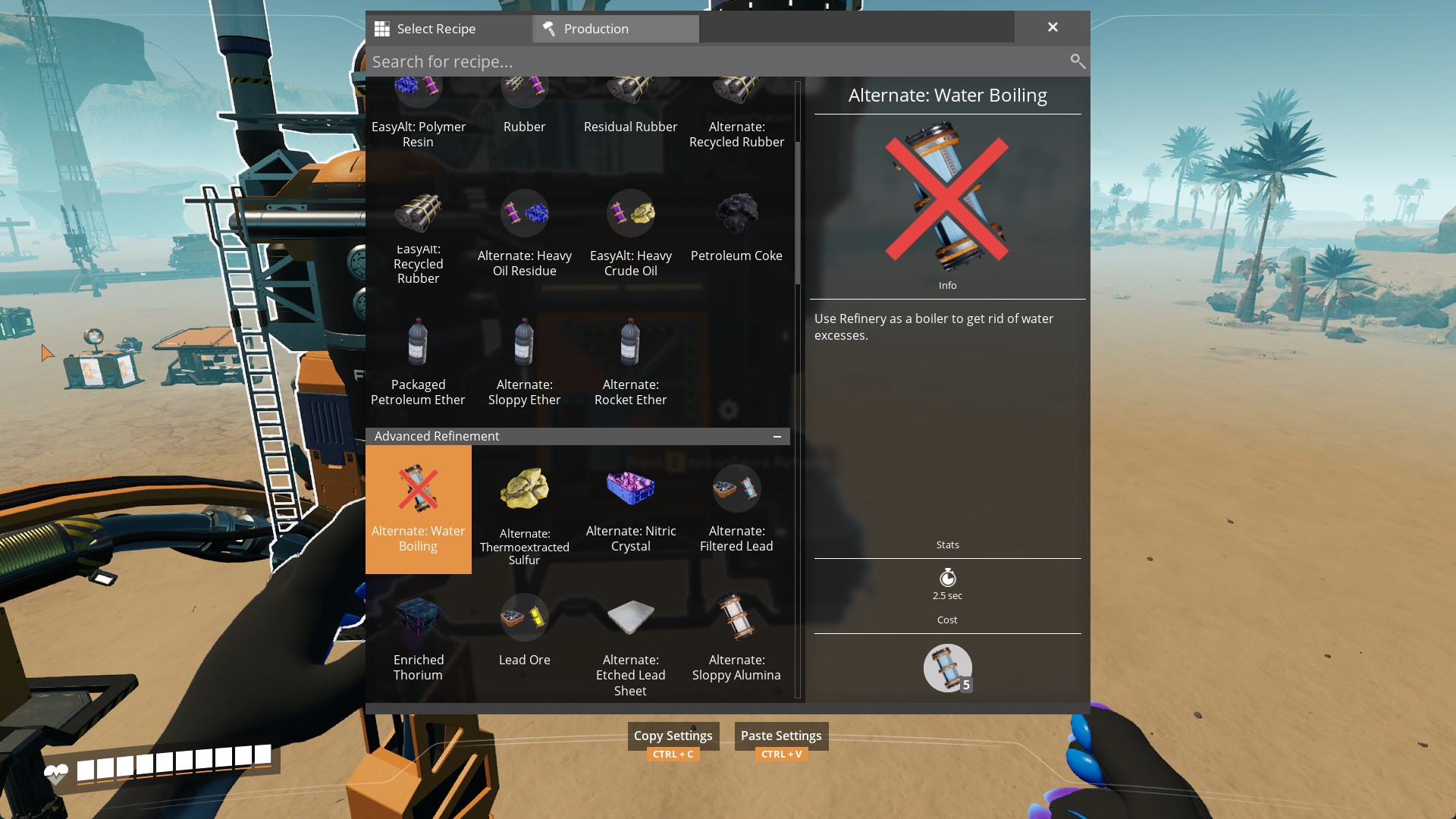
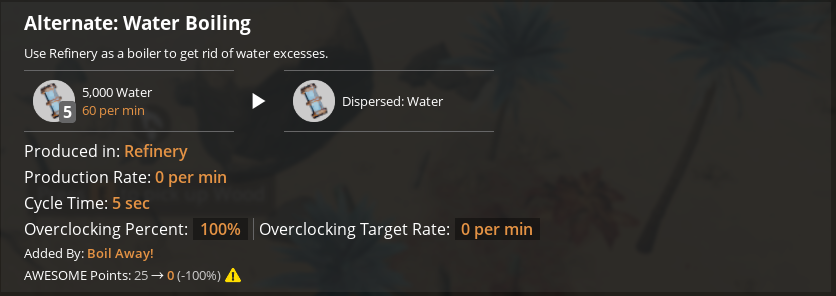
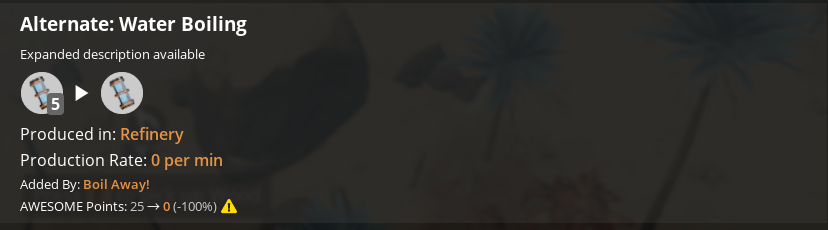
Mods Using This Mod
[Beaver's Bio Tweaks](https://ficsit.app/mod/AB_BioTweaks)
[Boil Away!](https://ficsit.app/mod/BoilAway)
For Mod Developers
This mod is open source and I (Robb) will not be vanishing on you any time soon.
This mod's features take effect on any vanilla-based UI.
Sometimes no item recipe has a name matching its first product name (i.e. Ficsite Ingot (Iron), Power Shard (1)...). To make the mod ignore a certain recipe unlock, apply `Recipe.Original` content tag to it via Content Tag Addition Table
In order to provide advanced description for a recipe, create a Data Asset of type BP\_AdvancedRecipeDescription and set all of its values. None textures and empty description texts will make it to not alter original description parts, except for DisplayByproduct, it is always applied. The rest is handled by Advanced Recipes itself
NOTE: If you want this mod to be an optional dependency, only set data on your Data Asset instances!
Update 2.0.0-pre.1 provided by AniViRus Productions
Versionen
Advanced Recipes auf dem Server installieren
Satisfactory Server bestellen
Bestelle einen Satisfactory Server mit mindestens 4 GB RAM (6 GB empfohlen). Bei Multiplayer: +1 GB pro 4 Spieler.
Mod installieren
Öffne den Mod-Manager im Dashboard und suche nach "Advanced Recipes". Installations-Dependencies werden automatisch mitinstalliert.
Server neu starten
Starte den Server neu, damit die Mod geladen wird. Spieler müssen die Mod ebenfalls lokal installiert haben.
Häufige Fragen
Advanced Recipes funktioniert nicht nach Update – was tun?
Nach einem Satisfactory-Update müssen Mods aktualisiert werden. Prüfe auf ficsit.app, ob Advanced Recipes bereits für die neue Game-Version aktualisiert wurde. Bei Mado Hosting: Öffne den Mod-Manager und klicke "Alle aktualisieren". Wenn die Mod noch nicht aktualisiert ist, entferne sie temporär, damit der Server startet.
Advanced Recipes verursacht Crashes im Multiplayer – Lösung
Häufigste Ursache: alle Spieler müssen exakt die gleiche Mod-Version installiert haben. Prüfe in den Server-Logs nach "ModMismatch" oder "Version Conflict". Stelle sicher, dass alle Spieler Advanced Recipes v2.0.0-pre.2 und den gleichen SML verwenden. Bei Mado Hosting laufen Satisfactory Server mit 6 GB RAM für stabile Multiplayer-Performance.
Ist Advanced Recipes mit anderen Satisfactory Mods kompatibel?
Advanced Recipes nutzt den Satisfactory Mod Loader (SML). Generell sind SML-basierte Mods untereinander kompatibel, aber Mods die gleiche Game-Systeme ändern, können Konflikte verursachen. Teste neue Mod-Kombinationen am besten auf einem Backup-Save. Im Mado Dashboard werden bekannte Konflikte automatisch erkannt und du wirst gewarnt.
Advanced Recipes Server mieten
Spiele Advanced Recipes auf deinem eigenen Satisfactory Server mit Mod-Support.
Mod Informationen
- Ersteller
- Robb, AniViRus Productions
- Neueste Version
- v2.0.0-pre.2
- Erstellt am
- 26. Januar 2024
- Zuletzt aktualisiert
- 8. Juli 2026
- Quellcode
- GitHub →