AlkaLib
A library for alkali resource nodes and Reactive Ore Extractors
Beschreibung
#
AniViRus Productions (AniMouse) is now on [Ficsit Labs](https://discord.gg/pz2U6FvMat). Join for news, updates and your feedback and suggestions!
[Donation link](https://boosty.to/anivirus/donate) if you wish to toss a coin to support me. Everything goes into a new PC for modding!
---
NOTE: This is NOT a mod. It doesn't add anything on its own. It is used to develop other mods for anyone who wishes to.
---What is this mod?
This mod is a library adding a new substype of base resource nodes - Reactive Resource Nodes. They work exactly like regular ones except they allow to place a new resource extractor on them - Reactive Ore Extractor. It has 1 solid input and 1 solid output, extraction requires a catalyst item input in exchange for an output item which differs from resource you scan for.
For better understanding, this mod is a derivative of [Lithium](https://ficsit.app/mod/Lithium) which has originally introduced the concept of Reactive Ore Extractor, and now it has it's own separate library for development of mods by others.
todo. In short, it adds a new type of resource nodes and Reactive Ore Extractors from Lithium mod to make use of them. There are still features to resolve.
That being said, let's look at Reactive Resource Nodes on Lithium's example.
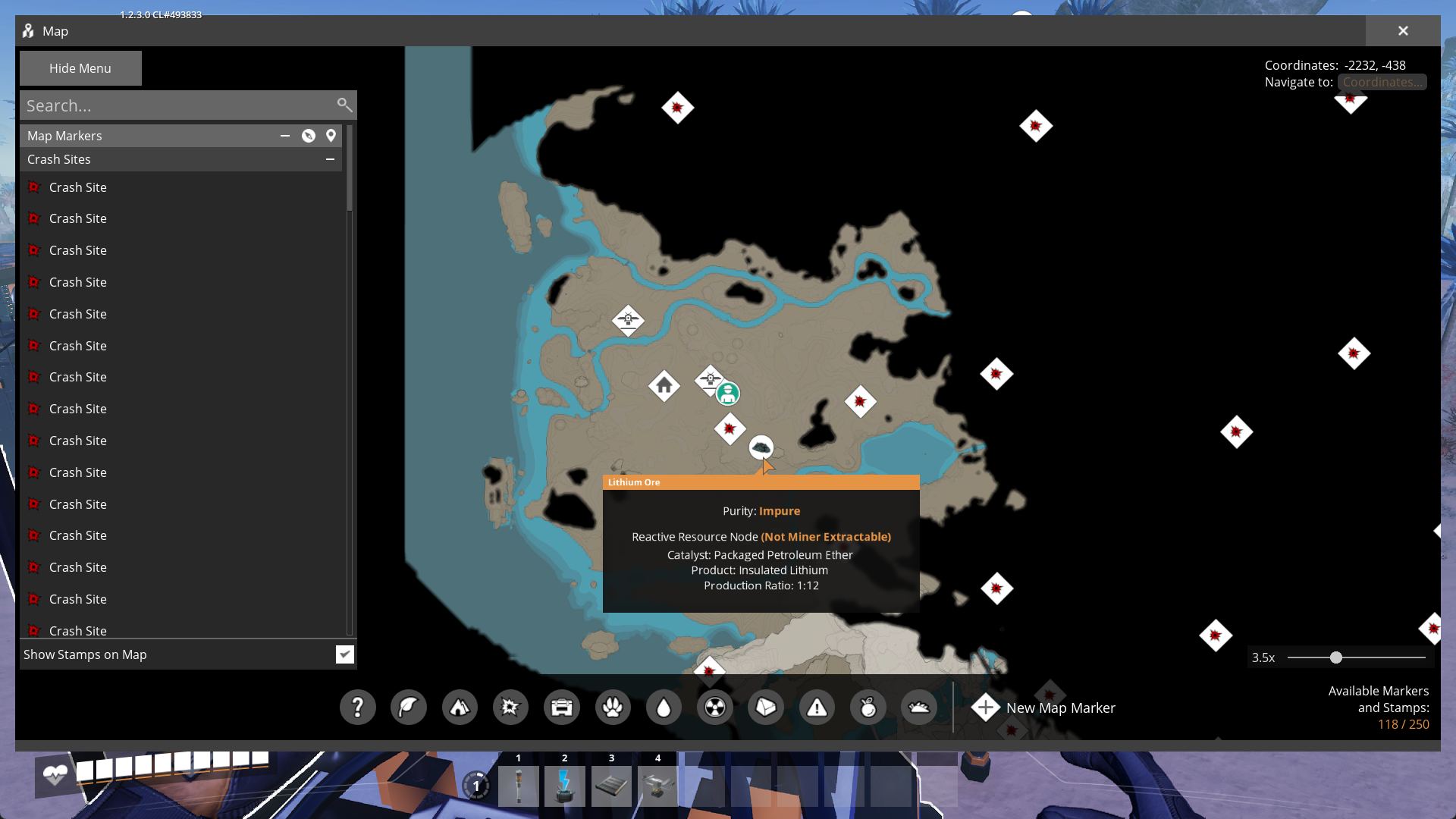
It adds a new raw resource to scan for - Lithium Ore which can be found at alkali resource nodes. They are considered reactive and not miner-extractable. so Lithium Ore itself can't be mined by any means (in other mods resource might be miner-extractable. In this case you need to decide what to put on the node: Miner or Reactive Ore Extractor - outputs will vary based on extractor used). Listed catalyst item is Petroleum Ether, output item is Insulated Lithium, ratio is 1:12. So the extractor's cycle can be summarized into 1 Petroleum Ether -> 12 Insulated Lithium.
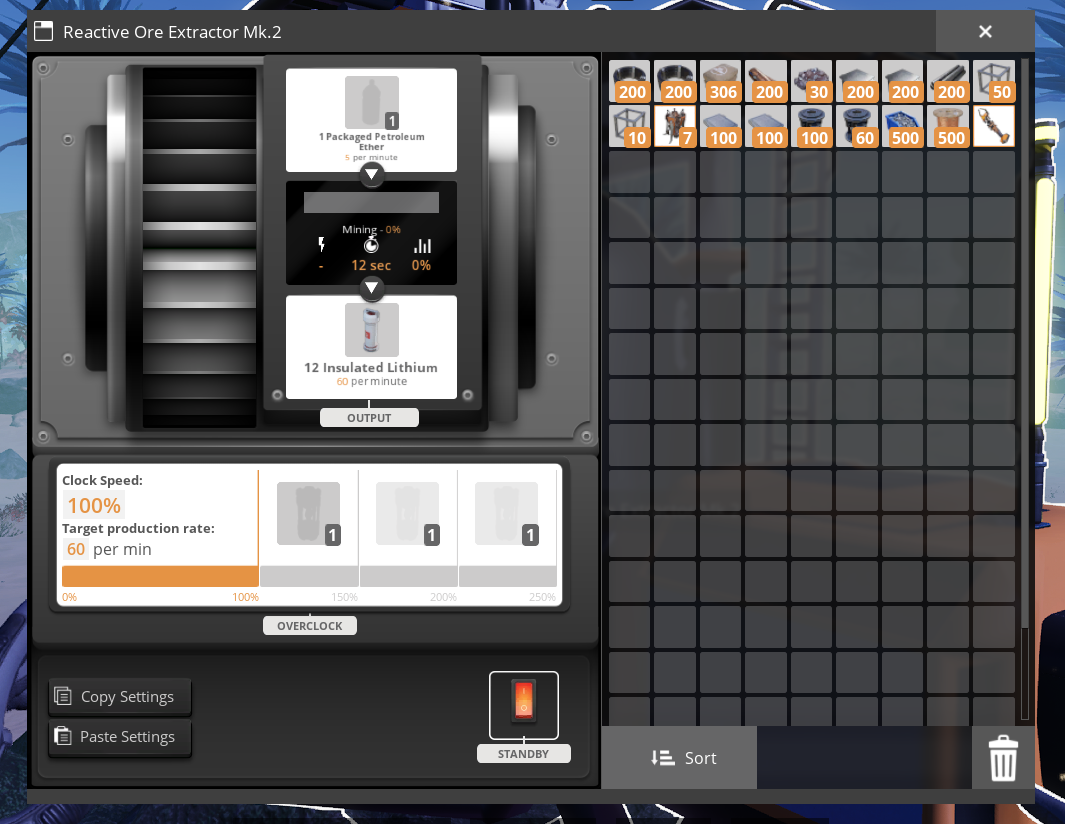
There are three modifications of the building, though in Lithium you won't see Mk.1 version due to specifics of progression.
---
Documentation
The process of creating a resource node is rather straightforward if you followed SML documentation and looked at ExampleMod.
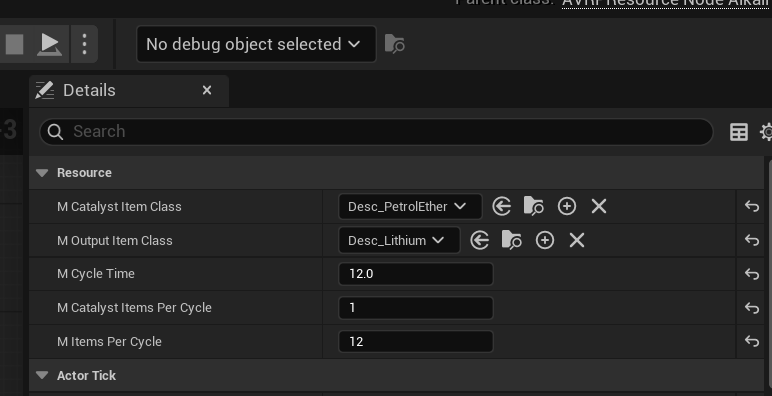
The most simple way to make a uniform resource node is creating a Blueprint subclass of AVRPResourceNodeAlkali. Besides setting a static mesh and a base extract resource class (for Miners and Resource Scanner to work as expected), you also need to set these new values on default object:
- Catalyst Item Class
- Output Item Class
- Cycle Time
- Catalyst Items Per Cycle
- Items Per Cycle
Resource Node being Miner-Extractable or not depends on the fact if mResourceClass (of FGResourceNode, not AVRPResourceNodeAlkali) is a solid item or not. If it is, resource is Miner-Extractable, otherwise - not.
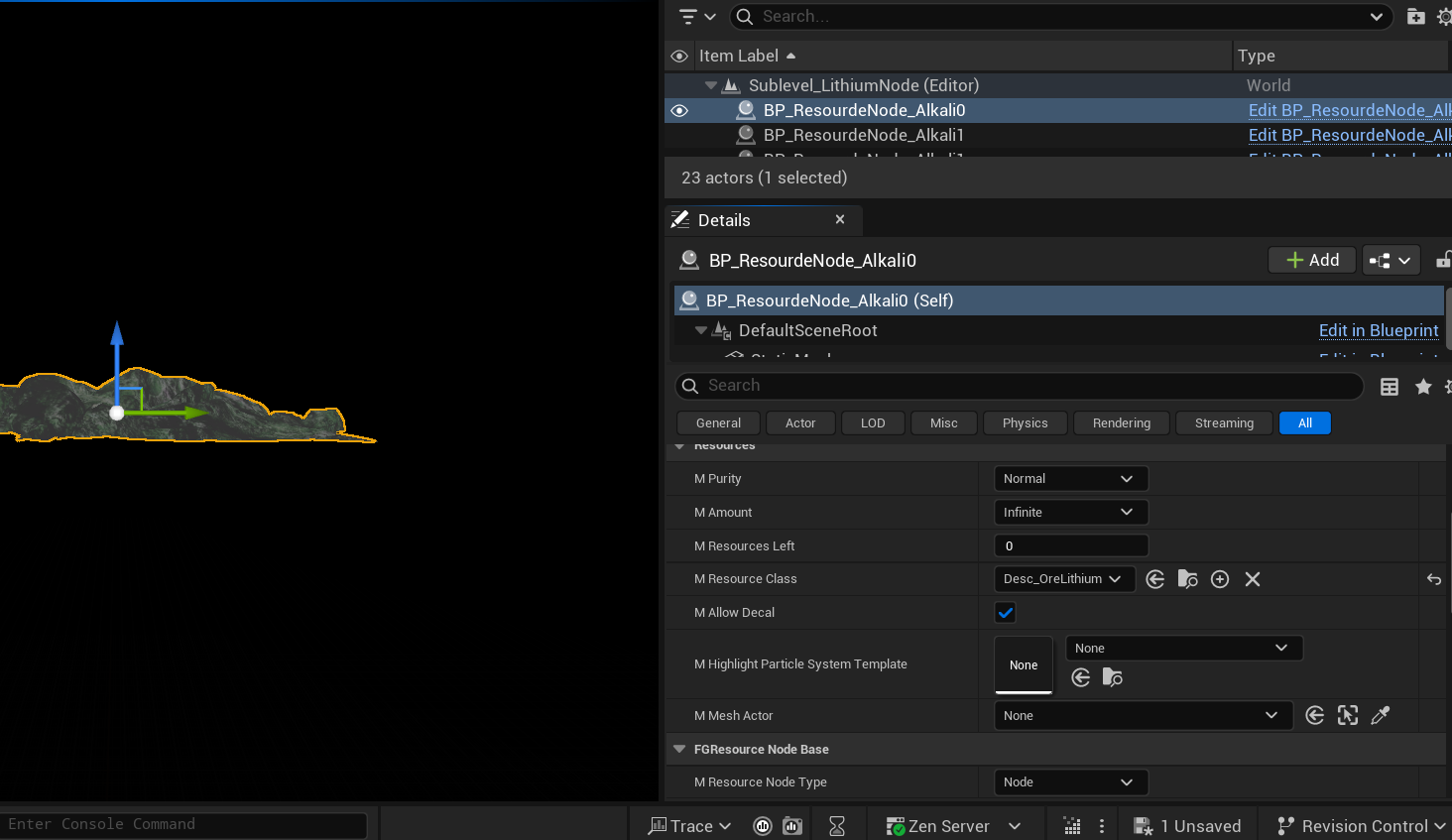
After that place resource nodes in the game world in the way which is most common to you and set purity on each instance of node.
To follow vanilla game's logic it is recommended for `mCycleTime mItemsPerCycle` be equal to 60. And, please, don't make multiple versions of nodes for the same resource, let alone new nodes for vanilla resources unless you know what you are doing. Behaviour might be unexpected if your base resource class in Reractive Node is set to Clude Oil, so don't try this especially.
---
Conclusion
If you have any suggestions, ideas or issues you are free to contact me via:- GitHub (Source code link).
- Discord (@AniMouse), I am on Satisfactory Modding Server and Ficsit Labs.
- [Any of my other social media](https://linktr.ee/anivirus) [under maintainance].
Thanks for reading through all of this!*
Versionen
AlkaLib auf dem Server installieren
Satisfactory Server bestellen
Bestelle einen Satisfactory Server mit mindestens 4 GB RAM (6 GB empfohlen). Bei Multiplayer: +1 GB pro 4 Spieler.
Mod installieren
Öffne den Mod-Manager im Dashboard und suche nach "AlkaLib". Installations-Dependencies werden automatisch mitinstalliert.
Server neu starten
Starte den Server neu, damit die Mod geladen wird. Spieler müssen die Mod ebenfalls lokal installiert haben.
Häufige Fragen
AlkaLib funktioniert nicht nach Update – was tun?
Nach einem Satisfactory-Update müssen Mods aktualisiert werden. Prüfe auf ficsit.app, ob AlkaLib bereits für die neue Game-Version aktualisiert wurde. Bei Mado Hosting: Öffne den Mod-Manager und klicke "Alle aktualisieren". Wenn die Mod noch nicht aktualisiert ist, entferne sie temporär, damit der Server startet.
AlkaLib verursacht Crashes im Multiplayer – Lösung
Häufigste Ursache: alle Spieler müssen exakt die gleiche Mod-Version installiert haben. Prüfe in den Server-Logs nach "ModMismatch" oder "Version Conflict". Stelle sicher, dass alle Spieler AlkaLib v1.1.0 und den gleichen SML verwenden. Bei Mado Hosting laufen Satisfactory Server mit 6 GB RAM für stabile Multiplayer-Performance.
Ist AlkaLib mit anderen Satisfactory Mods kompatibel?
AlkaLib nutzt den Satisfactory Mod Loader (SML). Generell sind SML-basierte Mods untereinander kompatibel, aber Mods die gleiche Game-Systeme ändern, können Konflikte verursachen. Teste neue Mod-Kombinationen am besten auf einem Backup-Save. Im Mado Dashboard werden bekannte Konflikte automatisch erkannt und du wirst gewarnt.
AlkaLib Server mieten
Spiele AlkaLib auf deinem eigenen Satisfactory Server mit Mod-Support.
Mod Informationen
- Ersteller
- AniViRus Productions
- Neueste Version
- v1.1.0
- Erstellt am
- 12. Juni 2026
- Zuletzt aktualisiert
- 8. Juli 2026
- Quellcode
- GitHub →